







I'm a passionate developer building handy CLI tools, Web GUIs, and VS Code extensions to improve developer experience. 🔭 What I'm currently working on


https://github.com/splists/splist The ultimate tool for safely splitting and organizing massive text and Markdown files via CLI or local web GUI.
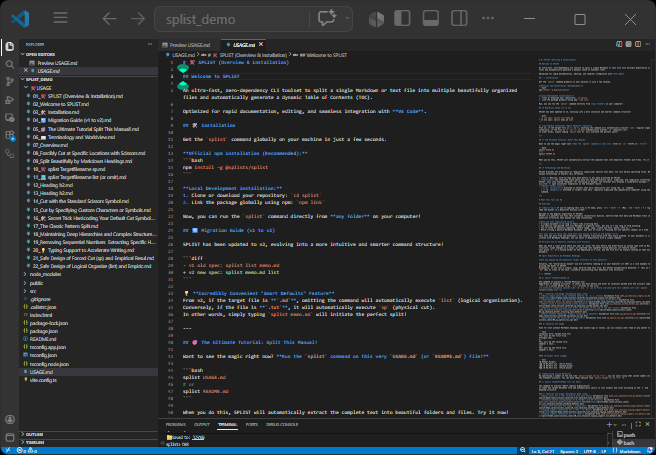
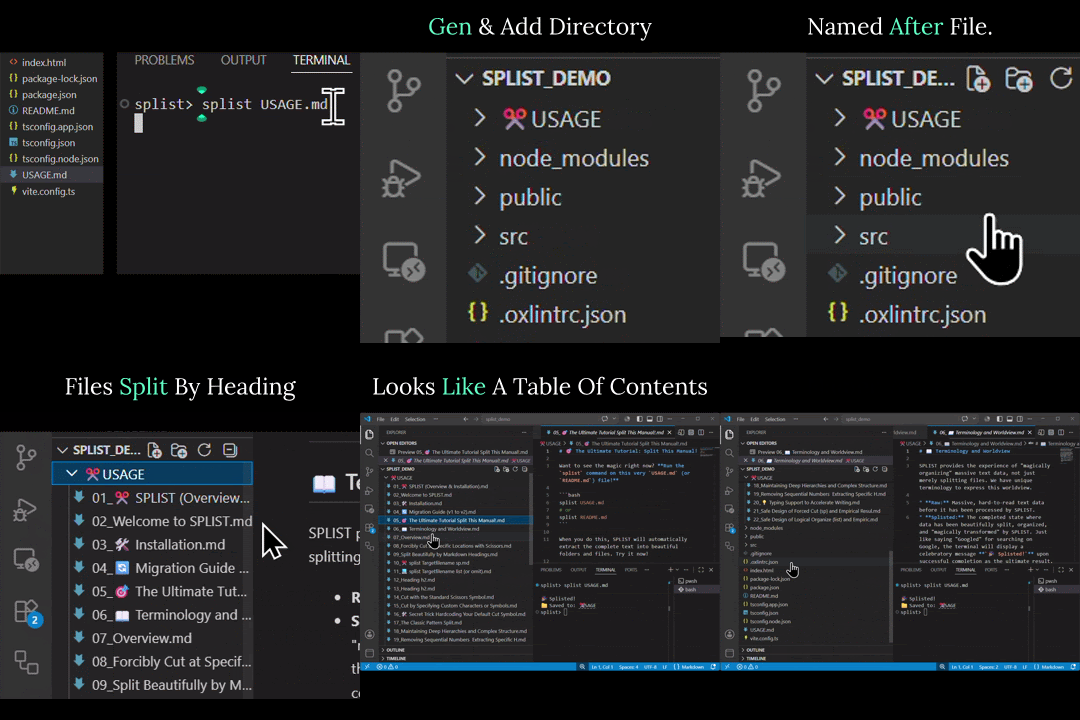
BROWSER Test page: https://splists.github.io/


https://github.com/cyber-pinks/cyber-pink-theme A futuristic cyberpunk VS Code dark theme featuring vibrant neon pink and cyan accents. It's easy to use once you get used to it.
- 📥 Install: VS Code Marketplace ↗ | Open VSX Registry ↗
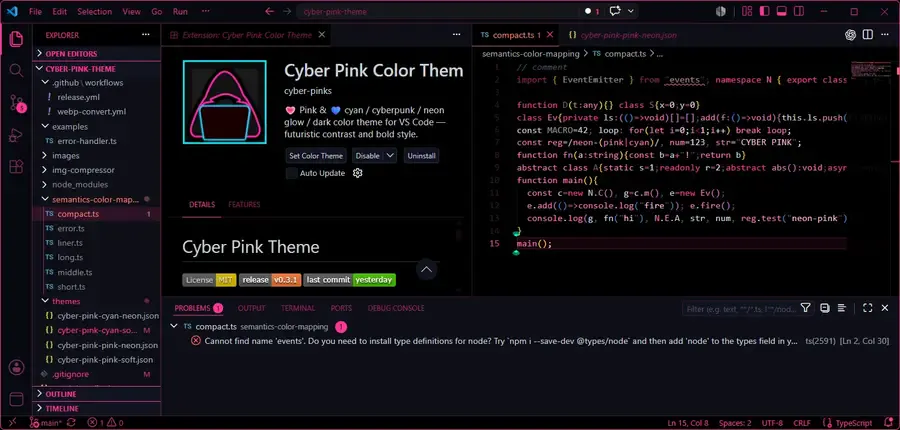
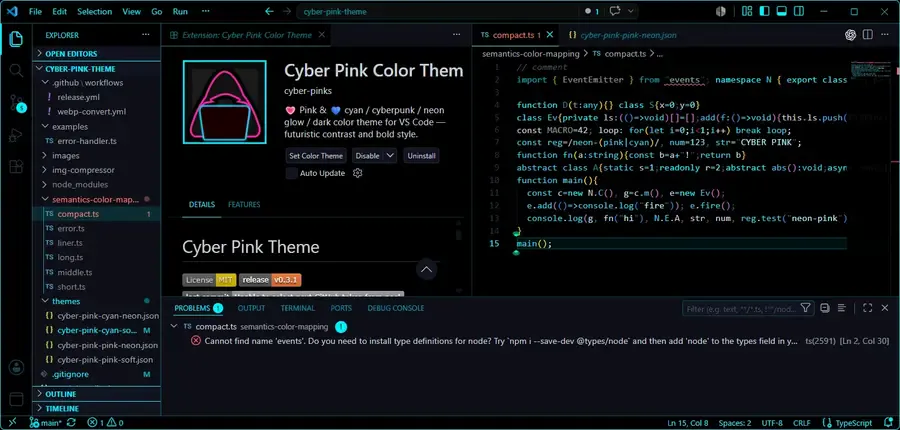
- cyber-pink-theme: A futuristic cyberpunk VS Code dark theme featuring vibrant neon pink and cyan accents. It's easy to use once you get used to it.










I actively try to give back to the open-source community by investigating issues, sharing workarounds, and submitting patches. Here are some of my deep-dive investigations:
A bug I recently reported in an issue that concerns me.
Strange caching bug in GitHub's code view
I noticed some weird behavior on GitHub while developing the theme—does nobody use this feature?

- If you're interested, give it a try here:/themes/cyber-pink-pink-neon.json#L1-L10
reproduce

Since you selected the "1–10" range via the previous link, opening a "new issue" loads the page with that URL already inserted into the body text.
Return to the previous screen using the browser's "Back" button. Select a different code range, then open a new issue again to verify.
After selecting a range of code lines and clicking "Reference in new issue," if you use the browser's "Back" or "Cancel" button to select a different range, GitHub gets stuck on the cache from the initial selection. In other words, the newly selected range is completely ignored.
I have reported the details and reproduction steps here: ⇒ Issue regarding the caching feature #200393
If you encounter this same behavior, please give the discussion a "thumbs up" (👃) or leave a comment.
This is a totally different topic, but the 👍️ symbol looks a bit like a nose.👃
I decided to try making a game Reddit, but I couldn't install it via the CLI, so I investigated the cause. I managed to fix the issue, but... I still haven't actually made the game.
- 🔍 Identifying the Cause:
I investigated a longstanding bug where users with non-English language settings were blocked from logging in via the CLI. I pinpointed that Reddit's OAuth approval form was localizing the submit button's value. The server expected a strict "Allow" value, so when a translated string was submitted, it returned an
access_deniederror. - 💡 Solution & Impact:
I submitted a detailed report with a client-side patch to force the form into English by appending
locale=ento the URL. My investigation and report ultimately enabled the Reddit engineering team to implement a permanent fix directly on their backend servers.
I use icons here from time to time, but sometimes they wouldn't display correctly, so I took a look at someone else's issue. Even though it wasn't directly related to my own situation, I investigated the cause and figured out what was going on.
- 🔍 Identifying the Cause:
I investigated why
@lucide/labicons failed to render in Angular. I discovered a mismatch in variable naming conventions: while core Lucide icons use PascalCase, the Lab icons use camelCase, causing the keys to be missing inLucideAngularModule.pick(). - 💡 Solution & Impact: I provided a clear workaround by demonstrating how to map the camelCase data to PascalCase keys. My findings and the workaround led to an official documentation update to help other Angular developers.