


everblush.nvim is a port of everblush.vim but written in lua
** IMPORTANT NOTE **: You need the latest version of neovim to use this, because this is totally written in lua!
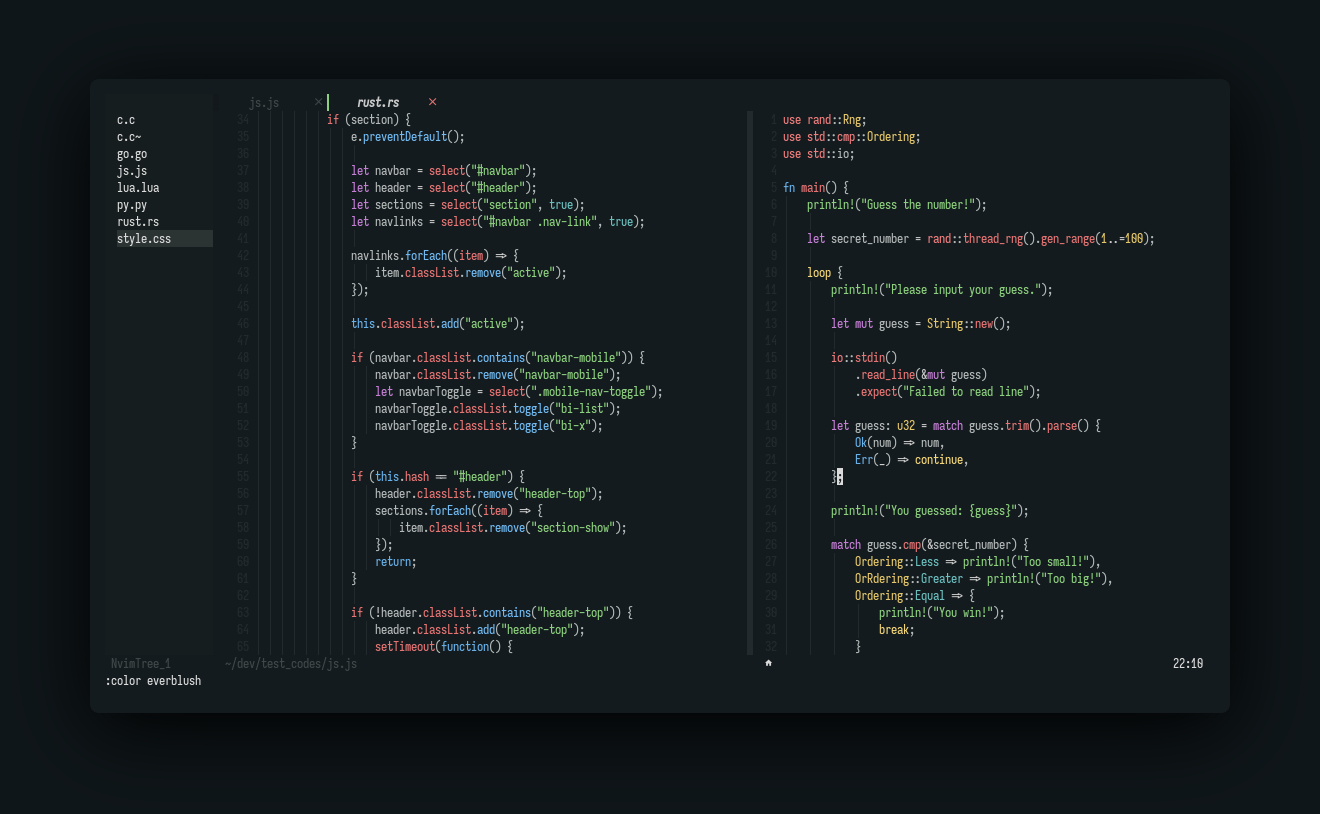
- Telescope
- Nvim Tree
- Tresitter
- Lsp
- Lsp saga
- Coc
- Bufferline
- Illuminate
- Diff
- Git signs
- Git gutter
- Lualine
- Ident-BlankLine
You can install this plugin with packer:
use { 'Everblush/everblush.nvim', as = 'everblush' }Or with vim-plug:
Plug 'Everblush/everblush.nvim', { 'as': 'everblush' }To active the theme call this in your neovim config:
local everblush = require('everblush')

everblush.setup({ nvim_tree = { contrast = true } }) -- or use contrast = false to not apply contrast
Or with vim script:
colorscheme everblushIt will set automatically the
vim.opt.termguicolorsto true
Place this in your lualine config:
local lualine = require('lualine')

lualine.setup {
  options = {
    theme = 'everblush',
  },
}If you want to get the colors into a lua dictionary
local everblush = require('everblush.core')
local colors = everblush.get_colors()If you want to override and customize the colors for various parts of the theme check out the config and override like so:
local colors = require('everblush.core').get_colors()

require('everblush').setup({
  override = {
    CursorLineNr = { fg = colors.foreground },
    LineNr = { fg = colors.comment },
  },
})
Any other colors can be overriden in a similar way.