
Create process flow diagrams (PFDs), piping and instrumentation diagrams (P&IDs), and block flow diagrams (BFDs) from a Python flowsheet. Describe equipment and connections; pandid places the units and routes the streams. The core package has no runtime dependencies.
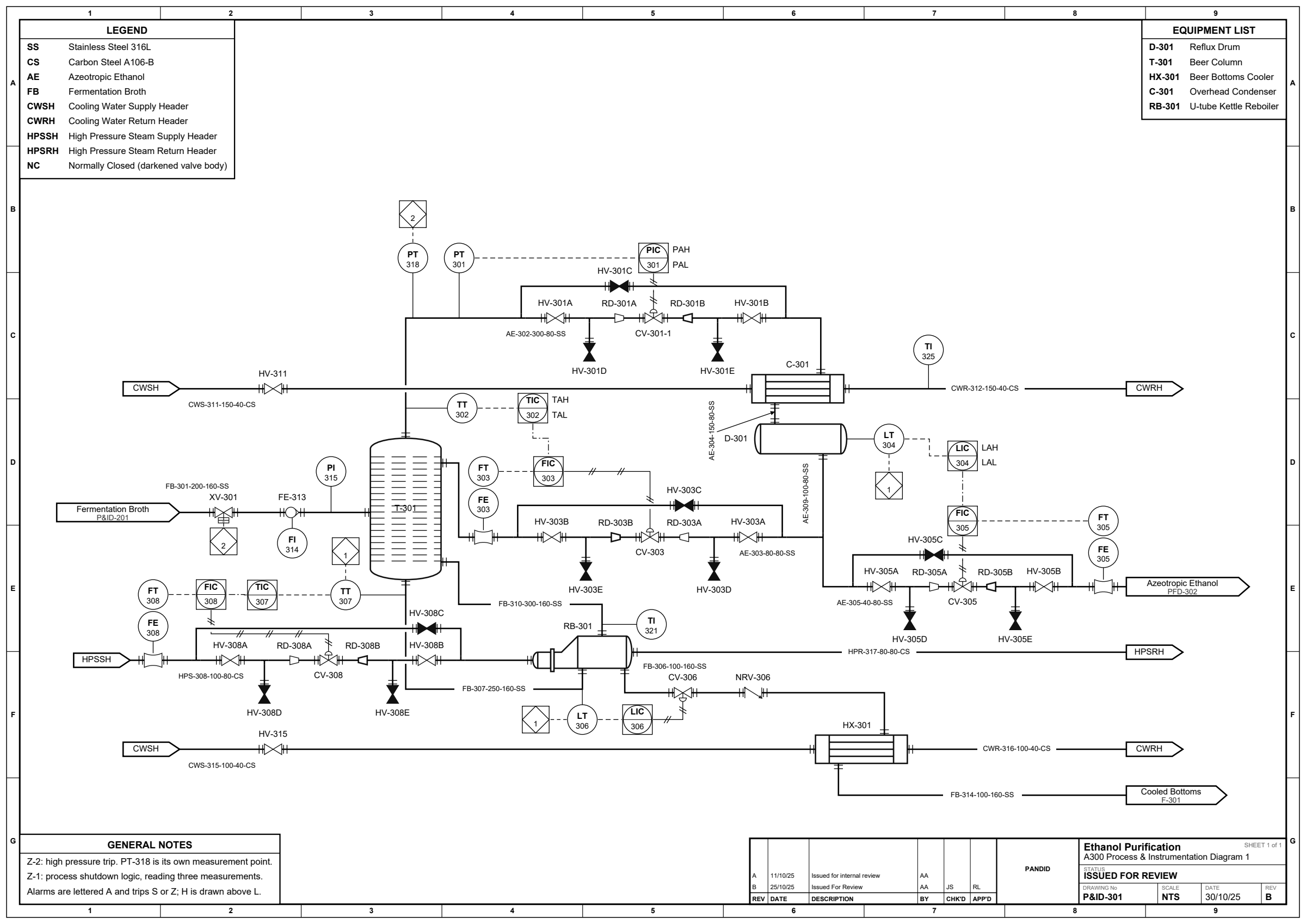
See the example and the full gallery.
Requires Python 3.11 or later.
pip install pandid
pip install 'pandid[pdf]'   # optional PDF and PNG output
pip install 'pandid[yaml]' # optional YAML inputfrom pandid import Feed, Flowsheet, Heater, Product, Separator
fs = Flowsheet("Flash Separation")
feed = fs.add(Feed("Crude"))
heater = fs.add(Heater("E-101"))
drum = fs.add(Separator("V-101"))
gas = fs.add(Product("Off-Gas"))
liquid = fs.add(Product("Condensate"))
fs.connect(feed.outlet, heater.inlet)
fs.connect(heater.outlet, drum.feed)
fs.connect(drum.vapor, gas.inlet)
fs.connect(drum.liquid, liquid.inlet)
fs.render("flash.svg")No coordinates are needed for this drawing. Render to SVG, editable draw.io, or PDF/PNG with the optional export backend. You can also pin equipment or add stream waypoints when a drawing needs manual control.
A stream returned by connect() can carry a valve with place_on() or a
control-valve station with place_valve_station_on(). Both default to the
stream midpoint; use at= to choose another position. See
stream-relative placement.
- Automatic equipment placement and orthogonal stream routing, with manual placement and route overrides.
- Equipment symbols, line numbers, instrumentation and control loops for BFDs, PFDs and P&IDs.
- Title blocks, drawing borders, equipment lists and stream tables.
- Python, JSON or YAML flowsheet input; SVG, draw.io, PDF or PNG output; a command line for drawing and validation.
Pandid draws diagrams; it does not calculate mass or energy balances. It follows selected process-drawing conventions but does not claim standards certification. The API reference explains the standards used and their limits.
- Example gallery: rendered diagrams and their scripts.
- API reference: equipment, ports, placement, data formats and commands.
- Contributing: setup, checks and GitHub workflow.
- Changelog: release history.
For a spec file, run pandid draw plant.yaml -o plant.svg or
pandid validate plant.yaml. See the
command line reference.
Pandid is source-available for noncommercial use under the
PolyForm Strict License 1.0.0.
The licence does not grant permission to distribute or modify the software.
For a separate licence, contact alexandersonxii+pandid@gmail.com.
Vendored equipment symbols have separate terms; see
LICENSE,
LICENSE-APACHE
and NOTICE.