
An inexpensive, DIY wireless network interface for the Nintendo Entertainment System (NES) based on the ESP32 microcontroller. It plugs into controller port 2 of a stock NES, with no changes inside the console, and gives NES software Internet access: online two-player games that join by a 4-character room code with no port forwarding, music and radio streamed through the NES's own sound chip, and apps such as Wikipedia, weather and Bluesky.


-
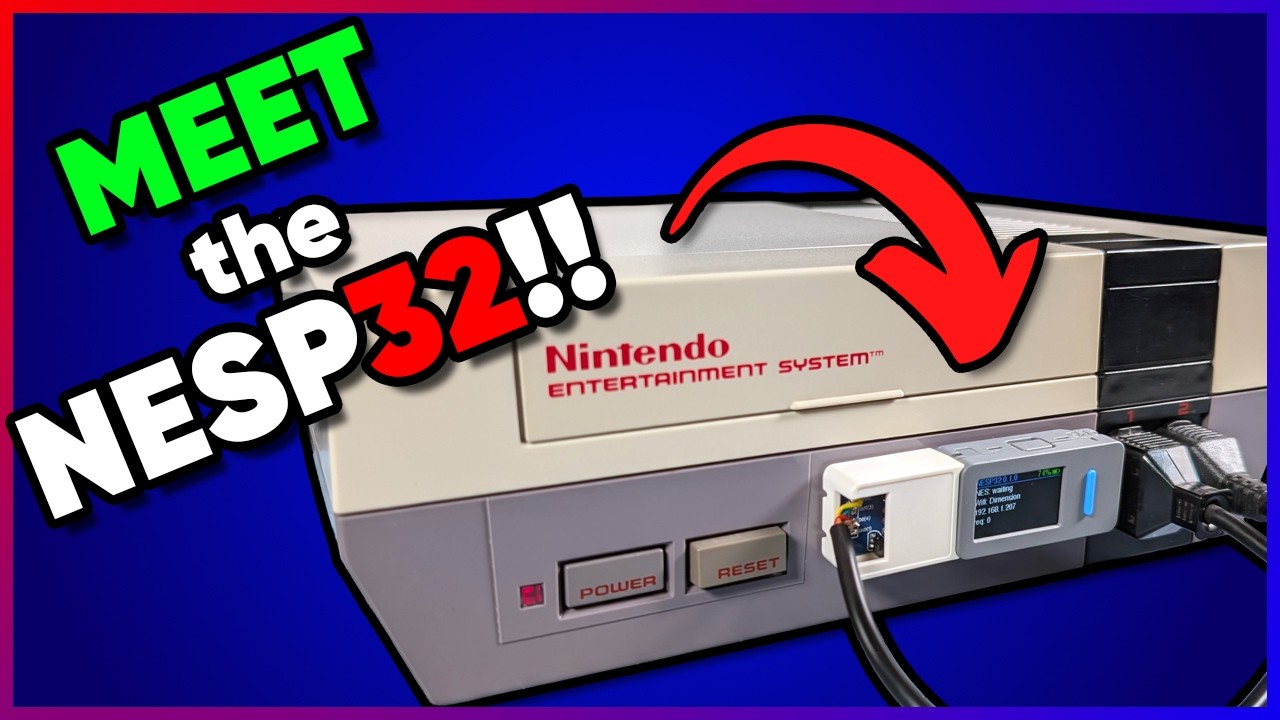
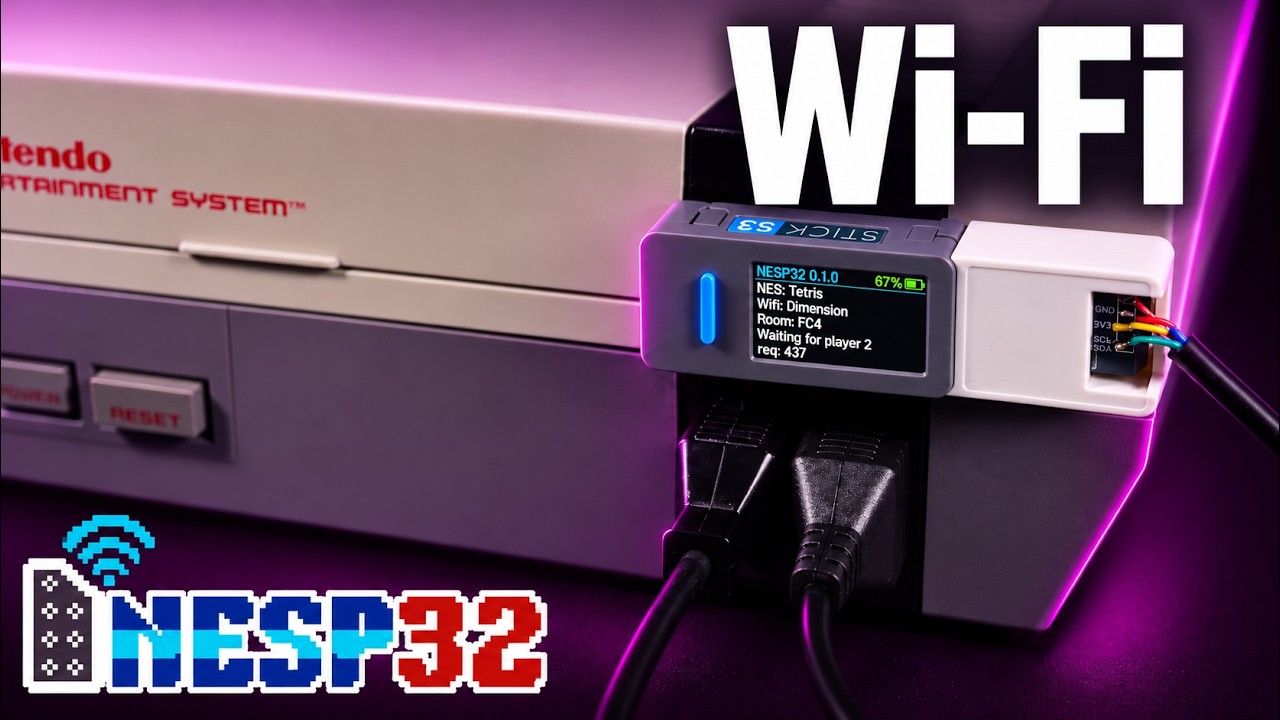
Built using the M5 StickS3, a ~$20 all-in-one IoT development kit that includes a dual core processor, flash storage, audio, WiFi, color LCD screen, battery, USB interface, and buttons. The M5 StickC-Plus2 is also fully supported.
-
A custom hat plugs into the top of the device and connects to controller port 2 of the NES.
-
Extensible firmware provides an API that any cartridge-based software can interface with. A setup program allows the wifi and USB storage to be configured from the NES itself.
-
Bluetooth (BLE) keyboard support for programs with text entry.
-
The NESP32 grew out of NES Radar and connectedNES, projects that first explored the use of the NES controller port as a data link.
-
NTSC and PAL are supported. Online play requires two of the same console. Some European models are not compatible.
-
User Guide: setting up and using a NESP32, for new users
-
Build Guide: building and checking the hat
-
Mesen: a nesp32 in the emulator, for running its programs and trying a ROM with no hardware
* Generic ESP32 boards can be used as well.
Interested in trying out or even developing for the NESP32? We'd love to grow a community around this project.
Please join our Discord!
| Name | Description |
|---|---|
| Setup | Configure the NESP32, status, Wi-Fi, link test, USB drive |
| NESpedia | Search and display Wikipedia articles |
| Jukebox | Stream VGM/VGZ music files and PCM audio to the NES sound chip |
| Throughput | Test the bandwidth of the NES<>ESP32 interface |
| Games* | Dr. Mario, Contra, Tetris, TMNT2 Arcade, Bubble Bobble, Jackal, and River City Ransom 2-player over the network |
| NES Radar | k6lcm's live air traffic scope, no PC required |
| NESradio | Live .mp3 radio stations on a radio dial, with what is playing |
| Weather | Current conditions and a 5-day forecast for a place anywhere in the world, which the NESP32 remembers |
| Bluesky | Bluesky posts from a list of favorite accounts the NESP32 remembers, after ConnectedNES |
| Family BASIC* | Family BASIC V3 using a Bluetooth keyboard. Save and load programs to the NESP32 instead of cassette |
* These titles contains copyrighted material and cannot be provided. Instead, download the patches from the ROM patches page, and apply them to your own original ROM files.
- Repurposes controller port 2 for serial I/O. The console sends data to the NESP32 on the shift register strobe line and receives on a data line of port 2. The custom hat shifts the levels between the console's 5 V and the NESP32's 3.3 V (wiring).
- The NES asks, the NESP32 answers. Every exchange is one request and one reply, each with a check. A request names an API service and an operation.
- A ROM sends a hello that names the services it needs. Unified firmware serves all supported cartridge programs.
Just want to install the firmware? You don't need to build anything: connect the StickS3 (or StickC-Plus2) over USB and flash the latest release from your browser with the Online Firmware Installer.
Just want to play the online games or Family BASIC? You don't need to build those either: download the patches from the ROM patches page and apply each to your own copy of the game (User Guide).
The steps below are for building the firmware and ROMs from source.
You will need:
-
for the ROMs: cc65 (
ca65,ld65), a C compiler,make,patchand Python 3 -
for the firmware: ESP-IDF 5.1 or later (5.5.5 and 6.0.3 are the versions it has been built with), installed for both chips. Espressif's installer puts it in
~/.espressif/v<version>/esp-idf; it can be cloned instead, as below, and only its core tools are needed:git clone --recursive https://github.com/espressif/esp-idf.git ~/esp/esp-idf ~/esp/esp-idf/install.sh esp32,esp32s3
firmware/deploy.shand the tests look for ESP-IDF whereverIDF_PATHpoints or, with it not set, in~/esp/esp-idf, or else the latest of~/.espressif/v*/esp-idf.deploy.shloads ESP-IDF itself, and says so if it is missing or not installed.
1. Clone the repository and its submodules
git clone --recurse-submodules https://github.com/Armitage64/nesp32.git
cd nesp32
If you cloned without the submodules, run git submodule update --init.
2. Build and flash the firmware
Connect the StickS3 (or StickC-Plus2) over USB, then:
firmware/deploy.sh # build, and flash every NESP32 that is connectedfirmware/deploy.sh build builds without flashing, and firmware/README.md
has the idf.py commands it runs. Flashing replaces whatever is on the device. To skip the
build, a released image can be flashed from a browser at Firmware Updates.
3. Build the ROMs
make cart                   # the cartridge
make -C apps/drmario        # Dr. Mario 2P
make -C apps/contra         # Contra 2P
make -C apps/tetris         # Tetris 2P
make -C apps/tmnt2          # TMNT II 2P
make -C apps/jackal         # Jackal 2P
make -C apps/rcr            # River City Ransom 2P
make -C apps/family-basic   # Family BASIC
Contra, TMNT II, Jackal, River City Ransom and Family BASIC need your own copy of the game at apps/<name>/baserom.nes
(each app's README says which release). Dr. Mario and Tetris are built from their disassemblies
alone. After changing a game, make -C apps/<name> bps writes its patch for players in
apps/<name>/dist/ again; commit it, since the web site ships the patches as committed.
4. Find the ROM images
| File | What it is |
|---|---|
build/nesp32.nes |
The cartridge: every program above but the games, behind one menu (MMC1, 256 KB PRG, 128 KB CHR) |
build/setup.nes |
Setup as a ROM of its own. For any other program on the cartridge, make -C apps/<name> builds one into apps/<name>/build/ |
apps/drmario/build/drmario_net.nes |
Dr. Mario 2P, which is not on the cartridge |
apps/tetris/build/tetris_net.nes |
Tetris 2P, which is not on the cartridge |
apps/contra/build/contra_net.nes |
Contra 2P, which is not on the cartridge. make -C apps/contra ines also makes contra_net_ines.nes, with an iNES header in place of the NES 2.0 one |
apps/tmnt2/build/tmnt2_net.nes |
TMNT II 2P, which is not on the cartridge |
apps/jackal/build/jackal_net.nes |
Jackal 2P, which is not on the cartridge |
apps/rcr/build/rcr_net.nes |
River City Ransom 2P, which is not on the cartridge |
apps/family-basic/build/fbasic.nes |
Family BASIC, which is not on the cartridge |
| docs/USER_GUIDE.md | using a NESP32: setup, Wi-Fi, the keyboard, every program, online play, troubleshooting |
| docs/BUILD_GUIDE.md | building the hat and checking it, step by step |
| docs/WIRING.md | the hat: its pins, the level shifter, and why it is needed |
| docs/PROTOCOL.md | the link: the line, frames, the hello, every service, timing, and the console's library |
| CHANGELOG.md | what changed in each release of the firmware and the cartridge |
| docs/RELEASING.md | version numbers, the changelog, cutting a release, and how the web site gets it |
| docs/DEVELOPMENT.md | building, the cartridge, what is where in the repository, the tests, and how far each part has got |
| docs/TODO.md | what is still to do on the hardware and the firmware |
| firmware/README.md | the nesp32's firmware: building and flashing it, how it keeps time, and what was seen on hardware |
| hardware/ | the hat's board and its parts |
| apps/ | each program's self-contained documentation and to-do list |
| samplecode/ | small, documented ROMs to learn from or copy: a two-player game's lobby and session, an HTTPS fetch, and a Bluetooth keyboard |
| docs/MULTIPLAYER.md | the netplay games (Dr. Mario, Tetris, Contra, TMNT II, Bubble Bobble, Jackal, River City Ransom): how they are played, and how two consoles are kept in the same game |
| apps/contra/docs/Netplay.md | Contra's netplay, with figures from sessions on hardware |
| docs/PHANTOM-RIGHT.md | a netplay bug found on a real NES: a Right that nobody pressed |
nesp32 is free software, copyright 2026 Matthew Demicco, under the GNU General Public License, version 3: the firmware, the ROMs and their sources, the console's library, the tools, the tests, the hat's board and the documents. It comes with no warranty.
Not everything in the repository is nesp32's to license:
third_party/is other people's, each under its own terms: nes-radar (GPL-3.0, as this is), minimp3 (CC0), and the disassemblies of Dr. Mario, Contra, Tetris, TMNT II and Jackal that the two-player ROMs are built from.- The games.
apps/drmario,apps/contra,apps/tetris,apps/tmnt2,apps/jackal,apps/rcrandapps/family-basichold nesp32's patches and the code they add, which are under this licence; Dr. Mario, Contra, Tetris, TMNT II, Jackal, River City Ransom and Family BASIC are their publishers', and no ROM of any of them is here. Each app'sdist/has a BPS patch, which holds none of the game and is applied to your own copy. Building Contra, TMNT II, Jackal, River City Ransom or Family BASIC also needs your own copy. - Tetris's game for two follows ejona86's
TAUS twoplayer mod, Eric Anderson's,
under the MIT License (its terms): its
screen and tiles (
apps/tetris/net/twoplayer_game.nam,twoplayer.chr) are TAUS's files, andapps/tetris/net/twoplayer.incis its code, rewritten for the disassembly. - NES Radar's ROM is k6lcm's with nesp32's changes (apps/nes-radar), and the cartridge has it on it.
- The CRC routine without a table (
nesp_crcinnes/lib/nesp.inc, which NPR and Throughput are built with) is Greg Cook's, from 6502.org's source library. He gave it there to be of use, and his page states no terms; it is used as he published it, and is not nesp32's to license. - Fetched text and data keep their own terms: Wikipedia's articles and
the piece of one in
tests/fixtures/are CC BY-SA 4.0, and tests/fixtures/README.md names the rest. - The firmware is built with ESP-IDF and esp_tinyusb (Apache-2.0), and TinyUSB, M5Unified and M5GFX (MIT), which are fetched when it is built and are not in this repository.