






Free, open-source server control panel for Linux.
A self-hosted alternative to cPanel, Plesk, and aaPanel — WAF, Fail2Ban, Load Balancer, WP Toolkit, 2FA, and HTTPS for the panel itself, all built in and free, with no paid Pro tier.
Built with Python/Flask + Alpine.js. No Node.js build step. No bloat. 2-minute install.


| Feature | cPanel | Plesk | aaPanel Free | aaPanel Pro | HestiaCP | VortexPanel |
|---|---|---|---|---|---|---|
| Price | $30–$65/mo | $16–$46/mo | Free | Paid add-on | Free | Free (MIT) |
| ModSecurity WAF | Paid ext. | Paid ext. | ❌ | ✅ paid | Manual | ✅ Built-in, OWASP CRS v4 |
| Fail2Ban | Paid ext. | Built-in | ❌ | ✅ paid | ✅ | ✅ Built-in |
| Load Balancer | ❌ | ❌ | ❌ | ✅ paid | ❌ | ✅ Built-in |
| WP Toolkit | ❌ | Paid (Deluxe+) | ❌ | ❌ | ❌ | ✅ Built-in, free |
| Firewall (UFW + firewalld) | ❌ | via ext. | UFW only | UFW only | UFW only | ✅ Both, native |
| Panel 2FA (TOTP) | ✅ | ✅ | ✅ | ✅ | ❌ | ✅ Built-in |
| Panel HTTPS (self-hosted) | ✅ | ✅ | ✅ | ✅ | ✅ | ✅ Custom port, never 443 |
| Password hashing | Unknown | Unknown | Unknown | Unknown | Unknown | Argon2id (OWASP #1) |
| PHP Webshell Scanner | ❌ | ❌ | ❌ | ❌ | ❌ | ✅ Built-in |
| Cloud Backup (S3) | Paid | Paid ext. | ❌ | ✅ paid | Manual | ✅ Built-in |
| Docker UI | ❌ | ❌ | ✅ | ✅ | ❌ | ✅ Built-in |
| RHEL/AlmaLinux/Rocky | ✅ | ✅ | Partial | Partial | ❌ | ✅ 9 distros |
| Web Terminal | ✅ | ✅ | ✅ | ✅ | ❌ | ✅ Built-in |
| Go/Node.js app hosting | ❌ | ❌ | ❌ | ❌ | ❌ | ✅ Built-in, one-click |
| Import from cPanel/aaPanel/Hestia | ❌ | ❌ | ❌ | ❌ | ❌ | ✅ Built-in wizard |
| Open source | ❌ | ❌ | Partial | ❌ | ✅ | ✅ MIT |
- Nginx, Apache2, OpenLiteSpeed, Caddy — install and manage from the same panel
- One-click SSL via Let's Encrypt — auto-detects Cloudflare DNS-01 vs HTTP-01
- Reverse proxy, custom directives, PHP version per site, Composer integration
- One-click WordPress/Laravel/Symfony deploy
- PHP webshell scanner integrated with the File Manager
- Per-site disk usage (lazy-loaded, won't slow down servers with many/large sites)
- Global SSL expiry alerts on the Dashboard, aggregated across every site
Deploy compiled Go binaries and Node.js apps with the same one-click simplicity as WordPress — a capability none of cPanel, Plesk, aaPanel, or HestiaCP offer out of the box:
- Go: binary-only deployment, Go SDK manager (multiple versions side by side), GOPROXY config, systemd auto-restart, resource limits (
MemoryMax/CPUQuota), on-demand TCP health checks, binary version history with one-click rollback - Node.js: PM2 or systemd per project, nvm-based version switching, current LTS reality (v24 Active, v22 Maintenance, v18/v20 correctly blocked as EOL)
- Both: reverse proxy on all 4 webservers with WebSocket support, Let's Encrypt SSL per domain, firewall integration, all 9 supported distros
Migrate a site off cPanel, aaPanel, or HestiaCP by uploading its backup archive — no SSH pull required:
- Detect → confirm → import flow — every auto-detected field (domain, PHP version, document root, database) is editable before anything executes
- Imported sites use the exact same code path as "New Website", so they're indistinguishable from natively-created ones
- Fresh random database password generated on import (originals are never in a backup dump)
- Files + database in this release; email/cron/SSL migration not yet included
Full WordPress lifecycle management — install, manage, secure, stage, back up — no separate plugin or paid add-on:
- Full install in one click: downloads WP, creates DB, writes
wp-config.php, runs the installer, creates the vhost, configures SSL — done - PHP 7.4 → 8.5, Nginx / Apache / OpenLiteSpeed / Caddy, MariaDB / MySQL — pick any combination
- Plugin & theme management, one-click admin login (no password needed), bulk updates
- Security scanner — 9 checks with one-click auto-fix buttons
- Staging clone — full site clone with DB, push/pull between staging and live, auto-backup before push
- Backup/restore, maintenance mode, system cron, debug mode toggle
- Auto-generates non-default admin username + randomised table prefix on install (security by default)
- Firewall — UFW (Debian/Ubuntu) and firewalld (Fedora/RHEL/AlmaLinux/Rocky/Oracle/CentOS/CloudLinux) from the same UI
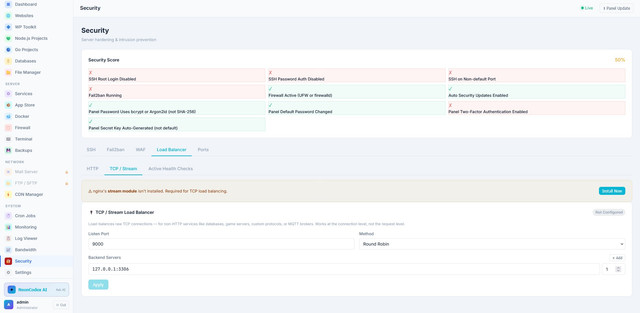
- Fail2ban — intrusion prevention, brute-force protection
- ModSecurity WAF — OWASP CRS v4, 3-state engine (Blocking/Detection/Off), paranoia level 1–4, custom rule editor, audit log viewer, per-site override, weekly auto-update cron
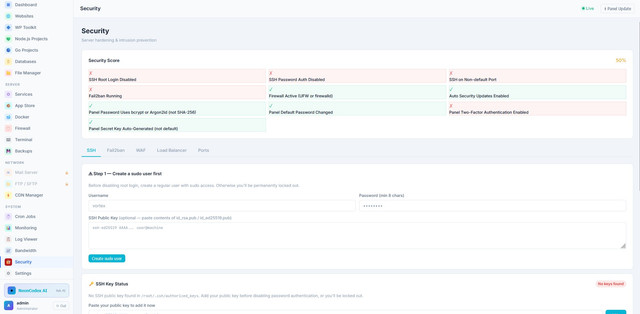
- SSH Hardening — create sudo users, add SSH keys, disable root login, disable password auth, change port — all with built-in safety checks that block you from locking yourself out
- Security Score dashboard — SSH config, firewall (UFW or firewalld), Fail2ban, auto-updates, panel password strength, 2FA status, secret key — all in one glance
- Argon2id password hashing (OWASP's #1 recommendation) with transparent migration from legacy SHA-256/bcrypt — existing users never notice
- 2FA / TOTP — QR-code setup with any authenticator app (Google Authenticator, Authy, 1Password), required on every login once enabled
- Brute-force lockout — 5 failed attempts → 15-minute lockout, persists across panel restarts
- Panel HTTPS — self-signed or Let's Encrypt, served on your custom port (never the well-known 443), so enabling HTTPS never makes the panel newly discoverable by a generic port scan
- IP allowlist, session timeout, login audit log, auto-generated 64-byte secret key, security headers (CSP, X-Frame-Options, HSTS-ready) on every response
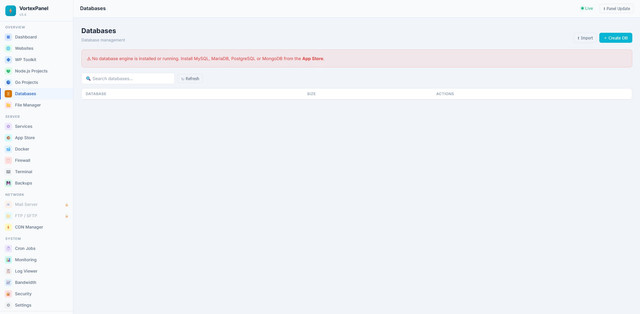
- MySQL, MariaDB, PostgreSQL, MongoDB — multi-engine
- phpMyAdmin integration (auto-configured on its own port, separate PHP version)
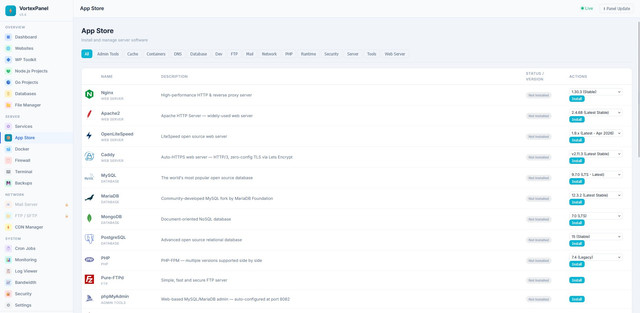
- 27 one-click installs: Nginx, Apache, OpenLiteSpeed, Caddy, PHP (multi-version), MySQL, MariaDB, PostgreSQL, MongoDB, Redis, Memcached, FFmpeg (multi-version, side by side), Docker, Node.js, Python, Composer, Fail2ban, ClamAV, ModSecurity, Roundcube, Supervisor, Pure-FTPd, BIND9 DNS, and more
- Live installation terminal — every install, uninstall, and version switch streams real-time output line-by-line (like aaPanel's task terminal)
- Automatic conflict detection, RHEL-family package manager support — all 5 previously-broken RHEL install paths (nginx, MySQL, Caddy, MongoDB, PostgreSQL) fixed, tested on both x86_64 and arm64
- Safe database version policy — databases (MariaDB/MySQL/PostgreSQL/MongoDB) require uninstall-first to prevent data corruption; version switching kept for non-data modules
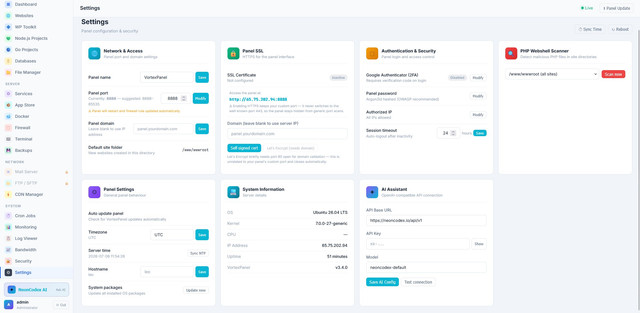
- Network & Access — panel port (auto-updates firewall), custom domain, webroot
- Panel SSL — one-click self-signed or Let's Encrypt, validity countdown, automatic safe cutover (no downtime race conditions)
- Authentication & Security — 2FA, password, IP allowlist, session timeout, all at a glance
- PHP Webshell Scanner — pick a path, scan, get severity-coded results with file/line/snippet
- Panel Settings — auto-update, timezone, NTP sync, hostname, OS package updates
- System Information — OS, kernel, IP, uptime, version, all in one card
- Dashboard stats from
/proc(nottop -bn1) — 10× faster - Response caching for expensive endpoints, gzip compression on all responses
app.js150KB → ~40KB,index.html350KB → ~70KB over the wire
- Docker — container management, 45+ pre-configured image catalog, domain assignment + automatic SSL (reuses the same reverse-proxy code as Go/Node.js Projects, no Traefik needed)
- DNS — BIND9 zone management + Cloudflare DDNS
- Mail — Postfix + Dovecot, domains, accounts, Roundcube webmail
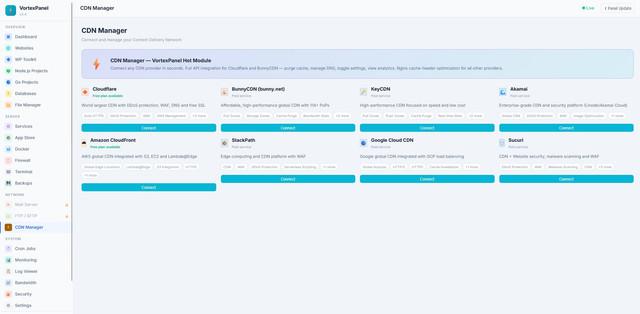
- CDN — Cloudflare, BunnyCDN, Akamai, CloudFront, KeyCDN
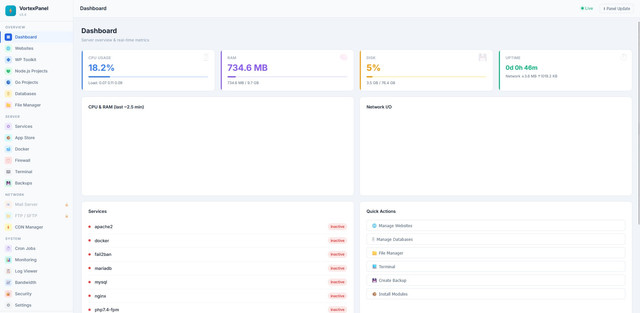
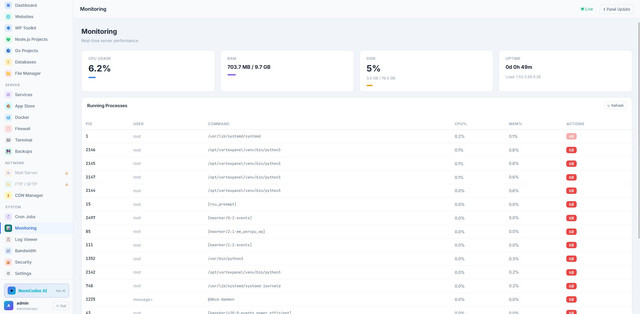
- Monitoring & Dashboard — realtime CPU/RAM/Network charts, process list, bandwidth, login audit log viewer
- File Manager — code editor, chmod, AES-encrypted zip support, ClamAV scan
- Web Terminal — full PTY shell in browser over WebSocket
- Backups — website + database, restore, S3-compatible cloud backup
- Cron Jobs — visual scheduler, 10 task types, run-now, logs
- AI Assistant — configurable OpenAI-compatible API (NeonCodex, OpenAI, etc.)
wget -O install.sh https://raw.githubusercontent.com/BrowserlessAPI/VortexPanel/main/install.sh && bash install.shAccess the panel at: http://YOUR-SERVER-IP:8888
The installer auto-detects your OS and package manager. On RHEL 8-family systems (AlmaLinux 8 / Rocky 8, where default Python is 3.6) it automatically installs Python 3.11.
First things to do after install: change the default password, enable 2FA, and enable Panel SSL — all from Settings.
| Distro | Versions |
|---|---|
| Ubuntu | 20.04, 22.04, 24.04, 26.04 |
| Debian | 11, 12 |
| AlmaLinux | 8, 9, 10 |
| Rocky Linux | 8, 9, 10 |
| RHEL | 8, 9, 10 |
| Oracle Linux | 8, 9 |
| CentOS Stream | 8, 9 |
| CloudLinux | 8, 9, 10 |
| Fedora | 38+ |
Minimum requirements: 512 MB RAM (1 GB recommended) · 2 GB free disk
| Layer | Technology |
|---|---|
| Backend | Python 3.8+ · Flask 3.x · Gunicorn (4 workers × 4 threads) |
| Frontend | Alpine.js 3.14 · Vanilla CSS (no build step, no npm) |
| Auth | Session-based · Argon2id password hashing · TOTP 2FA |
| Panel config | JSON files (no external database required) |
| Service | systemd · auto-start on boot |
Contributions are welcome — bug reports, feature requests, and pull requests all help.
Before you start:
- Check open issues to avoid duplicates
- For new features, open an issue to discuss before coding
- Read CONTRIBUTING.md for code style and PR process
git clone https://github.com/BrowserlessAPI/VortexPanel.git
cd VortexPanel
pip install -r requirements.txt
python3 app.py   # runs on :8888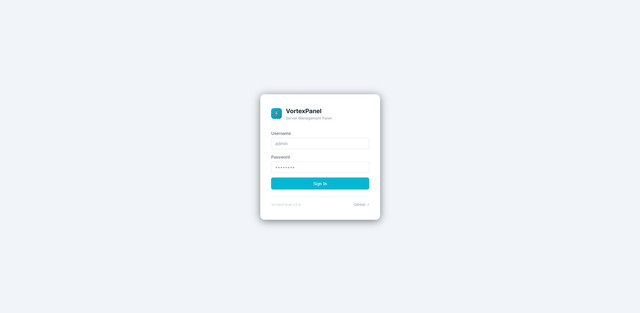

v3.4 (current) — shipped:
- Go Projects — binary deployment, Go SDK manager, WebSocket proxy, Let's Encrypt per-domain, resource limits, health checks, version rollback
- Node.js Projects — PM2 + systemd, nvm version switching
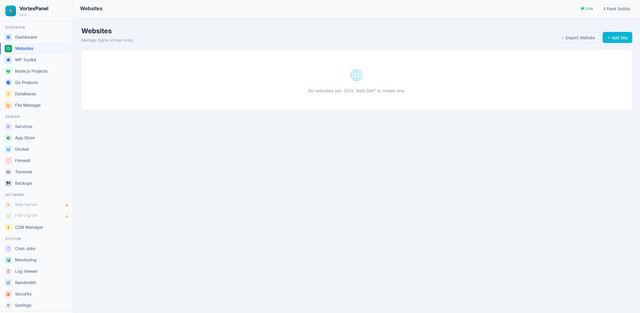
- Website Import wizard — cPanel, aaPanel, HestiaCP backup upload (files + database)
- FFmpeg Manager — multi-version side-by-side install (7.1/8.1/nightly), x86_64 + arm64
- Memcached — full Service/Config/Switch Version/Load Status/Optimization management
- Docker container domain assignment + automatic SSL (no Traefik)
- Dashboard realtime CPU/RAM/Network charts, global SSL expiry alerts
- Settings → Login audit log viewer
- Per-site disk usage
- RHEL-family install fixes — nginx, MySQL, Caddy, MongoDB, PostgreSQL now install correctly on RHEL/CentOS/Fedora/AlmaLinux/Rocky
- arm64 fixes — MongoDB and PostgreSQL RHEL install paths
- Modal/layout system overhaul — centering, horizontal scrollbar, cross-component scoping bugs
v3.5 (next):
- Bandwidth Monitor — per-domain traffic graphs (daily/weekly/monthly)
- Website-level Backup — files + database together in one click per domain
- Dark mode — toggle with full dark variable set
- Onboarding wizard — guided first-run flow
- Mobile responsiveness — sidebar + layout for small screens
- PHP Webshell Scanner — scan web roots for obfuscated shells
- Disk usage analyzer — visual tree, delete from panel
- Alerting — CPU/RAM/SSL-expiry notifications (email/webhook)
- Website Import — email, cron, and SSL migration (currently files + database only)
MIT License — free to use, modify, and distribute, including commercially.