A dynamic, unified dashboard to beautifully showcase your GitHub and Medium activity.
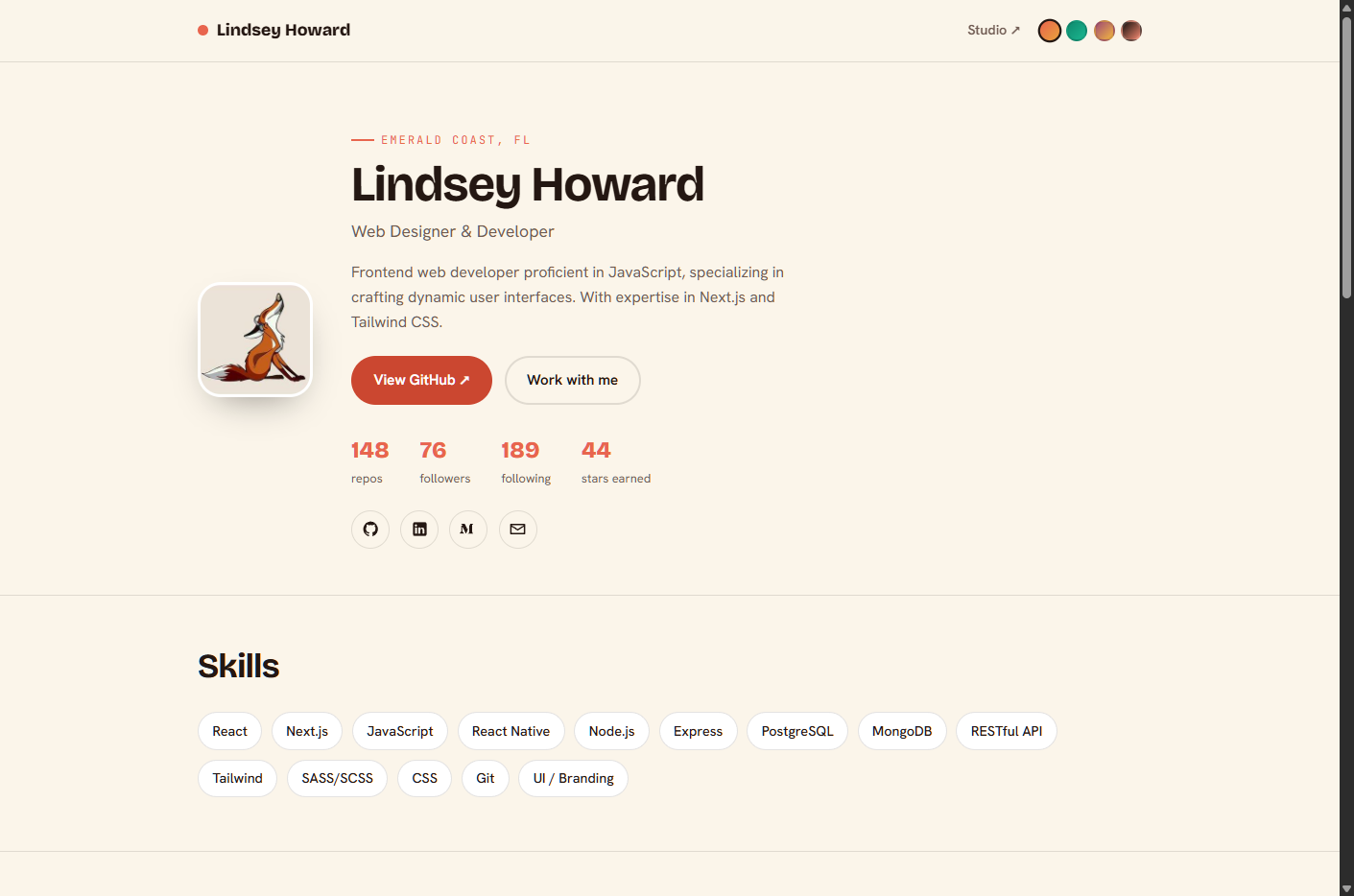
💡 The Problem: In today's interconnected developer ecosystem, showcasing your technical prowess often requires navigating disparate platforms. Aggregating meaningful statistics from GitHub and insights from your Medium articles into a single, cohesive, and visually appealing presentation can be a tedious, manual, and often overlooked task. This fragmentation hinders effective self-promotion and quick overviews of your contributions.
✨ The Solution: gitprofile offers a sophisticated, automated solution to this challenge. By seamlessly integrating data from your GitHub and Medium accounts, it transforms raw statistics into an intuitive, interactive dashboard. This project empowers developers to present their coding achievements and thought leadership from a single source, fostering better personal branding and streamlined portfolio presentation with minimal effort.
- 🚀 Unified Data Presentation: Consolidates your GitHub activity and Medium article statistics into one elegant interface.
- 📈 Interactive Data Visualizations: Presents your contributions through engaging charts and graphs for easy comprehension.
- 📊 Real-time GitHub Insights: Displays key GitHub metrics such as repository stars, commits, and language usage dynamically.
- ✍️ Medium Article Performance: Provides visibility into your Medium article views, claps, and publication trends.
- ⚙️ Effortless Setup: Designed for quick deployment, getting your personalized dashboard up and running in minutes.
- 📱 Responsive Design: Ensures your profile looks great and functions flawlessly across all devices, from desktop to mobile.
gitprofile leverages a robust, client-side architecture to deliver a fast and responsive user experience.
| Technology | Purpose | Key Benefit |
|---|---|---|
| HTML | Structuring the dashboard content | Universal accessibility, semantic markup |
| CSS | Styling and visual presentation | Modern aesthetics, responsive design |
| JavaScript | Dynamic data fetching & rendering | Interactive charts, real-time data updates |
| GitHub API | Source for GitHub account data | Accurate, up-to-date repository and user stats |
| Medium API | Source for Medium article data | Comprehensive insights into article performance |
gitprofile/
├── 📄 .gitignore
├── 📄 README.md
├── 📄 index.html
└── 📁 src/
    ├── 📁 css/
    │   └── 📄 style.css
    ├── 📁 js/
    │   └── 📄 main.js
    └── 📁 assets/
        └── 📄 favicon.ico
(Note: The src directory structure is an educated guess based on typical HTML projects. Actual contents may vary.)
To view and run gitprofile locally, you will need:
- A modern web browser (Chrome, Firefox, Edge, Safari).
- (Optional but recommended for local development): A simple local web server (e.g.,
Live ServerVS Code extension, Python'shttp.server, or Node.js'sserve) to handle potential API CORS restrictions.
Follow these steps to get your gitprofile dashboard running:
-
Clone the repository:
git clone https://github.com/your-username/gitprofile.git cd gitprofile -
Open the dashboard: For basic viewing, simply open
index.htmlin your web browser.# On macOS open index.html # On Windows start index.html
For local development and full API functionality (especially if encountering CORS issues), it's recommended to use a local web server:
# Using Python (if installed)
python -m http.server 8000
Then, navigate to
http://localhost:8000in your browser.
gitprofile relies on API keys to fetch data from GitHub and Medium. These keys are typically configured within the src/js/main.js file or similar JavaScript modules.
-
Obtain API Keys:
- GitHub Token: Generate a Personal Access Token from your GitHub settings (Developer settings > Personal access tokens). Ensure it has at least
repoorpublic_reposcope for repository data anduserscope for user profile data. - Medium RSS/API Key: Medium does not offer a public API in the same way GitHub does. Data is usually scraped from RSS feeds or through third-party solutions. For this project, you might need to configure the URL to your Medium RSS feed (e.g.,
https://medium.com/feed/@your_username).
- GitHub Token: Generate a Personal Access Token from your GitHub settings (Developer settings > Personal access tokens). Ensure it has at least
-
Update Configuration: Open
src/js/main.js(or the relevant JavaScript file) and locate the sections where API keys or endpoints are defined. Replace placeholder values with your actual tokens/URLs.// Example (actual implementation may vary) const GITHUB_TOKEN = 'YOUR_GITHUB_PERSONAL_ACCESS_TOKEN'; const MEDIUM_RSS_FEED_URL = 'https://medium.com/feed/@your_medium_username'; // ... rest of your code
Important: For security, never commit your personal API keys directly to a public repository. Consider using environment variables during development or a build process to inject these values. For a simple static HTML project, you might need to manually replace them after cloning or use a client-side environment variable solution if available.
We welcome contributions to gitprofile! Whether it's a bug report, a new feature, or an improvement to the documentation, your input is valuable.
- Fork the repository: Start by forking
gitprofileto your GitHub account. - Create a new branch: Choose a descriptive name for your branch (e.g.,
feature/add-dark-mode,fix/api-error).git checkout -b feature/your-feature-name
- Make your changes: Implement your feature or fix, ensuring code quality and adherence to existing patterns.
- Test your changes: Verify that your modifications work as expected and do not introduce regressions.
- Commit your changes: Write clear, concise commit messages.
git commit -m "feat: Add new feature for X" - Push to your fork:
git push origin feature/your-feature-name
- Open a Pull Request (PR): Navigate to the original
gitprofilerepository on GitHub and open a new Pull Request from your forked branch. Provide a detailed description of your changes.