
The open-source autonomous agent that detects, diagnoses, and fixes broken local development environments.
📚 Read the Official Documentation & Quick Start Guide
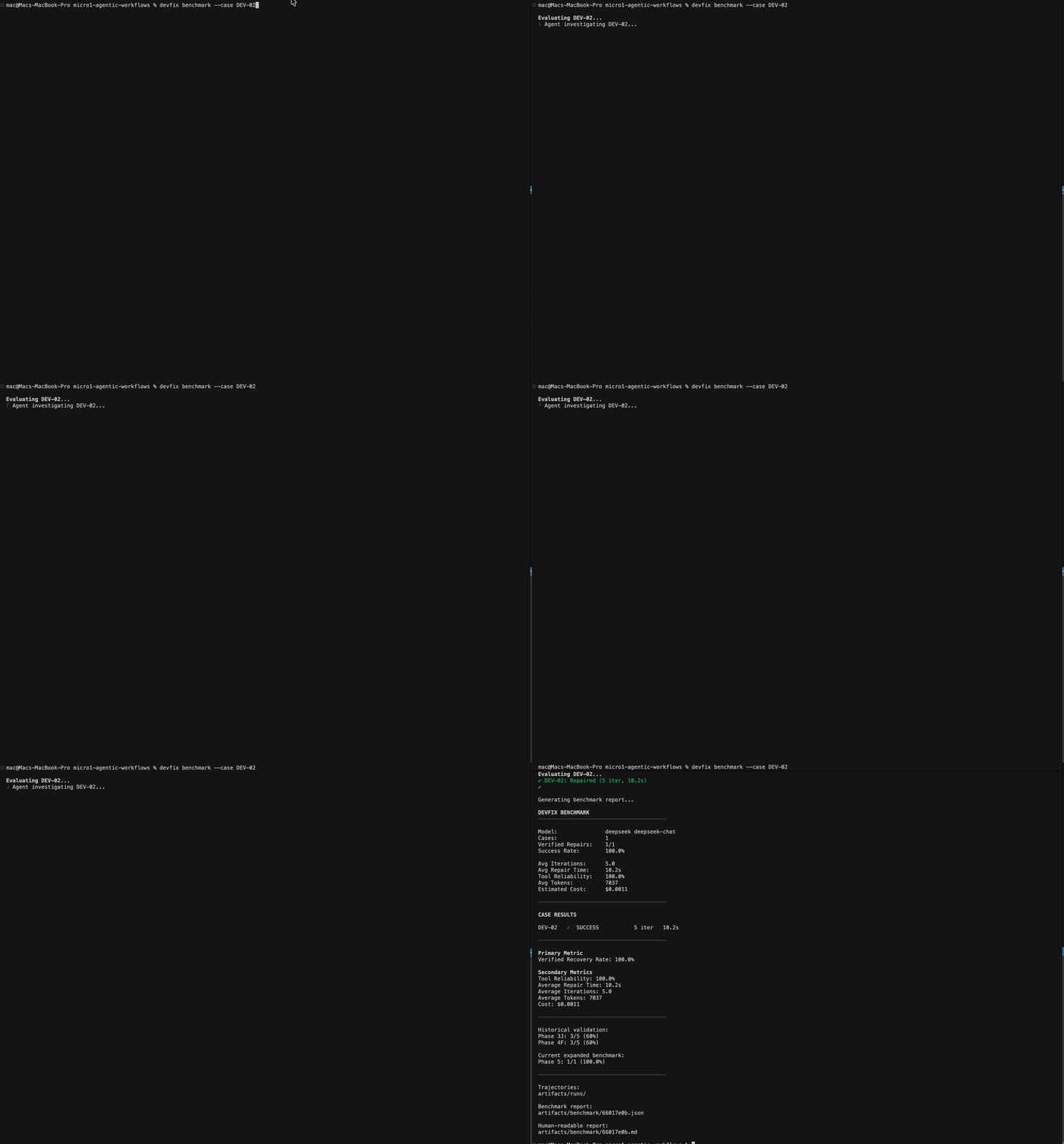
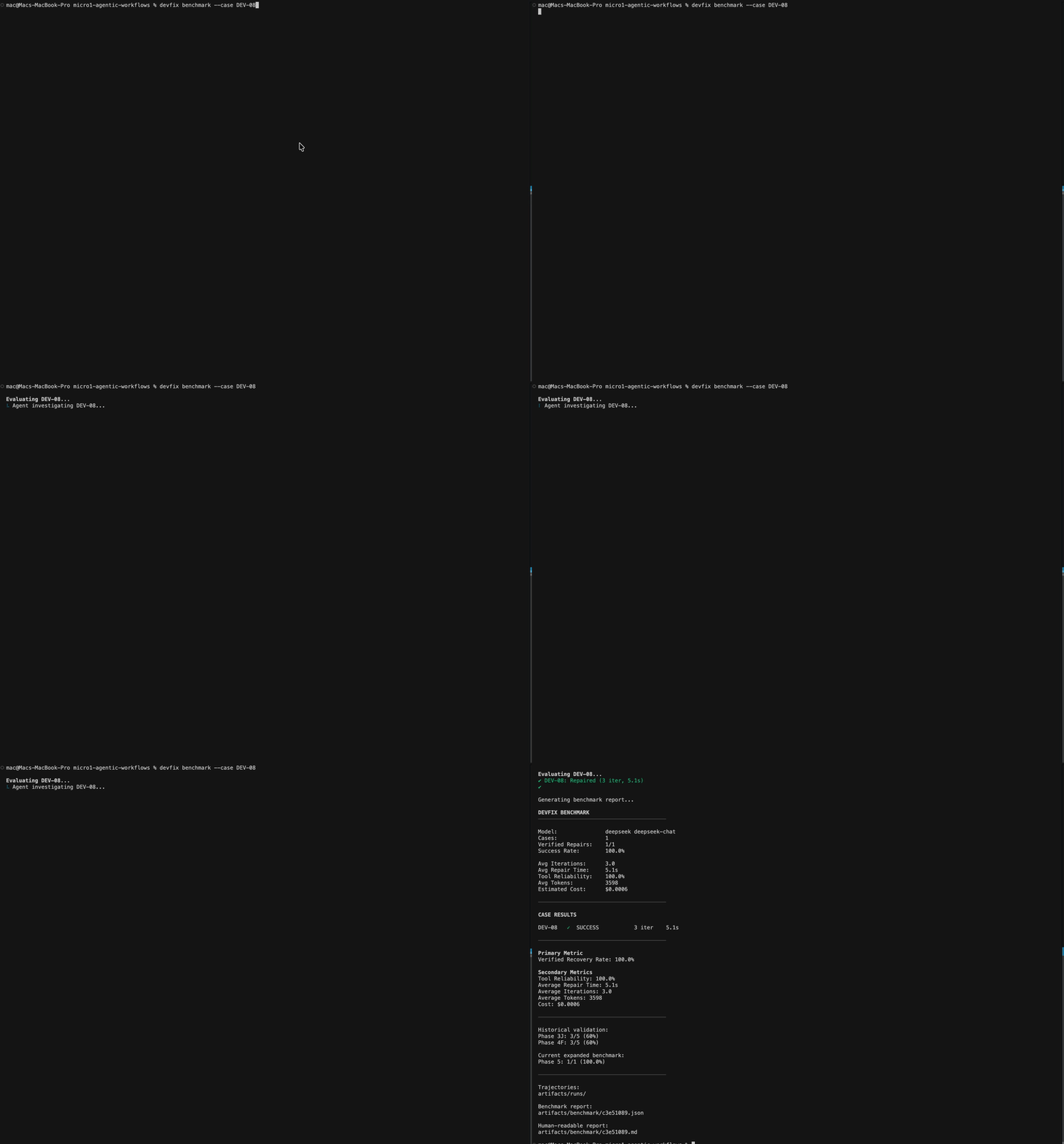
DevFix autonomously resolving missing configurations and code typos.
Who has this problem? Every software developer, DevOps engineer, and open-source contributor. What is the bottleneck? The dreaded "It works on my machine" syndrome. When a developer clones a repository and the build fails (due to missing global binaries, silent Node version mismatches, or conflicting lockfiles), they spend hours Googling cryptic stack traces. Existing AI assistants (like Copilot) fail here because they simply guess the fix via text generation, leaving the human to manually test if the guess actually compiled.
DevFix changes that.
DevFix is a sandboxed agentic workflow. You give it a broken project, and it spins up a secure Docker environment, investigates the root cause, patches files, runs shell commands, and verifies its own fixes.
It does not stop until your build scripts actually succeed.
Most AI tools guess. DevFix proves it.
- Self-Verifying (Deterministic Verifier Layer): DevFix removes the AI's ability to "hallucinate" a success. It actively runs your test suite (
npm run build,pytest, etc.). Only when the environment proves the fix works does the agent complete its task. - Highly Secure (Sandboxed Execution): Giving an AI access to run arbitrary bash commands on your laptop is dangerous. DevFix isolates all actions inside a secure, ephemeral Docker container. It cannot harm your host machine.
- Language Agnostic Detection: Point DevFix at any directory. It automatically reads your lockfiles,
package.json, orrequirements.txtto figure out if you're running Node, Python, or TypeScript without you needing to configure anything.
DevFix is available globally via NPM:
npm install -g devfix1. Inspect your project Curious what DevFix sees? Run this in your project root. It performs a read-only scan to detect your environment:
devfix inspect .2. Fix your project (Coming Soon)
The core fix loop is currently optimized for our internal 10-case benchmark. The global devfix fix . command is actively being stabilized for public release.
If you want to see DevFix in action immediately, you can run our rigorous 10-case failure benchmark locally:
devfix benchmarkDevFix was originally born as a highly successful hackathon project, achieving an 80% autonomous recovery rate on severely broken environments. We are now evolving it into a production-grade developer tool.
Current Capabilities:
- Full support for Node.js (npm, yarn, pnpm), TypeScript, and Python.
- Secure Docker sandboxing.
- Autonomous file patching and shell execution.
Coming Soon (We need your help!):
- Support for Rust, Go, and Java.
- VS Code Extension: Seamlessly trigger DevFix directly from your editor when a terminal command fails.
- Cloud Sandboxing: Run fixes on remote infrastructure instead of local Docker.
- Custom Verifiers: Allow users to define their own success criteria (e.g.,
devfix fix --verify "curl localhost:3000").
DevFix was heavily refined during the micro1 Agentic Workflows Hackathon. During our experiments, we observed a massive failure mode: LLMs fundamentally fail at debugging environments when they rely entirely on text generation and assumed context.
Our Hot Take: Giving an AI a massive 1 Million token context window is practically useless for debugging local dependencies. The LLM doesn't need more context—it needs a bash shell to verify its own assumptions. Verification is infinitely more important than generation.
To see our full journey, read our Improvement Changelog. Judges: Please see our Reproduction Guide to easily reproduce our benchmark results.
DevFix is in active, early-stage development, and we are heavily awaiting Pull Requests from the community!
Whether you want to add support for a new language (like Go or Rust), improve the AI prompts, or help build the upcoming VS Code extension, your contributions are welcome.
- Fork the repository.
- Run
npm installto install dependencies. - Run
npm run testto ensure the core engine is stable. - Submit a Pull Request!
Please read our Documentation for a deep dive into the architecture and system design.
MIT License. Copyright © 2024-present Ghulam Mustafa.