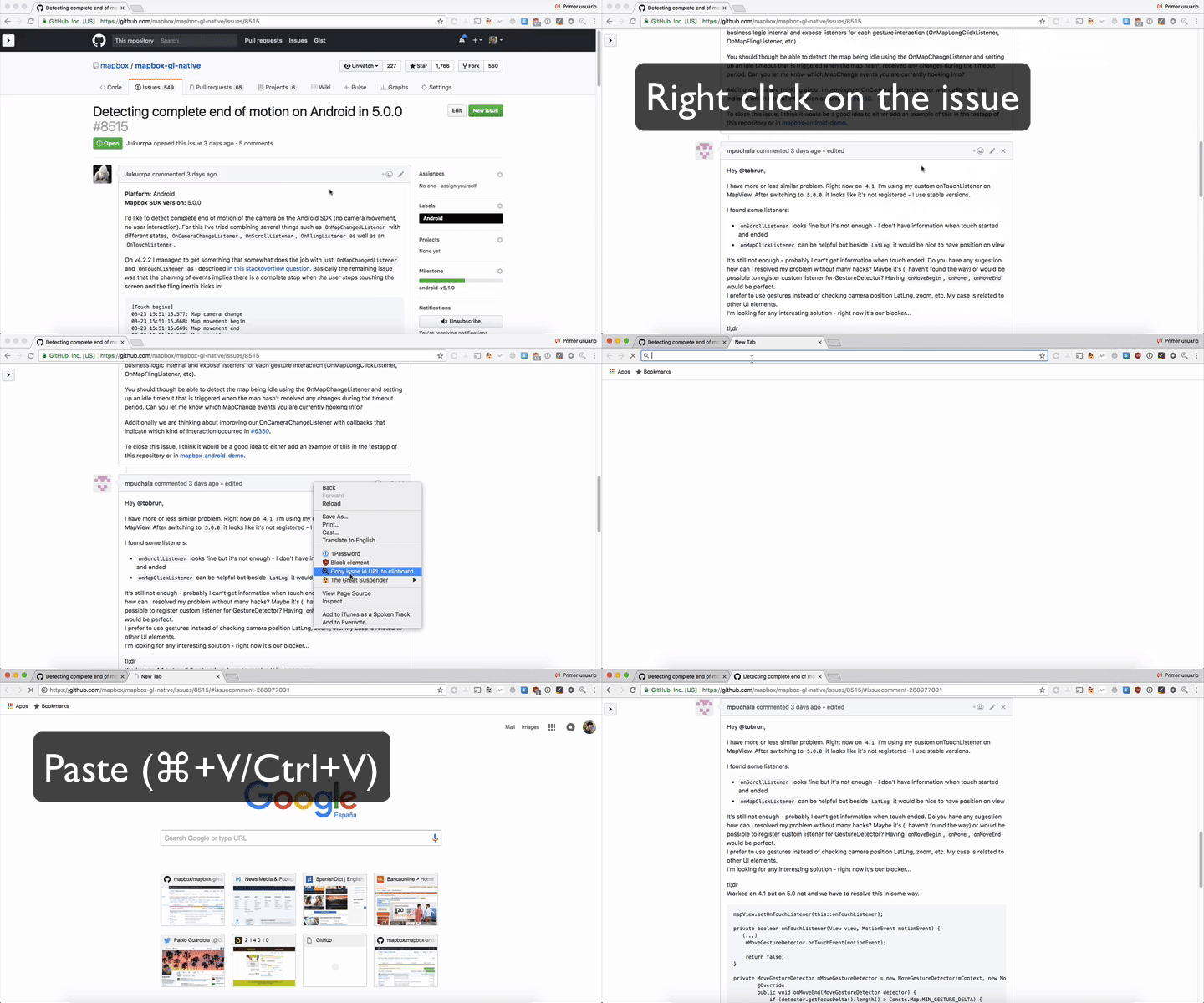
Chrome extension that generates the issue id URL based on the clicked issue and copy it to the clipboard.
You'll never have to do again the following boilerplate sequence:
Right click → Inspect → Find issue id → Double click on issue id → Copy issue id → Get current URL → Add /# to the end of the URL → Paste issue id → Copy generated URL

Ever!
-
Clone the project:
git clone git@github.com:Guardiola31337/issue-url.git -
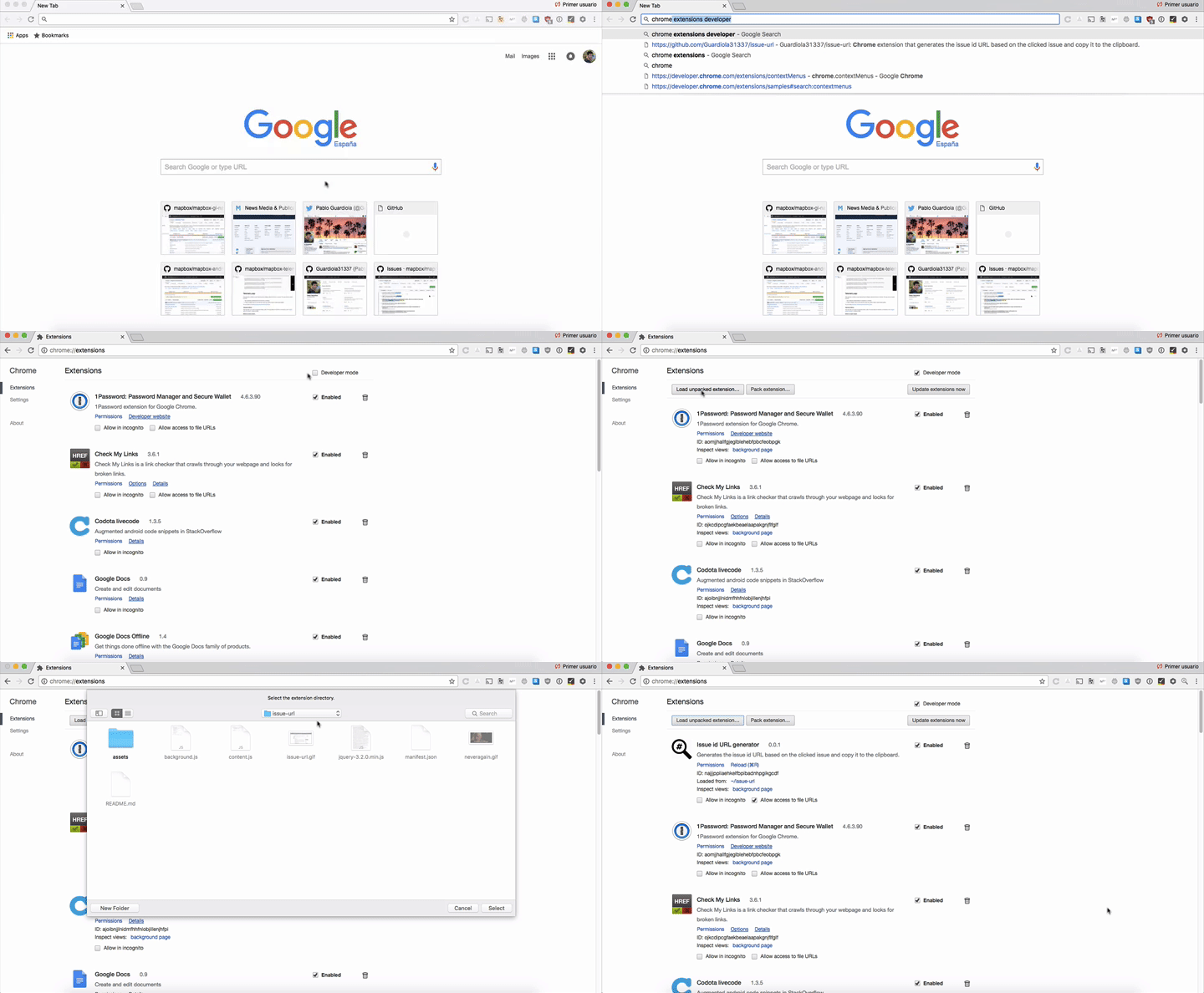
In a new tab, go to Chrome Extensions typing:
chrome://extensions/ -
Check
Developer mode -
Click on
Load unpacked extension -
Navigate and select cloned
issue-urlfolder. -
You're done. Enjoy!