
Portfolio performance attribution, contribution, and ex-post risk analytics.
ppar compares a portfolio with a benchmark, explains active return by classification, and produces reviewable HTML tables and PNG charts. It runs locally and accepts vendor-neutral CSV files or Axys/APX exports.
ppar supports Python 3.11.9 through Python 3.14.
ppar is available under a 90-day, single-user internal evaluation license.
Production, commercial, multi-user, or continued use requires a separate agreement;
contact jjjkreynolds@gmail.com. Review the
license before installing.
python -m pip install pparThen choose one demonstration.
Vendor-neutral (the default):
ppar setup ./my_ppar
python ./my_ppar/ppar_demo.py
Axys/APX:
ppar setup ./my_ppar --axys-apx
python ./my_ppar/ppar_demo.py
Either setup command creates a demonstration directory:
my_ppar/
  README.md
  ppar_demo.py
  input/
  output/
The extensively commented ppar_demo.py is both a tutorial and the executable
workflow. Edit its Python values to choose input paths, calculation assumptions, and
reports, then replace the demonstration files under input/ with your data.
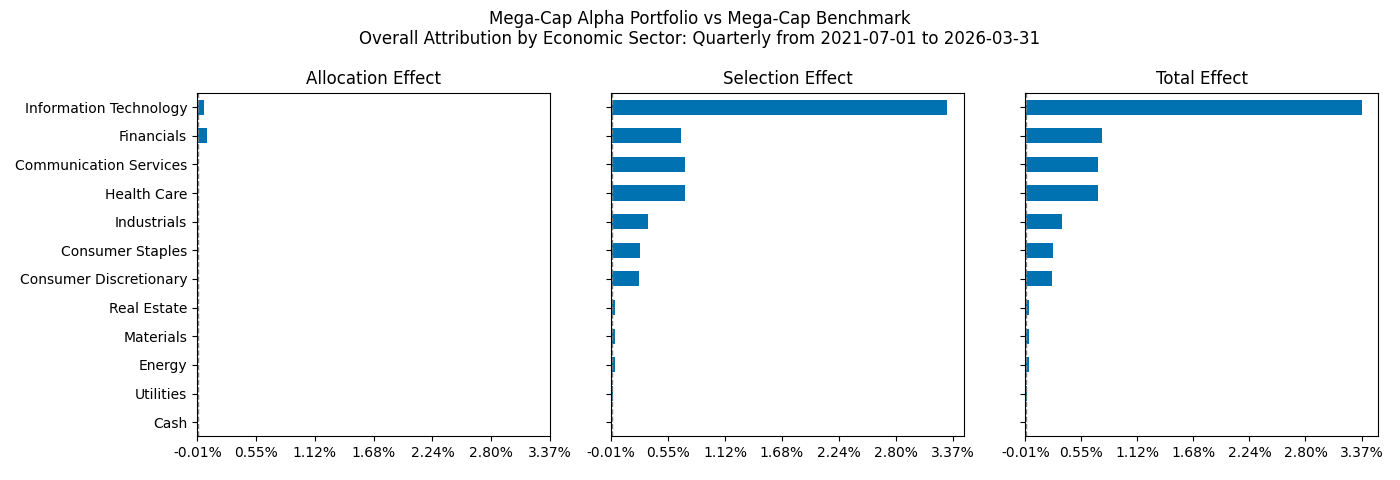
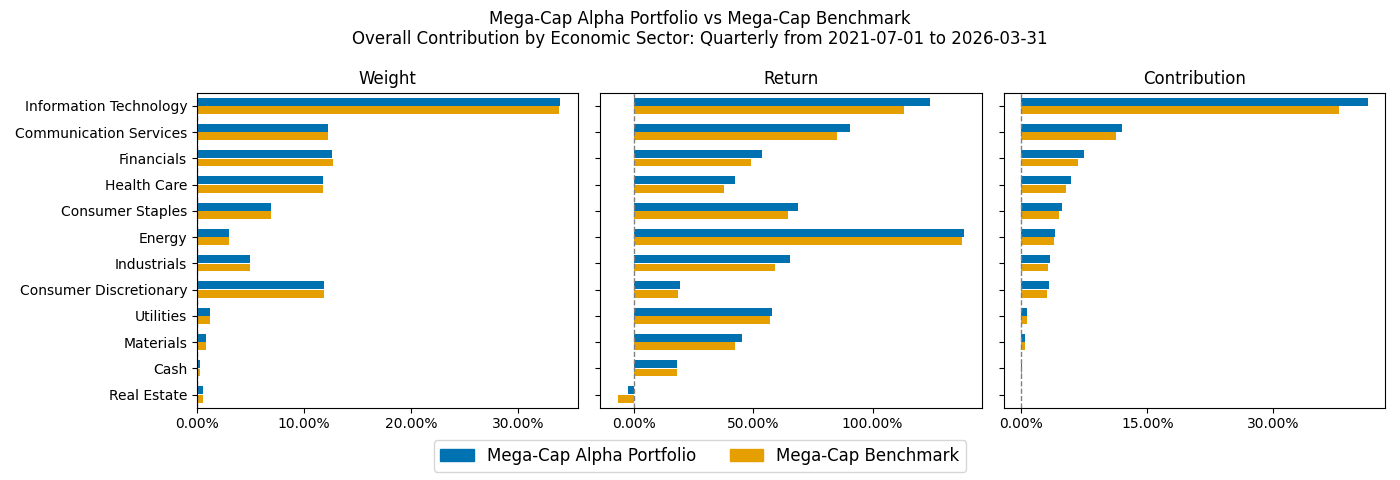
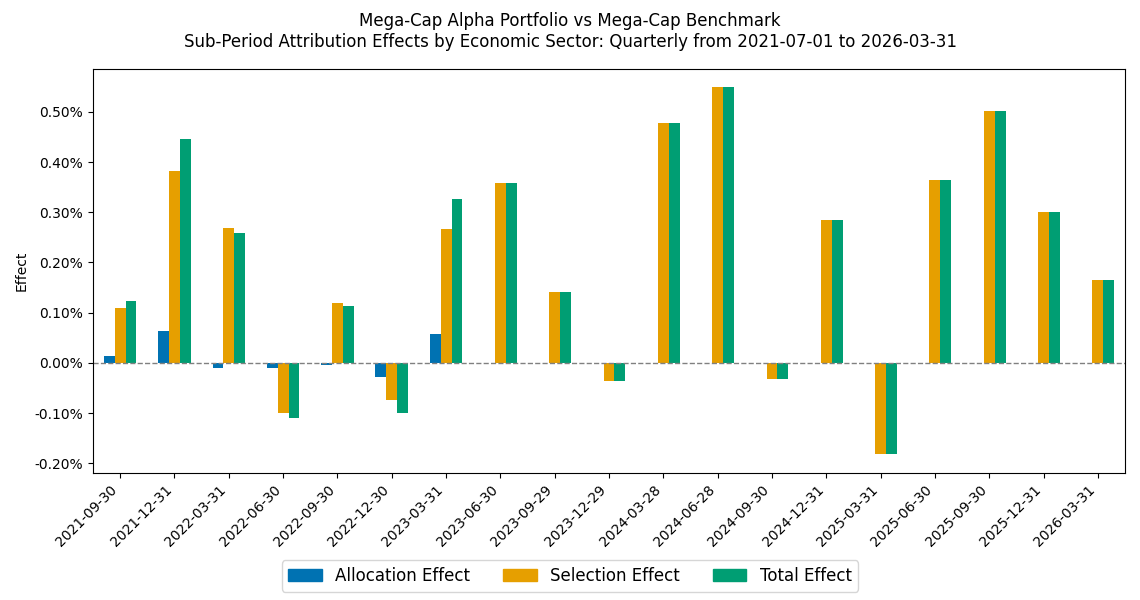
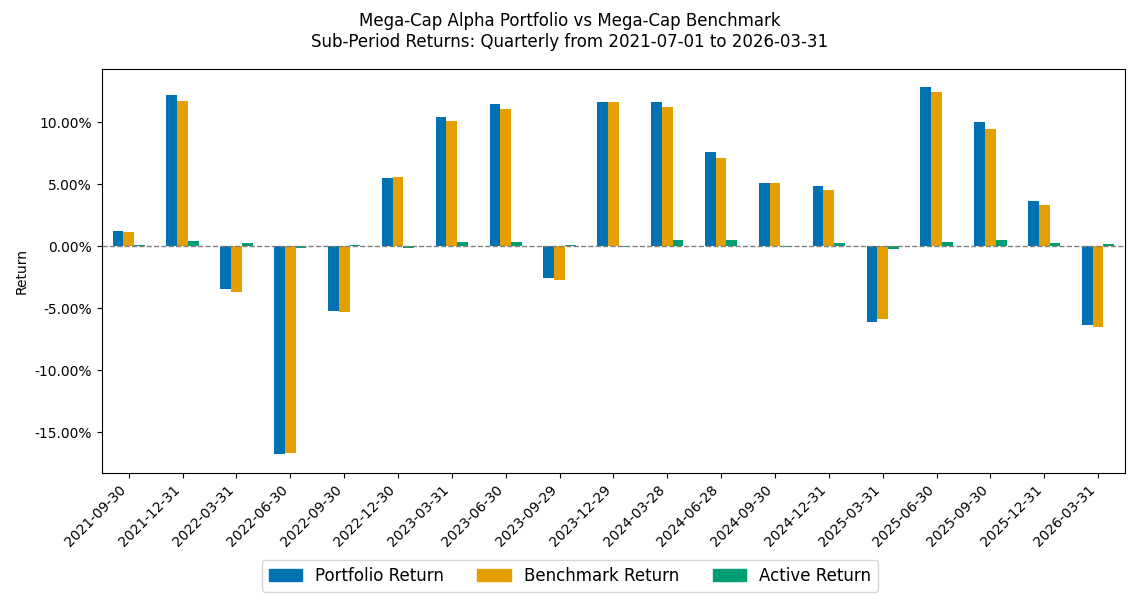
The standard demonstration writes security and classification attribution tables, attribution and contribution charts, cumulative return charts, heatmaps, and an ex-post risk-statistics table.
The gallery below shows examples of available output, including reports that can be
selected by editing ppar_demo.py.
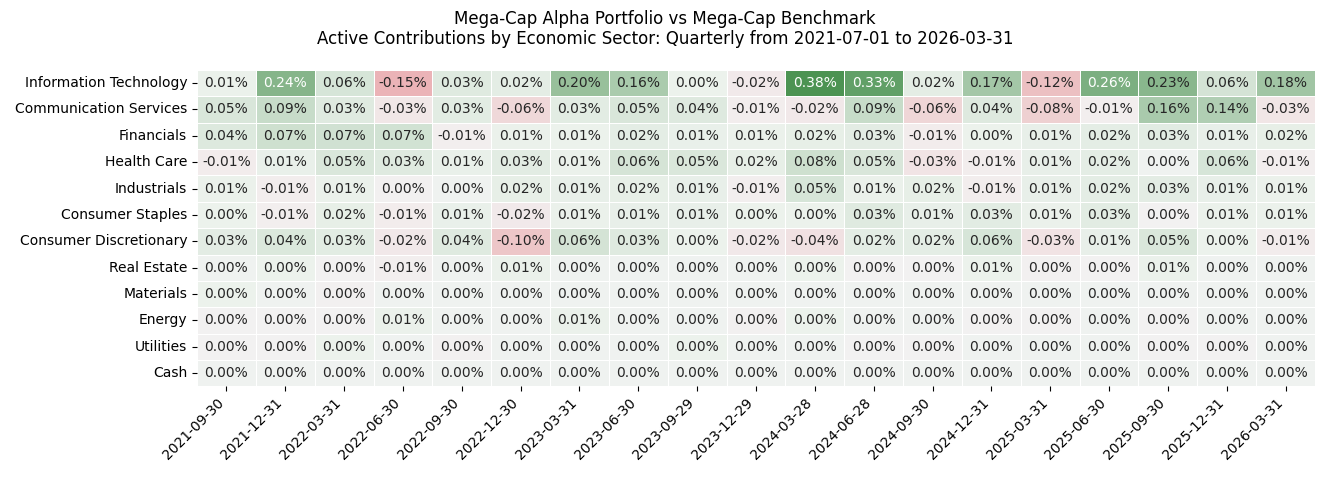
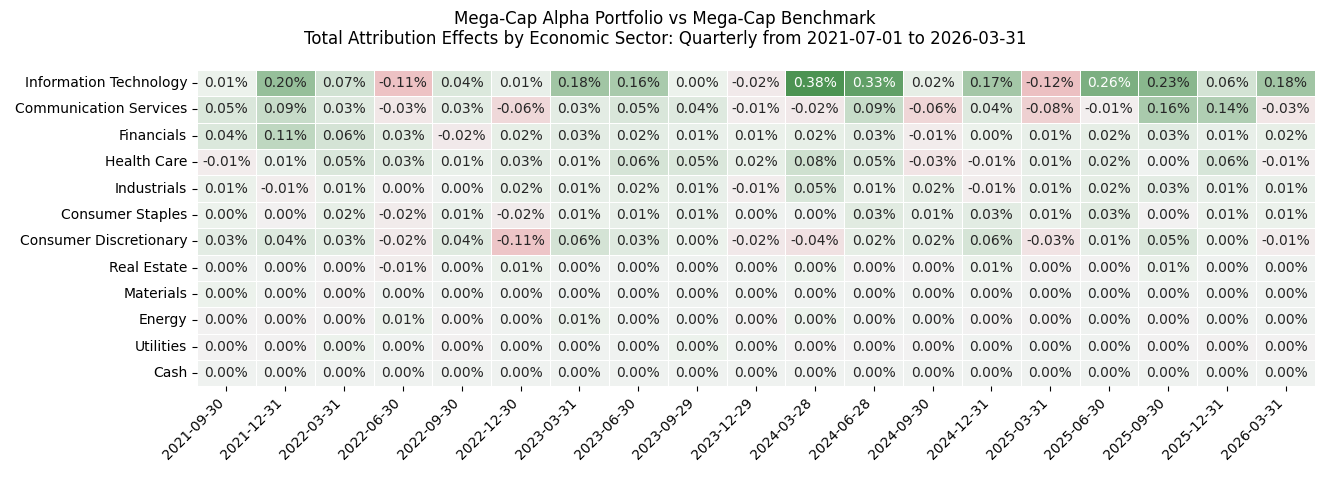
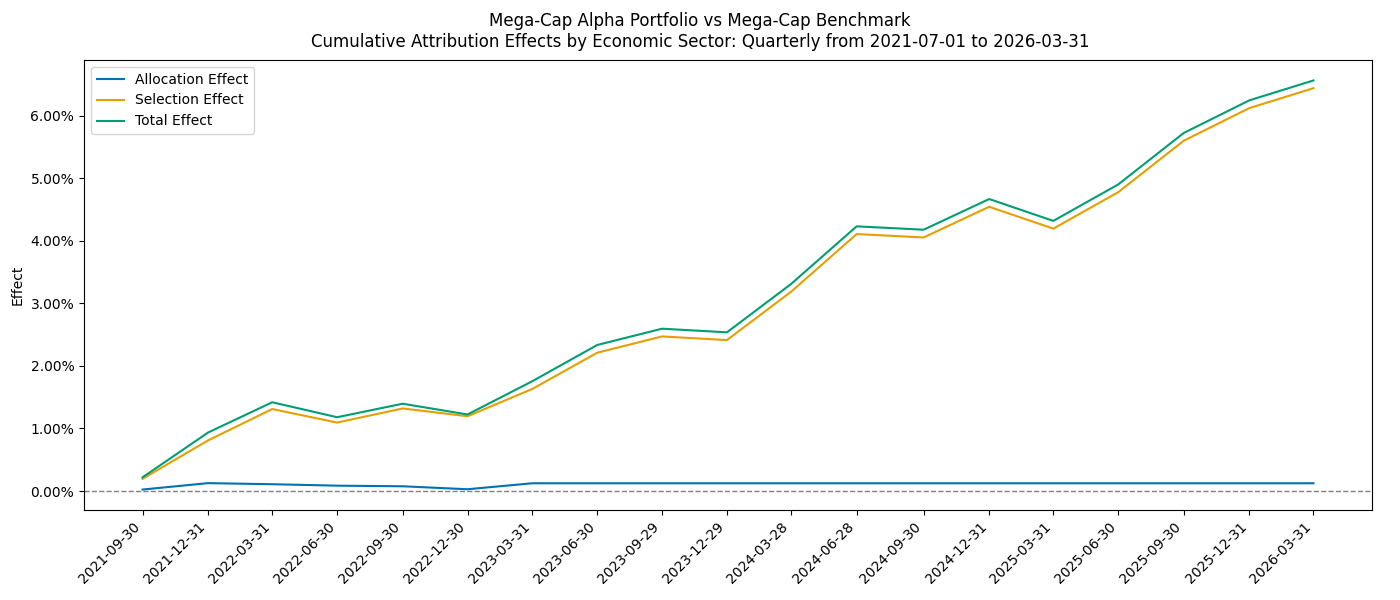
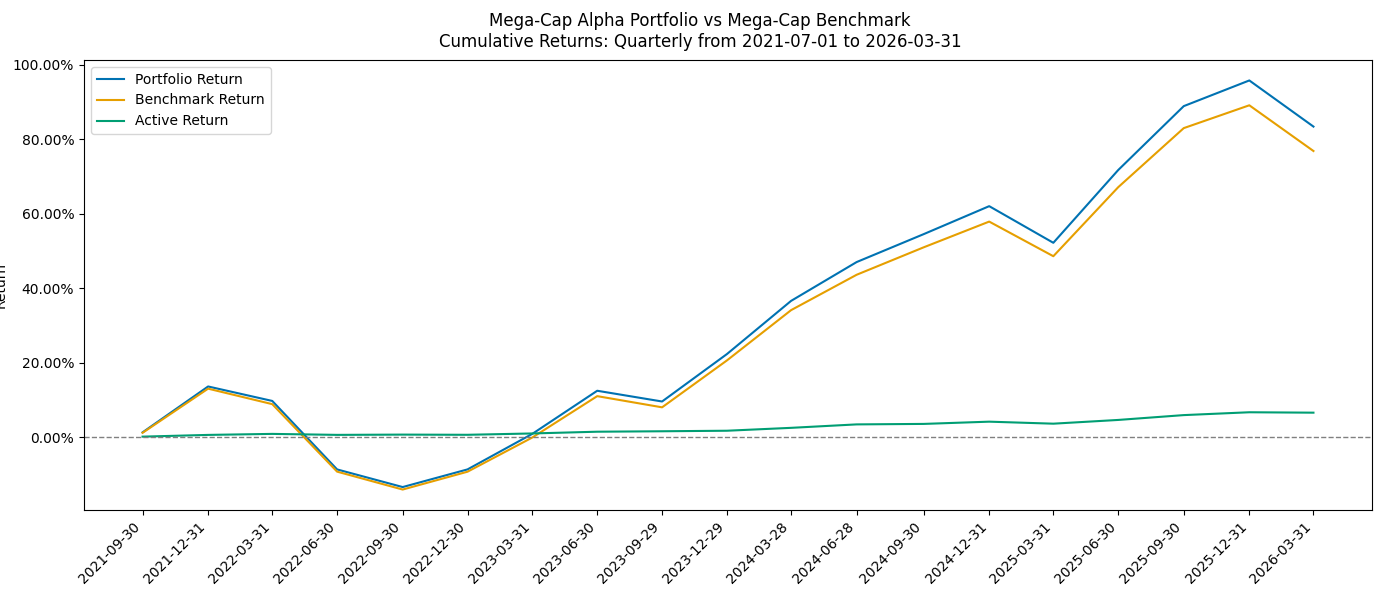
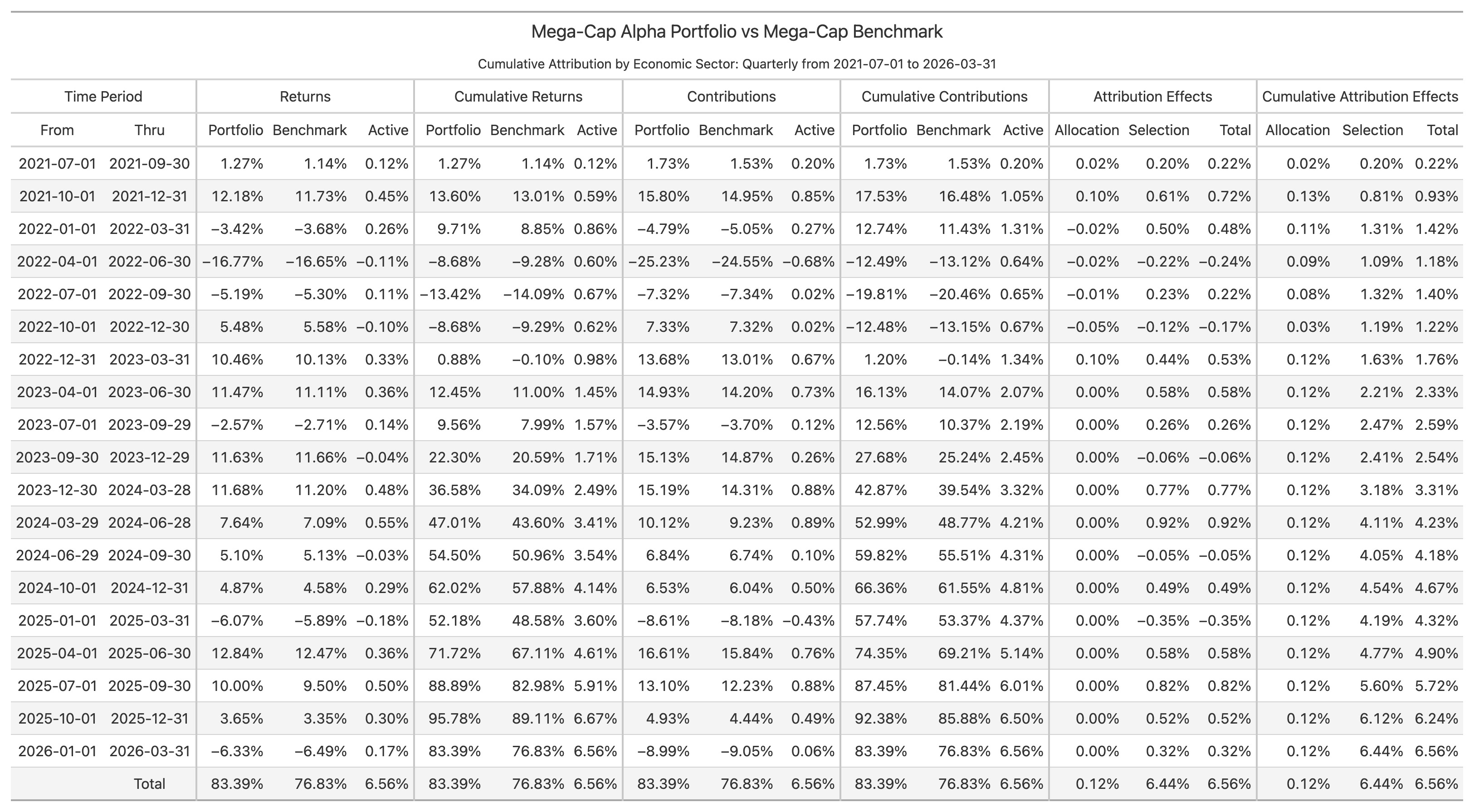
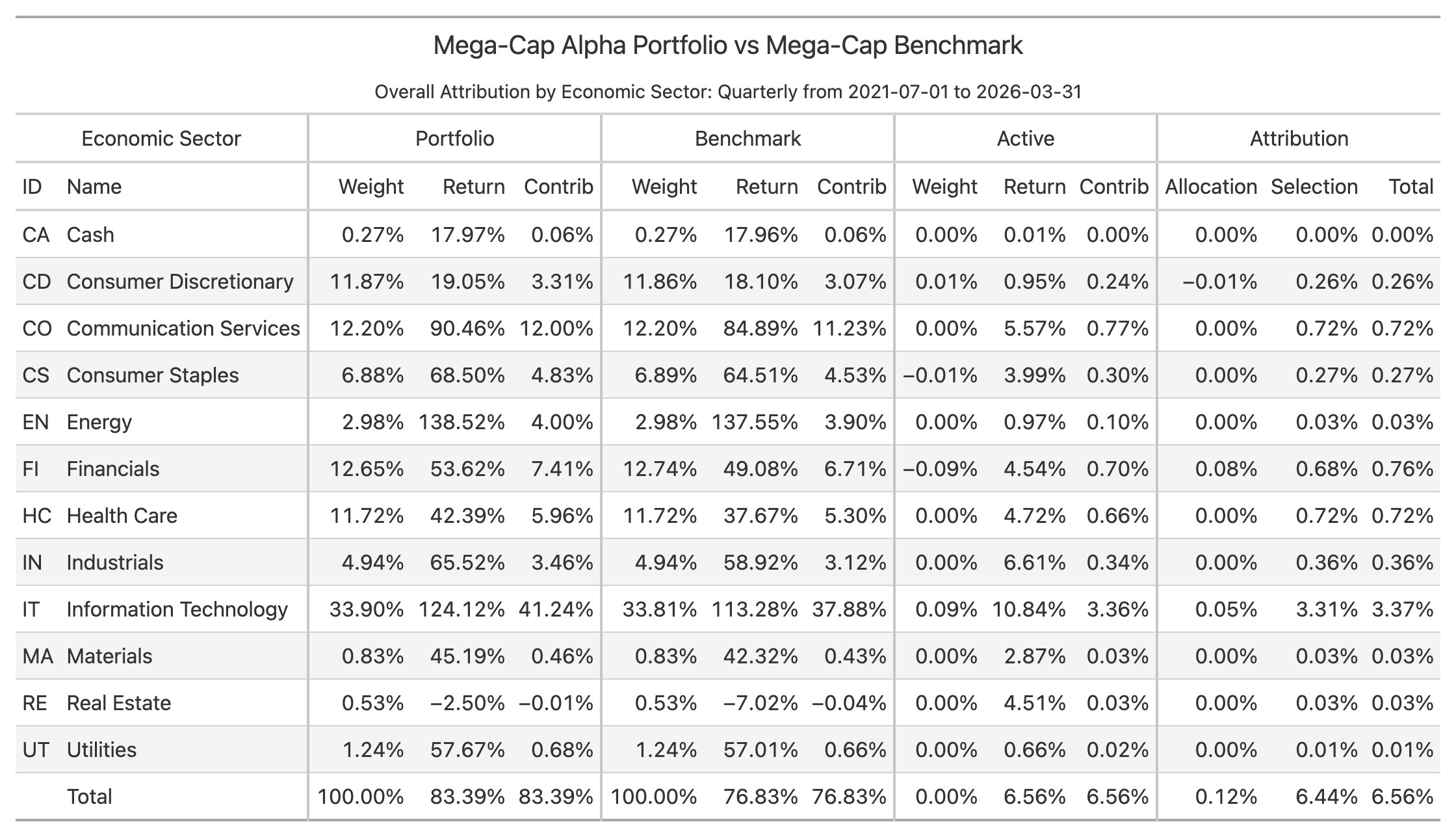
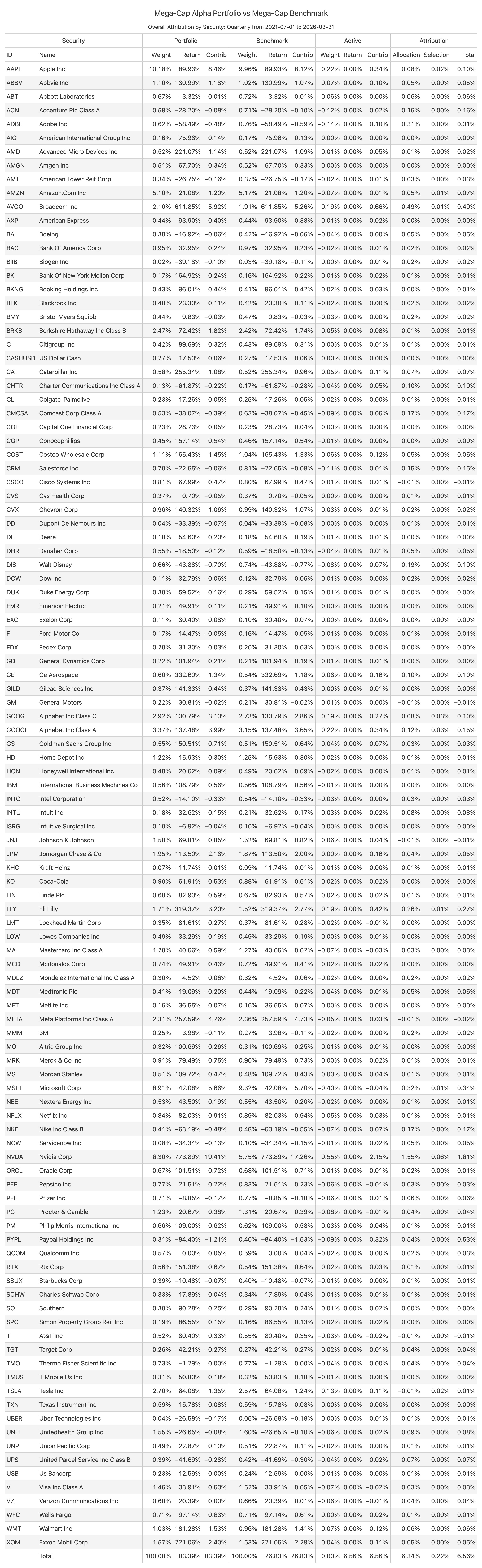
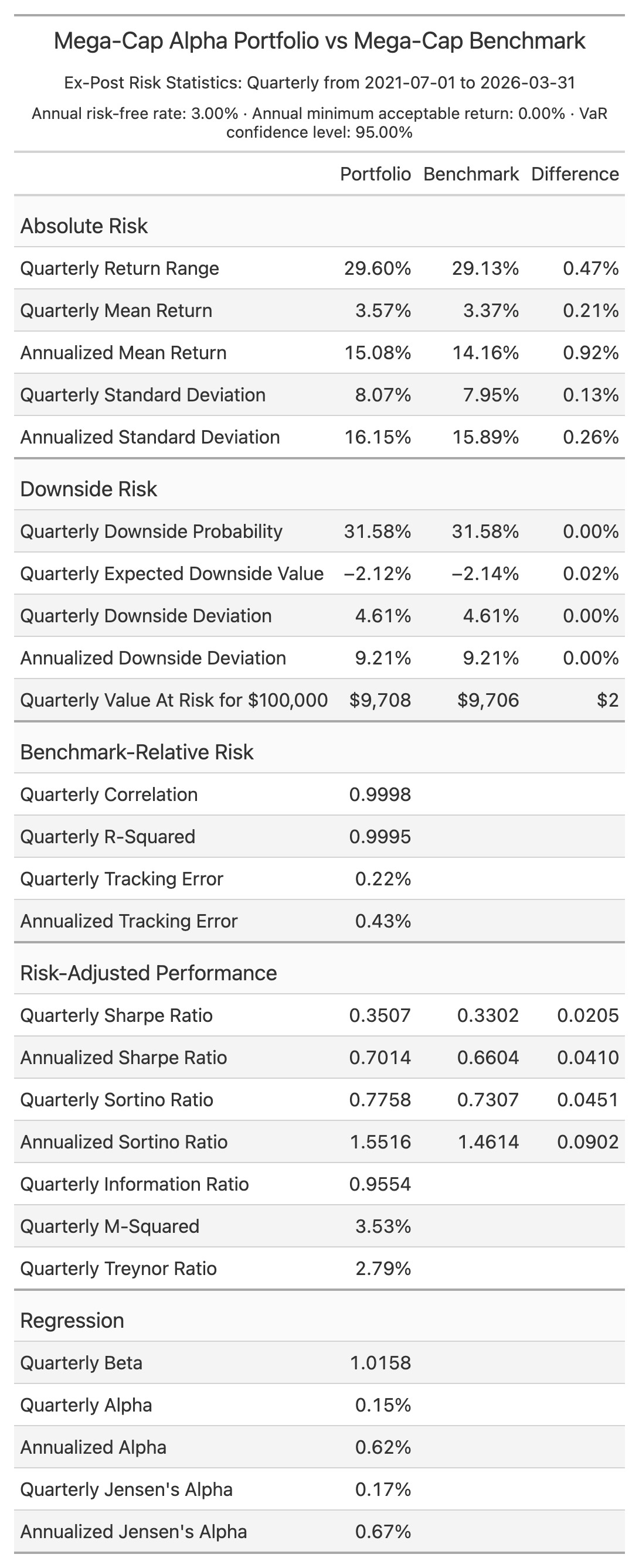
Over the demonstrated period, the Mega-Cap Alpha portfolio returned 83.4% versus 76.8% for the benchmark, outperforming by approximately 656 basis points. Security selection generated about 644 basis points of that result, while sector allocation added about 12 basis points. Information Technology was the largest positive source, contributing approximately 337 basis points. The portfolio was slightly more volatile, but its annualized Sharpe ratio of 0.70 and Sortino ratio of 1.55 were both better than the benchmark's 0.66 and 1.46.
This prints the overall security attribution view as a Polars DataFrame:
from pathlib import Path

from ppar import Analytics
from ppar.attribution import View

# Use the performance files created by: ppar setup ./my_ppar
performance_input_directory = Path("./my_ppar") / "input" / "performance"

# The portfolio is the first file and the benchmark is the second.
analytics = Analytics(
    performance_input_directory / "Mega-Cap Alpha Portfolio.csv",
    performance_input_directory / "Mega-Cap Benchmark.csv",
)

# Calculate security-level attribution and request its overall table.
overall_attribution = analytics.attribution().to_polars(View.OVERALL_ATTRIBUTION)
print(overall_attribution)
The generated ppar_demo.py is the complete reporting example. Results are available
as Polars DataFrames, HTML text, PNG bytes, or CSV files.
Downloading, installing, accessing, copying, or using ppar constitutes acceptance of the license.