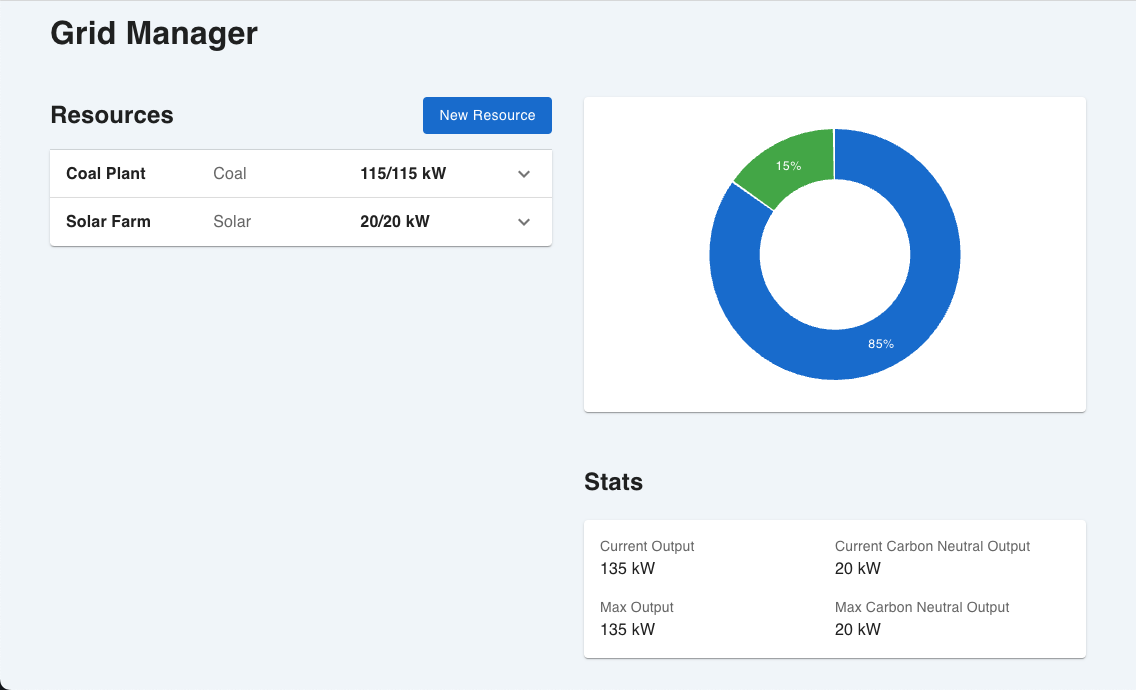
This application is a simplified grid management system.
Grid managers can register an energy resource (Wind, Hydroelectric, Solar, Gas, Coal, or Nuclear) and specify the maximum number of kW this facility can produce.
Once the resource is created, the manager can toggle whether the facility is online or offline, and the percentage of maximum wattage the facility is producing.
The app lists max output, current output, max carbon neutral output, and current carbon neutral output, and displays a pie chart of this data broken down by resource.
React Redux (RTK-Query) Typescript SCSS MUI
Flask SqlAlchemy Postgres
- Create a virtual environment
python3 -m venv venv
- Activate the virtual environment
. venv/bin/activate
- Install flask
pip3 install flask
- Run the server
flask --debug run
- Make sure you are in the right directory
cd client
- Install dependencies
npm i
- Start the node server
npm start
cd client
npm run test
- Build and tag the image
docker build -t grid-app . - You can run the image locally with
docker run -p 5000:5000 grid-app(note port 5000 is used by Airplay on some macs, if so try 5001:5000)
- Install the eb cli
- Initialize the project: Navigate to the root directory and run
eb init -p docker grid-app - Test it out by running
eb local run --port 5000- You should see a database error since we haven't configured postgres - Create the environment -
eb create grid-app - View the environment in your browser -
eb open - Build the image locally
docker build -t <docker-id>/grid-app:latest . - Make sure the
ENVandDB_URLvariables are set properly in the EB console - Create a Postgres instance in RDS and make sure it's configured to allow connection from to the app's associated EC2 instance.
- Run
eb deployevery time you wish to deploy a new version of the app
If psycopg2 does not install on your M1 mac / virtual environment:
Try brew install openssl and linking it when you install psycopg2 manually:
export LDFLAGS="-L/opt/homebrew/opt/openssl@1.1/lib"
export CPPFLAGS="-I/opt/homebrew/opt/openssl@1.1/include"
pip install psycopg2