


It is open source so anyone can verify there is no malware or hidden components.
The Rust+ Desktop App is a Windows application built on the Rust+ Companion API. It utilizes the RustPlusAPI by @HandyS11 .
It lets you pair Rust servers, monitor in-game events, control Smart Devices, and view dynamic map markers — all on your PC. Via Cloud access you can share devices, map overlays, wipe statistics and more with your entire team. Smart Home Integration via Alexa and Google Home allows you to control your devices hands-free and receive raid alerts more reliably. Additionally we offer REST and Discord integrations as well as Telegram Calls via CallMeBot to make sure you'll never get offlined again :)
The app ships as a single installer (bundling .NET, Node.js (will soon be removed), WebView2 runtime, RustPlusAPI, etc.), so you don’t have to install dependencies manually.
➡️ Download the latest RustPlusDesk-Setup.exe
(I publish the signed/packaged installer as a GitHub Release asset for clean versioning and smaller repositories.)
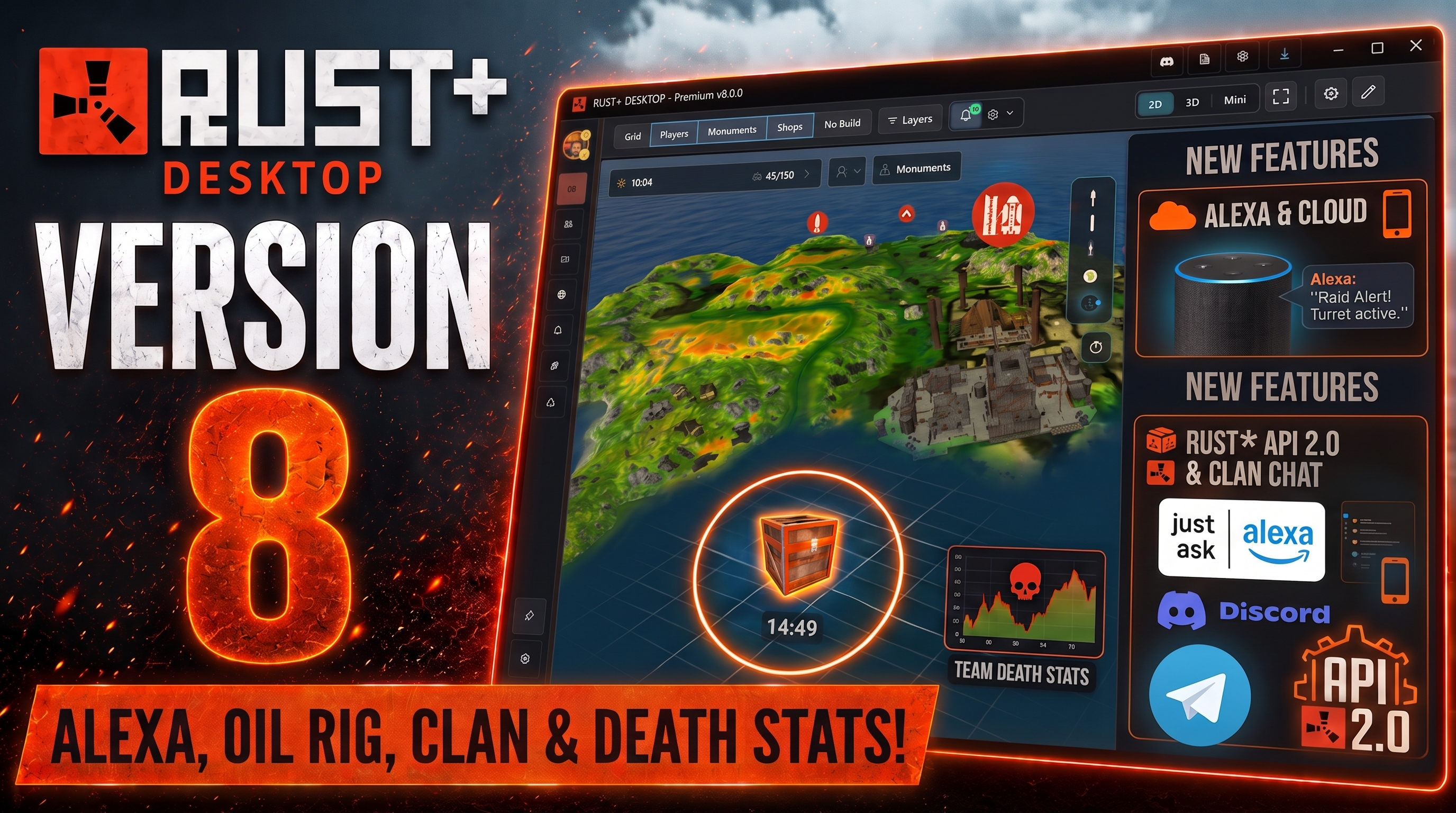


(click the image to watch on YouTube)
Alarms now tell you when they actually happened, and stop repeating themselves.
##🔔 Alarms & Notifications** • The time shown is the time it happened — Google holds notifications while the app is closed and delivers them the moment it reopens. Every one of them used to be stamped with the moment it arrived, so a raid from two hours ago looked like it was happening right now. • No more replays at startup — alarms you have already seen are remembered between sessions. The same alarm at a later time is a second raid, and still comes through. • Offline deaths counted once — a queued death notification used to add another entry to your history at every start, each with the wrong time. • Alarm popup fits long server names — the time has a line of its own instead of being pushed out of view.
##🔗 Smart Home** • A warning when the Alexa link dies — Amazon invalidates the connection whenever the skill is disabled or linked again elsewhere. Voice control keeps working, so the only sign was that raid alerts silently stopped arriving. The app now says so on startup and tells you how to relink.
##💬 Community** • Chat and unread fixes — supporter and public messages no longer leak into each other's feed, slow mode shows the remaining wait instead of a generic failure, and the unread badge settles on the right number after a burst of messages or a pending friend request.
The Community Hub is here — and the Wipe Tracker no longer floods your connection.
· Global chat, plus a separate supporter room · Group finding with a Steam profile preview before you answer · Friend list by Steam ID — the message request and the friend request are two separate decisions, so nobody can be spammed into a conversation · Inbox with unread counts, blocking and reporting · Replies to individual messages, with a quote and a jump back to the original · Translate any message into your app language from the right-click menu · Supporter name colours — eight of them, readable on both the dark and light theme
· Draw routes, name them, colour them, show or hide them · Every route reports its length in metres and how long it takes at sprint speed · Shared with your team — a teammate's route arrives under their name in brackets
· Commands now work in clan chat too, granted per clan role · Door codes and smart switches stay out unless you deliberately include them · Answers go back to the chat the command came from · Chat alerts can target either team or clan chat
· Cloud backup was re-sending the entire day on every observation, every 5 seconds, with a payload that grew until midnight. If your ping climbed while RustPlus Desktop was open, this was why. Only new observations go out now, once a minute. · Long sessions were being rejected by the server past a certain size — the backup silently stopped partway through the day while still using all that bandwidth. Fixed on both ends. · A new wipe no longer hits a wall: the oldest archive makes room, and you get a warning while there is still a free slot to choose differently.
· Home Assistant support over a REST endpoint · Alexa: additional regional endpoints in review, for more reliable device discovery outside Europe · Google Home is built and passes Google's full test suite — launching it requires a certification aimed at commercially available hardware. We'll keep you posted.
A milestone release. The backend has moved to a unified cloud platform, the CCTV and FCM subsystems were rebuilt natively, and two new tools ship with it.
This release requires an update if you use cloud features. The new backend only talks to the new client.
Alexa. The Smart Home skill is under review at Amazon while its new authorization endpoints are certified. Existing account links continue to work; new links are unavailable until certification completes. Should Alexa misbehave after that, unlink and relink the skill once.
Discord bot. No action expected — settings, channels and role configuration were carried over unchanged. If commands stop responding, reconnect your account from the app.
- Next-Gen Cloud Platform — backend services migrated to a unified platform for better reliability, realtime sync and streamlined role entitlements.
- Cloud Portal at
rustplusdesktop.cloud— servers, paired smart devices with reachability checks, wipe archives, death statistics and a full server map with monument filters and search, all in the browser. - Access Denied & HTTP 418 handling — expired server credentials and revoked pairings are now detected and explained, with a clear re-pairing prompt instead of a silent failure.
- Native camera engine. Streaming, control and rendering were rebuilt on the native Rust+ camera API. The external Node.js process is gone entirely: lower latency, lower memory use, faster startup.
- Multiple live cameras — several windows at once, each on its own dedicated connection.
- Analog joystick replaces the arrow pad. Look and drone movement scale with how far the ball is pushed: fine control near the center, fast sweeps at the edge.
- Capability-aware HUD — auto-detects drones, auto-turrets, PTZ and static cameras and shows only the movement, mouse-look, zoom, fire and reload controls each one actually supports.
- Add, name, edit and delete cameras from a full-width list with inline popovers, saved per server.
- Accurate banner colors. Banner color unpacking was re-engineered to
match Facepunch's
0xRRGGBBAAwire format, rendering all eight in-game cloth colors without tint distortion. - Large banner showcase on hover — 270×170 with the true background color, drawn insignia, MOTD card and full clan statistics.
- Pure native WPF context menus across Clan, Team, Player Tracker and Server Manager, with vector icons for opening Steam profiles, copying Steam IDs and tracking players.
- Clan chat — fixed timestamp parsing and hardened history polling against phantom duplicates.
- Pre-allocation admission solver. Ground-up rewrite using 18-bit bit-packed genotypes, integer weights and zero-allocation candidate pruning. 24× to 40× faster, dropping complex 100+ plant searches from minutes to seconds, with 99% less UI thread blocking.
- Phone camera scanner & gene OCR (beta) — scan gene sequences from screen or phone camera through a dual-recognizer pipeline combining template classification with Otsu-thresholded OCR, with shake tolerance and per-slot legibility confirmation.
- Farm Operations Planner & Route Inspector — step-by-step crossbreeding guides, plant inventory tracking and crop cycle management.
- Fluid animations & accessibility — FLIP grid animations, staggered result entry, interpolated progress and full WCAG support.
- Also available at
genetics.rustplusdesktop.cloud.
- Native Fluent WPF redesign of both the tracker and Death Stats, with smooth scrolling and modern typography.
- Cloud wipe map & monument sync — map upload is decoupled from tracking and syncs high-resolution maps, monuments and metadata on connect.
- Offline wipe explorer — switch between active and archived wipes, review historical encounter counts and inspect past maps with no connection.
- Steam profile linking and friendly server name resolution in activity timelines.
- Command browser & keybind manager — browse, edit, test and bind Rust console commands and convars, with built-in parameter guidance and key capture.
- Item suggestions with live autocomplete and parameter completion for rapid command entry.
- Centralized vault for door codes and airlock PINs, stored per server and
shared to team chat with
!code.
- Native in-process FCM listener, enabled by default. Instant pairing notifications, reduced memory use and no external Node process.
- Startup diagnostics — crash telemetry for failures during startup.
- Compiler warnings resolved; internal services, comments and logging fully translated to English
-
Smart Alarm socket subscription on pair. Freshly paired Smart Alarms are now subscribed and queried immediately on the active WebSocket connection. This ensures oil-rig triggers and custom alerts recognize entity IDs straight away without needing to wait for a reconnect.
-
Cleanup of Oil Rig rules on alarm deletion. Deleting a Smart Alarm now automatically cleans up any associated oil-rig timer rules in the Logic Engine, preventing orphaned rules from keeping rig timer status active.
-
Clan chat stopped arriving after switching servers. Returning to a server you had already connected to in the same session broke the live sync — in the app and in Discord — until a restart. Realtime channels are cached by name inside the Supabase client, so requesting the same channel again returned the instance that was already registered, and registering it a second time throws. Channels are now removed from the client rather than only unsubscribed, including on the failure path — which is why one failed subscription used to last for the rest of the session.
-
Same pattern fixed in two more places: the audio event watcher, which would have failed on returning to a previous server, and the Discord bot listener, on listening to the same guild twice.
Thanks to Makuko for finding and diagnosing this one.
-
Large updates could never finish downloading. The updater used no timeout of its own and fell back on the 100-second default, which covers the entire transfer rather than just establishing the connection. With 8.0.0 at roughly 500 MB split into four parallel chunks, each chunk had to move about 126 MB inside those 100 seconds — around 40 Mbit/s sustained. Anyone on a slower connection was cancelled mid-download every time, however long they waited.
-
A failed download now says why. The timeout was reported as a
TaskCanceledException, which the code treated as though the user had pressed cancel, so nothing reached the log. The message read only "Download failed" and there was no way to tell a timeout from a network error or a full disk. Cancellations and real failures are now separated, and the reason is shown and logged.
This fix ships inside the new version, so it cannot help an installation that is already stuck. Download RustPlusDesk-Setup.exe from this release and run it once — after that, updates work normally.
The largest release so far: a redesigned interface, new calculators, guided tutorials, major 3D map work — and a complete answer to Facepunch removing events and vending machines from the Rust+ API.
Facepunch removed dynamic events and vending-machine data from Rust+. Rust+ Desk now falls back to what the game still tells you: sound.
- Audio event detection. The app listens for the server-wide monument cues (Oil Rig, Cargo, Deep Sea) and shares detections through the cloud, so everyone on the server benefits from anyone who heard it. Optional, on by default, and only runs while Rust is running.
- Process Loopback capture on Windows 20348+, which listens to Rust itself rather than the whole system and therefore cannot be fooled by a video.
- Trust my own detections. Shows an event as soon as your own machine hears it, without waiting for another player to confirm.
- Your own Oil Rig crate timers. Tune an RF receiver to a rig's frequency in-game, wire it to a Smart Alarm, and add a Start Timer step in the Logic Engine. The crate is drawn on the rig with a live countdown, and 15/10/5-minute warnings reach team chat and Discord exactly as they did over the API. Alarms used this way no longer raise raid alerts and are marked with a badge in the device list. A new tutorial covers the wiring.
- Event dock, chat alerts and chat commands adjusted so nothing promises data that can no longer arrive.
- Player proximity rules. Switch devices based on where your team actually is. Pick a paired device as the anchor — its real in-game position is used — set a radius, and choose who counts: anyone online, everyone online, a specific team-mate, or the same conditions inverted.
- In-game time rules, so devices follow the Rust day rather than yours.
- Each rule defines what happens when the condition matches and when it stops, so a rule can arm, disarm, or only ever do one of the two.
- Positions are approximate — anchors use the pairing location and player positions come from the team map. Leave a margin.
- New window with total deaths, average and longest survival, deadliest place and deadliest grid.
- Deaths are matched to the monument they happened at using the map's own names; base deaths are recognised from your in-game team map notes.
- Live search, per-player filtering, location and time filters, deaths-per-day sparkline.
- Death heatmap layer puts the same data straight on the map.
- A fully localised tutorial system covering the key pages, including inside the 3D map, with a dedicated page for restarting individual guides.
- Improved overlay positioning for right-to-left languages.
- Virtual Deep Sea map with automatic view switching when entering or leaving Deep Sea coordinates, Floating City tracking and precise grid mapping.
- 3D map performance: opens faster, uses considerably less memory and cleans up after closing. Asset initialisation and streaming rewritten.
- Custom HD map URLs.
- Better player-marker size and visibility, custom markers above monument icons, fixed day/night indicator.
- Redesigned clan sidebar with announcements, score, founder, member count and a list/tile switcher.
- Member cards with roles, online status, last seen, Steam IDs and notes.
- Full Clan Chat reading and writing inside the app, with Discord forwarding.
- Official Rust+ Desktop Alexa Skill: control devices and receive Smart Alerts even when the app is closed.
- Offline cloud alerts via Discord or Telegram calls while the app is shut down, with Discord-only webhooks.
- Alarms now record the in-game text of each Smart Alarm, so Alexa can tell two alarms apart. It is learned automatically on the first trigger, or typed by hand via right-click.
- The alarm popup window is now off by default. It steals Windows focus, and during a raid that is the worst possible moment. The in-app overlay and sound still fire; the window remains available for anyone who wants it.
- Brand new Raid Calculator workspace with a detailed item breakdown.
- Recycler calculator improvements.
- Refined Discord and Telegram triggers, actions and formatting; Alexa PIN generation.
- Modernised left sidebar and general UI, animated startup splash.
- Completely redesigned settings menu and structure with a search bar and dedicated Alarms settings.
Note for server admins and players: on servers that no longer deliver vending or event data, the shop panel and the affected chat commands are hidden automatically. Nothing needs configuring — the app checks on connect and adapts.
- Discord Interactions During Soft Connect: Fixed Discord interactions only receiving a response after Full Connect. Configured Discord commands now work while the app is Soft Connected.
- Reliable Automatic Reconnect: Fixed an issue where Rust+ could reconnect once but then remain stuck after another connection loss. Reconnect attempts now cancel stale map and shop requests, time out stalled device subscriptions, and recover cleanly.
- Clearer 3D Map & Heatmap Access: The 3D Map and Heatmap buttons now stay visible for connected and imported maps, explain when login or 3D map generation is required, and become available immediately after login.
- Smoother 3D Footprint Building: The placement preview now stays centered while moving the camera, rotates foundations correctly, and uses faster terrain detection for smoother building.
- Soft Connect Chat Commands: Soft Connect now listens to team chat commands.
- Connection Recovery: Improved Rust+ reconnect and recovery when the socket silently times out.
- Faster, Wipe-Safe Map Loading: Local map and monument caching speeds up later loads while refreshing correctly after a server wipe.
- Safer Full Connect: Full Connect waits for device checks to finish and skips duplicate checks performed during Soft Connect.
- Device Progress: Added progress for faster device subscription and status checks.
- Map Improvements: The loading overlay clears sooner, wipe information is shown on the map, dynamic markers load sooner, and travelling vendor direction is fixed.
- Reliable Discord Commands: Slash commands acknowledge immediately and wait in the background for slower desktop and device responses.
- Devices Empty State: The empty state is centered in the device list without overlapping search and type filters.
- 3D View & MapParser: Added a labeled Rust-style 3D grid, FPS display, adaptive resolution, improved camera defaults, orbit targeting, and clearer control-mode feedback.
- Modern Device List: Redesigned device rows for consistent sizing, compact groups, cleaner status pills, and responsive layouts.
- Visual Drag Sorting: Added a live drag preview, modern drop states, right-click cancellation, and safer item drops.
- Commands & Hotkeys: Smart switches now show their chat command and assigned hotkeys directly in the device list, with inline command editing.
- Device Filters: Added search and type filters for switches, alarms, storage monitors, and other devices.
- Map Grid Polish: Updated 2D grid styling and added zoom-aware line thickness.
- Map Performance Settings: Added controls for image scaling, GPU bitmap caching, render scale, and aliased edge mode.
- Recycler Calculator Refresh: Expanded the calculator layout and ensured plus-chance values appear for both Wild and Outpost yields.
- Notification Layout: Improved notification rows on narrow layouts.
- Apartment Complex Model: Added the Apartment Complex monument model to the 3D map view.
- Map Parser Monument Support: The map parser now recognizes apartment complex prefab data so the 3D view can place the monument correctly.
- 2D Map Icon: Apartment Complex monuments now use the proper apartments icon in the map view, with the icon bundled in release builds.

- Iceberg Monument Meshes: Added five iceberg
.glbmonument mesh assets, loaded fromRust_Assets/Monuments/Meshand faded like other monuments. - Better Build Placement: Build mode now raycasts against terrain plus buildable structure surfaces, including rock, cliff, coastal, and iceberg surfaces.
- Smarter Ghost Placement: Added
lastBuildSurfacestate so ghost placement remembers whether it is on terrain or a structure. - Walkable Monument Surfaces: Walking and camera ground snapping now support marked walkable rock and monument surfaces.
- Patrol Heli Animation: Patrol heli now animates both the main rotor and rear rotor.
- Apartments Icon Matching: Apartments complex icon matching now handles
apartments_complex, andapartments_complex_1was added toprefabs_map.json.
- 3D Map Loading Fix: Fixed an issue where the 3D map could open to a blank "Not Found" screen for some users.
- Restored Missing 3D Assets: Fixed missing water, grass, railroad, icon, rock, and nature assets in the 3D map.
- Better Terrain Visuals: Improved 3D terrain texture blending so biome transitions look smoother and less blocky.
- Cleaner 3D Runtime: Improved how the 3D map viewer is prepared and refreshed during updates.
- Velopack Auto-Updates: Integrated Velopack for modern, faster background auto-updates. Update package sizes are now much smaller thanks to delta patches.
- Compiled MapParser Runtime: Replaced raw viewer source files with compiled client assets for better 3D map loading and runtime performance.
- New Item & Recycling Data: Updated Rust items, stack sizes, and recycling yields in the item list and Recycler Calculator.
- 3D Map & UI Enhancements: Improved 3D terrain rendering, nature assets, live markers, camera/follow behavior, Steam avatar caching, and chat sanitization.
- Expanded Localization: Added and improved translations across many supported languages.
🗺️ Brand New Procedural Resource Heatmaps You can now visualize the exact spawn zones for all major resources directly on your map! Whether you're looking for the perfect spot to mine ores or want to know where to hunt animals. ** 🔹 Full 2D & 3D Integration:** The heatmaps are available both on your standard 2D map and as a beautiful, detailed overlay baked directly onto the terrain in the 3D map! 🔹 New Categories: Ores (metal, sulfur, stone), Junk/Trash piles, and all animals (Bears, Boars, Horses, Wolves, and even Chickens!).
To get the heatmaps on your current map right now:
Close RustPlusDesktop. Press Windows + R, type %appdata%\RustPlusDesk\3DMaps and hit Enter. Delete the folder of your current map. Restart the app and let it freshly extract your 3D map (which will now include the heatmaps). (Starting next wipe, this will happen automatically again!)
Happy farming and base planning! ❤️
- Seamless 3D Map Setup: We bundled the .NET 8 Runtime directly into the MapParser.exe. It now works perfectly out-of-the-box on all PCs without requiring any manual framework installations!
- 3D Map Visuals: Added new and improved ground textures for the 3D Maps. 🗺️
- MapParser BufferOverflow: Fixed a bug where the MapParser could get stuck in an endless loop due to a BufferOverflow.
- 3D Map Write Protection: Fixed an issue where building the 3D Map failed due to Windows write protection. Map cache is now safely stored in %APPDATA%.
- Storage Optimization: Added automatic cleanup of temporary MapParser logs and cache files upon successful 3D map extraction to save your precious disk space. 🧹
- Discord !heli Command: The Attack Helicopter status command now automatically includes the current [Grid] where the Heli is located! 🚁
- Account Verification & Password Reset: Added an in-app password reset option and finally fixed the issue where account verification emails wouldn't send properly. 📧
- ☁️ Cloud Domain Migration: We have officially merged our Cloud service to a new, dedicated domain: www.rustplusdesktop.cloud! Our new official support email is now: mail@rustplusdesktop.cloud .
The new version is now available! Simply restart your app or download the latest update.
🗺️ Interactive 3D Maps Explore your Rust server like never before with our fully interactive 3D Maps! Includes live player positions and death markers to help you strategize and locate loot.
🔍 Optional Map File Parsing You can now optionally read your local .map files (safely, as read-only) by clicking the 3D Map button to extract precise in-game details. This brings exact Building Blocked Zones, Caves, Icebergs, and more directly to both your 3D and 2D maps! (And don't worry, the 3D map unloads completely from RAM when closed to save resources.)
🏗️ 3D Base Footprint Builder Planning a new base? Use the new Footprint Builder in the 3D map to preview exactly how your base will fit. Test if it fits between No-Build Zones, check slope steepness, or verify water depth before you build in-game.
⚙️ Refined Logic Engine Our Logic Engine has been further refined for better performance and stability when constructing custom automation rules.
📍 Enhanced Map Features In-game Team Markers are now natively displayed on the 2D map. Plus, we've added beautiful custom icons for all Smart Devices!
♻️ Recycling Calculator Recycling Calculator for your Components and more. See the difference between safe-zone and regular recycling right away.
This update introduces a powerful new automation engine, optimized map controls, and massive optimizations to data usage and performance.
:Warning: NOTE: It's a mandatory update for cloud features because we changed overlay from polling to subscribing / streaming on demand.
🧠 1. Smart Logic Engine (Beta) 🎛️ The highlight of this update! Easily build your own automated workflows:
- IFTTT-Style Rule Builder: Construct rules using an intuitive logic editor with custom delays and conditional actions.
- Triggers: Activate rules via Smart Alarms, Smart Switches, or custom Chat Commands (e.g., !raid), which sync automatically with your Chat Settings overlay.
- Logical Gating: Subsequent steps in a rule function as gating conditions. Execution only continues if the condition (like checking device availability/state) is met. 💡
Pro-Tip: This allows you to use unpowered Smart Switches as conditional inputs for your automation flow! Future Roadmap: Upcoming updates will feature even more triggers, advanced conditions, and cloud sharing to easily distribute rules within your team!
:map: 2. Teammate Overlay Subscriptions & Left Dock 👥 Managing your team's live map views is now easier than ever:
The new Subscription Dock is placed on the left side of the map sidebar.
- Visual Feeds: Pulse-glow indicators show active teammate map subscriptions.
- Quick Interactions: Updates will come via Live-Feed, Screenshots for Bases are now correctly shared and you can subscribe to up to 5 Teammates at a time.
- Hover Subscription Dock to quickly unsubscribe, and access the map drawing overlay mode.
📉 3. Adaptive Polling & Egress Optimization ⚡ Massive traffic reduction for both the client and servers:
- Replaced static 3-second polling with an intelligent back-off strategy and Live Feeds
:camera_with_flash: 4. Base Screenshot Indicators & Permission Fixes 🏰 Improved base management on the map overlay:
- Screenshot Indicators: Bases on the map overlay that have screenshots attached now feature small visual indicators, allowing you to instantly identify which bases have uploaded references at a glance.
- Permissions Fix: Fixed a permission bug that was preventing team members from viewing screenshots uploaded to bases by their teammates.
A new update is here! This release brings long-awaited live camera & turret controls directly to your desktop, modernizes smart device management, and ensures maximum layout flexibility for all screen resolutions.
🎮 NEW FEATURES & IMPROVEMENTS
🔧 Remote Camera & Turret Controls (Live Steering)
- Interactive Control: Full remote control integration for Auto-Turrets and PTZ cameras directly within the desktop app.
- Mouse Steering: Smoothly pan and tilt cameras by dragging directly on the live image (sensitivity has been fine-tuned for precise adjustments).
- Continuous Button Inputs: Press and hold D-pad buttons for continuous steering or action execution (fire, reload, jump, duck).
- New Borderless Window: The camera view now opens in a sleek WPF borderless frame (fully draggable and dynamically resizable while preserving the image aspect ratio).
- Interactive Tiles: Simply click directly on the camera thumbnail in your dashboard to pop out the live stream window.
🎨 Custom Smart Device Icons
- You can now assign custom icons to your smart devices in the Device List for a cleaner overview and quicker identification at a glance.
📐 Flexible Window Layout & Resolution Support (Stretched Res)
- Drastically reduced minimum width constraints (Minimum window width: 1000px, Map side minimum width: 400px).
- This allows players using lower resolutions or stretched aspect ratios (like 4:3) to comfortably scale and fit the application on their displays.
📱 Premium WPF Device List Layout
- Overhauled the smart device dashboard with a modernized WPF-styled list design, providing a cleaner grid view and faster switch control access.
💤 AFK Status & Command-Delay
- Easily identify inactive players! Added AFK status indicators to player cards.
- Custom settings overlays for Team Chat styles alongside customizable command execution delays to prevent spam rate-limits.
🛡️ Hardened Discord Polling Connection
- Resolved a database keep-alive issue. Optimizations to the polling database connection now prevent the Discord bot integration from disconnecting after two hours of inactivity.
🐛 Bug Fixes
- Event Notifications: Fixed an issue where event notifications (e.g., Deep Sea, Cargo Ship, Patrol Heli) weren't showing up correctly. They now correctly appear in the Event Channel instead of just Oil Rig and Timers.
- Trade Alerts: Trade alerts are now loaded correctly.
- Hotkeys: Fixed an issue causing "ghost" hotkeys.
- Discord Bot: Fixed soft-connect Discord raid alerts.
- Server Optimization: Fixed a server-side memory leak by instantiating the Supabase clients globally in the edge functions.
✨ New Features & Improvements
- Player Direction Indicator: Added a direction indicator for the movement direction of players on the map. This feature can be toggled in the Team tab.
- Team Markers Settings: Added a new Team Markers section to the main application settings overlay.
- UI Improvements: Improved the layout of the UI timer section. Matched the events dock and custom timer button backgrounds to the in-game time overlay.
- Discord Bot: Translated various hardcoded bot error messages to English for better consistency.
- Added TTS support for Discord webhooks
- Reworked custom timers with configurable 1-minute countdown and time-up alerts
- Added a separate Advanced Bot channel for shop alerts
- Fixed stale Advanced Bot channel database entries
- Discord Raid Alerts now work during Soft Connect
- One !switch command can now trigger multiple devices
- Improved the Discord webhook setup window to prevent accidental closing
We are incredibly excited to announce our maybe biggest update ever! Version 6.0.0 (which includes all the great changes from our unreleased 5.5 update) brings a completely new Cloud Backend and Advanced Discord Integration to Rust+ Desktop.
IMPORTANT: Rust+ Desktop remains completely FREE! We want to assure everyone that the app and its core features, including the new basic cloud features, are entirely free to use. We have simply restructured how data is synced to open the path for all the amazing new team features to come.
Here is a quick breakdown of how the new tiers work:
🏠 1. Local Setup (No Account - FREE) Your data stays 100% local on your PC. This is exactly how the app used to work if you were playing solo.
❌ No Cloud Sync or Backups ❌ No Device Sharing with teammates ❌ No Web Portal Access
☁️ 2. Free Cloud Account (FREE) By simply creating a free account via Email or Discord, you unlock our new cloud synchronization! This replaces the old "Free Version" and gives you:
✔️ Device Sharing: Sync and share up to 10 smart devices across your team. ✔️ Map Sharing: Share your map overlay (300 KB, 2 Bases, 1 Base-Screenshot). ✔️ Basic Discord: Get basic webhook alerts sent straight to your Discord server. ✔️ Web Portal Access: Manage your account via our new dashboard at rustplusdesktop.onrender.com/dashboard.
⭐ 3. Supporter Cloud For clans, large groups, and power users, the Supporter Tier unlocks the ultimate Rust+ experience!
🌟 Pro Map Sharing: Up to 3 MB of overlay data, 10 Bases, limitless devices and 5 Screenshots per base. 🌟 Chat Master System: One person's client acts as the "Master" to prevent duplicate chat commands and raid alerts for the whole team. It intelligently hands off master status to another team member when the app is closed! 🌟 Advanced Discord Bot: A bidirectional Discord Bot with custom command permissions, raid alerts, and event queries directly from your Discord server. 🌟 Early Beta Access: Get early access to test versions via our Discord.
Here's our new Rust+ Cloud Dashboard for free and Supporter Roles (you can also create an account or link discord through the app)
Welcome to v5.5.0! This update introduces highly requested custom timers, a completely overhauled in-app shop, and several quality-of-life improvements for the mini map and death markers.
- Create your own Timers: Easily set up custom timers directly via the UI or by using the new
!timer [name],[minutes]chat command. - Smart Chat Alerts: Never miss a beat! Configure automated chat alerts that trigger at 60, 30, 10, or 3 minutes before a timer expires.
- Active Timer Overview: Running timers are displayed directly in your chat command window and on the map overlay for quick access.
- Brand New Shop UI: The in-app shop interface has been completely redesigned from the ground up.
- Advanced Filtering: You can now easily filter vending machine items by price and resource type.
- New Trade Designs: Enjoy the brand new "Profit Trade" and "Buy X" visual layouts, making it easier than ever to spot the best deals on the server.
- Local Death Markers: You can now customize the exact amount of death markers shown for yourself and your teammates. Death markers are now always saved locally.
- Background Mini Map: The mini map will now continue to function and update perfectly even when the application is minimized to the background!
- All new UI elements and alerts are fully localized and available in most languages already.
As always, thank you for your feedback and bug reports! Update directly in the app or download the latest release below.
30+ Languages: The app now supports over 30 languages with instant, on-the-fly switching.
🎨 UI Modernization & Overlays New Sidebars: Replaced bulky pop-up windows with sleek, modern sidebar overlays for settings. Cleaner chat views: Chat commands and alerts now open in isolated views to prevent chat clutter. Your own Map Marker is now slightly darker than your teammates' markers for better visibility.
🚨 Smart Alert Rework Audio alerts can now loop! The mandatory in-app alert popup now acts as your "stop" button when closed.
🛡️ Data Management & Security Backup & Restore: You can now easily backup and restore your server profiles, tracked players, and drawings to an encrypted file. Granular Reset: Selectively wipe specific app data (e.g., just the cache or pairing config) without needing a full reinstall. Improved background processes to eliminate UI freezes during state transitions.
🏗️ Storage & Smart Home Fixed the annoying "0 items" Storage Monitor bug – upkeep and items now sync immediately upon connecting! Improved accuracy for the !upkeep and !upkeepdetail commands.
🛠️ Bug Fixes & Stability Fixed race condition crashes when rapidly switching servers or opening the player window. Player lists now populate instantly upon "soft connecting". Fixed infinite loading spinners, broken UI flags, and search filters.
The "Game Changer" just got a lot more polish. This beta is all about workflow and stability.
What’s new in this version?
- 📦 Shop Integration: No more popups! Arbitrage and "Buy X" are now built directly into the Shop Detail Panel.
- ⏳ Precise Timers: Live countdowns for all events in the dock + chat commands to query event status.
- 🗺️ Minimap Upgrade: Added Circle/Square/16:9 layouts, opacity slider, and a real-time server clock!
- 🏗️ Builder Heaven: Added !upkeepdetail for granular 24h upkeep reports from your Storage Monitors.
- 🔔 Smart Alerts: New In-App popup alerts and "Alarm to Team Chat" options.
- 🛡️ Lag Protection: Increased handshake timeout (15s) and added a chat-alert delay to prevent spam on laggy API servers.
⚠️ Player Tracking Overhaul: The player Tracking System has been changed completely. Please review the changes in Patch Notes in-app to understand what's happening.
This release is packed with architectural hardening by @JawadYzbk & significant QoL upgrades.
🛠️ Core & System
- Auto-Update System: No more manual downloads! The app now features a background update checker with detailed progress reporting (speed, size, percentage).
- Centralized Runtime Management: More reliable detection and management of Node.js and background CLI processes.
- FCM Hardening: A complete architectural rewrite of background communication to eliminate UI freezes and crashes during connection transitions.
🗺️ Interface & Map Modern Edge-to-Edge Design: A sleek, borderless layout for a truly modern look. Interpolated Map Movement: Silky-smooth real-time tracking for players and map events. BattleMetrics Refactor: The BM button has been upgraded to a clean icon and moved directly onto the server connection card.
👤 Player & Team Tracking
- Advanced Player List: Rebuilt from the ground up for better performance and styling.
- Custom Grouping: Organize your tracked players with custom Group Names and Colors.
- Live Indicators: Added "Is Online" status and Play Time counters directly to the player cards.
🏠 Smart Home & Automation
- Storage Monitor Support: Automatic recognition of Storage Monitors for chat commands.
- Enhanced !Upkeep: Now supports an arbitrary number of connected Tool Cupboards simultaneously.
- Smart Alarm Fix: Audio alerts for Smart Alarms are now working reliably again.
🛡️ Security & Identity
- FCM Token Expiry Tracking: The app now proactively warns you via a new sidebar InfoBar before your pairing expires.
- Steam Identity (Preview): New Steam profile integration in the sidebar, laying the groundwork for future account-linked features.
🛠️ Bug Fixes: We fixed a LOT of smaller bugs, issues, improved the UI dramatically, the Battlemetrics integration etc.

📍 Smart Map Follow
- Player Tracking: Lock the camera onto any teammate or yourself. The map smoothly centers on the target, making it ideal for tracking raids or roams in real-time.
💬 Chat Command Automation
- Switch Control: Control your base from anywhere by assigning aliases to Smart Switches. Use !toggle, !on, or !off in team chat.
- Direct Setup: Manage all your chat command bindings directly within the Team Chat Overlay.
🛡️ Stability Overhaul
- Reliable Sync: Fixed "ghost" devices and stale data by implementing a complete session reset on disconnect.
- Fast Probing: Optimized device checks to prevent UI hangs during server lag or when devices are missing.

🚢 Smart Cargo Tracking
- Route Learning: After the first full Cargo cycle, the app remembers docking times, total map life, and trigger points — saved per server and map wipe, resets automatically after a wipe.
- Docking Countdown: A live countdown appears below the Cargo Ship while it's anchored at harbor. Docking duration is learned per server; the default fallback is 8 minutes.
- Remaining On-Map Timer: Once a full cycle is tracked, a remaining-time countdown is shown in the Event Dock and on the Cargo Ship marker.

💬 Cargo Chat Notifications

- Arrival Warning: Team chat alert ~5 minutes before Cargo docks at the next harbor (requires a learned route).
- Docking Alert: Notification when Cargo anchors at a harbor.
- Departure Warning: Notification 5 minutes before Cargo leaves.
- All three can be toggled individually via right-click on the Chat Alerts button.
🛢️ Oil Rig Crate Countdown
- The app detects when a Chinook hovers over an Oil Rig and automatically starts a crate countdown on the map.
 (fixed by FP - we'll try to bring it back in)
𖦏 Custom Crosshairs
- Draw your own: intuitive pixel-art style editor. Supports drawing tools (Pen, Pixel, Line, Square, Circle), custom colors, adjustable thickness and opacity, and full Undo/Redo support.
- Upload PNGs: Upload existing PNG images to use as crosshairs. The editor automatically scales them to fit the pixel grid. You can also right-click to erase individual pixels and easily rename or delete your creations.


🚀 Key Highlights
- Rebuilt Core Architecture: A massive refactoring of over 4,000 lines of code into a modular system, ensuring the app is faster and future-proof.
- "Dead Reckoning" Resilience: Markers and shops no longer disappear during brief server lags. The app now uses predictive interpolation to keep player and event icons moving smoothly even when data is delayed.
- Interactive Event Dock: A new real-time sidebar for active events (Patrol Heli, Cargo Ship, Chinook, etc.). Click any event to auto-lock and track it dynamically across the map.
- Smart Shop Clustering: Multiple vending machines in one base are now grouped into clean cluster icons. Hovering over them reveals a redesigned, scrollable list of all items without map clutter.

🛠 Improvements
- 60 FPS Map Animations: Butter-smooth zooming and panning with a new cinematic "Overview Dip" when jumping across the map.
- Modern Shop Search: Powered by WebView2, the new search interface is near-instant and includes advanced arbitrage (Profit Trades) and pathfinding tools.
- Offline Icon Caching: All item icons are now securely cached locally using SHA1 hashes, making map loads instant and saving massive bandwidth.
- Flexible UI: Added a GridSplitter for a resizable sidebar and the ability to hide the system console to maximize map space.
🙌 Special Thanks This milestone release was made possible by the incredible contribution of JawadYzbk, who rebuilt the core architecture and implemented the advanced map features!
🚀 New Features
- Advanced Activity Intelligence: Introducing a full-scale player tracking system! View 12-week GitHub-style activity grids and 24-hour heatmaps to predict when your enemies (or friends) are most likely to be online or sleeping.
- Background Operations: The app can now reside in your System Tray. Collect player data 24/7 without having the main window open.
- Single Instance Management: Launching the app via
rustplus://links or a second desktop shortcut now automatically focuses your already running instance. - Auto-Start: New option to launch the app minimized with Windows, so your tracking database is always up to date.
🛠 Improvements & Fixes
- Battlemetrics Accuracy: Completely overhauled server identification. Fixed an issue where servers on shared IP ranges (like Rustoria) were sometimes incorrectly identified.
- Tray Menu: Dynamic tray context menu showing current tracking status and last update time.
🙌 Special Thanks A massive shout-out to JawadYzbk for contributing this entire intelligence system and background logic!
🚀 New Features
- Customizable Smart Alarms: You can now set individual popup alerts and custom audio files. Perfect for turning up the volume and getting woken up specifically for Raids!
- Smart Device Groups: Organize your setup by merging devices into groups. You can rename these groups and control multiple devices simultaneously with a single click (bringing the power of hotkeys to the UI).
🛠 Improvements
- Enhanced Team Uploads: Device uploads for team members now fully support hierarchical group structures. No matter how many devices you manage, everything stays organized and easy to navigate.
- New Pre Deep Sea Notification: Before Deep Sea is triggered, you can get a notification in Team Chat (around 3 minutes ahead of actual spawn) -> note that the direction will always be shown in West - this is not the actual spawn location. It's just coming from the fact that Deep Sea shops have negative X-coordinates.
(Fixed by Facepunch)
- Stability Patch: Even on weak servers the connection should now be more stable and smart devices should work more reliably. Reduced duplicate chat fetches, made shop search and shops more stable with caching icons to local drive.
- New Oilrig Countdown: When Oilrig is triggered, a crate icon with the remaining time appears on the map. Optional Team Chat notifications remind your team every 5 minutes until the crate unlocks. (Fixed by FP)
- Leader Auto-Promote: No more AFK leaders! Team members can now type
!leaderin chat to be instantly promoted to team leader (requires current leader to have the app open).
- You can now share Smart Devices with your team! No more pairing in-game needed. One guy who pairs the devices is enough - rest of the team just imports with 1 click.
Version 3.1.2 brings full Storage Monitor integration and the following optimizations:

- Shop alerts now also trigger when item was sold out and then comes back online
- Storage Monitor shows traffic light upkeep indicator (from 1 hr. and less)
- Map can be zoomed with NUM +/-
- No duplicate chat notifications when server had been desynced for a short amount of time
- FULL Shop Analytics Overhaul! This comes with instant check for profit trades, trade route check (Buy X for Y) and more
- Map Overlay You can draw, set markers, share your map markers with team mates
- Shop Alarm system Get alerts (in chat or audio alerts) when a new shop pops up or when a suspicious shop disappeared or when your desired item is back in stock
- new Patch Notes Button with all new features explained
... and more
- Global Device Hotkeys are here! Assign one key to multiple devices to group them together.
- new Update Button (Bug: reads current version as 0.0.0 so it will always find an update - will be fixed in the future)
- new Pairing possibility through Edge Browser + better Logs
- Mini Map Overlay for ingame use
- Crosshair Overlay
- Team Management
- Camera Support
- Promoting Teammember to Leader
- Death Markers
- Grid Corrections
- Notifications in Chat for Deaths, Spawns, Online, Offline
- added fetching icon symbols from rusthelp.com (including Blueprint Fragments)


- Pair Rust servers via Steam + Rust+ Companion
- Player Activity Intelligence: 12-week heatmaps & 24h activity forecasts
- Persistent Background Tracking & System Tray integration
- Single Instance Management (Named Pipes)
- Share Smart Devices and device groups with your Team
- Track Storage Monitors and Upkeep Time
- Auto-start listener when connecting to a server
- Dynamic map (Cargo, Patrol Heli, Chinook, Travelling Vendor, Players, …)
- Smart Devices (pair in-game while connected — shows up instantly)
- Local storage of paired servers & devices, map overlays
- Vending Machine Search System for Buy and Sell orders
- Profit Trade analytics and deep trade route search (buy X for Y)
- Open-source for transparency and trust
- Team Chat support and event spawn posts to chat
- Camera Support (no pannable cams yet)
- Mini Map and Crosshairs as Rust Overlay
- Death Markers
- Profile Icons
- Chat-Notifications for spawns, shops, deaths, events and more
-
Mixed languages: Some UI texts may still show in German if a translation was missed
-
Server-Hopping:: Hopping through servers too quickly can cause the Listener to crash
-
Many shops: Hovering 8+ shops at once can cause the Tooltip to flicker
-
Please report other issues in the Issues section
-
Download & install
- Get the installer from Releases and run it
-
First run
-
Click Pairing (Listening) to start the initial setup of the Listener.
⚠️ IMPORTANT: IF error message pops up, please restart the app, rightclick on the button and click on "Try Pairing with Edge". -
A browser popup will ask you to pair with Companion (Facepunch)
let it run until it's set up (needed only once)
-
Click on "Login with Steam" and authorize your local PC to Steam (localhost)
-
Allow the connection → your Steam account is linked
-
-
Pair a server
-
In the app, click Listening (Pairing)
-
In Rust, click the Rust+ Pairing Link
-
The server will appear automatically in the app
-
-
Connect
-
Select the server and click Connect
-
Future sessions won’t require another Steam login
-
-
Smart Devices
- While connected, pair a device or server in-game → it appears instantly in the app
-
If the FCM Listener won't start after a while of using the app
- you probably have to do the Pairing Process again.
- Rightclick the Pairing button and select "Delete Config + Pair".
- That's it.
-
Alternative manuall pairing
-
You can do the pairing manually through PowerShell.
-
Open PowerShell,
-
Go to your installation folder (e.g. -> a: -> cd programs -> cd RustPlusDesk)
-
Then copy paste this Power Shell code to the console. (Press enter twice) This should pair manually and open a popup in browser:
-
$node = ".\runtime\node-win-x64\node.exe"
$cli  = "$env:LOCALAPPDATA\RustPlusDesk\runtime\rustplus-cli\node_modules\@liamcottle\rustplus.js\cli\index.js"
$cfg  = "$env:APPDATA\RustPlusDesk\rustplusjs-config.json"

if (!(Test-Path $cli)) {
    $zip = ".\runtime\rustplus-cli.zip"
    $dst = "$env:LOCALAPPDATA\RustPlusDesk\runtime\rustplus-cli"
    New-Item -ItemType Directory -Force -Path $dst | Out-Null
    Expand-Archive -Path $zip -DestinationPath $dst -Force
}
& $node $cli fcm-register --config-file "$cfg"
NCM Registration Explanation
On first launch, the app needs to establish a connection to the Rust+ Companion API. For this, a bundled Node.js process (rustplus-cli) is started, which takes care of two things:Registration with Facepunch/Steam
-
Opens a browser window to the official Rust+ Companion login page.
-
After logging in with Steam, an auth token is generated and passed back to the app.
-
This token is saved in the app’s config file so the process only needs to be done once per installation.
Local listener for callbacks and notifications
-
The Node process starts a small HTTP server on localhost: to receive the auth token.
-
Afterwards, it continues running as a background listener to receive notifications (chat, alarms, events) via Google FCM and forward them to the app.
Requirements for successful registration
-
Node.js runtime and rustplus-cli are shipped with the app – no manual installation required.
-
Firewall/Antivirus must not block the Node process:
-
Local loopback (127.0.0.1) must be accessible for the callback port.
Outbound connections must be allowed on:
-
TCP 5228–5230 (Google FCM, mtalk.google.com)
-
TCP 443 (HTTPS to Steam, Facepunch, Google)
-
Browser redirect must be allowed (some security tools or proxies may block it).
-
A valid Steam login is required to complete the auth flow.
👉 After successful registration, the token is stored at %APPDATA%\RustPlusDesk\rustplusjs-config.json. You only need to re-register if this file is missing or corrupted.
🔧 Troubleshooting Registration
If the initial pairing does not work (no browser window opens, or it keeps restarting):
-
Check if Node is running
- Open Task Manager → Details → look for
node.exe. - Or run:
tasklist | findstr node.exe
- Open Task Manager → Details → look for
-
Check if a local port is listening
- Run:
netstat -ano | findstr LISTENING | findstr 127.0.0.1
- You should see a
127.0.0.1:<port>entry with the same PID asnode.exe. - If not: Firewall or antivirus may be blocking the local callback server.
- Run:
-
Check outbound connections
Test if the required ports are open:Test-NetConnection mtalk.google.com -Port 5228 Test-NetConnection companion-rust.facepunch.com -Port 443 Test-NetConnection steamcommunity.com -Port 443 All should return TcpTestSucceeded : True
-
Config reset If all else fails, close the app and delete: %APPDATA%\RustPlusDesk\rustplusjs-config.json On next launch the registration will run again.


(click the image to watch on YouTube)
This project is licensed under the GNU GPLv3.
SPDX-License-Identifier
GPL-3.0-or-later
SHA256-Hash for current RustPlusDesk-Setup.exe 6.1.1:
sha256:6f43839d3350a8856937e2f9ce7412c10c830fe2c91c03e08f468545d5b92572
Found a bug or want to help?
Open an Issue or create a Pull Request.
Sure, why not :)