Declarative code transformation for the era of AI-assisted development.

What is ForgeQL? — Overview and motivation:
Live demo — An AI agent using ForgeQL to query the VLC video player source code (~600K LOC):
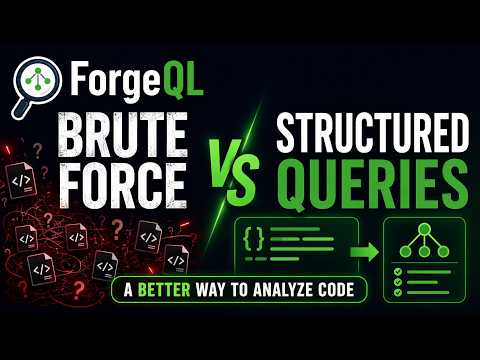
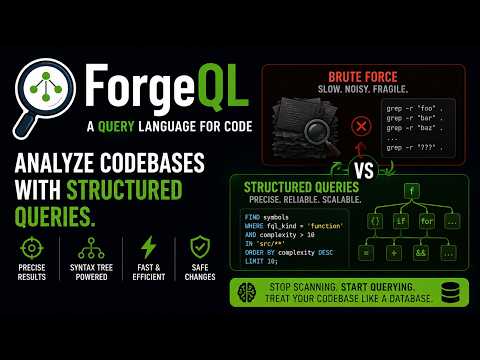
ForgeQL is a declarative, code-aware transformation tool. You describe what you want to find or change in a codebase and ForgeQL executes it precisely — leaving the strategy and file selection to the agent or developer driving it.
Think of it as SQL for source code: a small, expressive query language backed by real syntax trees (tree-sitter), not fragile regular expressions.
Three ideas define it:
- Edit by node handle. Every indexed symbol carries a stable
node_id(e.g.nb1be37eea3f0.0124) that survives line drift, unrelated edits, and re-parse. You locate a node once withFIND, then read it (SHOW NODE) and rewrite it (CHANGE NODE) by handle — no line numbers to recompute, ever. - Real reference queries. Usage sites are collected at index time, so
FIND usages OF 'name'returns every reference — including ones without call parentheses — andORDER BY usages DESCranks symbols by real workspace-wide counts. - Not just code. Structured-text formats index like code: AUTOSAR
.arxml, EB tresos.xdm, Vector CAN.dbc,Cargo.toml/Cargo.lock,CMakeLists.txt, Makefiles, justfiles, INI, JSON, YAML, XML, Markdown, reStructuredText. Config that normally requires GUI tools becomes findable by name and editable by node handle.
It works in two modes:
- MCP server — connects directly to AI coding agents (GitHub Copilot, Claude, etc.) inside VS Code or any MCP-capable editor.
- Interpreter — pipe a FQL statement into the binary from a terminal or script.
ForgeQL indexes code quality metrics at parse time — magic numbers, complex conditions, missing defaults, dead code, naming violations, and more. Here's what a single session looks like on a real embedded C++ project (14,797 symbols indexed):
USE pisco-code.main

-- 1. Where are the likely bugs hiding?
FIND symbols WHERE has_assignment_in_condition = 'true'
-- Result: 3 locations where = appears inside if() instead of ==

-- 2. Which conditions are too complex to reason about?
FIND symbols WHERE condition_tests >= 4 ORDER BY condition_tests DESC
-- Result: 5 functions with 4+ boolean sub-expressions in a single condition

-- 3. Any switch statements missing a default handler?
FIND symbols WHERE fql_kind = 'switch' WHERE has_catch_all = 'false'
-- Result: 2 switches that silently fall through on unexpected values

-- 4. Mixed && / || without grouping — operator precedence bugs?
FIND symbols WHERE mixed_logic = 'true'
-- Result: 4 conditions mixing AND/OR without parentheses

-- 5. Dead code — functions nobody calls?
FIND symbols WHERE fql_kind = 'function' WHERE usages = 0
  EXCLUDE 'tests/**' EXCLUDE 'vendor/**' IN 'src/**' ORDER BY path ASC
-- Result: 11 functions that can be safely removed

-- 6. Risk heat-map — which functions have the most dependents?
FIND symbols WHERE fql_kind = 'function'
  ORDER BY usages DESC LIMIT 5
-- Result: top 5 hotspots — a bug here breaks everything

-- 7. Zoom into one of those hotspots — read just the signature
FIND symbols WHERE name = 'PiscoCode::process'
-- Result: path=src/PiscoCode.cpp, line=87
SHOW body OF 'PiscoCode::process' DEPTH 99
-- Exactly 17 lines, exactly the function, zero waste
Total cost: 7 queries, ~800 tokens of output. A grep-based approach would need to read every file, parse the results manually, and still miss the semantic issues (mixed logic, assignment-in-condition, missing defaults). ForgeQL finds them because it operates on syntax trees, not text.
ForgeQL is intentionally minimal. Everything is built from six command families:
| Family | Commands |
|---|---|
| Session | CREATE SOURCE · REFRESH SOURCE · USE · SHOW SOURCES · SHOW BRANCHES |
| Maintenance | VACUUM — reclaim disk by deleting stale cache versions (admin-only; CLI: forgeql gc) |
| Queries | FIND symbols · FIND usages OF · FIND callees OF · FIND files |
| Content | SHOW body · SHOW signature · SHOW outline · SHOW members · SHOW context · SHOW NODE |
| Mutations | CHANGE NODE · INSERT BEFORE/AFTER NODE · DELETE NODE — addressed by stable node_id, optional IF REV guard. Every mutation answers with a boundary diff, lines_written, and lines_removed. Raw-text file edits (CHANGE FILE, line-range copy/move) live in the syntax reference for non-indexed files |
| Workflow | VERIFY build · JOB START/STATUS/LIST (background builds) · COMMIT MESSAGE · BEGIN TRANSACTION / ROLLBACK · UNDO · RUN (allowlisted templates) |
Complex workflows — renaming a symbol, applying a coding standard, migrating a pattern — are composed by the agent from these primitives. ForgeQL provides the precision tools; the agent decides the strategy.
Every command accepts a universal clause set that shapes the output before it reaches the agent's context window:
WHERE field operator value   -- filter rows
HAVING field operator value  -- filter after GROUP BY
IN 'glob'                    -- restrict to files matching a glob
EXCLUDE 'glob'               -- exclude files matching a glob
ORDER BY field ASC|DESC      -- sort
GROUP BY field               -- aggregate
LIMIT N                      -- cap row count
OFFSET N                     -- paginate
DEPTH N                      -- collapse tree depth
These clauses work identically on every command. Instead of returning thousands of rows for the agent to sift through, a single precise query returns exactly what is needed:
FIND symbols
  WHERE fql_kind = 'function'
  IN 'src/**'
  ORDER BY usages DESC
LIMIT 10| Tool | Minimum version |
|---|---|
| Rust / Cargo | 1.78 |
| Git | 2.x |
| VS Code | 1.90 (for MCP integration) |
tree-sitter grammars are compiled into the binary — no separate install needed.
git clone https://github.com/andreviegas/ForgeQL.git
cd ForgeQL
cargo build --release
The binary lands at target/release/forgeql (Linux) or target\release\forgeql.exe (Windows).
This is the primary mode for AI agent use. ForgeQL speaks MCP over stdio; VS Code connects to it automatically once configured.
Create .vscode/mcp.json in your workspace (or ~/.config/Code/User/mcp.json for a global setup):
{
  "servers": {
    "forgeql": {
      "command": "/home/<your-user>/ForgeQL/target/release/forgeql",
      "args": ["--mcp", "--data-dir", "/your/data-dir"]
    }
  }
}Create .vscode/mcp.json in your workspace:
{
  "servers": {
    "forgeql": {
      "command": "C:\\Users\\<YourUser>\\ForgeQL\\target\\release\\forgeql.exe",
      "args": ["--mcp", "--data-dir", "C:\\your\\data-dir"]
    }
  }
}
You can also add "--log-queries" to the args array to write every FQL statement to a log file — useful for debugging what the agent is sending.
After saving, open the Command Palette (Ctrl+Shift+P) and run MCP: Refresh Servers. The ForgeQL tools appear in the Copilot Chat tool list and can be called by any MCP-aware extension.
You can also pipe any FQL statement directly to the binary. This is useful for scripting, quick lookups, and testing without an editor.
echo "SHOW SOURCES" | forgeql --data-dir /tmp/forgeql-lab

echo "FIND symbols WHERE fql_kind = 'function' LIMIT 5" \
| forgeql --data-dir /tmp/forgeql-labThe examples below walk through exploring and modifying Pisco Code, an embedded C++ library, pinned at tag v1.3.0.
All commands work identically whether typed in Copilot Chat (MCP mode) or piped to the binary (interpreter mode).
CREATE SOURCE 'pisco' FROM 'https://github.com/pisco-de-luz/Pisco-Code.git'
USE pisco.v1.3.0
ForgeQL clones the repository, builds the tree-sitter index, and caches it on disk. Every subsequent query is served from the in-memory index — no re-reading files.
-- Top-level file tree
FIND files DEPTH 2

-- Structural outline of a header
SHOW outline OF 'include/PiscoCode.h'

-- All classes defined in the library
FIND symbols
  WHERE fql_kind = 'class'
ORDER BY name ASC-- All getter/setter methods
FIND symbols
WHERE fql_kind = 'function'
WHERE name LIKE 'get%'
ORDER BY name ASC
-- All #define macros in headers
FIND symbols
WHERE fql_kind = 'macro'
IN 'include/**'Note for power users:
fql_kindmaps raw tree-sitter node kinds to universal names. If you need exact tree-sitter precision, thenode_kindfield is also available as a power-user escape hatch:WHERE node_kind = ...still works alongside allfql_kindqueries.
SHOW body OF 'PiscoCode::process'Every SHOW response surfaces each result's node_id. That handle feeds directly into a CHANGE NODE command — and a (n) or (n-m) suffix targets a single line or an inclusive range within the node's own span (e.g. SHOW NODE '<id>(2-4)', CHANGE NODE '<id>(3)' WITH '...') — no round-trip to re-read the file:
{
  "symbol": "PiscoCode::process",
  "file": "src/PiscoCode.cpp",
  "start_line": 87,
  "end_line": 103,
  "content": "void PiscoCode::process(...) { ... }"
}-- Functions that are never called
FIND symbols
WHERE fql_kind = 'function'
WHERE usages = 0
IN 'src/**'
EXCLUDE 'src/tests/**'
-- Usage count per file for a given symbol
FIND usages OF 'PiscoCode::process'
GROUP BY file
ORDER BY count DESCThe editing flow is always the same four steps: find → show → change → read the diff.
-- 1. Locate — every FIND row carries a stable node_id
FIND symbols WHERE name = 'PiscoCode::init'

-- 2. Read the node by its handle
SHOW NODE '<node_id>'

-- 3. Rewrite it by handle — drift-proof, no line numbers
CHANGE NODE '<node_id>'
  WITH 'void PiscoCode::init(Buffer& buffer) {
    for (auto& sample : buffer) {
        sample = this->pipeline.apply(sample);
    }
}'

-- 4. The response IS the review: new_node_id, lines_written, lines_removed,
--    and a boundary diff whose context lines carry node_id(offset) handles.
--    A large lines_removed on a small edit means you clobbered more than
--    intended — UNDO reverses the mutation.
The engine is deliberately mechanical: it splices exactly what you send and never auto-corrects syntax. If the returned diff shows a seam — a missing comma, an unbalanced brace — the follow-up edit is yours to issue, and the diff's inline node_id(offset) handles make it a one-liner.
Transactions group multiple commands atomically. A rename is a composition of usage sites: enumerate them, then issue a targeted CHANGE NODE per site.
BEGIN TRANSACTION 'rename-process'
  FIND usages OF 'PiscoCode::process' GROUP BY file ORDER BY count DESC
  -- one CHANGE NODE per usage site, each confirmed by its diff…
  VERIFY build 'test'
COMMIT MESSAGE 'rename PiscoCode::process to PiscoCode::run'
-- or: ROLLBACK TRANSACTION 'rename-process' to restore every fileVERIFY build can also be used as a standalone command — outside a transaction
— to check the current state of the worktree against any step in .forgeql.yaml.
VERIFY build 'test'# .forgeql.yaml
verify_steps:
- name: test
command: "cmake --build build && ctest --test-dir build -R unit"
commit_gate: true # COMMIT refused until this passes after the last editLong steps can run as background jobs: JOB START 'test' returns a job id immediately; poll with JOB STATUS <id> / JOB LIST. Jobs queue through a bounded worker pool (FORGEQL_MAX_CONCURRENT_JOBS, default 1), so parallel heavy builds never exhaust the machine. A step marked commit_gate: true must pass after the last edit or COMMIT is refused — a commit can never record an unvalidated tree.
Verify output is buffered and queryable — triage a compiler log without re-running the build:
SHOW MORE WHERE text MATCHES '^error|-->'Structured-text files are indexed like code — the same FIND → SHOW NODE → CHANGE NODE flow edits Cargo.toml, a CMakeLists, or an AUTOSAR ECU configuration:
-- Find an ECUC parameter by its real name (no GUI tool needed)
FIND symbols WHERE name = 'CanIfPublicTxBuffering' IN 'config/**'

-- Read and edit it by handle
SHOW NODE '<node_id>'
CHANGE NODE '<node_id>(2)' WITH ' <VALUE>true</VALUE>'-- SHOW body's CSV header gives the node_id; no line numbers needed
BEGIN TRANSACTION 'remove-legacyHelper'
DELETE NODE '<node_id>'
VERIFY build 'test'
COMMIT MESSAGE 'remove deprecated legacyHelper'ForgeQL was conceived, designed, and validated by Andre Viegas — a C/C++ developer exploring Rust for the first time through this project.
Full transparency: 100% of the Rust code in this repository was initially generated by AI (GitHub Copilot / Claude). The architecture, the ForgeQL language design, the test strategy, and every design decision were mine; the AI translated those decisions into working Rust. This started as a proof of concept to answer a simple question: can a declarative, AST-aware transformation language make AI-assisted coding safer and more efficient?
Early results suggest it can. If you find the idea useful, I'd love help from experienced Rust developers to take it further — improving idiomatic Rust patterns, performance, multi-language support, and anything else that makes ForgeQL a better tool. See CONTRIBUTING.md for how to get involved.
- doc/syntax.md — complete command and clause reference.
- doc/architecture.md — internal design: index model, clause pipeline, MCP layer, agent guardrails.
- crates/forgeql-core/src/storage/README.md —
StorageEngineandSourceProvidertrait contracts: the abstraction layer between the query engine and all storage backends. - doc/agents/ — AI agent integration: Custom Agent files for VS Code Copilot, Claude Code, and Cursor.
ForgeQL ships with distributable agent configuration files that teach AI agents how to use it correctly — preventing drift to local filesystem tools (grep/find/cat) and enforcing precision query patterns.
Three layers of defense against agent drift:
- Tool restriction — the VS Code Custom Agent locks the agent to
forgeql/*tools only. It literally cannot call grep, find, or cat. - Behavioral instructions — every platform adapter includes the two-step workflow:
FIND symbols WHERE→SHOW NODE— no brute-force reading. - MCP server guardrails — SHOW commands returning more than 40 lines without an explicit
LIMITclause are capped: the agent gets the first window plus a guidance message (SHOW MOREpages the rest; precision queries avoid the cap entirely). This teaches the right pattern on first contact, even without any agent files installed.
| Platform | File | Tool Lock |
|---|---|---|
| VS Code Copilot | forgeql.agent.md |
Yes (tools: [forgeql/*]) |
| Claude Code | CLAUDE.md |
No (behavioral + MCP guardrails) |
| Cursor | .cursorrules |
No (behavioral + MCP guardrails) |
See doc/agents/README.md for installation instructions.
Apache License 2.0 — see LICENSE.