








Use the Bytescale JavaScript SDK to upload, transform, and serve files at scale.
Full SDK Documentation • Upload Widget • Media Processing APIs • Storage • CDN
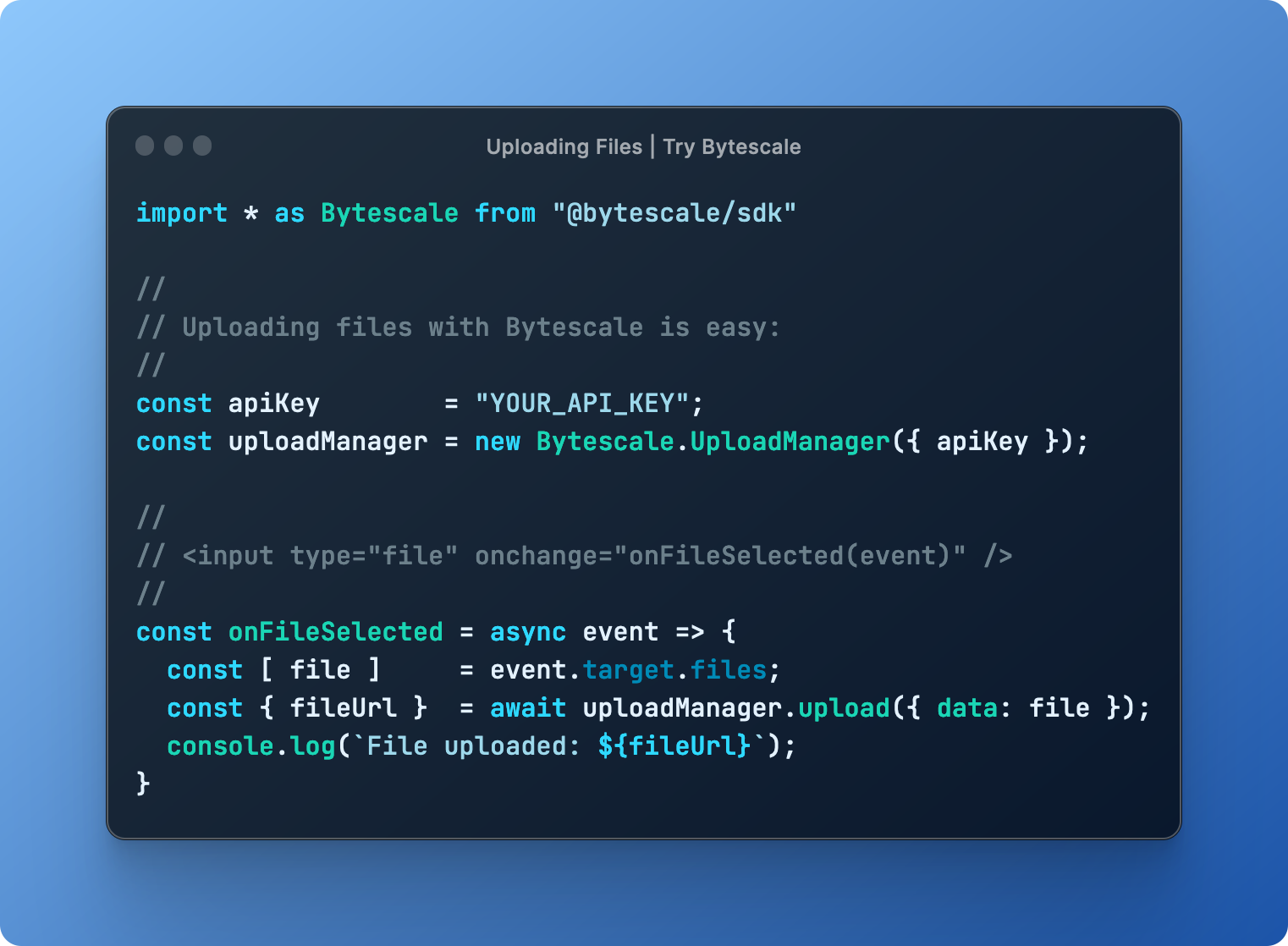
npm install @bytescale/sdk node-fetchnpm install @bytescale/sdkIf you'd prefer to use a script tag:
<script src="https://js.bytescale.com/sdk/v3"></script>Uploading Files — Try on CodePen
This library is isomorphic, meaning you can upload files from Node.js, or the browser, or both.
import * as Bytescale from "@bytescale/sdk";
import nodeFetch from "node-fetch";

const uploadManager = new Bytescale.UploadManager({
  fetchApi: nodeFetch, // import nodeFetch from "node-fetch"; // Only required for Node.js. TypeScript: 'nodeFetch as any' may be necessary.
  apiKey: "free" // Get API keys from: www.bytescale.com
});

uploadManager
  .upload({
    // Supported types:
    // - String
    // - Blob
    // - ArrayBuffer
    // - Buffer
    // - ReadableStream (Node.js), e.g. fs.createReadStream("file.txt")
    data: "Hello World",

    // ---------
    // Optional:
    // ---------

    // Required if 'data' is a stream.
    // size: 5098, // e.g. fs.statSync("file.txt").size

    // Required if 'data' is a stream, buffer, or string.
    mime: "text/plain",

    // Required if 'data' is a stream, buffer, or string.
    originalFileName: "my_file.txt"

    // Reports progress: bytesTotal, bytesSent, progress.
    // onProgress: ({ progress }) => console.log(progress),

    // Controls multipart upload concurrency. Ignored if 'data' is a stream.
    // maxConcurrentUploadParts: 4,

    // Up to 2KB of arbitrary JSON.
    // metadata: {
    //   productId: 60891
    // },

    // Up to 25 tags per file.
    // tags: [
    //   "example_tag"
    // ],

    // About file paths:
    // - Your API key's "file upload path" is used by default, and can be changed by editing the API key's settings.
    // - You can override the API key's file upload path by specifying a path below.
    // - You may use path variables (e.g. "{UTC_DAY}"): http://localhost:3201/docs/path-variables
    // path: {
    //   folderPath: "/uploads/{UTC_YEAR}/{UTC_MONTH}/{UTC_DAY}",
    //   fileName: "{UTC_TIME_TOKEN_INVERSE}{UNIQUE_DIGITS_2}{ORIGINAL_FILE_EXT}"
    // },

    // Set to 'isCancelled = true' after invoking 'upload' to cancel the upload.
    // cancellationToken: {
    //   isCancelled: false
    // }
  })
  .then(
    ({ fileUrl, filePath }) => {
      // --------------------------------------------
      // File successfully uploaded!
      // --------------------------------------------
      // The 'filePath' uniquely identifies the file,
      // and is what you should save to your DB.
      // --------------------------------------------
      console.log(`File uploaded to: ${fileUrl}`);
    },
    error => console.error(`Error: ${error.message}`, error)
);<html>
<head>
<script src="https://js.bytescale.com/sdk/v3"></script>
<script>
// import * as Bytescale from "@bytescale/sdk"
const uploadManager = new Bytescale.UploadManager({
apiKey: "free" // Get API keys from: www.bytescale.com
});
const onFileSelected = async event => {
const file = event.target.files[0];
try {
const { fileUrl, filePath } = await uploadManager.upload({
// Supported types:
// - String
// - Blob
// - ArrayBuffer
// - File (i.e. from a DOM file input element)
data: file
// ---------
// Optional:
// ---------
// Required if 'data' is a stream. Node.js only. (Not required when uploading files from the browser.)
// size: 5098, // e.g. fs.statSync("file.txt").size
// Required if 'data' is a stream, buffer, or string. (Not required for DOM file inputs or blobs.)
// mime: "application/octet-stream",
// Required if 'data' is a stream, buffer, or string. (Not required for DOM file inputs or blobs.)
// originalFileName: "my_file.txt",
// Reports progress: bytesTotal, bytesSent, progress.
// onProgress: ({ progress }) => console.log(progress),
// Controls multipart upload concurrency. Ignored if 'data' is a stream.
// maxConcurrentUploadParts: 4,
// Up to 2KB of arbitrary JSON.
// metadata: {
// productId: 60891
// },
// Up to 25 tags per file.
// tags: [
// "example_tag"
// ],
// About file paths:
// - Your API key's "file upload path" is used by default, and can be changed by editing the API key's settings.
// - You can override the API key's file upload path by specifying a path below.
// - You may use path variables (e.g. "{UTC_DAY}"): http://localhost:3201/docs/path-variables
// path: {
// folderPath: "/uploads/{UTC_YEAR}/{UTC_MONTH}/{UTC_DAY}",
// fileName: "{UTC_TIME_TOKEN_INVERSE}{UNIQUE_DIGITS_2}{ORIGINAL_FILE_EXT}"
// },
// Set to 'isCancelled = true' after invoking 'upload' to cancel the upload.
// cancellationToken: {
// isCancelled: false
// }
});
// --------------------------------------------
// File successfully uploaded!
// --------------------------------------------
// The 'filePath' uniquely identifies the file,
// and is what you should save to your API.
// --------------------------------------------
alert(`File uploaded:\n${fileUrl}`);
} catch (e) {
alert(`Error:\n${e.message}`);
}
};
</script>
</head>
<body>
<input type="file" onchange="onFileSelected(event)" />
</body>
</html>import * as Bytescale from "@bytescale/sdk";
import nodeFetch from "node-fetch"; // Only required for Node.js
const fileApi = new Bytescale.FileApi({
fetchApi: nodeFetch, // import nodeFetch from "node-fetch"; // Only required for Node.js. TypeScript: 'nodeFetch as any' may be necessary.
apiKey: "YOUR_API_KEY" // e.g. "secret_xxxxx"
});
fileApi
.downloadFile({
accountId: "YOUR_ACCOUNT_ID", // e.g. "W142hJk"
filePath: "/uploads/2022/12/25/hello_world.txt"
})
.then(response => response.text()) // .text() | .json() | .blob() | .stream()
.then(
fileContents => console.log(fileContents),
error => console.error(error)
);Use the UrlBuilder to get a URL instead (if you need a file URL instead of a binary stream).
import * as Bytescale from "@bytescale/sdk";
import fetch from "node-fetch"; // Only required for Node.js
import fs from "fs";

const fileApi = new Bytescale.FileApi({
  fetchApi: nodeFetch, // import nodeFetch from "node-fetch"; // Only required for Node.js. TypeScript: 'nodeFetch as any' may be necessary.
  apiKey: "YOUR_API_KEY" // e.g. "secret_xxxxx"
});

fileApi
  .processFile({
    accountId: "YOUR_ACCOUNT_ID", // e.g. "W142hJk"
    filePath: "/uploads/2022/12/25/image.jpg",

    // See: https://www.bytescale.com/docs/image-processing-api
    transformation: "image",
    transformationParams: {
      w: 800,
      h: 600
    }
  })
  .then(response => response.stream()) // .text() | .json() | .blob() | .stream()
  .then(
    imageByteStream =>
      new Promise((resolve, reject) => {
        const writer = fs.createWriteStream("image-thumbnail.jpg");
        writer.on("close", resolve);
        writer.on("error", reject);
        imageByteStream.pipe(writer);
      })
  )
  .then(
    () => console.log("Thumbnail saved to 'image-thumbnail.jpg'"),
    error => console.error(error)
  );
Use the UrlBuilder to get a URL instead (if you need a file URL instead of a binary stream).
import * as Bytescale from "@bytescale/sdk";
import fetch from "node-fetch"; // Only required for Node.js

const fileApi = new Bytescale.FileApi({
  fetchApi: nodeFetch, // import nodeFetch from "node-fetch"; // Only required for Node.js. TypeScript: 'nodeFetch as any' may be necessary.
  apiKey: "YOUR_API_KEY" // e.g. "secret_xxxxx"
});

fileApi
  .getFileDetails({
    accountId: "YOUR_ACCOUNT_ID", // e.g. "W142hJk"
    filePath: "/uploads/2022/12/25/image.jpg"
  })
  .then(
    fileDetails => console.log(fileDetails),
    error => console.error(error)
);import * as Bytescale from "@bytescale/sdk";
import fetch from "node-fetch"; // Only required for Node.js
const folderApi = new Bytescale.FolderApi({
fetchApi: nodeFetch, // import nodeFetch from "node-fetch"; // Only required for Node.js. TypeScript: 'nodeFetch as any' may be necessary.
apiKey: "YOUR_API_KEY" // e.g. "secret_xxxxx"
});
folderApi
.listFolder({
accountId: "YOUR_ACCOUNT_ID", // e.g. "W142hJk"
folderPath: "/",
recursive: false
})
.then(
// Note: operation is paginated, see 'result.cursor' and 'params.cursor'.
result => console.log(`Items in folder: ${result.items.length}`),
error => console.error(error)
);For a complete list of operations, please see:
Bytescale JavaScript SDK Docs »
Bytescale provides several real-time Media Processing APIs:
- Image Processing APIs (resize, crop, convert, compress & watermark)
- Video Processing APIs (transcode, optimize, resize & extract metadata)
- Audio Processing APIs (transcode, optimize, trim & extract metadata)
Here's an example using a photo of Chicago:

https://upcdn.io/W142hJk/raw/example/city-landscape.jpg
Using the Image Processing API, you can produce this image:

https://upcdn.io/W142hJk/image/example/city-landscape.jpg
  ?w=900
  &h=600
  &fit=crop
  &f=webp
  &q=80
  &blur=4
  &text=WATERMARK
  &layer-opacity=80
  &blend=overlay
  &layer-rotate=315
  &font-size=100
  &padding=10
  &font-weight=900
  &color=ffffff
  &repeat=true
  &text=Chicago
  &gravity=bottom
  &padding-x=50
  &padding-bottom=20
  &font=/example/fonts/Lobster.ttf
  &color=ffe400
The Bytescale JavaScript SDK supports two types of authentication:
The Bytescale JavaScript SDK automatically adds the apiKey from the constructor to the authorization header for all requests made via the SDK.
With API key auth, the requester has access to the resources available to the API key:
-
Secret API keys (
secret_***) can perform all API operations. -
Public API keys (
public_***) can perform file uploads and file downloads only. File overwrites, file deletes, and all other destructive operations cannot be performed using public API keys.
Each Public API Key and Secret API Key can have its read/write access limited to a subset of files/folders.
JWTs are optional.
With JWTs, the user can download private files directly via the URL, as authentication is performed implicitly via a session cookie or via an authorization header if service workers are enabled (see the serviceWorkerScript param on the AuthManager.beginAuthSession method). This allows the browser to display private files in <img>, <video>, and other elements.
With JWTs, the user can also perform API requests, such as file deletions, as these can be granted by the JWT's payload. The Bytescale JavaScript SDK will automatically inject the user's JWT into the authorization-token request header for all API requests, assuming the AuthManager.beginAuthSession method has been called.
Learn more about the AuthManager and JWTs »
Automatic (AuthSessionConfigAuto) and manual (AuthSessionConfigManual) configurations both accept
requestUrlPrefixes?: string[]. This restricts service-worker authentication by matching the original
event.request.url, before urlRewriteRules are applied. The rewritten destination must still match the
configuration's CDN URL and account, and the configuration must not have expired.
- Omit the field (or set it to
undefined) to preserve existing behavior. - Set it to
[]to authenticate no requests through the service worker. - Provide multiple prefixes to match any of them using case-sensitive
startsWithcomparisons.
Prefixes follow the same string-array validation as sourceUrlPrefixes: they are not parsed or normalized.
Use complete URL prefixes with a trailing / when restricting an origin or directory. An empty string matches
any URL. sourceUrlPrefixes independently restricts the initiating page or iframe URL; when both fields are
provided, both must match. Request prefixes alone do not require an initiating client, so new-tab downloads
can use them.
Serve the current Bytescale auth service worker as /auth-sw.js on your application's origin, then initialize
an automatic configuration:
import { AuthManager } from "@bytescale/sdk";

await AuthManager.beginAuthSession({
  serviceWorkerScript: "/auth-sw.js",
  urlRewriteRules: [
    { fromUrlPrefix: "https://app.example.com/media-auth/", toUrlPrefix: "https://upcdn.io/" },
    { fromUrlPrefix: "https://app.example.com/download/", toUrlPrefix: "https://upcdn.io/" }
  ],
  authConfigs: async () => [
    {
      accountId: "A123abc", // Replace with your Bytescale account ID.
      authConfigId: undefined,
      authUrl: "https://app.example.com/auth", // Your endpoint returning a JWT as text/plain.
      authHeaders: async () => ({}),
      requestUrlPrefixes: ["https://app.example.com/media-auth/", "https://app.example.com/download/"],
      enableCookieAuth: false
    }
  ]
});
For a manual configuration, replace authUrl and authHeaders with your getAuthorizationToken callback;
keep requestUrlPrefixes and the other fields:
const manualConfig = {
  accountId: "A123abc",
  authConfigId: undefined,
  requestUrlPrefixes: ["https://app.example.com/media-auth/", "https://app.example.com/download/"],
  getAuthorizationToken: async () => {
    const response = await fetch("/auth");
    return await response.text();
  }
};
With the example configuration:
| Original resource URL | Final destination | AuthManager-injected headers |
|---|---|---|
https://upcdn.io/A123abc/image/example.jpg |
Unchanged | None |
https://app.example.com/media-auth/A123abc/image/example.jpg |
https://upcdn.io/A123abc/image/example.jpg |
Account A123abc's JWT |
https://app.example.com/download/A123abc/raw/example.jpg?download=true |
https://upcdn.io/A123abc/raw/example.jpg?download=true |
Account A123abc's JWT |
https://app.example.com/media-auth/B123abc/image/example.jpg |
https://upcdn.io/B123abc/image/example.jpg |
None |
The download alias supports a normal link after initialization:
<a href="https://app.example.com/download/A123abc/raw/example.jpg?download=true" target="_blank" rel="noopener">
  Download
</a>
Rewriting uses the first matching rule once and continues even when authentication does not match. Responses remain streamed, and range headers, query parameters, and navigation behavior are preserved. A rejected request restriction allows the worker to consider later authentication entries. Existing rules preventing duplicate service-worker destinations within an AuthManager session still apply.
This field does not change API-client authentication, cookie authentication, token acquisition, or refresh. It does not remove caller-provided headers or existing CDN cookies. Leave cookie authentication disabled and avoid other broad authentication configurations for CDN requests you want to keep unauthenticated.
Compatibility and rollout: deploy the auth worker shipped with SDK 3.62.0 or later before enabling
requestUrlPrefixes in the application. Update any self-hosted worker copies and allow the updated worker to
activate in existing browser sessions. A distinct compatibility marker makes older workers skip the entire
request-restricted configuration, even when sourceUrlPrefixes is also present. They cannot silently turn it
into broad authentication. Private downloads may remain unauthenticated until the worker is updated; versions
without rewrite support also cannot serve aliases. The updated worker can recover these restrictions and
rewrite rules from persisted state after restart, and continues to support older configurations.
Use the UrlBuilder to construct URLs for your uploaded files:
import { UrlBuilder } from "@bytescale/sdk";To get the URL for the uploaded image /example.jpg in its original form, use the following:
// Returns: "https://upcdn.io/1234abc/raw/example.jpg"
UrlBuilder.url({
  accountId: "1234abc",
  filePath: "/example.jpg"
});To resize the uploaded image /example.jpg to 800x600, use the following:
// Returns: "https://upcdn.io/1234abc/image/example.jpg?w=800&h=600"
UrlBuilder.url({
  accountId: "1234abc",
  filePath: "/example.jpg",
  options: {
    transformation: "image",
    transformationParams: {
      w: 800,
      h: 600
    }
  }
});To transcode the uploaded video /example.mov to MP4/H.264 in HD, use the following:
// Returns: "https://upcdn.io/1234abc/video/example.mov?f=mp4-h264&h=1080"
UrlBuilder.url({
  accountId: "1234abc",
  filePath: "/example.mov",
  options: {
    transformation: "video",
    transformationParams: {
      f: "mp4-h264",
      h: 1080
    }
  }
});To transcode the uploaded audio /example.wav to AAC in 192kbps, use the following:
// Returns: "https://upcdn.io/1234abc/audio/example.wav?f=aac&br=192"
UrlBuilder.url({
  accountId: "1234abc",
  filePath: "/example.wav",
  options: {
    transformation: "audio",
    transformationParams: {
      f: "aac",
      br: 192
    }
  }
});To extract the file document.docx from the uploaded ZIP file /example.zip:
// Returns: "https://upcdn.io/1234abc/archive/example.zip?m=extract&artifact=/document.docx"
UrlBuilder.url({
  accountId: "1234abc",
  filePath: "/example.zip",
  options: {
    transformation: "archive",
    transformationParams: {
      m: "extract"
    },
    artifact: "/document.docx"
  }
});To scan the file example.zip for viruses, use the following:
// Returns: "https://upcdn.io/1234abc/antivirus/example.zip"
UrlBuilder.url({
  accountId: "1234abc",
  filePath: "/example.zip",
  options: {
    transformation: "antivirus"
  }
});Bytescale supports AWS S3, Cloudflare R2, Google Storage, DigitalOcean, and Bytescale Storage.
Bytescale JavaScript SDK Docs »
Bytescale is the best way to upload, transform, and serve images, videos, and audio at scale.