Repository navigation
Onboarding and web demo: four walkthroughs, the trial protocol, /demo - #49
Merged
Merged
Conversation


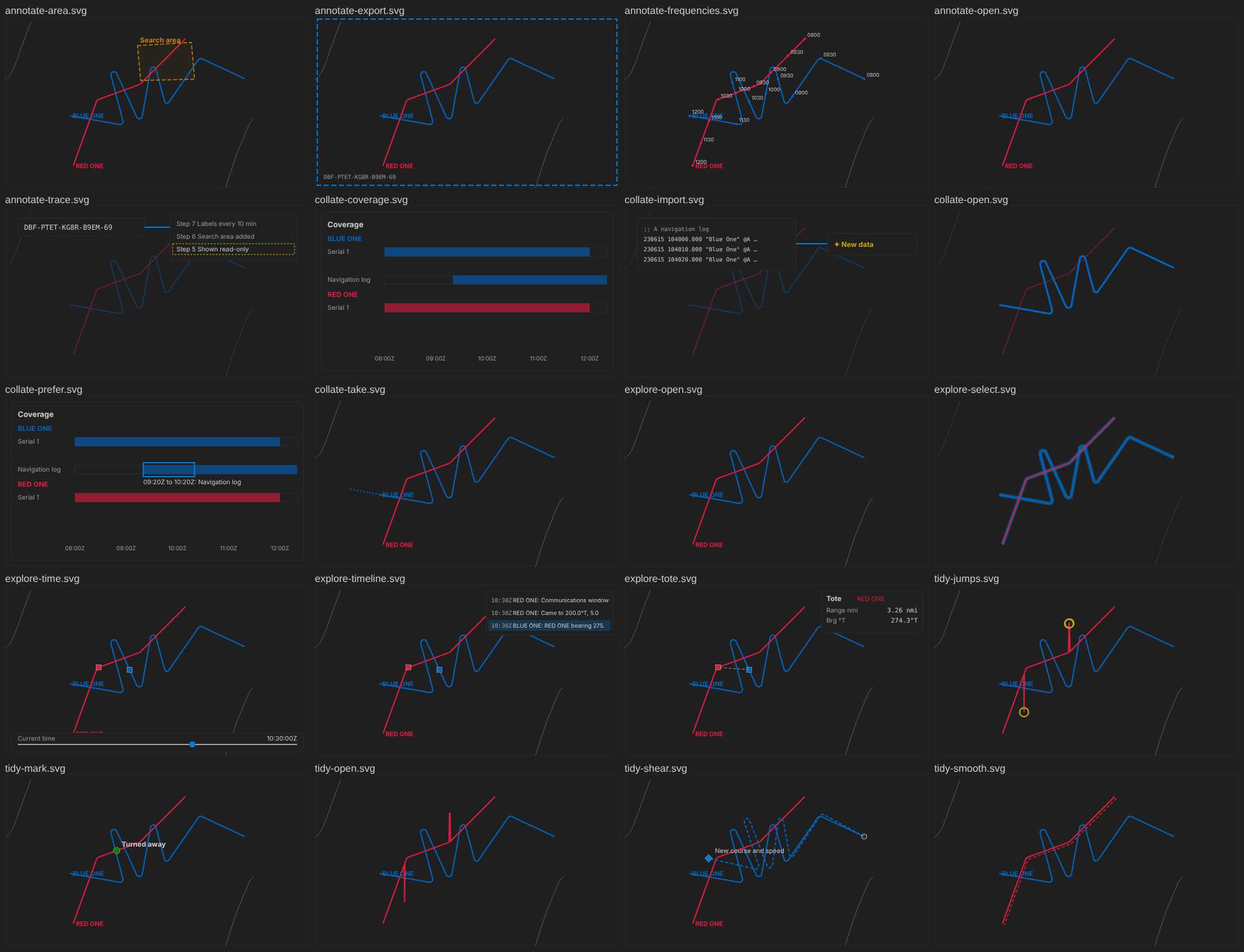
Four first-use walkthroughs (CAP-25) on fresh copies of the sample's
serial 1, never the sample: Open and explore a serial, Import and collate,
Tidy a track, Annotate and export a figure. One source of words
(vscode/walkthroughs/tours.json) for VS Code's Get Started page
(contributes.walkthroughs, written from it) and the playground's new
Walkthroughs panel; each step ticked when the analyst does it, with a
picture drawn from the sample and its keyboard equivalent.

The onboarding trial (NFR-09, provisional 40 minutes) as a protocol for
the product owner to run, pending; the playground's tests do its tasks as
a speed run. The web demo full screen at /demo/, linked from the home
page: every panel and the walkthroughs, files of the analyst's own read in
the browser only, never sent or stored (DEP-07 amended, 17 Oct 2026).

Co-Authored-By: Claude Opus 5.5 <noreply@anthropic.com>
Claude-Session: https://claude.ai/code/session_018c8QiHtanE5rfymqfArUYT

Contributor
|
…hing

After the product owner's answers and an independent panel's review
(17 Oct 2026, each recorded as a dated decision in docs/delivery-plan.md):

- The web demo keeps nothing derived from a file: the Timeline's remembered
  filter keeps only kinds of entry and view settings (contentFree). Tested
  across a REP file, a Word narrative, an export found again by its file,
  every browser store, WebSockets and the tab closing.
- A Content-Security-Policy meta element on every playground page; Pyodide
  stays on jsDelivr with no integrity check, an accepted risk.
- A walkthrough's buttons act, and its steps tick, only on its own copy
  (debrief.walkthrough.do in VS Code); Coverage counts only after the
  log is imported, a stretch is not a shear, a selection needs two tracks
  chosen by hand, and only the walkthrough's log counts as its import.
- Starting again unticks the steps and replaces the copy; a second press
  while a copy is made makes none. Failures of VS Code's internal
  welcome.markStep* commands are logged and checked in integration.
- The Walkthroughs panel is open on /demo and folded elsewhere.
- The trial protocol is formative with a pre-registered pass rule, a
  neutral observer and help ladder, REP and .dpf imports, a catalogue
  already added; the speed run (playground only) does the same, 32
  actions, failing above 36.
- Smaller fixes: Outline keyboard hint in VS Code, the time controller and
  Import at 601-750 px, walkthrough commands no longer injected into
  package.json's menus, install notes for debrief-sample and pyarrow.

Co-Authored-By: Claude Opus 5.5 <noreply@anthropic.com>
Claude-Session: https://claude.ai/code/session_018c8QiHtanE5rfymqfArUYT
In the browser, a step's words sat at the top of the side column, so doing
the step meant scrolling between them and the panel used. From 1200 px wide
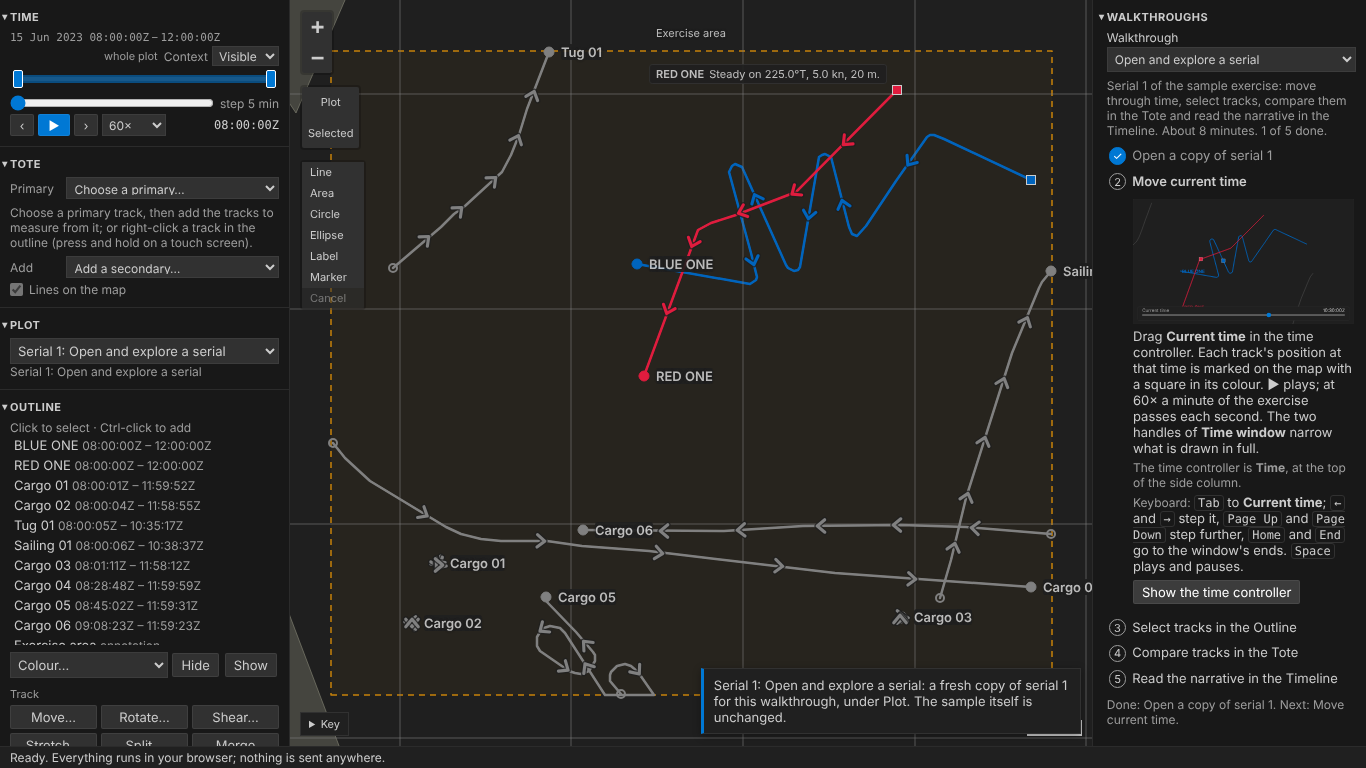
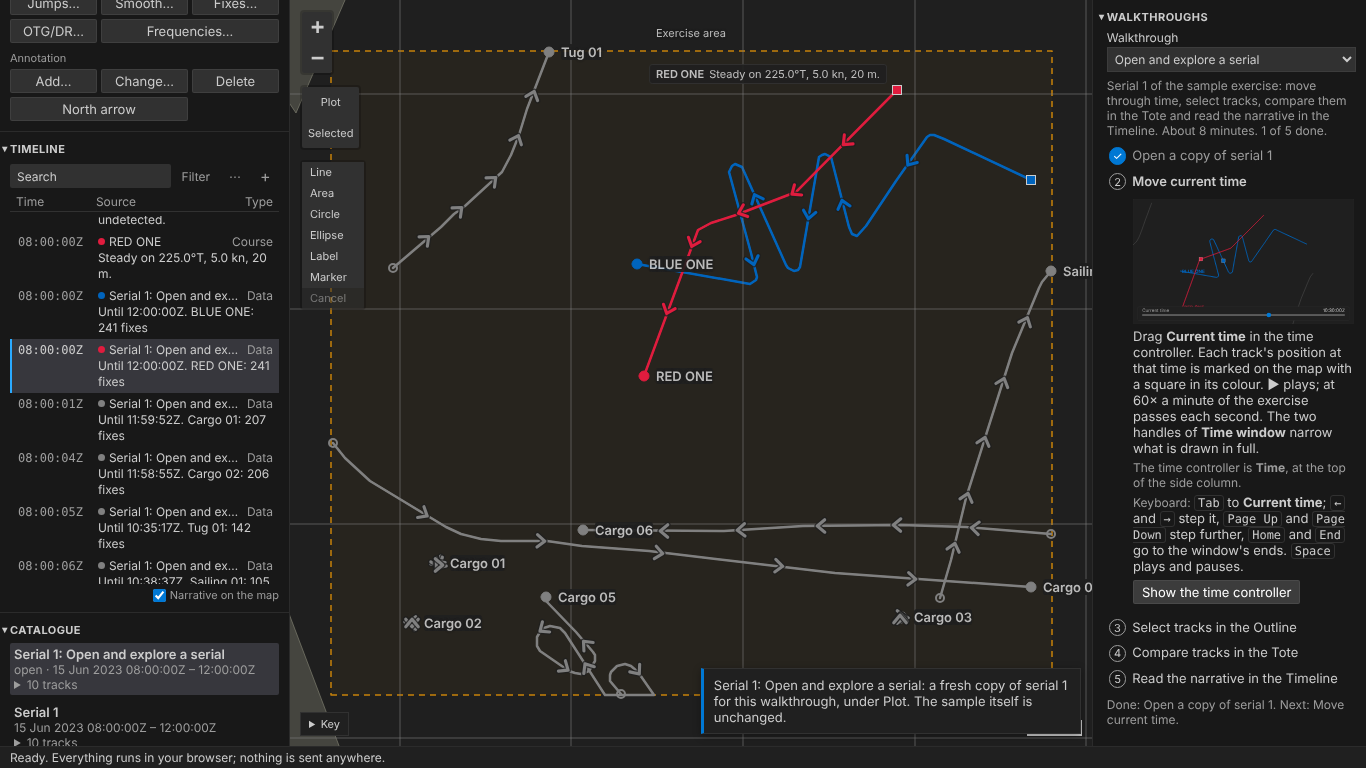
the walkthroughs are now a column on the right of the map (product owner,
22 Oct 2026): side panels stay left, the map in the middle; the column
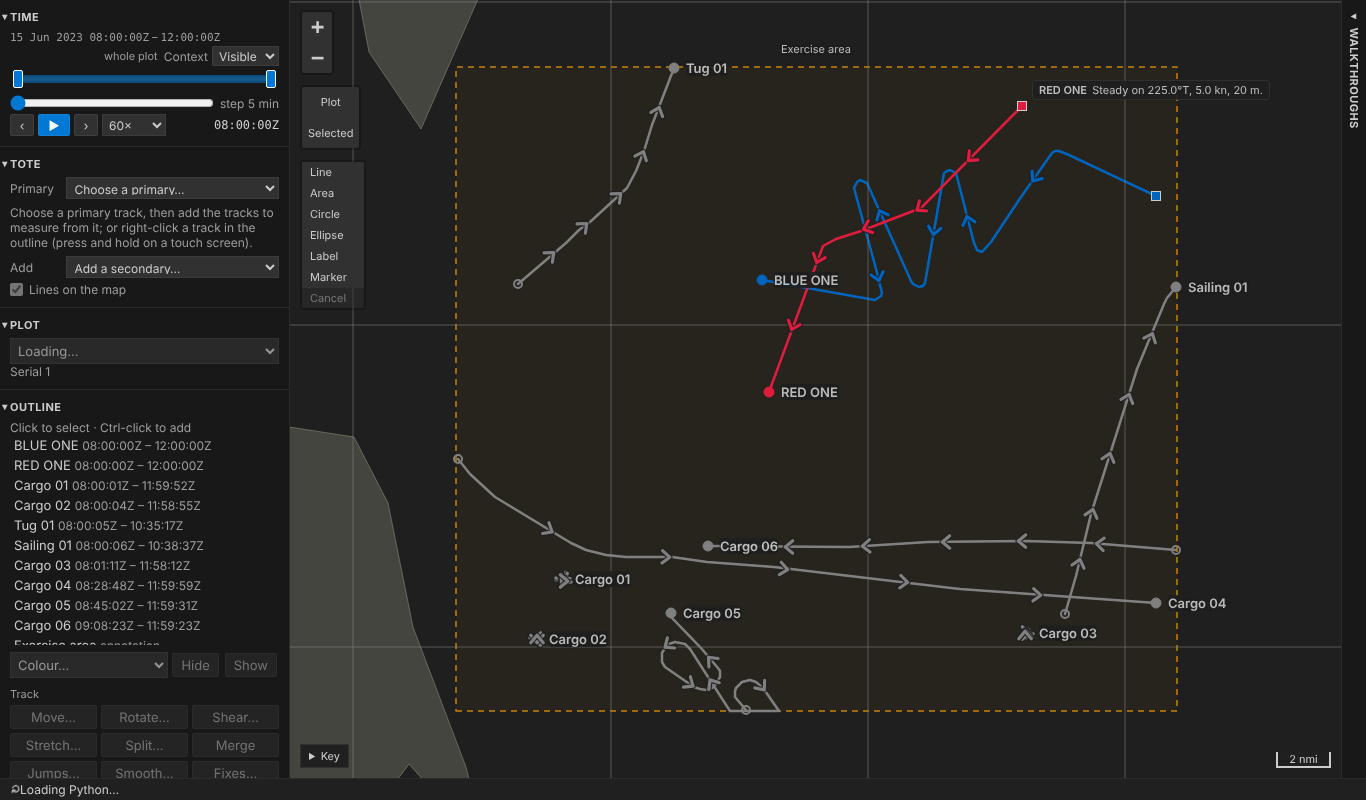
scrolls on its own, folds to a 25 px tab and the map widens. Below 1200 px
(phones, blog embeds, 601-900 px layouts) nothing changes: first panel in
the side column. 1200 px keeps the map about 670 px wide beside both
columns, and about 290 px with a tool's form open beside it too.

With the next step's button always in sight it can be pressed while the
step before is still saving: removing jumps and applying smoothing now close
only their own side panel, not the fix list the next step opened.

Tests: right-hand column at 1200-1440 px, labelled landmark, fold and
unfold by pointer and keyboard widen and narrow the map, step words in
sight while the side column is scrolled and while a step is done; no
sideways scroll at 1440 to 210 px in a wide font; phone layout as before;
the web demo at 1400 and 390 px. Docs, blog images and the delivery plan
updated.

Co-Authored-By: Claude Opus 5.5 <noreply@anthropic.com>
Claude-Session: https://claude.ai/code/session_018c8QiHtanE5rfymqfArUYT
…a resize

The media query's change arrives after the resize, later on CI's runner,
so the web demo's check at 390 px read the panel before it moved.

Co-Authored-By: Claude Opus 5.5 <noreply@anthropic.com>
Claude-Session: https://claude.ai/code/session_018c8QiHtanE5rfymqfArUYT

5 of 6 tasks
This file contains hidden or bidirectional Unicode text that may be interpreted or compiled differently than what appears below. To review, open the file in an editor that reveals hidden Unicode characters.
Learn more about bidirectional Unicode characters
Sign up for free
to join this conversation on GitHub.
Already have an account?
Sign in to comment
2 participants


Add this suggestion to a batch that can be applied as a single commit.This suggestion is invalid because no changes were made to the code.Suggestions cannot be applied while the pull request is closed.Suggestions cannot be applied while viewing a subset of changes.Only one suggestion per line can be applied in a batch.Add this suggestion to a batch that can be applied as a single commit.Applying suggestions on deleted lines is not supported.You must change the existing code in this line in order to create a valid suggestion.Outdated suggestions cannot be applied.This suggestion has been applied or marked resolved.Suggestions cannot be applied from pending reviews.Suggestions cannot be applied on multi-line comments.Suggestions cannot be applied while the pull request is queued to merge.Suggestion cannot be applied right now. Please check back later.
Summary
This PR delivers Phase 3's Onboarding and Web demo rows. The product owner decided both on 17 Oct 2026. Each decision is a dated entry in
docs/delivery-plan.md, with notes in the SRD. A second round (second commit) acts on the product owner's answers and an independent panel's review; see Round 2 below. A third round (third commit) moves the browser's walkthroughs to a column on the right on wide screens; see Round 3 below.Walkthroughs (CAP-25). There are four. Each runs on a fresh copy of the sample's serial 1, titled after it, and never touches the sample itself (
debrief_sample.walkthrough):vscode/walkthroughs/tours.json.contributes.walkthroughsis generated from it (npm run walkthroughs), and a unit test fails ifpackage.jsondrifts.onContext:debrief.walkthrough.<event>).welcome.markStepCompleteandwelcome.markStepIncomplete. A failure there is logged, and the integration test checks that VS Code still has both commands.debrief.walkthrough.do, which opens the copy first.Onboarding trial (NFR-09).
docs/notes/onboarding-trial.mdis a formative protocol for the product owner to run. The human trial has not been run yet.red-one.repand a legacy .dpf plot, then tidy, annotate, and export a traceable figure. The task wording does not mirror the walkthroughs.An automated speed run does the same tasks, in the playground only: 32 actions in about 12 s (import REP + .dpf 5, tidy 10, annotate 12, export and trace 5). It fails above 36.
Web demo (DEP-06, DEP-07).
/demo/, with every panel and the walkthroughs (open, in their right-hand column on a wide screen). It opens the fixed sample serials by default, and the home page links to it.base-uri 'self'covers the demo's<base>.The blog embeds are unchanged and still tested. They are narrower than 1200 px, so their walkthroughs stay in the side column, folded.
SRD: CAP-25, NFR-09, OUT-05, DEP-06, DEP-07 (amended), DEP-08, CON-09, CON-10, DEV-06, NFR-13.
Round 2: product owner's answers and the panel's review (17 Oct 2026)
Every fix has a regression test that fails without it.
contentFree)contentFreedebrief.walkthrough.doand the panel open the copy first, or refuse before one exists; ticks need the walkthrough's copy, in the walkthrough showncommanddropped fromBY_HAND; a selection needs two or more tracks; Coverage counts only after the import; a stretch is not a shear; only the walkthrough's log counts as its importforgetTour/restart), integration and play (double click makes one copy)welcome.markStep*and the context key are loggedgetCommandshas them)Ctrl+Shift+Enter); time controller and Import fit at 601–750 px;.catchremoved intracks.mjs; the fixed wait after the import dialog replaced by waiting for it to close; the area drawn away from the tracks; install notes namedebrief-sampleandpyarrow(and Open a copy says so if they are missing); walkthrough commands no longer injected intopackage.json's menuswhyNotPrepared; CSP placement) and play (widths)Round 3: the walkthroughs in a right-hand column (product owner, 22 Oct 2026)
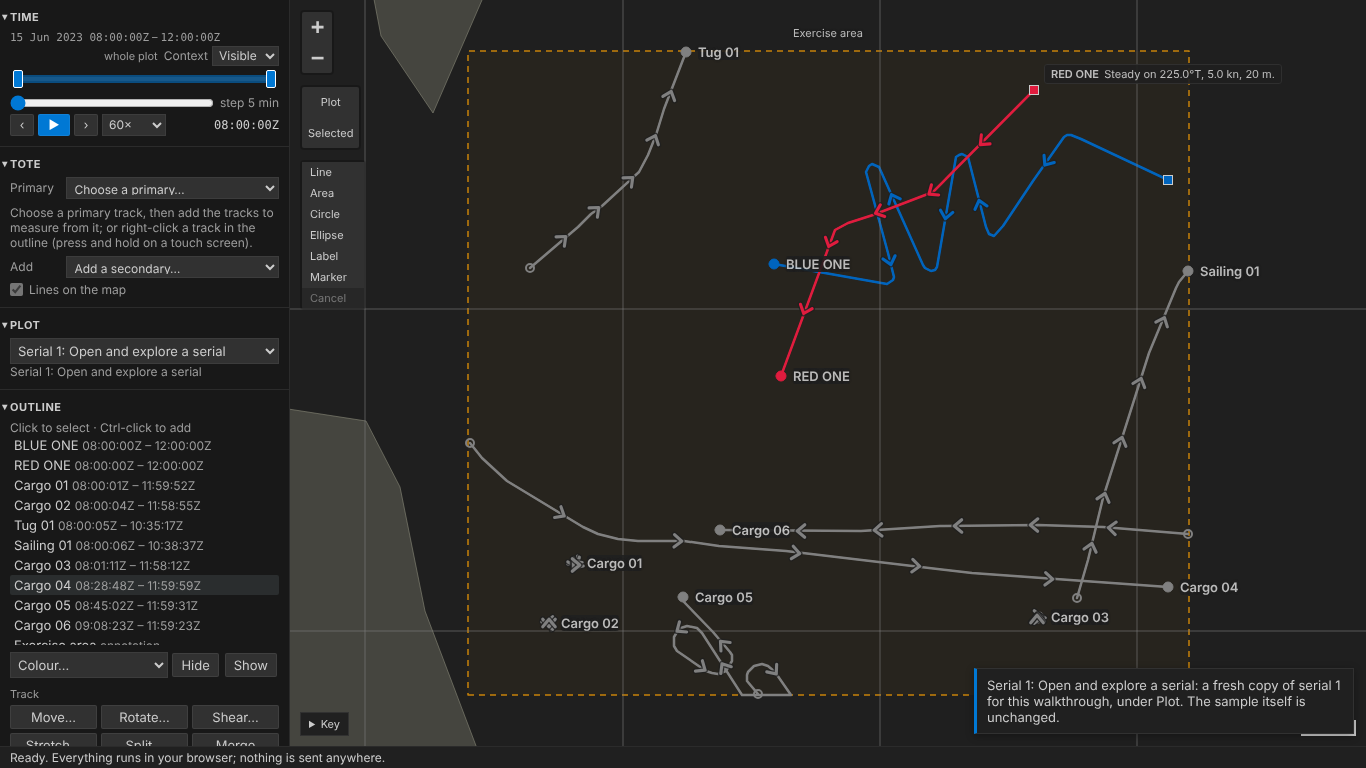
Problem. In the playground and /demo, the walkthroughs sat at the top of the side column. Doing a step meant scrolling that column up and down between the step's text and the panel being used.
Change.
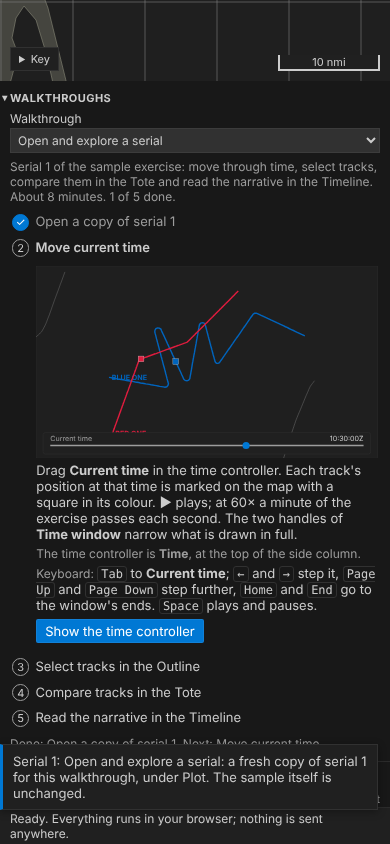
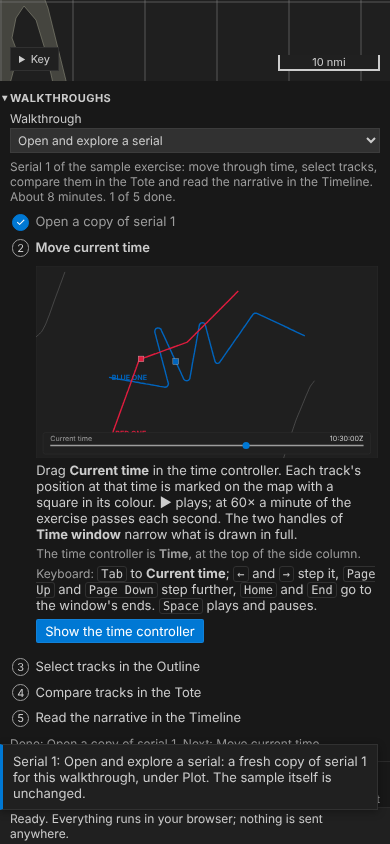
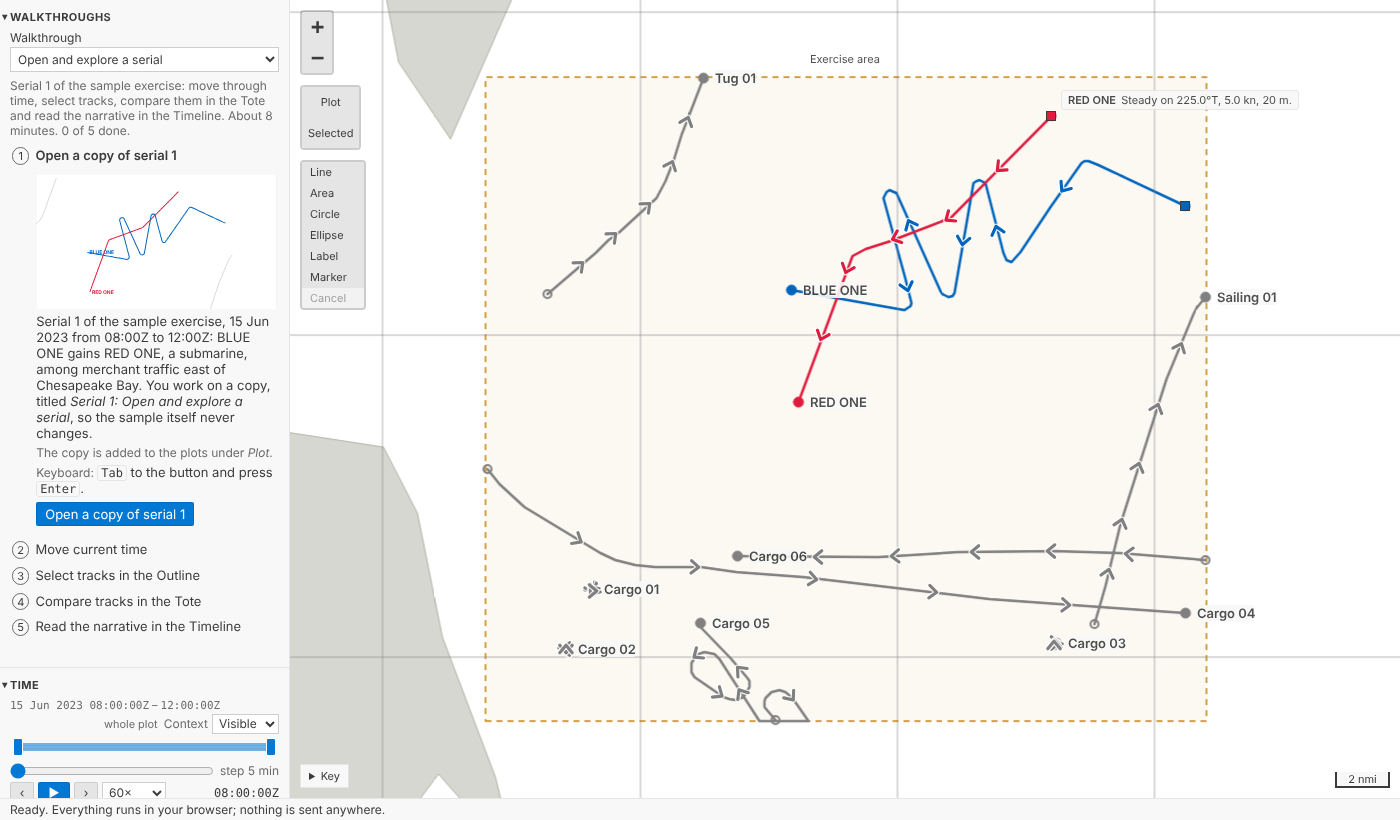
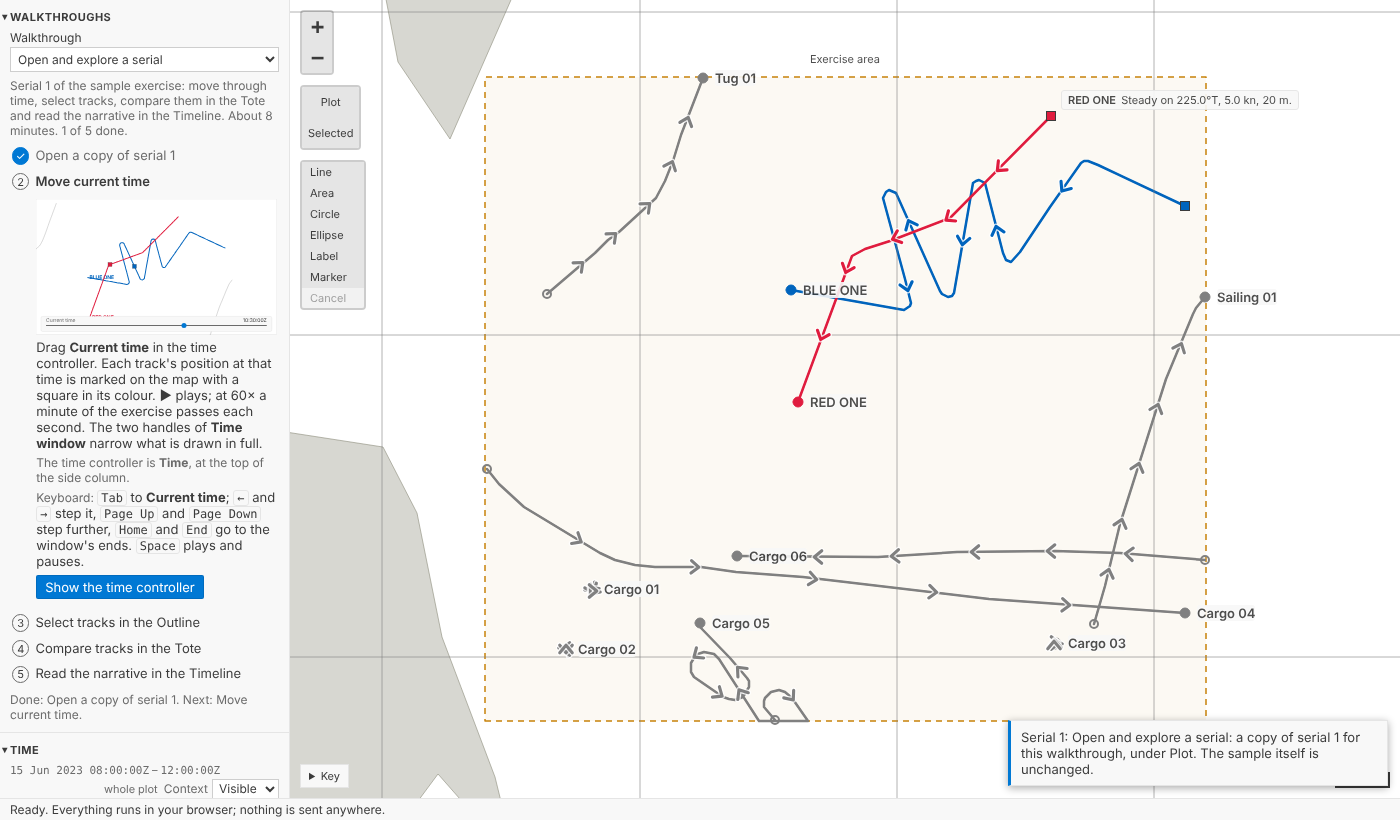
Enter/Space. Folded, it is a 25 px vertical tab and the map widens. Its status line still speaks to screen readers.host.tsmoves the panel between the two places, and the keyboard focus moves with it.docs/delivery-plan.md.onboarding.mjs)rightColumn, at start, at every wide width, in /demoBefore (1366 px, /demo, step 2 pressed: the side column has scrolled to Time, and the step's text has scrolled away):
After (1366 px, the same moment; then with the side column scrolled to the Timeline; then folded):
Phone (390 px), before and after: unchanged.
Blog post (DEV-02, DEV-03, DEV-05)
site/docs/blog/posts/2026-10-22-first-hour.md. Its screenshots use sample data only. It links to the web demo, embeds a demo with the walkthroughs, and states the accepted CDN risk.Guides (DEV-07 to DEV-10)
npm run check:languagealso checkstours.jsonand the playground's panel)guides/interaction-models/walkthroughs.md(scoping, restarting,walkthrough.do, internal commands, CSP, the right-hand column), plus a row in Keyboard equivalentsSensitivity (DEV-05)
Screenshots
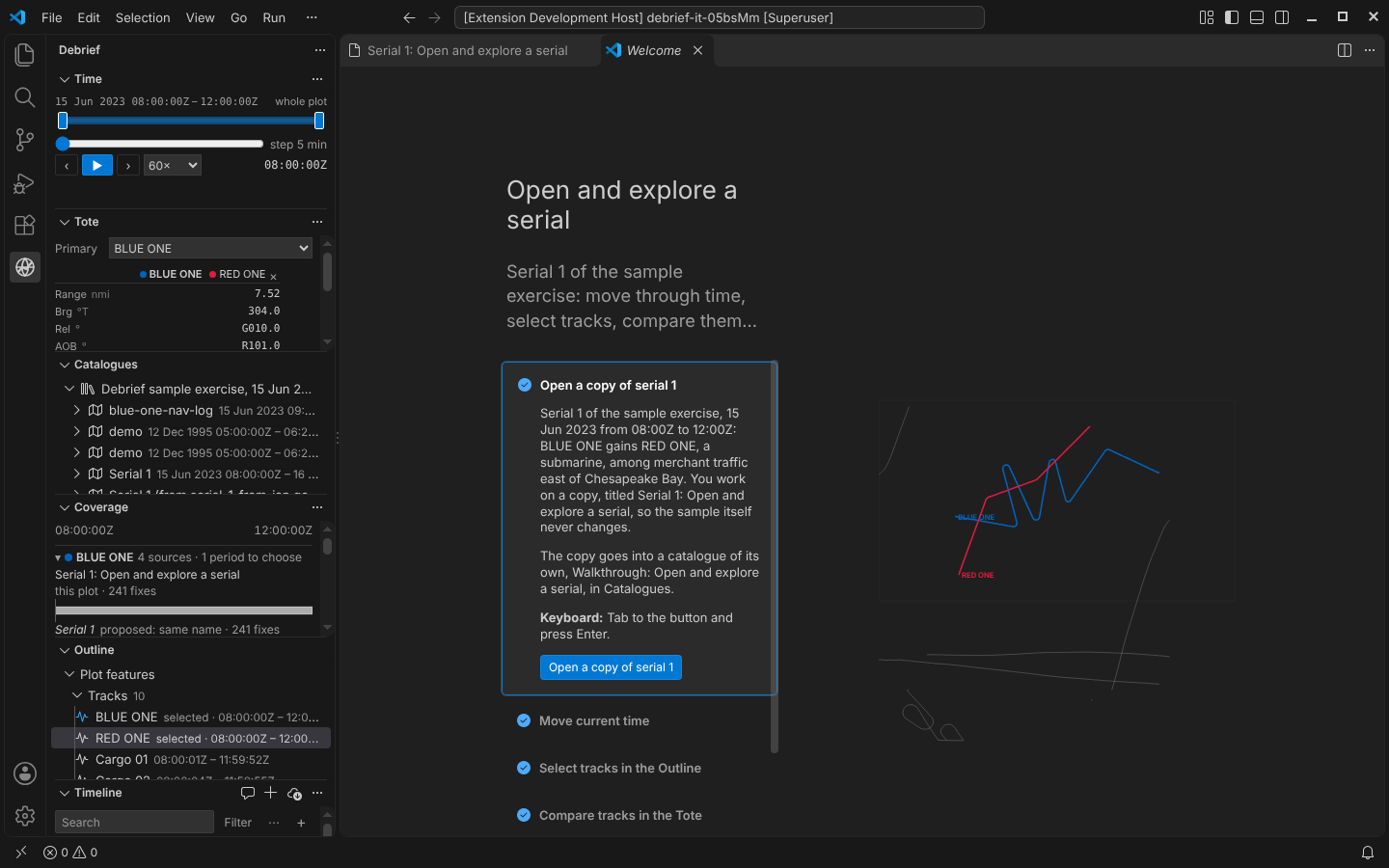
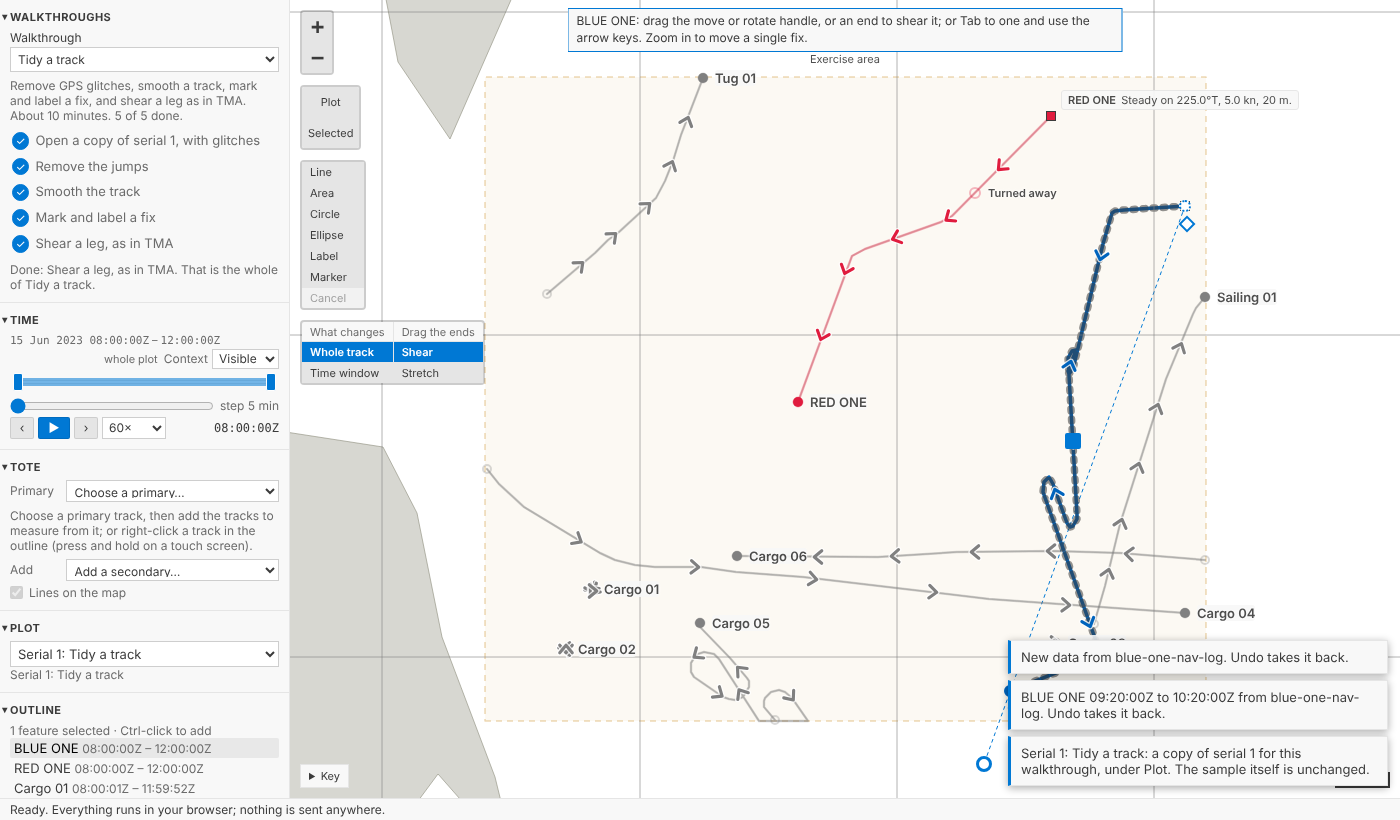
These are from round 1, when the walkthroughs were at the top of the side column. Round 3's screenshots are above.
VS Code Get Started page, steps ticked:
Playground panel, Tidy a track done:
Explore, Import and collate, and Annotate and export, each done:
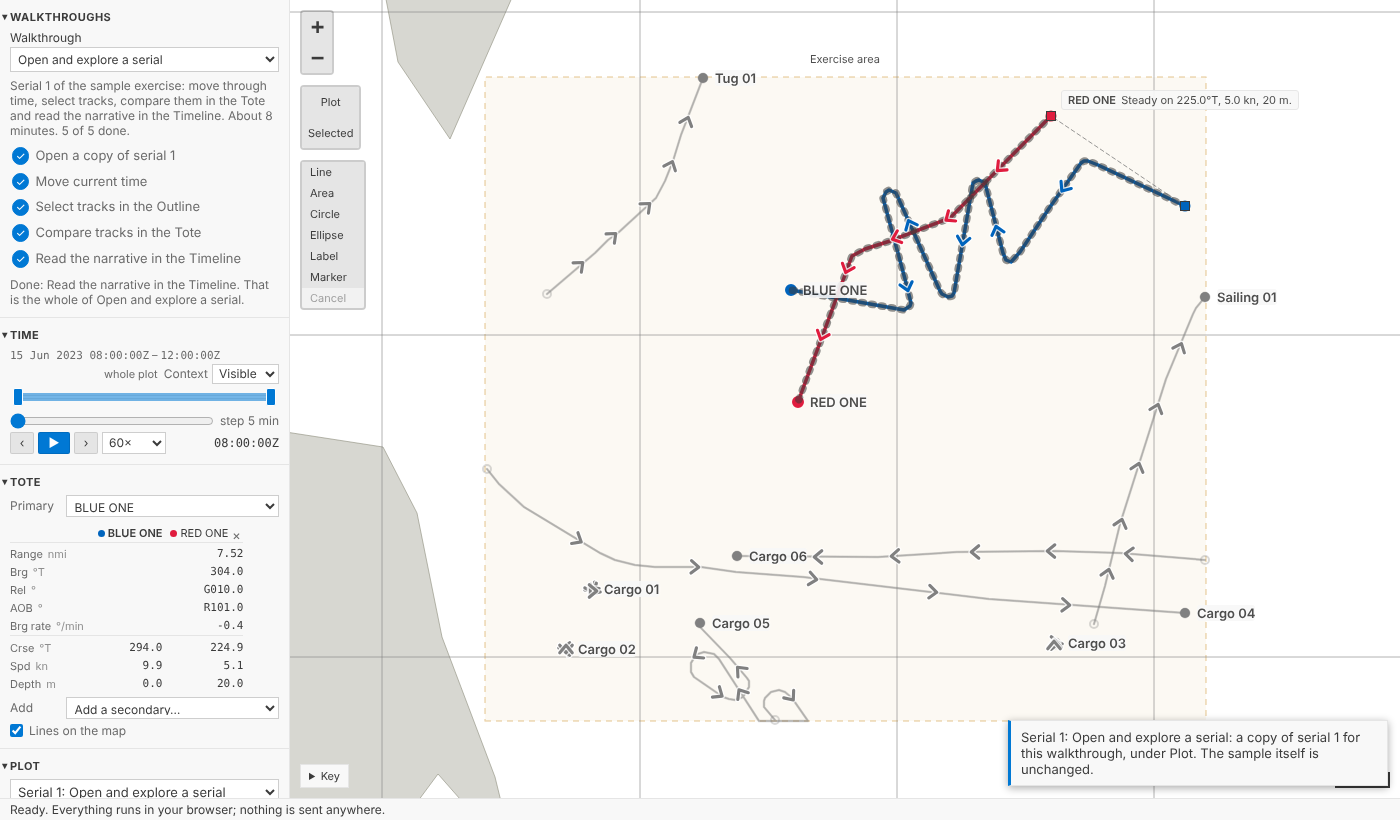
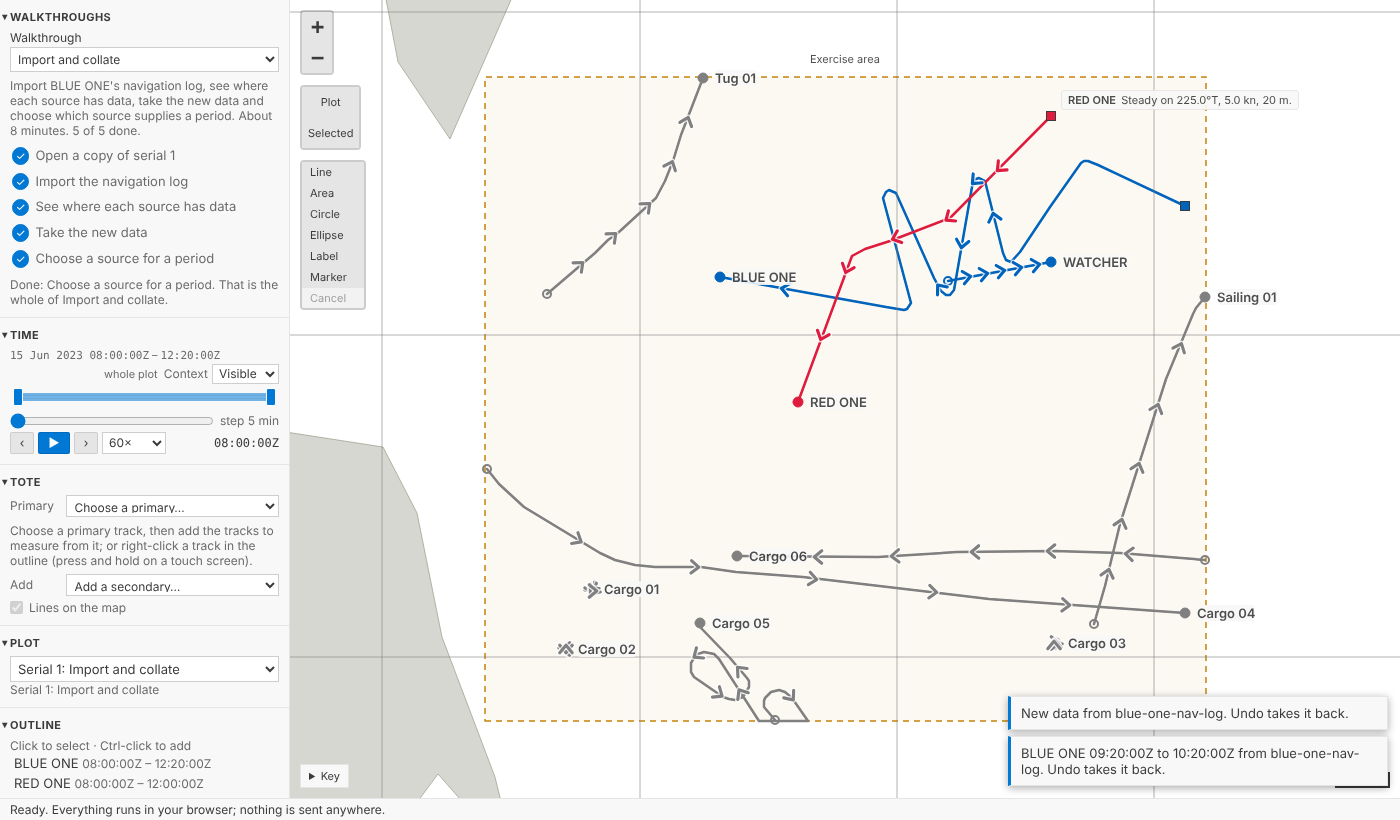
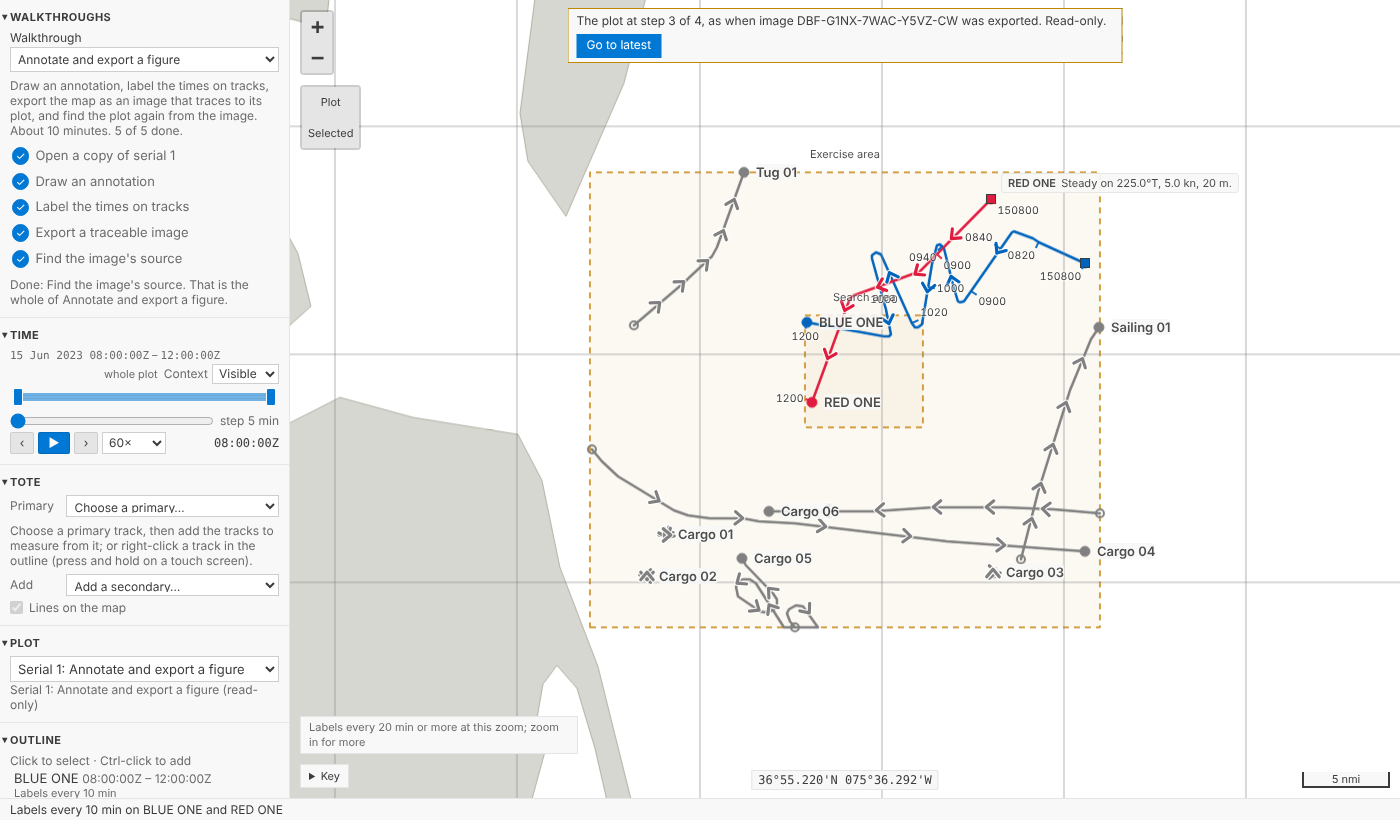
At 280 px:
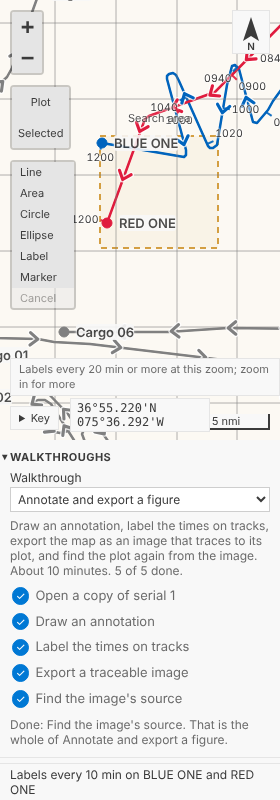
Web demo, full screen, and with a walkthrough started:
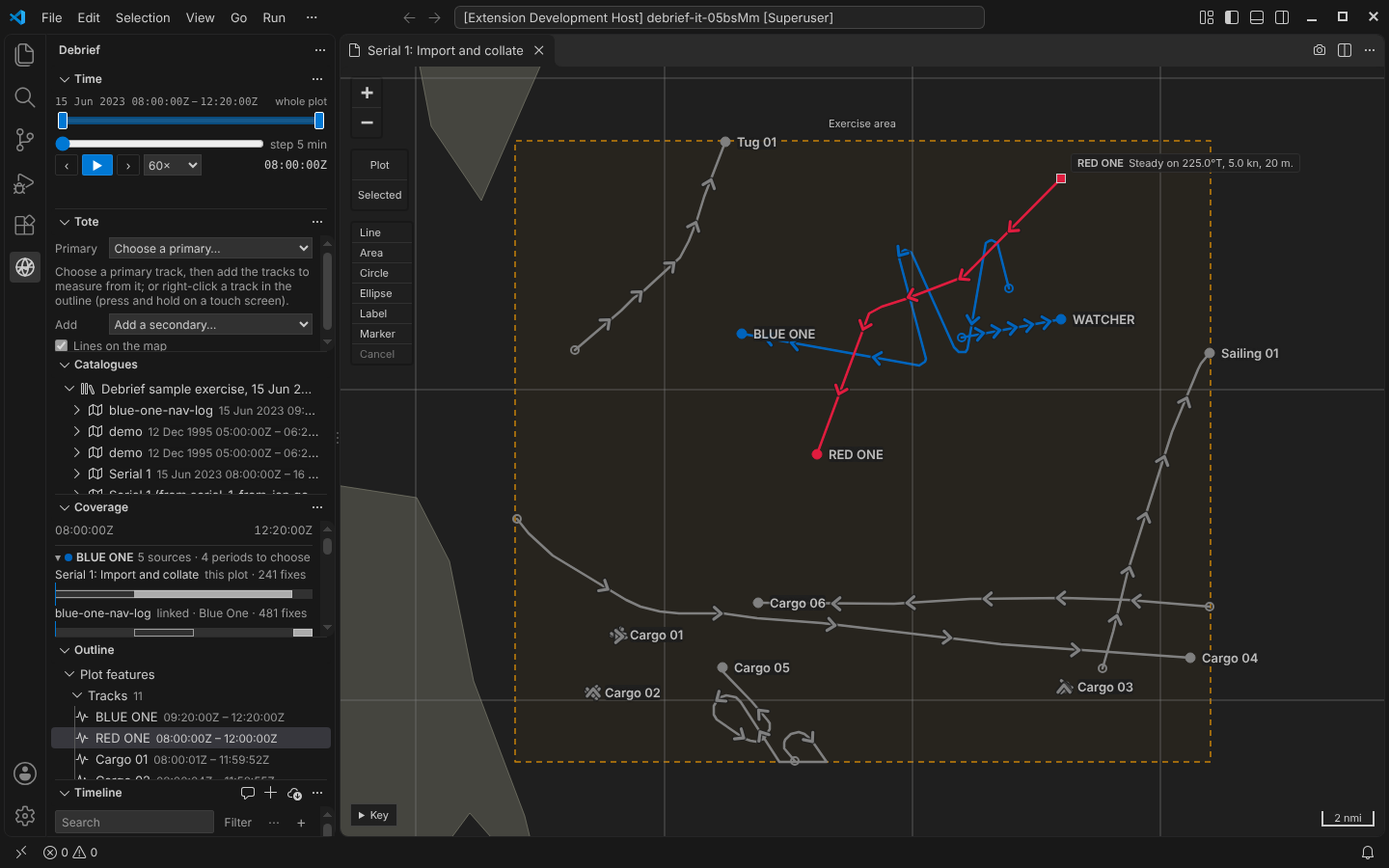
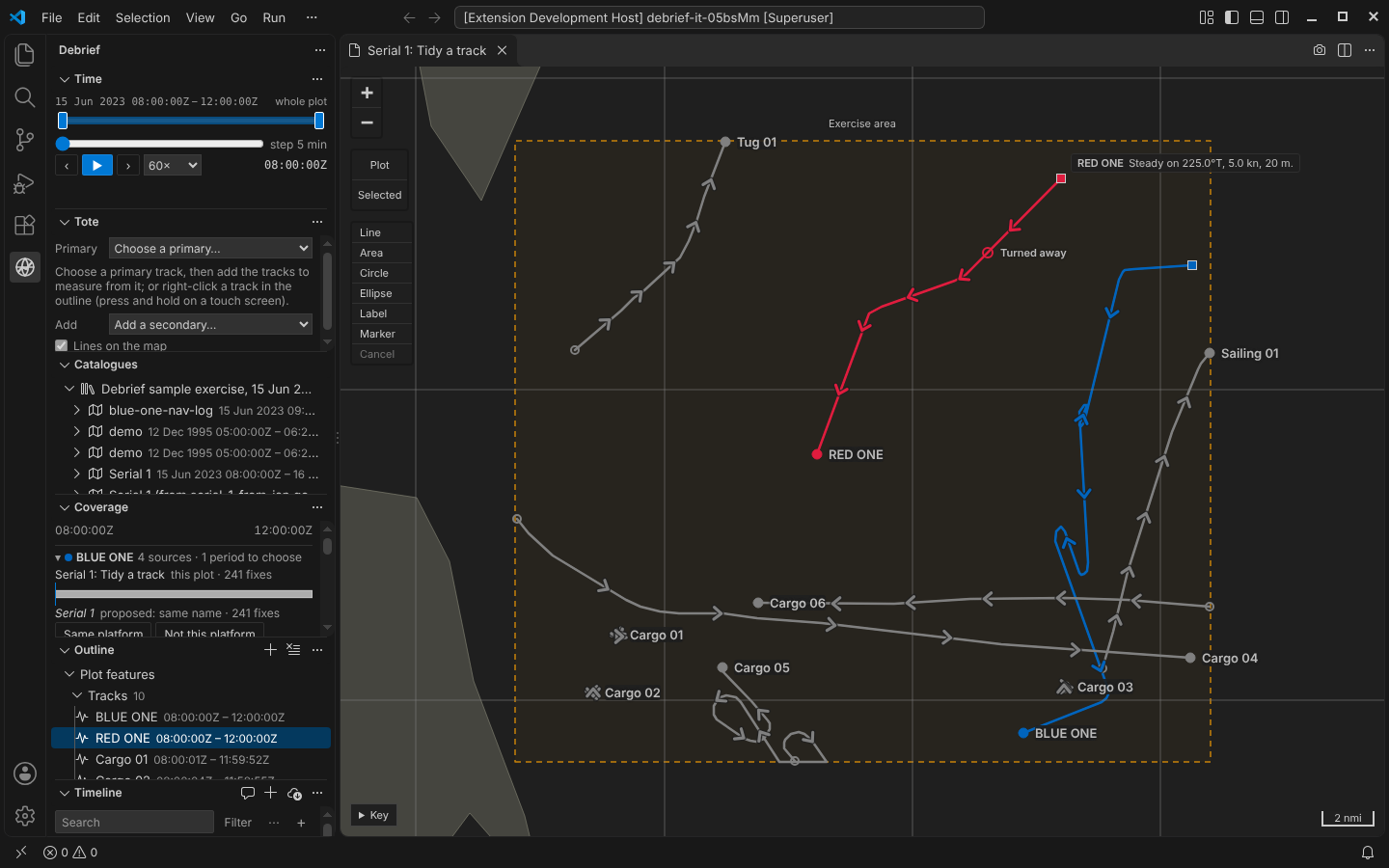
VS Code, Import and collate (Coverage) and Tidy a track:
The 20 walkthrough pictures (dark theme):
Test plan
Round 3 changes only the playground (
vscode/play/), its tests and the docs. These results are for the head commit:vscode: typecheck clean; vitest 641 passed;check:themeandcheck:languageclean.scripts/build_site.sh(mkdocs--strict): clean.npm run test:play, 3 runs green in a row: 576 s, 576 s and 582 s. The speed run took 32 actions in 12.4, 12.5 and 12.2 s, within its bound of 36. CSP refusals count as errors throughout.Not rerun in round 3, since nothing they cover changed. Results from round 2:
uv run ruff check .andruff format --check .: clean.uv run pytest: 1674 passed, 9 skipped.python/debrief-sample/tests/test_walkthrough.pycovers:--check: clean in round 1. Round 2 changed no schema or TS package, so these were not rerun then either.walkthroughs.test.tshas 18 tests: drift, buttons routed throughwalkthrough.do, event scoping, restart, failure logging,whyNotPrepared, menus, CSP placement,contentFreeand the demo page.walkthroughs.mjs --checkwas clean.npm run test:integrationunder xvfb): passed.test/integration/walkthroughs.tsruns every walkthrough on its fresh copy. It also checks:dorefuses before a copy and switches to the copy after;welcome.markStep*exist;https://claude.ai/code/session_018c8QiHtanE5rfymqfArUYT
🤖 Generated with Claude Code
Site preview
Live preview: https://debrief.github.io/fuudee/pr-preview/pr-49/ (updated for 30f8b89; it can take a minute to appear). It is kept after this pull request closes; all previews.
The first hour: walkthroughs, and a web demo to try them in (
blog/posts/2026-10-22-first-hour.md)Interaction models (
guides/interaction-models/index.md)Keyboard equivalents (
guides/interaction-models/keyboard-equivalents.md)Walkthroughs (
guides/interaction-models/walkthroughs.md)Sample data (
guides/sample-data.md)Debrief v4 (
index.md)And 1 more changed page(s); see the preview.