

A Pro edition of 9Router with Prompt Injection: one injection per target — global, per API key, per model — as a system prompt or a scripted chat.
By Gienetic — GitHub · Telegram


Based on 9Router by decolua (MIT). Everything below the Pro section is the original project documentation.
- Prompt Injection (dashboard page) — one injection per target, zero learning curve:
- Global — injected into every chat request
- Per user — one per API key: a persona for whoever holds the key
- Per model — one per model, matched by the name clients call (combo, alias, or
provider/model)
- Two modes per injection — a single system prompt (prepend or append), or a chat script: user/bot turns, as long as you like, inserted as a conversation that already happened. Fake history primes far harder than a system prompt alone.
- Stacking — a request receives at most three injections, ordered global → user → model. Injection happens after format translation through the router's own wire-aware injector (OpenAI, Claude, Gemini, Responses); idempotent on retries; fails open (a broken injection never breaks a chat).
- Per-key token quotas — a token budget per API key (24h / 7d / 30d) with live usage on the Endpoint page. (Upstream removed this feature; Pro brings it back.)
- Key Limits for reselling — per-API-key rate limits, all configurable per key on the Endpoint page: requests/minute, tokens/minute, requests/hour, requests/day and max concurrent requests, enforced with HTTP 429 +
Retry-After. Shape every key to the plan you sold. - Providers, organized — custom (OpenAI/Anthropic-compatible) providers get their own Provider Custom section, an All Connection Providers shelf, and a Test All button in every section — custom providers included. Server-side search & pagination keeps tens of thousands of connections snappy, bulk add shows live progress, and each custom provider's icon is auto-detected from its endpoint's favicon.
- Proxy Pools that maintain themselves — a server-side health check across every pool with one-click cleanup of the dead ones. Per-provider proxy rotation (random / round-robin) can be pinned to a hand-picked subset of pools, chosen from a compact collapsible picker that folds away when you're done.
- Balanced fallback — health-tiered account selection (clean → suspect → cooldown, suspects heal after an hour) with least-recently-used spreading across the fleet, so a temporarily-limited key stops poisoning a whole combo.
- Anti-Flaky Guard — flaky upstream responses (empty bodies, truncated JSON, wrong content types) are detected and retried against the next account instead of failing your chat.
- OpenCode Free, aligned — the request wire format mirrors the official OpenCode CLI, plus in-place tool-call fingerprint normalization for clients whose tool schemas would otherwise be rejected.
- Console Log in plain words — a live request log that reads like sentences (MatLog-style rows), not stack traces.
- Backup & restore — full backups or selective per-section ones (providers, combos, keys, settings) straight from the dashboard.
- Fully localized dashboard — 34 languages, and the Indonesian translation is 100% complete (1,827 strings — every label, description and help popover).
- Themes — a flat Dark Pro theme by default, 7 accent presets plus a free custom color picker, switchable in one click from the header.
- Lightweight by design — no extra services, no database server: one Next.js app and a single SQLite file, the same footprint class as upstream.
- Update notifications that follow this repo's releases, and a Donate button wired to this project's own channels.
On the Endpoint page, every API key has two independent controls. They solve different problems:
- Token quota = how much in total (a budget)
- Key Limits = how fast (a speed limit)
A quota like 100,000 tokens per 24 hours means: the key may burn at most 100,000 tokens (input + output combined) inside the last 24 hours. It is checked before every request; a key at its limit gets HTTP 429 until room frees up.
There is no fixed reset hour — no midnight reset, and no "24 hours from when you turned it on". Every token counts for exactly 24 hours after it was used, then drops off, one by one:
- Monday 10:00 — the key uses 100,000 tokens → quota full, key blocked
- Tuesday 10:00 — those tokens stop counting → the key can chat again
If usage is spread out, room comes back spread out too: usage from Monday 10:00 frees on Tuesday 10:00, usage from Monday 20:00 frees on Tuesday 20:00. If all usage happens in one burst, it behaves exactly like a daily reset — 24 hours after the burst.
Windows are 24 hours, 7 days or 30 days, picked per key. Two things worth knowing: the check runs before a request, so one request can overshoot the limit (the next one gets blocked), and only tokens that upstream providers actually report are counted — pair the quota with Key Limits if you need a hard count of requests.
How much is 100,000 tokens? A normal chat exchange is ~500–2,000 tokens, but a single agent/coding request with a long context can burn 10,000–100,000+. A 100k/day quota suits light chat plans; agents need millions per day — or no quota, with Key Limits doing the guarding instead.
Key Limits cap how fast a key may call, so one buyer cannot drain your pool or slow everyone else down — e.g. a buggy script looping 1,000 requests in a minute gets stopped at the key's cap while every other key is unaffected. All fields are per key and optional (empty = unlimited):
| Field | What it caps |
|---|---|
| Requests / min | Chat requests in the last minute |
| Tokens / min | Tokens burned in the last minute |
| Requests / hour | Chat requests in the last hour |
| Requests / day | Chat requests in the last 24 hours |
| Max concurrent | Requests running at the same time |
A key that crosses a limit gets HTTP 429 with a Retry-After header and a message naming the limit it hit — the request never reaches your upstreams. The Endpoint page shows each key's live usage (requests this minute, requests in flight). Request windows are tracked in memory, so they reset when Pro restarts; the token quota above is the durable budget.
Typical seller setup: give each plan its own key — e.g. a basic plan with 10 requests/min, 500 requests/day, max 2 concurrent, plus a token quota sized to the plan — and let buyers upgrade by editing numbers, not by reissuing keys.

Chat script mode — scripted user/bot turns injected as a conversation that already happened.

Providers — custom providers, an all-connections shelf, and a Test All in every section. Dark Pro theme, orange accent.

Per-provider proxy rotation — pin a provider to a hand-picked subset of your pools; the picker folds away when you're done.
The original 9Router is a great router — Pro is what it becomes when you actually run it as your daily gateway:
- Prompt Injection — the original has no custom system prompts at all. Pro gives every target one injection — global, per API key, and per model — each either a system prompt (prepend or append) or a scripted chat primed as fake history, injected wire-aware for OpenAI / Claude / Gemini / Responses bodies.
- Per-key token quotas — upstream removed this feature. Pro brings it back: a token budget per API key (24h / 7d / 30d) with live usage and 429 enforcement.
- An identity — a flat Dark Pro theme, 7 accent presets plus a free custom-color picker, and Pro branding throughout.
- Fleet care built in — Balanced health-tiered fallback, the Anti-Flaky Guard, server-side proxy-pool health checks and per-provider rotation subsets keep a big key fleet healthy without babysitting.
- An optimized hot path — injection resolution is snapshot-cached and system prompts run as a single grouped pass per position: identical output, less work per request.
- Updates that follow Pro — release checks and the install command point at this repo's GitHub releases, not upstream's npm package.
- Tested — the Pro features ship with unit tests (injector + resolver), all passing.
- Made to be an agent's endpoint — one base URL for Hermes-style setups, model switching by name, streaming + tool-call passthrough.
Pro is designed to sit in front of an AI agent (Hermes-style setups) as its single endpoint:
- One base URL — point the agent at
https://your-host/v1with any client key; every combo and model is callable by name and listed in/v1/models, so model-switching menus just work. - Streaming + tool calls pass through — verified end-to-end with agent-style requests.
- The persona lives in the router, not the client — injections are applied by Pro, so the agent keeps its behavior no matter which model answers. Switch models mid-flight; the injection follows.
- Your own
*_unlineup — this is how the author's setup runs: six models, each with a permanent injection of its own (11K–102K characters), behind one endpoint. No client-side prompt juggling, no re-pasting per app. - Hand out keys safely — per-key injections (a different persona per agent) plus per-key token quotas.
| 9Router (original) | Typical forks | 9Router Pro | |
|---|---|---|---|
| Base stack | Next 16 / React 19 | often older (Next 14) | Next 16 / React 19 (upstream) |
| Custom system prompts | ❌ (fixed Caveman/Ponytail only) | per-model fields | ✅ Prompt Injection: global + per-user + per-model, prompt or chat script |
| Per-API-key system prompt | ❌ | ❌ | ✅ |
| Prepend/append control | ❌ | ❌ | ✅ |
| Dashboard accents | coral only | varies | ✅ 7 accents |
| Per-key token quotas | ❌ (removed upstream) | ❌ | ✅ 24h / 7d / 30d budgets |
| Per-key rate limits (RPM/TPM/RPD/concurrency) | ❌ | ❌ | ✅ per key, 429 + Retry-After |
| Test All per provider section (incl. custom) | ❌ | ❌ | ✅ |
| Proxy pool health check + dead-pool cleanup | ❌ | ❌ | ✅ server-side, all pools |
| Per-provider proxy rotation subsets | ❌ | ❌ | ✅ random / round-robin over picked pools |
| Health-tiered (Balanced) fallback | ❌ | ❌ | ✅ |
| Indonesian dashboard translation | varies | ✅ 100% (1,827 strings) | |
/v1/models |
✅ healthy | ✅ healthy (upstream base) | |
| Extra services (Prisma/Redis) | none | sometimes required | none |
# from source
git clone https://github.com/giienew/9router-pro.git
cd 9router-pro
npm install
npm run build
npm run start        # dashboard on http://localhost:20127

# or with Docker — see the original documentation below for the full guide
Then open the dashboard, add a provider, and visit Prompt Injection to set up your injections.
Already running the original 9Router? Keep your providers, combos and keys — follow the migration guide (about two minutes, via backup export/import).
Never stop coding. Save 20-40% tokens with RTK + auto-fallback to FREE & cheap AI models.
Connect All AI Code Tools (Claude Code, Cursor, Antigravity, Copilot, Codex, Gemini, OpenCode, Cline, OpenClaw...) to 40+ AI Providers & 100+ Models.





🚀 Quick Start • 💡 Features • 📖 Setup • 🌐 Website
🇧🇷 Português (Brasil) • 🇻🇳 Tiếng Việt • 🇨🇳 中文 • 🇯🇵 日本語 • 🇷🇺 Русский • 🇹🇭 ไทย • 🇮🇷 فارسی • 🇮🇩 Indonesia • 🇪🇸 Español • 🇫🇷 Français
Stop wasting money, tokens and hitting limits:
- ❌ Subscription quota expires unused every month
- ❌ Rate limits stop you mid-coding
- ❌ Tool outputs (git diff, grep, ls...) burn tokens fast
- ❌ Expensive APIs ($20-50/month per provider)
- ❌ Manual switching between providers
9Router solves this:
- ✅ RTK Token Saver - Auto-compress tool_result content, save 20-40% tokens per request
- ✅ Maximize subscriptions - Track quota, use every bit before reset
- ✅ Auto fallback - Subscription → Cheap → Free, zero downtime
- ✅ Multi-account - Round-robin between accounts per provider
- ✅ Universal - Works with Claude Code, Codex, Cursor, Cline, any CLI tool
┌─────────────┐
│  Your CLI   │  (Claude Code, Codex, OpenClaw, Cursor, Cline...)
│   Tool      │
└──────┬──────┘
       │ http://localhost:20127/v1
       ↓
┌─────────────────────────────────────────────┐
│           9Router (Smart Router)            │
│  • RTK Token Saver (cut tool_result tokens) │
│  • Format translation (OpenAI ↔ Claude)     │
│  • Quota tracking                           │
│  • Auto token refresh                       │
└──────┬──────────────────────────────────────┘
       │
       ├─→ [Tier 1: SUBSCRIPTION] Claude Code, Codex, GitHub Copilot
       │   ↓ quota exhausted
       ├─→ [Tier 2: CHEAP] GLM ($0.6/1M), MiniMax ($0.2/1M)
       │   ↓ budget limit
       └─→ [Tier 3: FREE] Kiro, OpenCode Free, Vertex ($300 credits)

Result: Never stop coding, minimal cost + 20-40% token savings via RTK
1. Install globally:
npm install -g 9router-pro
9router-pro
🎉 Dashboard opens at http://localhost:20127
2. Connect a FREE provider (no signup needed):
Dashboard → Providers → Connect Kiro AI (~50 credits/month free: Claude 4.5 + GLM-5 + MiniMax) or OpenCode Free (no auth) → Done!
3. Use in your CLI tool:
Claude Code/Codex/OpenClaw/Cursor/Cline Settings:
  Endpoint: http://localhost:20127/v1
  API Key: [copy from dashboard]
  Model: kr/claude-sonnet-4.5
That's it! Start coding with FREE AI models.
Alternative: run from source (this repository):
This repository package is private (9router-app), so source/Docker execution is the expected local development path.
cp .env.example .env
npm install
PORT=20127 NEXT_PUBLIC_BASE_URL=http://localhost:20127 npm run dev
Production mode:
# Create Temporary Memory For Build
sudo fallocate -l 2G /swapfile_temp
sudo chmod 600 /swapfile_temp
sudo mkswap /swapfile_temp
sudo swapon /swapfile_temp

export MAKEFLAGS="-j1"
export DLIB_NO_GUI_SUPPORT=1
export CFLAGS="-mno-avx"

npm run build

# Clear temporary swap
sudo swapoff /swapfile_temp
sudo rm /swapfile_temp

PORT=20127 HOSTNAME=0.0.0.0 NEXT_PUBLIC_BASE_URL=http://localhost:20127 npm run start
Default URLs:
- Dashboard:
http://localhost:20127/dashboard - OpenAI-compatible API:
http://localhost:20127/v1

🇻🇳 Tiếng Việt Tiết kiệm chi phí LLM cho OpenClaw với 9Router by Mì AI |

🇵🇰 اردو / हिन्दी 9Router + Claude Code FREE Unlimited Setup by Build AI With Hamid |

🇺🇸 English 9Router + Claude Code FREE Setup by Build AI With Hamid |

🇺🇸 English 9Router + Claude Code FREE Setup by Build AI With Hamid |

🇺🇸 English Claude Code FREE Forever — Unlimited Models by Build AI With Hamid |
🇺🇸 English Claude CLI Free Setup with 9Router 🚀 by CodeVerse Soban |

🇻🇳 Tiếng Việt Cài Đặt OpenClaw Free Từ A-Z + 9Router by Mai Gia |
🇺🇸 English FREE OpenClaw + Claude Opus 4.6 by Build AI With Hamid |

🇮🇩 Indonesia Koding 24 Jam Anti Rate Limit! Hemat Token AI 65% | Tutorial Quick Setup 9Router 🚀 by Krisswuh |

🇮🇩 Indonesia Cara Deploy 9Router di Hugging Face GRATIS Non-Stop! | Alternatif VPS RAM 16GB by Krisswuh |

🇮🇷 Persian-فارسی این شکلی از هر API ای استفاده کن برای هوش مصنوعی by Matin SenPai |

🇻🇳 Tiếng Việt Hướng Dẫn Setup OpenClaw + 9Router: Tạo Bot Zalo AI Tự Động Từ A-Z by tuanminhhole |
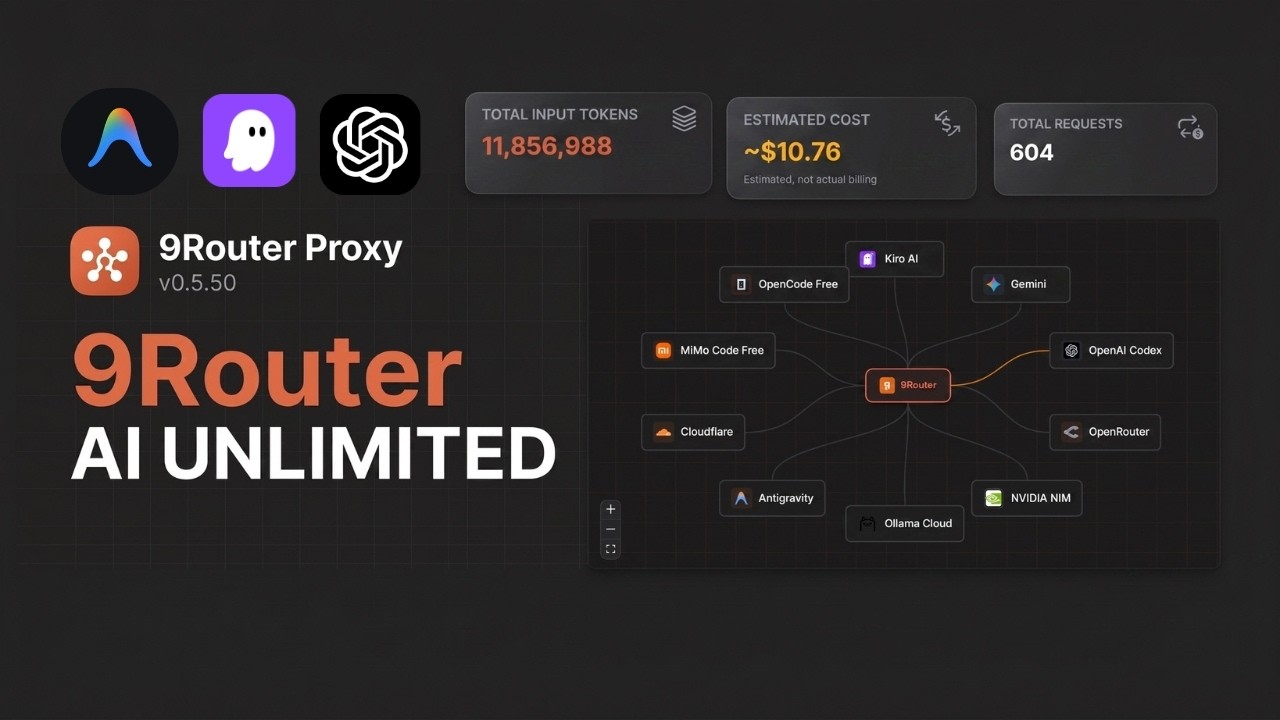
🇮🇩 Indonesia Bye Limit! Cara Bikin Sistem "AI Unlimited" 100% Gratis Dengan 9Router! by neptiver |
🎬 Made a video about 9Router? Submit a Pull Request adding your video to this section — we'll merge it!
9Router works seamlessly with all major AI coding tools:
 Claude-Code |
 OpenClaw |
 Codex |
 OpenCode |
 Cursor |
 Antigravity |
 Cline |
 Continue |
 Droid |
 Roo |
 Copilot |
 Kilo Code |
 OpenDesign |
 jcode |
 Grok Build |
 Devin CLI |
 DeepSeek TUI |
 Qwen Code |
|
Claude-Code |
Antigravity |
Codex |
 GitHub |
Cursor |
 Kimchi |
 Kiro AI Claude 4.5 + GLM-5 + MiniMax 50 credits/month free |
OpenCode Free No auth • Auto-fetch models Free (model list varies) |
 Vertex AI Gemini 3 Pro + GLM-5 + DeepSeek $300 credits free |
Note: iFlow, Qwen Code and Gemini CLI free tiers were discontinued in 2026. Use Kiro / OpenCode Free / Vertex instead.
Kiro AI moved to a paid model in Sep 2025 — the free tier is now capped at 50 credits/month (plus 500 trial credits for new accounts in the first 30 days). Paid tiers: Pro $20/mo (1,000 credits), Pro+ $40/mo (2,000), Pro Max $100/mo (5,000), Power $200/mo (10,000). OpenCode Free model list fluctuates over time (some models free only for limited promos) — subject to change without notice. Vertex AI: the $300 free credit for new GCP accounts is still valid, but since Mar 2026 the Gemini API endpoint no longer consumes these credits — call the Vertex AI Studio endpoint instead.
 OpenRouter |
 GLM |
 Kimi |
 MiniMax |
 OpenAI |
 Anthropic |
|
Gemini |
 DeepSeek |
 Groq |
 xAI |
 Mistral |
 Perplexity |
 Together AI |
 Fireworks |
 Cerebras |
 Cohere |
 NVIDIA |
 SiliconFlow |
...and 20+ more providers including Nebius, Chutes, Hyperbolic, and custom OpenAI/Anthropic compatible endpoints
For speech and embeddings served from your own machine — whisper.cpp, faster-whisper, Speaches, Kokoro-FastAPI, openedai-speech, llama.cpp/llama-server, vLLM, Infinity, text-embeddings-inference, or anything else that speaks the OpenAI shape.
| Provider | Endpoint used | Typical server |
|---|---|---|
| Self-hosted STT | /v1/audio/transcriptions |
whisper.cpp, faster-whisper |
| Self-hosted TTS | /v1/audio/speech |
Kokoro-FastAPI, openedai-speech |
| Self-hosted Embedding | /v1/embeddings |
llama-server, vLLM, Infinity |
Every other speech provider is a named cloud service with a fixed endpoint. These three read their address from each connection, so one provider can front several machines and load-balance across them like any other.
Set it on the connection as providerSpecificData.baseUrl:
| Provider | Give it | Result |
|---|---|---|
| Self-hosted STT | the full URL — http://host:8080/v1/audio/transcriptions |
used as-is |
| Self-hosted TTS | the server root — http://host:8880 |
+ /v1/audio/speech |
| Self-hosted Embedding | the OpenAI base, /v1 included — http://host:8080/v1 |
+ /embeddings |
Mind the
/v1on embeddings. The adapter appends/embeddings, sohttp://host:8080resolves tohttp://host:8080/embeddingsand misses the OpenAI route — llama-server answers 501. Give it the same base URL an OpenAI client would use. A full.../v1/embeddingsis also accepted, so a value pasted from acurlexample works too.
The API key is not checked by most local servers, but the field must be non-empty:
it is what gives the connection a credentials record, and baseUrl lives there.
Any placeholder works.
Self-hosted Embedding has no cloud fallback by design — a connection saved
without a baseUrl is reported as a configuration error rather than quietly
falling back to api.openai.com, which would send your input text and API key to
a third party under a provider named "Self-hosted".
| Feature | What It Does | Why It Matters |
|---|---|---|
| 🚀 RTK Token Saver (RTK ⭐40K) | Compress tool outputs (git diff, grep, ls, tree...) before sending to LLM |
Save 20-40% input tokens per request |
| 🧠 Headroom Token Saver (Headroom) | Optional external /v1/compress proxy before provider routing |
Save more context tokens without changing clients |
| 🪨 Caveman Mode (Caveman ⭐52K) | Inject caveman-speak prompt → LLM replies terse, technical substance preserved | Save up to 65% output tokens |
| 🐴 Ponytail (Ponytail) | Inject "lazy senior dev" prompt → LLM writes minimal, YAGNI-first code (Lite/Full/Ultra) | Fewer output tokens, less refactoring |
| 🎯 Smart 3-Tier Fallback | Auto-route: Subscription → Cheap → Free | Never stop coding, zero downtime |
| 📊 Real-Time Quota Tracking | Live token count + reset countdown | Maximize subscription value |
| 🔄 Format Translation | OpenAI ↔ Claude ↔ Gemini ↔ Cursor ↔ Kiro ↔ Vertex | Works with any CLI tool |
| 👥 Multi-Account Support | Multiple accounts per provider | Load balancing + redundancy |
| 🔄 Auto Token Refresh | OAuth tokens refresh automatically | No manual re-login needed |
| 🎨 Custom Combos | Create unlimited model combinations | Tailor fallback to your needs |
| 📝 Request Logging | Debug mode with full request/response logs | Troubleshoot issues easily |
| 💾 Cloud Sync | Sync config across devices | Same setup everywhere |
| 📊 Usage Analytics | Track tokens, cost, trends over time | Optimize spending |
| 🌐 Deploy Anywhere | Localhost, VPS, Docker, Cloudflare Workers | Flexible deployment options |
Set X-9Router-Token-Saver: off to bypass all token savers for one chat request.
📖 Feature Details
Tool outputs (git diff, grep, find, ls, tree, log dumps...) often eat 30-50% of your prompt budget. RTK detects them and applies smart, lossless compression before the request hits the LLM:
- Filters:
git-diff,git-status,grep,find,ls,tree,dedup-log,smart-truncate,read-numbered,search-list - Auto-detect: No config needed — RTK peeks the first 1KB of each
tool_resultand picks the right filter. - Safe by design: If a filter fails, throws, or makes output bigger, RTK silently keeps the original text. Errors never break your request.
- Universal: Works across all formats (OpenAI, Claude, Gemini, Cursor, Kiro, OpenAI Responses) because it runs before any format translation.
- Default ON: Toggle anytime in Dashboard → Endpoint settings.
Without RTK: 47K tokens sent to LLM
With RTK:    28K tokens sent to LLM   (40% saved · same context · same answer)
Headroom is optional and runs separately. 9Router calls Headroom's local /v1/compress endpoint, then keeps normal routing, fallback, auth, and usage tracking:
Client → 9Router → Headroom /v1/compress → 9Router → provider
Local setup:
pip install "headroom-ai[proxy]"
headroom proxy --port 8787
Enable in Dashboard → Endpoint → Token Saver → Headroom. Default URL: http://localhost:8787.
Docker examples:
# Headroom service in same Docker network
http://headroom:8787

# Headroom running on host machine
http://host.docker.internal:8787
If Headroom is down or returns an error, 9Router fails open and sends the original request.
Ponytail injects a "lazy senior dev" system prompt into every request, biasing the LLM toward minimal, YAGNI-first code — deletion over addition, stdlib over new deps, one-liners over abstractions. Adapted from DietrichGebert/ponytail.
- Lite — Build what's asked, name the lazier alternative.
- Full — YAGNI ladder enforced: stdlib → native → existing deps → one-liner → minimal code.
- Ultra — YAGNI extremist: deletion first, ship the one-liner, challenge the rest of the requirement in the same response.
Without Ponytail: verbose code, extra abstractions, "just in case" scaffolding
With Ponytail:    shortest working diff, no unrequested abstractions, fewer tokens
Never trades away: input validation, error handling that prevents data loss, security, accessibility, or anything explicitly requested. Enable in Dashboard → Endpoint → Ponytail. Stacks with Caveman (output terseness) and RTK (input compression).
Create combos with automatic fallback:
Combo: "my-coding-stack"
  1. cc/claude-opus-4-6        (your subscription)
  2. glm/glm-4.7               (cheap backup, $0.6/1M)
  3. if/kimi-k2-thinking       (free fallback)

→ Auto switches when quota runs out or errors occur
- Token consumption per provider
- Reset countdown (5-hour, daily, weekly)
- Cost estimation for paid tiers
- Monthly spending reports
Seamless translation between formats:
- OpenAI ↔ Claude ↔ Gemini ↔ Cursor ↔ Kiro ↔ Vertex ↔ Antigravity ↔ Ollama ↔ OpenAI Responses
- Your CLI tool sends OpenAI format → 9Router translates → Provider receives native format
- Works with any tool that supports custom OpenAI endpoints
- Add multiple accounts per provider
- Auto round-robin or priority-based routing
- Fallback to next account when one hits quota
- OAuth tokens automatically refresh before expiration
- No manual re-authentication needed
- Seamless experience across all providers
- Create unlimited model combinations
- Mix subscription, cheap, and free tiers
- Name your combos for easy access
- Share combos across devices with Cloud Sync
- Enable debug mode for full request/response logs
- Track API calls, headers, and payloads
- Troubleshoot integration issues
- Export logs for analysis
- Sync providers, combos, and settings across devices
- Automatic background sync
- Secure encrypted storage
- Access your setup from anywhere
- Prefer server-side cloud variables in production:
BASE_URL(internal callback URL used by sync scheduler)CLOUD_URL(cloud sync endpoint base)
NEXT_PUBLIC_BASE_URLandNEXT_PUBLIC_CLOUD_URLare still supported for compatibility/UI, but server runtime now prioritizesBASE_URL/CLOUD_URL.- Cloud sync requests now use timeout + fail-fast behavior to avoid UI hanging when cloud DNS/network is unavailable.
- Track token usage per provider and model
- Cost estimation and spending trends
- Monthly reports and insights
- Optimize your AI spending
💡 IMPORTANT - Understanding Dashboard Costs:
The "cost" displayed in Usage Analytics is for tracking and comparison purposes only. 9Router itself never charges you anything. You only pay providers directly (if using paid services).
Example: If your dashboard shows "$290 total cost" while using Kiro free models, this represents what you would have paid using paid APIs directly. Your actual cost = $0 (Kiro free tier: ~50 credits/mo).
Think of it as a "savings tracker" showing how much you're saving by using free models or routing through 9Router!
- 💻 Localhost - Default, works offline
- ☁️ VPS/Cloud - Share across devices
- 🐳 Docker - One-command deployment
- 🚀 Cloudflare Workers - Global edge network
| Tier | Provider | Cost | Quota Reset | Best For |
|---|---|---|---|---|
| 🚀 TOKEN SAVER | RTK (built-in) | FREE | Always on | Save 20-40% tokens on EVERY request |
| 💳 SUBSCRIPTION | Claude Code (Pro/Max) | $20-200/mo | 5h + weekly | Already subscribed |
| Codex (Plus/Pro) | $20-200/mo | 5h + weekly | OpenAI users | |
| GitHub Copilot | $10-19/mo | Monthly | GitHub users | |
| Cursor IDE | $20/mo | Monthly | Cursor users | |
| 💰 CHEAP | GLM-5.1 / GLM-4.7 | $0.6/1M | Daily 10AM | Budget backup |
| MiniMax M2.7 | $0.2/1M | 5-hour rolling | Cheapest option | |
| Kimi K2.5 | $9/mo flat | 10M tokens/mo | Predictable cost | |
| 🆓 FREE | Kiro AI | $0 | 50 credits/mo | Claude 4.5 + GLM-5 + MiniMax free (paid tiers above) |
| OpenCode Free | $0 | Varies* | No auth, auto-fetch models (list changes over time) | |
| Vertex AI | $300 credits | New GCP accounts | Gemini 3 Pro + DeepSeek + GLM-5 (use Vertex AI Studio endpoint for free credits) |
💡 Pro Tip: RTK + Kiro AI + OpenCode Free combo = $0 cost + 20-40% token savings!
9Router Billing Reality:
✅ 9Router software = FREE forever (open source, never charges)
✅ Dashboard "costs" = Display/tracking only (not actual bills)
✅ You pay providers directly (subscriptions or API fees)
✅ FREE providers stay FREE (Kiro ~50 credits/mo, OpenCode Free, Vertex $300 credits = $0 within free-tier limits) — note iFlow/Qwen/Gemini CLI free tiers were discontinued in 2026
❌ 9Router never sends invoices or charges your card
How Cost Display Works:
The dashboard shows estimated costs as if you were using paid APIs directly. This is not billing - it's a comparison tool to show your savings.
Example Scenario:
Dashboard Display:
• Total Requests: 1,662
• Total Tokens: 47M
• Display Cost: $290

Reality Check:
• Provider: Kiro (free tier: ~50 credits/mo)
• Actual Payment: $0.00
• What $290 Means: Amount you SAVED by using free models!
Payment Rules:
- Subscription providers (Claude Code, Codex): Pay them directly via their websites
- Cheap providers (GLM, MiniMax): Pay them directly, 9Router just routes
- FREE providers (iFlow, Kiro, Qwen): Genuinely free forever, no hidden charges
- 9Router: Never charges anything, ever
Problem: Quota expires unused, rate limits during heavy coding
Solution:
Combo: "maximize-claude"
  1. cc/claude-opus-4-7        (use subscription fully)
  2. glm/glm-5.1               (cheap backup when quota out)
  3. kr/claude-sonnet-4.5      (free emergency fallback)

Monthly cost: $20 (subscription) + ~$5 (backup) = $25 total
vs. $20 + hitting limits = frustration
Problem: Can't afford subscriptions, need reliable AI coding
Solution:
Combo: "free-forever"
  1. kr/claude-sonnet-4.5      (Claude 4.5 free via Kiro, ~50 credits/mo)
  2. kr/glm-5                  (GLM-5 free via Kiro)
  3. oc/<auto>                 (OpenCode Free, no auth)

Monthly cost: $0
Quality: Production-ready models + RTK saves 20-40% tokens
Problem: Deadlines, can't afford downtime
Solution:
Combo: "always-on"
  1. cc/claude-opus-4-7        (best quality)
  2. cx/gpt-5.5                (second subscription)
  3. glm/glm-5.1               (cheap, resets daily)
  4. minimax/MiniMax-M2.7      (cheapest, 5h reset)
  5. kr/claude-sonnet-4.5      (free via Kiro, ~50 credits/mo)

Result: 5 layers of fallback = zero downtime
Monthly cost: $20-200 (subscriptions) + $10-20 (backup)
Problem: Need AI assistant in messaging apps (WhatsApp, Telegram, Slack...), completely free
Solution:
Combo: "openclaw-free"
  1. kr/claude-sonnet-4.5      (Claude 4.5 free)
  2. kr/glm-5                  (GLM-5 free)
  3. kr/MiniMax-M2.5           (MiniMax free)

Monthly cost: $0
Access via: WhatsApp, Telegram, Slack, Discord, iMessage, Signal...
📊 Why does my dashboard show high costs?
The dashboard tracks your token usage and displays estimated costs as if you were using paid APIs directly. This is not actual billing - it's a reference to show how much you're saving by using free models or existing subscriptions through 9Router.
Example:
- Dashboard shows: "$290 total cost"
- Reality: You're using Kiro free models (~50 credits/mo)
- Your actual cost: $0.00
- What $290 means: Amount you saved by using free models instead of paid APIs!
The cost display is a "savings tracker" to help you understand your usage patterns and optimization opportunities.
💳 Will I be charged by 9Router?
No. 9Router is free, open-source software that runs on your own computer. It never charges you anything.
You only pay:
- ✅ Subscription providers (Claude Code $20/mo, Codex $20-200/mo) → Pay them directly on their websites
- ✅ Cheap providers (GLM, MiniMax) → Pay them directly, 9Router just routes your requests
- ❌ 9Router itself → Never charges anything, ever
9Router is a local proxy/router. It doesn't have your credit card, can't send invoices, and has no billing system. It's completely free software.
🆓 Are FREE providers really unlimited?
Mostly! The current FREE providers (Kiro, OpenCode Free, Vertex) are genuinely free, but free tiers have limits:
These are free services offered by those respective companies:
- Kiro AI: ~50 credits/month free (plus 500 trial credits for new accounts in the first 30 days) via AWS Builder ID / Google / GitHub OAuth. Paid tiers available above that.
- OpenCode Free: No-auth passthrough proxy, models auto-fetched from
opencode.ai/zen/v1/models. The free model list fluctuates over time (some models free only for limited promos) — subject to change without notice. - Vertex AI: $300 free credits for new Google Cloud accounts (90 days). Since Mar 2026 the Gemini API endpoint no longer consumes these credits — use the Vertex AI Studio endpoint instead.
9Router just routes your requests to them - there's no "catch" or future billing from 9Router itself. They're truly free services, and 9Router makes them easy to use with fallback support.
Discontinued free tiers (no longer recommended):
- ❌ iFlow: Was free unlimited, now changed to paid (2026)
- ❌ Qwen Code: Free OAuth tier fully discontinued by Alibaba on 2026-04-15
- ❌ Gemini CLI: Service fully shut down by Google on 2026-06-18 (replaced by the closed-source Antigravity CLI). Discontinued — do not use.
💰 How do I minimize my actual AI costs?
Free-First Strategy:
-
Start with 100% free combo:
1. kr/glm-5 (GLM-5 free via Kiro, ~50 credits/mo)
2. OpenCode Free models (no auth, auto-fetched)
3. Vertex AI Gemini 3 Pro (using the Vertex AI Studio endpoint with $300 credits)
Cost: $0/month (within Kiro's free credit cap; OpenCode/Vertex subject to their free-tier limits)
-
Add cheap backup only if you need it:
4. glm/glm-4.7 ($0.6/1M tokens)Additional cost: Only pay for what you actually use
-
Use subscription providers last:
- Only if you already have them
- 9Router helps maximize their value through quota tracking
Result: Most users can operate at $0/month using only free tiers!
📈 What if my usage suddenly spikes?
9Router's smart fallback prevents surprise charges:
Scenario: You're on a coding sprint and blow through your quotas
Without 9Router:
- ❌ Hit rate limit → Work stops → Frustration
- ❌ Or: Accidentally rack up huge API bills
With 9Router:
- ✅ Subscription hits limit → Auto-fallback to cheap tier
- ✅ Cheap tier gets expensive → Auto-fallback to free tier
- ✅ Never stop coding → Predictable costs
You're in control: Set spending limits per provider in dashboard, and 9Router respects them.
🔐 Subscription Providers (Maximize Value)
Dashboard → Providers → Connect Claude Code
→ OAuth login → Auto token refresh
→ 5-hour + weekly quota tracking

Models:
  cc/claude-opus-4-7
  cc/claude-opus-4-6
  cc/claude-sonnet-4-6
  cc/claude-haiku-4-5-20251001
Pro Tip: Use Opus for complex tasks, Sonnet for speed. 9Router tracks quota per model!
Dashboard → Providers → Connect Codex
→ OAuth login (port 1455)
→ 5-hour + weekly reset

Models:
  cx/gpt-5.5
  cx/gpt-5.4
  cx/gpt-5.3-codex
cx/gpt-5.2-codexDashboard → Providers → Connect GitHub
→ OAuth via GitHub
→ Monthly reset (1st of month)
Models:
gh/gpt-5.4
gh/claude-opus-4.7
gh/claude-sonnet-4.6
gh/gemini-3.1-pro-preview
gh/grok-code-fast-1Dashboard → Providers → Connect Cursor
→ OAuth login
→ Monthly subscription
Models:
cu/claude-4.6-opus-max
cu/claude-4.5-sonnet-thinking
cu/gpt-5.3-codex💰 Cheap Providers (Backup)
- Sign up: Zhipu AI
- Get API key from Coding Plan
- Dashboard → Add API Key:
- Provider:
glm - API Key:
your-key
- Provider:
Use: glm/glm-5.1, glm/glm-5, glm/glm-4.7
Pro Tip: Coding Plan offers 3× quota at 1/7 cost! Reset daily 10:00 AM.
- Sign up: MiniMax
- Get API key
- Dashboard → Add API Key
Use: minimax/MiniMax-M2.7, minimax/MiniMax-M2.5
Pro Tip: Cheapest option for long context (1M tokens)!
- Subscribe: Moonshot AI
- Get API key
- Dashboard → Add API Key
Use: kimi/kimi-k2.5, kimi/kimi-k2.5-thinking
Pro Tip: Fixed $9/month for 10M tokens = $0.90/1M effective cost!
🆓 FREE Providers (Recommended)
Dashboard → Connect Kiro
→ AWS Builder ID, AWS IAM Identity Center, Google, or GitHub
→ Unlimited usage

Models:
  kr/claude-sonnet-4.5
  kr/claude-haiku-4.5
  kr/glm-5
  kr/MiniMax-M2.5
  kr/qwen3-coder-next
  kr/deepseek-3.2
Pro Tip: Best free option for Claude. No API key, no payment, fully unlimited.
Dashboard → Connect OpenCode Free
→ No login required (passthrough proxy)
→ Models auto-fetched from opencode.ai/zen/v1/models
Pro Tip: Fastest setup. Just connect and start coding.
Dashboard → Connect Vertex AI
→ Upload Google Cloud Service Account JSON
→ Enable Vertex AI API in your GCP project

Models:
  vertex/gemini-3.1-pro-preview
  vertex/gemini-3-flash-preview
  vertex/gemini-2.5-flash

Vertex Partner (Anthropic / DeepSeek / GLM / Qwen via Vertex):
  vertex-partner/glm-5-maas
  vertex-partner/deepseek-v3.2-maas
  vertex-partner/qwen3-next-80b-a3b-thinking-maas
For a raw Google Cloud API-key connection, set the following through
PUT /api/providers/<connection-id> to select the global endpoint:
{
  "providerSpecificData": {
    "projectId": "YOUR_GOOGLE_CLOUD_PROJECT_ID",
    "location": "global"
  }
}
With an explicit project, API-key requests honor location and default to
global when it is omitted. Connections without an explicit project retain
the projectless endpoint. Gemini 4 Argon supports global, us, and eu,
not regional locations such as europe-west1; see
Google's supported locations.
Pro Tip: New Google Cloud accounts get $300 credits free for 90 days. Plenty for daily coding.
🎨 Create Combos
Dashboard → Combos → Create New

Name: premium-coding
Models:
  1. cc/claude-opus-4-7 (Subscription primary)
  2. glm/glm-5.1 (Cheap backup, $0.6/1M)
  3. minimax/MiniMax-M2.7 (Cheapest fallback, $0.20/1M)

Use in CLI: premium-coding

Monthly cost example (100M tokens):
  80M via Claude (subscription): $0 extra
  15M via GLM: $9
  5M via MiniMax: $1
  Total: $10 + your subscription
Name: free-combo
Models:
  1. kr/claude-sonnet-4.5 (Claude 4.5 free via Kiro, ~50 credits/mo)
  2. kr/glm-5 (GLM-5 free via Kiro)
  3. vertex/gemini-3.1-pro-preview ($300 free credits)

Cost: $0 forever (+ 20-40% token savings via RTK)!
🔧 CLI Integration
Settings → Models → Advanced:
  OpenAI API Base URL: http://localhost:20127/v1
  OpenAI API Key: [from 9router dashboard]
  Model: cc/claude-opus-4-7
Or use combo: premium-coding
Edit ~/.claude/config.json:
{
  "anthropic_api_base": "http://localhost:20127/v1",
  "anthropic_api_key": "your-9router-api-key"
}export OPENAI_BASE_URL="http://localhost:20127"
export OPENAI_API_KEY="your-9router-api-key"
codex "your prompt"Option 1 — Dashboard (recommended):
Dashboard → CLI Tools → OpenClaw → Select Model → Apply
Option 2 — Manual: Edit ~/.openclaw/openclaw.json:
{
  "agents": {
    "defaults": {
      "model": {
        "primary": "9router/kr/claude-sonnet-4.5"
      }
    }
  },
  "models": {
    "providers": {
      "9router": {
        "baseUrl": "http://127.0.0.1:20127/v1",
        "apiKey": "sk_9router",
        "api": "openai-completions",
        "models": [
          {
            "id": "kr/claude-sonnet-4.5",
            "name": "Claude Sonnet 4.5 (Kiro Free)"
          }
        ]
      }
    }
  }
}
Note: OpenClaw only works with local 9Router. Use
127.0.0.1instead oflocalhostto avoid IPv6 resolution issues.
Provider: OpenAI Compatible
Base URL: http://localhost:20127/v1
API Key: [from dashboard]
Model: cc/claude-opus-4-7
🚀 Deployment
# Clone and install
git clone https://github.com/giienew/9router-pro.git
cd 9router-pro
npm install
npm run build

# Configure
export JWT_SECRET="your-secure-secret-change-this"
export INITIAL_PASSWORD="your-password"
export DATA_DIR="/var/lib/9router"
export PORT="20127"
export HOSTNAME="0.0.0.0"
export NODE_ENV="production"
export NEXT_PUBLIC_BASE_URL="http://localhost:20127"
export NEXT_PUBLIC_CLOUD_URL="https://9router.com"
export API_KEY_SECRET="endpoint-proxy-api-key-secret"
export MACHINE_ID_SALT="endpoint-proxy-salt"

# Start
npm run start

# Or use PM2
npm install -g pm2
pm2 start npm --name 9router -- start
pm2 save
pm2 startupPublished images (multi-platform linux/amd64 + linux/arm64):
- Docker Hub:
decolua/9router - GHCR:
ghcr.io/decolua/9router
Quick start (use published image):
docker run -d \
  --name 9router \
  -p 20127:20127 \
  -v "$HOME/.9router:/app/data" \
  -e DATA_DIR=/app/data \
  decolua/9router:latest
→ Open http://localhost:20127
Build from source (dev):
git clone https://github.com/giienew/9router-pro.git
cd 9router-pro
docker build -t 9router .
docker run -d --name 9router -p 20127:20127 \
  -v "$HOME/.9router:/app/data" -e DATA_DIR=/app/data 9router
Container defaults:
PORT=20127HOSTNAME=0.0.0.0
Useful commands:
docker logs -f 9router
docker restart 9router
docker stop 9router && docker rm 9router
docker pull decolua/9router:latest   # update to latest
Data persistence: $HOME/.9router/db/data.sqlite on host ↔ /app/data/db/data.sqlite in container.
| Variable | Default | Description |
|---|---|---|
JWT_SECRET |
Auto-generated (~/.9router/jwt-secret) |
JWT signing secret for dashboard auth cookie (override to share across instances) |
INITIAL_PASSWORD |
9routerpro |
First login password when no saved hash exists |
DATA_DIR |
~/.9router |
Main app data location (SQLite at $DATA_DIR/db/data.sqlite) |
PORT |
framework default | Service port (20127 in examples) |
HOSTNAME |
framework default | Bind host (Docker defaults to 0.0.0.0) |
NODE_ENV |
runtime default | Set production for deploy |
BASE_URL |
http://localhost:20127 |
Server-side internal base URL used by cloud sync jobs |
CLOUD_URL |
https://9router.com |
Server-side cloud sync endpoint base URL |
NEXT_PUBLIC_BASE_URL |
http://localhost:3000 |
Backward-compatible/public base URL (prefer BASE_URL for server runtime) |
NEXT_PUBLIC_CLOUD_URL |
https://9router.com |
Backward-compatible/public cloud URL (prefer CLOUD_URL for server runtime) |
API_KEY_SECRET |
endpoint-proxy-api-key-secret |
HMAC secret for generated API keys |
MACHINE_ID_SALT |
endpoint-proxy-salt |
Salt for stable machine ID hashing |
ENABLE_REQUEST_LOGS |
false |
Enables request/response logs under logs/ |
AUTH_COOKIE_SECURE |
false |
Force Secure auth cookie (set true behind HTTPS reverse proxy) |
REQUIRE_API_KEY |
false |
Enforce Bearer API key on /v1/* routes (recommended for internet-exposed deploys) |
HTTP_PROXY, HTTPS_PROXY, ALL_PROXY, NO_PROXY |
empty | Optional outbound proxy for upstream provider calls |
SEARXNG_URL |
http://localhost:8888/search |
Endpoint for the built-in unauthenticated SearXNG web-search provider |
Notes:
- Lowercase proxy variables are also supported:
http_proxy,https_proxy,all_proxy,no_proxy. .envis not baked into Docker image (.dockerignore); inject runtime config with--env-fileor-e.- On Windows,
APPDATAcan be used for local storage path resolution. INSTANCE_NAMEappears in older docs/env templates, but is currently not used at runtime.
- Main app state:
${DATA_DIR}/db/data.sqlite(SQLite — providers, combos, aliases, keys, settings, usage history) - Auto backups:
${DATA_DIR}/db/backups/ - Optional request/translator logs:
<repo>/logs/...whenENABLE_REQUEST_LOGS=true - Both
${DATA_DIR}and~/.9routerresolve to the same location in a Docker container — the symlink/root/.9router -> /app/datais created at build time.
View all available models
Claude Code (cc/) - Pro/Max:
cc/claude-opus-4-7cc/claude-opus-4-6cc/claude-sonnet-4-6cc/claude-sonnet-4-5-20250929cc/claude-haiku-4-5-20251001
Codex (cx/) - Plus/Pro:
cx/gpt-5.5cx/gpt-5.4cx/gpt-5.3-codexcx/gpt-5.2-codexcx/gpt-5.1-codex-max
GitHub Copilot (gh/):
gh/gpt-5.4gh/claude-opus-4.7gh/claude-sonnet-4.6gh/gemini-3.1-pro-previewgh/grok-code-fast-1
Cursor (cu/) - Subscription:
cu/claude-4.6-opus-maxcu/claude-4.5-sonnet-thinkingcu/gpt-5.3-codexcu/kimi-k2.5
GLM (glm/) - $0.6/1M:
glm/glm-5.1glm/glm-5glm/glm-4.7
MiniMax (minimax/) - $0.2/1M:
minimax/MiniMax-M2.7minimax/MiniMax-M2.5
Kimi (kimi/) - $9/mo flat:
kimi/kimi-k2.5kimi/kimi-k2.5-thinking
Kiro (kr/) - Free (~50 credits/month, paid tiers above):
kr/claude-sonnet-4.5kr/claude-haiku-4.5kr/glm-5kr/MiniMax-M2.5kr/qwen3-coder-nextkr/deepseek-3.2
OpenCode Free (oc/) - FREE no-auth:
- Auto-fetched from
opencode.ai/zen/v1/models
Vertex AI (vertex/) - $300 free credits:
vertex/gemini-3.1-pro-previewvertex/gemini-3-flash-previewvertex/gemini-2.5-flashvertex-partner/glm-5-maasvertex-partner/deepseek-v3.2-maas
"Language model did not provide messages"
- Provider quota exhausted → Check dashboard quota tracker
- Solution: Use combo fallback or switch to cheaper tier
Rate limiting
- Subscription quota out → Fallback to GLM/MiniMax
- Add combo:
cc/claude-opus-4-7 → glm/glm-5.1 → kr/claude-sonnet-4.5
OAuth token expired
- Auto-refreshed by 9Router
- If issues persist: Dashboard → Provider → Reconnect
High costs
- Enable RTK in Dashboard → Endpoint settings (default ON, saves 20-40% tokens)
- Check usage stats in Dashboard
- Switch primary model to GLM/MiniMax
- Use free tier (Kiro, OpenCode Free, Vertex) for non-critical tasks
Dashboard opens on wrong port
- Set
PORT=20127andNEXT_PUBLIC_BASE_URL=http://localhost:20127
First login not working
- Check
INITIAL_PASSWORDin.env - If unset, fallback password is
9routerpro
No request logs under logs/
- Set
ENABLE_REQUEST_LOGS=true
- Runtime: Node.js 20+
- Framework: Next.js 16
- UI: React 19 + Tailwind CSS 4
- Database: SQLite (better-sqlite3 / node:sqlite / sql.js fallback)
- Streaming: Server-Sent Events (SSE)
- Auth: OAuth 2.0 (PKCE) + JWT + API Keys
POST http://localhost:20127/v1/chat/completions
Authorization: Bearer your-api-key
Content-Type: application/json

{
  "model": "cc/claude-opus-4-6",
  "messages": [
    {"role": "user", "content": "Write a function to..."}
  ],
  "stream": true
}GET http://localhost:20127/v1/models
Authorization: Bearer your-api-key
→ Returns all models + combos in OpenAI format- Website: 9router.com
- GitHub: github.com/decolua/9router
- Issues: github.com/decolua/9router/issues
Thanks to all contributors who helped make 9Router better!
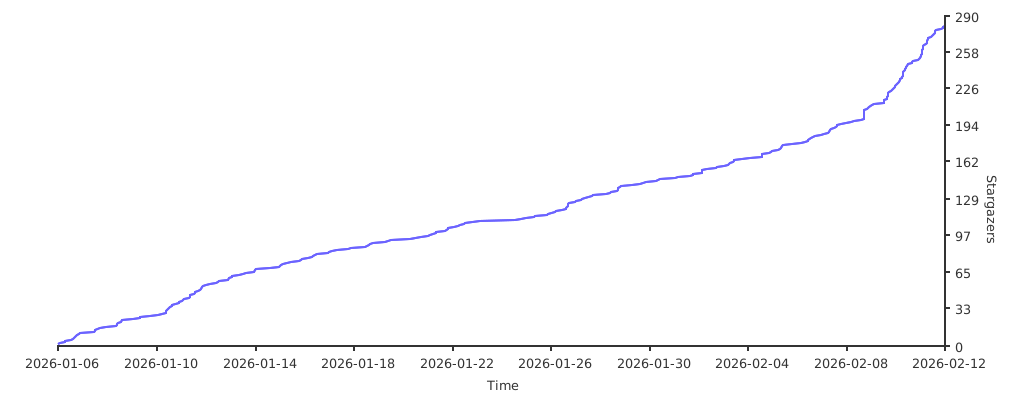
OmniRoute — A full-featured TypeScript fork of 9Router. Adds 36+ providers, 4-tier auto-fallback, multi-modal APIs (images, embeddings, audio, TTS), circuit breaker, semantic cache, LLM evaluations, and a polished dashboard. 368+ unit tests. Available via npm and Docker.
Built on the shoulders of giants:
- CLIProxyAPI — original Go implementation that inspired this JavaScript port.
- RTK
— Rust token-saver. 9Router ports its compression pipeline to JS → −20-40% input tokens on every request.
- Caveman
by @JuliusBrussee — viral "why use many token when few token do trick". 9Router adapts its prompt → −65% output tokens.
- Ponytail
by @DietrichGebert — "lazy senior dev" skill. 9Router injects its YAGNI-first ladder → fewer tokens, less code, shorter diffs.


Huge thanks to these authors — without their work, 9Router's token-saving features wouldn't exist. ⭐ them on GitHub!
MIT License - see LICENSE for details.