

Website: simmate.org | Tutorials & Docs: jacksund.github.io/simmate | Paper: doi.org/10.21105/joss.04364
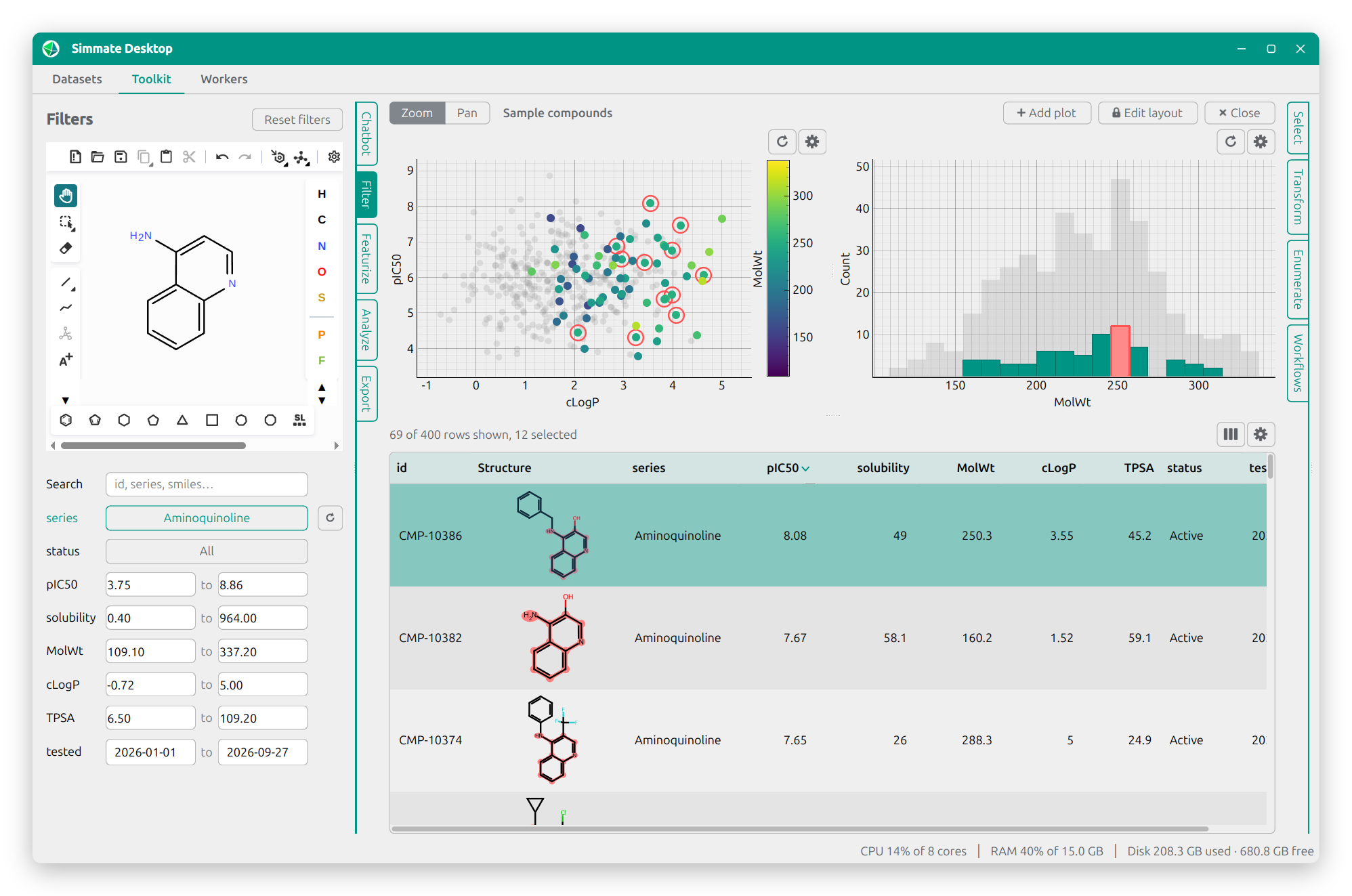
Simmate is a full-stack framework and ecosystem for chemistry research, covering both molecular and crystalline systems. It brings dozens of popular programs and databases together under one consistent interface, and gives you the building blocks to make your own chemistry applications. Out of the box, Simmate provides:
- Chemical toolkit: Pythonic objects for molecules and crystals
- Desktop app: explore datasets and manage compute workers
- Database & ORM: chemistry-ready tables, queryable via Python, SQL, or REST API
- Datastores: fast filtering and similarity search over billions of rows
- Website: web UI to browse data, submit workflows, and view results
- Compute orchestration: scale from a laptop to SLURM clusters or Kubernetes
- Workflow library: ready-to-use workflows for VASP, Quantum ESPRESSO, and more
- Built-in datasets: Materials Project, COD, JARVIS, ChEMBL, Enamine, and more
Install with our one-line installer (it also sets up uv if needed):
# macOS & Linux
curl -LsSf https://simmate.org/install.sh | sh

# Windows
powershell -ExecutionPolicy ByPass -c "irm https://simmate.org/install.ps1 | iex"
To import Simmate in your own Python scripts, install it into an environment using uv instead:
uv pip install "simmate[all]"Once installed, try out these commands:
# view all available commands
simmate --help

# launch the desktop app
simmate desktop start

# set up your database, then launch the web UI (at http://localhost:8000/)
simmate database reset
simmate website start
To learn more, continue with our tutorials.
Post your questions and feedback in our discussion section.