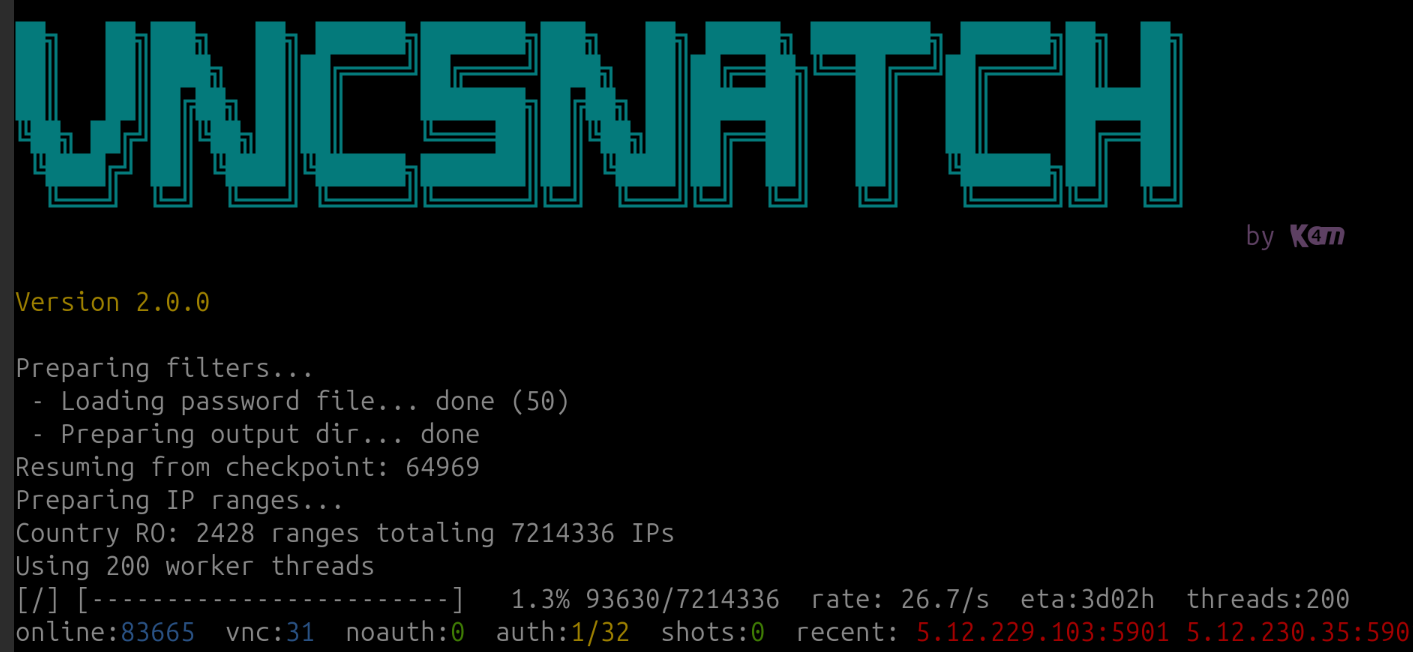
This is a fun little project inspired by vncresolver.com. This program takes the address list from ip2location.com and then scans all ip addresses from a given country for open VNC entities.
If the VNC is open, it will create a screenshot called IP.jpg.
You will be amazed how much critical infrastructure is accessible this way.
make all
./vncsnatch
Install or uninstall:
make install
make uninstall
Grant ICMP capability without running as root:
make capsNon-interactive example:
./vncsnatch -c DK -f /path/to/IP2LOCATION-LITE-DB1.CSV -w 8 -t 30 -p 5900,5901Password list + metadata example:
./vncsnatch -c DK -f /path/to/IP2LOCATION-LITE-DB1.CSV -F passwords.txt -M metadataResults export example:
./vncsnatch -c DK -f /path/to/IP2LOCATION-LITE-DB1.CSV -o results.csv
./vncsnatch -c DK -f /path/to/IP2LOCATION-LITE-DB1.CSV -o results.jsonl- libcapability (usually default everywhere)
- libreadline
- libjpeg (required for clean-room
vncgrabscreenshots) - an IP2location lite csv file (can be downloaded for free)
- vncsnapshot (optional) for legacy capture
-c, --country CODE   Two-letter country code (e.g., DK)
-f, --file PATH      IP2Location CSV file path
-w, --workers N      Number of worker threads (max 256)
-t, --timeout SEC    Snapshot timeout in seconds (default 60)
-p, --ports LIST     Comma-separated VNC ports (default 5900,5901)
-r, --resume         Resume from .line checkpoint
-R, --rate N         Limit scans to N IPs per second
-P, --password PASS  Use PASS for VNC auth (if required)
-F, --password-file  Read passwords from file (one per line)
-M, --metadata-dir   Alias for --output-dir
-O, --output-dir     Root output directory (default output/CC)
-A, --allow-cidr     Comma-separated CIDR allowlist
-D, --deny-cidr      Comma-separated CIDR denylist
-T, --delay-attempts Delay between password attempts (ms)
-o, --results PATH   Write results summary to PATH
-b, --allowblank     Allow blank (all black) screenshots
-B, --ignoreblank    Skip blank (all black) screenshots (default)
-Q, --quality N      JPEG quality 1-100 (default 100)
-x, --rect SPEC      Capture sub-rect (wxh+x+y)
-v, --verbose        Print per-host progress output
-q, --quiet          Suppress progress output
-h, --help           Show this help message
Default builds use the clean-room vncgrab module (no external dependency).
If you want to use vncsnapshot, build with USE_VNCSNAPSHOT=1.
To build with vncsnapshot:
make USE_VNCSNAPSHOT=1If you want to keep OpenSSL available for other work, you can still link it:
make USE_OPENSSL=1Convenience target:
make cleanroom- The scanner now runs concurrently and shows a live progress line unless
-vor-qis set. - If you want to resume, use
-rand the.linefile will be used as a checkpoint offset. - Resume checkpoints are scoped by country code and include counters (online/vnc/noauth/auth) so progress resumes accurately.
- If the program has
cap_net_raw/cap_net_adminor runs as root, it can use ICMP to skip offline hosts faster. Without those capabilities, the scanner falls back to fast TCP connect checks for the configured ports. - Metadata and screenshots are written under
output/CC/by default. - Password files are read line-by-line; blank lines and lines starting with
#are ignored. - Results export writes CSV by default; use
.jsonor.jsonlto emit JSON lines. - CIDR filters accept comma-separated IPv4 CIDR blocks (e.g.,
10.0.0.0/8,192.168.0.0/16).
Run the local protocol regression tests:
make testGenerate a custom IP2Location-style CSV from manual ranges:
python3 tools/generate_csv.py -c SE -n Sweden -r 5.26.179.17 -r 2.16.63.0-2.16.63.9 -o custom.csvInteractive mode with CIDR support:
python3 tools/generate_csv.py --interactiveYou might wanna run this via tor or other proxy as some internet provides do not like you scanning and connecting to a lot of IP addresses.
Big thanks to the developers of vncsnapshot, this project would not be possible without them! The program is hacked together by me, Kim Schulz for the fun of it.
Find me at social.data.coop/@kimschulz (mastodon) and kimschulz.bsky.social (bluesky)
This was written purly for informational/educational purposes only. You can use/modify this as you please, however, I (Kim Schulz) am not responsible for any legal problems you may face using this information.
MIT. See LICENSE.