
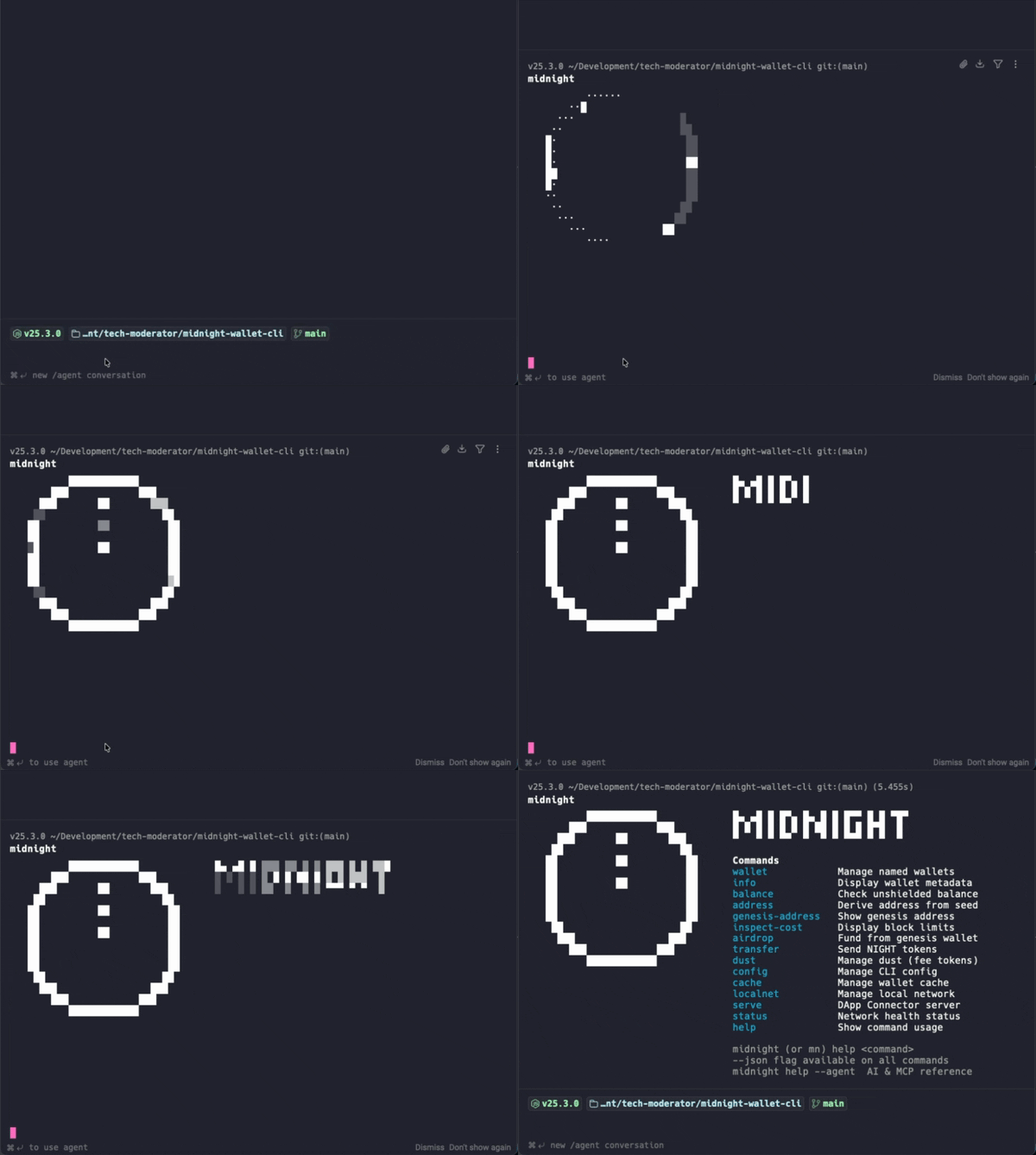




A standalone CLI wallet and dev tool for the Midnight blockchain. Manage wallets, check balances and pay one or many recipients, deploy and call Compact contracts (priced before anything is proven), swap shielded tokens, run a local ledger-9 network with a compile-on-save dev loop (mn dev) and end-to-end dApp tests (mn test), all from the terminal, on a local network, preview, preprod and mainnet. The same engine ships as libraries (@kuiralabs/midnight-*) for your own programs.
Built for two audiences: beginners starting their first Midnight project (a local chain + funded wallets + contract deploy in minutes), and AI agents (Cursor, Claude Code, any MCP client) using the same primitives via a built-in MCP server.
Important
0.6.0 is ledger-9 only. Mainnet, preprod and preview all run ledger 9, and 0.5.x no longer works on any of them: upgrade to 0.6.0. It is built on wallet-sdk 2.0.0, ledger-v9 1.0.0, midnight-js 5.0.0 and compact-runtime 0.21.0, so recompile your contracts with Compact 0.36 (language 0.28). A local stack still on ledger 8 is refused up front (UNSUPPORTED_LEDGER).
midnight localnet up starts a ledger-9 stack (node 2.1.0-rc.4, indexer 4.4.0-rc.6, proof server 9.0.0). To use another ledger-9 stack instead: on the default ports (node 9944, indexer 8088, proof server 6300) --network undeployed reaches it with no configuration. On other ports pass --node, --indexer-ws and --proof-server per command, or save them once with midnight config set node <url>, midnight config set indexer-ws <url> and midnight config set proof-server <url>.
npm install -g midnight-wallet-cliThis installs two commands: midnight (or mn for short) and midnight-wallet-mcp.
Install it with npm 11 or older (with npm 12, npx -y npm@11 install -g midnight-wallet-cli). The engine ships an npm-shrinkwrap.json that pins the SDK set it was tested with; npm 12 and bun's installer ignore it and resolve the packages again, so the engine either installed is refused before any SDK loads, saying so (MIXED_SDK_LAYOUT). bun can run what npm installed.
| Command | Description |
|---|---|
midnight wallet <generate|list|use|info|remove|seed|protect> [args] |
Manage named wallets (generate, list, use, info, remove, seed, protect) |
midnight generate [--network <name>] [--seed <hex>] [--mnemonic "..."] [--output <file>] [--force] |
(Deprecated — use "midnight wallet generate " instead) |
midnight info [--wallet <name|file>] |
Display wallet address, network, creation date (no secrets shown) |
midnight balance [address] [--wallet <name|file> | --seed <hex>] [--shielded] [--force-shielded] [--network <name>] [--no-cache] [--node <url>] [--indexer-ws <url>] [--proof-server <url>] [--verbose] |
Check a wallet's unshielded + shielded balance, or an address's unshielded balance |
midnight address (--seed <hex> | --wallet <name>) [--network <name>] [--index <n>] |
Derive and display an unshielded address from a seed or a saved wallet (one of --seed, MN_SEED or --wallet is needed) |
midnight genesis-address [--network <name>] |
Display the genesis wallet address (seed 0x01) for a network |
midnight inspect-cost [--network <name>] [--node <url>] [--indexer-ws <url>] [--proof-server <url>] |
Display the chain's current block limits, from its latest block's ledger parameters |
midnight airdrop [<amount>] [--shielded] [--wallet <name|file|address>] [--network <name>] [--node <url>] [--indexer-ws <url>] [--proof-server <url>] [--verbose] |
Fund a wallet from the genesis wallet (undeployed network only) |
midnight transfer <to> <amount> [<to> <amount> ...] | --to-file <file> [--shielded [--token <type>] [--force-shielded]] [--wallet <name|file>] [--network <name>] [--proof-server <url>] [--node <url>] [--indexer-ws <url>] [--verbose] |
Send NIGHT tokens to another address, or to several in one transaction (unshielded or --shielded), or any shielded token with --shielded --token |
midnight dust <register|status|export> [--wallet <name|file>] [--seed <hex> (export only)] [--proof-server <url>] [--node <url>] [--indexer-ws <url>] [--no-cache (status only)] |
Register UTXOs for dust (fee token) generation, check status, or export a restorable snapshot |
midnight config get [key] [--network <name>] | midnight config <set|unset> <key> [value] [--network <name>] |
Manage persistent config (default network, endpoints, etc.) |
midnight cache clear [--network <name>] [--wallet <name|file>] |
Manage wallet state cache (clear cached sync data) |
midnight serve [--port <n>] [--wallet <name|file>] [--network <name>] [--proof-server <url>] [--node <url>] [--indexer-ws <url>] [--approve-all | --approve-fees [--max-fee <DUST>] [--max-pending <n>]] [--allow-origin <origin>]... [--force-shielded] [--no-auto-approve-reads] [--verbose] [--json] |
Start DApp Connector server over WebSocket JSON-RPC |
midnight test <create|run|list|results> [options] |
Generate and run E2E test suites for Midnight dApps |
midnight dev [path] |
Iteration loop for Compact contract development (localnet + compile-on-save + one-key deploy) |
midnight contract <inspect|deploy|call|state> [options] |
Inspect, deploy, call, and query Midnight smart contracts |
midnight swap <make|inspect|take|cancel|list> [options] |
Private swaps of shielded tokens, through offer files (experimental) |
midnight tx status <hash or identifier> [options] |
What became of a transaction: its block, time, fee and result |
midnight grant <deploy|deposit|status|list|issue|revoke|revoke-all|export|import|device> [options] |
This wallet's account, and the grants that let an agent spend from it (experimental) |
midnight localnet <up|stop|down|status|logs|clean> [--tail <n>] |
Manage a local Midnight network via Docker Compose |
midnight help [command] |
Show usage for all commands or a specific command |
midnight manual [--no-pager] [--raw] [--json] |
Full reference manual (long form, paged through $PAGER) |
# 1. Start the local network (a ledger-9 node, indexer and proof server)
midnight localnet up

# 2. Create a wallet and set the network
midnight wallet generate alice
midnight config set network undeployed

# 3. Fund your wallet and register dust (needed for fees; 50,000 NIGHT generates it fast enough that the first transactions don't wait)
midnight airdrop 50000
midnight dust register

# 4. Check balance and transfer
midnight balance
midnight transfer mn_addr_undeployed1... 100
The first wallet generate asks for mn's passphrase, which encrypts every secret mn keeps (wallet seeds, account owner keys): at least 12 characters. Off a terminal, give it in MN_PASSPHRASE.
Preprod and preview run ledger 9. mn proves every transaction on your machine, so start a local proof server first (see Proof server). The flow:
# 0. Start a local proof server (in another terminal; it needs Docker)
docker run -p 6300:6300 midnightntwrk/proof-server:9.0.0 midnight-proof-server -v

# 1. Create a wallet and set the network
midnight wallet generate alice
midnight config set network preprod   # or: preview

# Preprod only: its indexer and node are served by Blockfrost, which needs
# your own project id. Create a "Midnight Preprod" project at https://blockfrost.io
# and set its id once (it starts with nightpreprod); - asks for it without echoing:
midnight config set blockfrost-project-id -

# 2. Get test tokens from the faucet
#    preprod: https://faucet.preprod.midnight.network/
#    preview: https://faucet.preview.midnight.network/
#    Paste your address from: midnight wallet info alice

# 3. Register dust (needed for fees)
midnight dust register

# 4. Check balance and transfer
midnight balance
midnight transfer mn_addr_preprod1... 100One transfer can pay several recipients in a single transaction, so the payer signs, proves and pays a fee once. Give <to> <amount> pairs, each recipient a wallet name or an address, or a JSON file of them:
midnight transfer alice 10 bob 5 mn_addr_undeployed1... 2.5
midnight transfer --to-file payments.json
# payments.json: [{"to": "alice", "amount": "10"}, {"to": "mn_addr_...", "amount": "2.5"}]
Every flag applies to the whole transaction (--shielded pays every recipient shielded NIGHT). A transfer takes at most 50 recipients; a recipient listed twice is paid twice. A mistake in one entry (an unknown recipient, an amount that isn't one) is refused before anything is sent, naming the entry, and the balance is checked against the total. On a local network, three recipients in one transaction cost 0.92 DUST against 0.55 DUST for each single transfer.
| Network | Description |
|---|---|
undeployed |
Local network (midnight localnet up starts it) |
preprod |
Midnight pre-production testnet (ledger 9). Its indexer and node are served by Blockfrost: needs a project id |
preview |
Midnight preview testnet (ledger 9) |
mainnet |
Midnight Mainnet (ledger 9). Reached only through Blockfrost, with a mainnet project id (it starts with nightmainnet); the proof server is your local one. No faucet. Real value: it must be named on every command with --network mainnet (it can't be the saved network), and airdrop, mn test and mn grant are refused there with MAINNET_REFUSED. Its addresses have no network segment: mn_addr1…, mn_shield-addr1… |
Wallets are network-agnostic — one seed derives addresses for all four networks. Use --network <name> on any command, or persist a test network with midnight config set network preview (mainnet is never persisted).
On mainnet, preview and preprod mn doesn't read the shielded balance by default, since a wallet's first shielded read takes minutes there: midnight balance --force-shielded reads it, and midnight transfer --shielded needs --force-shielded. A wallet can still hold shielded tokens on those networks.
mn reaches mainnet only when a command names it: --network mainnet on the command line, or the network parameter of an MCP tool. midnight config set network mainnet is refused, a saved config never resolves to mainnet, and a mainnet address (mn_addr1…) given to midnight balance without --network mainnet is refused instead of being read on mainnet.
Its indexer and node are served only by Blockfrost (Midnight's own indexer.mainnet.midnight.network and rpc.mainnet.midnight.network were retired on 2026-10-09). Create a project for Midnight Mainnet at blockfrost.io and set its id; mn keeps it beside a preprod id, each for its own network:
midnight config set blockfrost-project-id nightmainnet...   # filed under mainnet by its prefix
midnight balance --network mainnet
There is no faucet: fund a mainnet wallet by transferring NIGHT to it. airdrop, mn test (it deploys throwaway contracts) and mn grant are refused there before anything runs, with MAINNET_REFUSED. mn dev and mn grant work on the local network only (mn grant refuses preview and preprod too: the account contract's current build has been tested on a local network only). Proofs are made by your local proof server (see Proof server).
Midnight shut its own preprod indexer down on 2026-10-09; Blockfrost serves it now, along with the node RPC, and every request needs your own project id. Create a project for Midnight Preprod at blockfrost.io and give mn its id:
midnight config set blockfrost-project-id <project id> # or: export BLOCKFROST_PROJECT_ID=<project id> (MN_BLOCKFROST_PROJECT_ID wins if both are set)- Project ids are per network: a preprod id starts with
nightpreprod, a mainnet id withnightmainnet. mn files each under its own network and never sends one to the other network. midnight config set blockfrost-project-id -keeps the id off the command line and out of your shell history: mn asks for it without echoing at a terminal, and otherwise reads it from the standard input. It is kept in~/.midnight/config.json, which only you can read (0600); it isn't sealed under your passphrase, because commands that never unlock a wallet need it too.midnight config get blockfrost-project-idshows it masked, and says when the one in use comes from the environment.midnight config unset blockfrost-project-id --network preprodremoves one network's; without--networkevery network's is removed, and mn says which.- Without one, a command that reaches preprod stops with
BLOCKFROST_PROJECT_ID_REQUIREDand these instructions. A refused id isBLOCKFROST_PROJECT_ID_REJECTED. Requests count against your Blockfrost plan. - The project id is a secret. mn keeps it in
~/.midnight/config.json(mode 0600), shows it masked inconfig get, and hides it in everything it prints, errors and--verboselogs included. mn servegives a connected dApp the wallet's indexer and node URLs (the DApp connector'sgetConfiguration), and on preprod those carry your project id: connect only dApps you trust with it.- An old
indexer-wssetting that points atindexer.preprod.midnight.networkfails withENDPOINT_SHUT_DOWN: remove it withmidnight config unset indexer-ws --network preprod. - Preview and the local network need no project id.
mn proves every transaction with a proof server on your own machine, on every network; its default is http://localhost:6300. On undeployed, midnight localnet up starts one. On preview, preprod and mainnet, run one yourself (it needs Docker, and the proof server's version must match the network's ledger):
docker run -p 6300:6300 midnightntwrk/proof-server:9.0.0 midnight-proof-server -vTo use a proof server elsewhere, pass --proof-server <url> or save it with midnight config set proof-server <url> (per network with --network). Without one, a write fails with NETWORK_ERROR naming the proof server and this command. Reads (balances, contract state) need no proof server.
midnight config set <key> <value> saves a setting in ~/.midnight/config.json; endpoint settings are kept per network with --network <name>. The keys:
| Key | What it sets |
|---|---|
network |
The network a command uses when it names none (never mainnet) |
wallet |
The wallet a command uses when it names none |
node, indexer-ws, proof-server |
The endpoints mn reaches, instead of the network's defaults |
blockfrost-project-id |
Your Blockfrost project id for preprod or mainnet, filed under its network by its prefix (or MN_BLOCKFROST_PROJECT_ID / BLOCKFROST_PROJECT_ID) |
account-artifacts |
Where mn grant gets the account contract's proving keys (see below) |
account-artifacts (or MN_ACCOUNT_ARTIFACTS, which wins) tells mn grant where the account contract's proving artefacts come from. By default mn fetches them from the account build's published release, the first time a command needs them, into ~/.midnight/account-artifacts, checking each file against the build's manifest: the verifier keys (under 0.1 MB) when a command first reads the account, and each circuit's proving key (up to a few hundred MB) when one first proves with it. Set it to the absolute path of a local build (the folder holding its keys/ and zkir/), or to an http(s) URL laid out as a release, to use those instead. It applies to every network.
The first dust sync for a wallet on a hosted network replays the chain's full dust event history, the slow part of a cold start. A native (Rust) reader does this faster than the WASM one, installed as a per-platform optionalDependency (@kuiralabs/dust-sync-<os>-<arch>, built on the ledger-9 crates). Measured on a laptop on 2026-11-12 through Blockfrost, a cold read with it took 86 s on mainnet (2.06M Dust events) and 86 s on preprod (1.75M), and a warm one about 10 s; the WASM reader was about 3.4 times slower on a segment of mainnet's ledger-9 events. The ledger-8 history before the fork is read but not folded (the fork's migration starts ledger 9 from an empty Dust state), so most of a cold read is streaming the events.
mn runs the native reader only when it reports ledger 9 (dust-sync --ledger) and the chain tip is past the fork; otherwise, or if it fails, the WASM reader does the sync. Set MN_DISABLE_NATIVE_DUST=1 to always use WASM, or MN_DUST_SYNC_BIN to run a binary of your own.
midnight serve starts a WebSocket JSON-RPC server that implements the same ConnectedAPI interface as the Lace browser wallet. Any DApp can connect to it — no browser extension needed.
# Start the connector server
midnight serve

# Or auto-approve all requests (dev only)
midnight serve --approve-all

# Or act as a fee wallet for an agent (see below)
midnight serve --approve-fees

# Let a dApp's page in a browser connect (its origin: scheme, host and port)
midnight serve --allow-origin http://localhost:5173
A web page can open a WebSocket to localhost as easily as your dApp can, so mn serve refuses every connection from a browser page (one that carries an Origin header) unless its origin is allowed with --allow-origin <origin>; repeat the flag for more pages. Node scripts send no Origin and always connect. A refused page gets HTTP 403, and mn serve prints the origin it refused. Allowing an origin with --approve-all prints a warning: any script that page runs can then spend from the wallet and have it sign without asking, so allow only pages you control. mn test run allows the page of the dApp under test (url, or http://localhost:<port> from dapp.test.json) on the serve it starts, and reuses a running serve only if that serve allows it.
Read methods never prompt. Every write prompts in the terminal (and is rejected without one), balancing included: balanceUnsealedTransaction / balanceSealedTransaction reserve the wallet's coins, sign, and return a finished transaction the dApp could submit through any node itself.
--approve-fees is for an agent that builds and proves its own ledger-9 transaction (its own value already balanced) and only needs the Dust fee paid. balanceUnsealedTransaction / balanceSealedTransaction then add only Dust, and are auto-approved only when the transaction spends none of this wallet's funds, has no unsigned unshielded input, needs no non-Dust value and is not a rewards claim; otherwise they are refused, listing every reason. submitTransaction is auto-approved only for a transaction this server balanced that way on the same connection. Everything else still prompts in the terminal (and is rejected without one). It cannot be combined with --approve-all. Two limits bound what an agent can cost the wallet: --max-fee <DUST> refuses a transaction whose total Dust fee (the agent's transaction plus the wallet's balancing) is higher (default 10 DUST; a simple contract call costs about 0.5), and --max-pending <n> refuses new balances while n balanced transactions wait to be submitted (default 2). Both are checked before any Dust is reserved. Each balanced transaction reserves a whole Dust coin until it is submitted and on chain (about 20 seconds on a 6-second-block localnet) or released, so a fee wallet serves as many agents at once as it has Dust coins: one per NIGHT UTXO registered for Dust generation. A request that finds none free waits for one, then fails with an error saying so. A fee the wallet's Dust doesn't cover yet is another case: the wallet's NIGHT is still generating it. mn serve works out what the fee takes and waits when the rest is at most two minutes away; when it is further, it refuses at once with DUST_REQUIRED and the time ("the wallet has 0.18 DUST and the fee takes 1.65. Its registered NIGHT generates the rest in about 4 minutes"), so an agent knows when to retry. With --json, the line mn serve prints once it is listening includes the approval policy ("approval": {"reads": "auto", "balancing": "fee-only", "writes": "fee-only", "feeLimits": {"maxFeeSpecks": "10000000000000000", "maxPending": 2}}), so whoever started it can check what it will approve.
To connect from your DApp, install the connector package:
npm install midnight-wallet-connectorimport { createWalletClient } from 'midnight-wallet-connector';
const wallet = await createWalletClient({
url: 'ws://localhost:9932',
networkId: 'undeployed',
});
const balances = await wallet.getUnshieldedBalances();See the midnight-wallet-connector package for the full API, and midnight-starship for a working example DApp.
Every command supports --json for structured output:
midnight balance --json
# → {"address":"mn_addr_...","shieldedAddress":"mn_shield-addr_...","network":"undeployed","unshielded":{"NIGHT":"1000.000000","utxoCount":1},"shielded":{"NIGHT":"10.000000","availableCoins":1,"pendingCoins":0,"tokens":{}},"shieldedSynced":true}

midnight transfer alice 100 --json
# → {"txHash":"00ab...","amount":"100","recipient":"mn_addr_...","network":"undeployed","receipt":{"kind":"regular","hash":"00ab...",...,"fee":"0.548120","blockHeight":1234,...}}

midnight transfer alice 10 bob 5 --json
# → {"txHash":"00cd...","amount":"15","recipients":[{"recipient":"mn_addr_...","amount":"10"},{"recipient":"mn_addr_...","amount":"5"}],"network":"undeployed","receipt":{...}}
When --json is active:
- stdout receives a single line of JSON (the data)
- stderr stays quiet (no spinner, heading or notice), except for the plain lines of a long step, every 15 s once it has run 15 s: a wait for Dust (
Dust: waited 45 s of 104 s, 0.76 of 1.23 DUST), a wallet sync, a read of the chain's Dust or shielded events (Reading shielded events: at event 8504 of 17009 (50%), 540 read), or a proof (Proving the transaction: 30 s so far...). Pipe through2>/dev/nullif you need it gone - Errors produce:
{"error":true,"code":"...","message":"...","exitCode":N}
Run midnight help --json for a full capability manifest, or midnight help --agent for a comprehensive AI agent reference. docs/JSON_CONTRACT.md lists the shapes mn keeps stable.
The package includes an MCP (Model Context Protocol) server that exposes all wallet operations as typed tools. AI agents call them directly via JSON-RPC over stdio — no shell spawning or output parsing needed.
Create .mcp.json in your project root:
{
  "mcpServers": {
    "midnight-wallet": {
      "command": "midnight-wallet-mcp"
    }
  }
}Add to ~/Library/Application Support/Claude/claude_desktop_config.json (macOS) or %APPDATA%\Claude\claude_desktop_config.json (Windows):
{
  "mcpServers": {
    "midnight-wallet": {
      "command": "midnight-wallet-mcp"
    }
  }
}Create .cursor/mcp.json in your project root:
{
  "mcpServers": {
    "midnight-wallet": {
      "command": "midnight-wallet-mcp"
    }
  }
}Create .vscode/mcp.json in your project root:
{
  "servers": {
    "midnight-wallet": {
      "type": "stdio",
      "command": "midnight-wallet-mcp"
    }
  }
}Add to ~/.codeium/windsurf/mcp_config.json:
{
  "mcpServers": {
    "midnight-wallet": {
      "command": "midnight-wallet-mcp"
    }
  }
}
Tip: If you haven't installed globally, use
"command": "npx"with"args": ["-y", "midnight-wallet-cli@latest", "--mcp"]instead.
Passphrase: mn keeps every secret (wallet seeds, account owner keys) encrypted under one passphrase, which the MCP server cannot ask for. Give it the passphrase in its environment,
"env": { "MN_PASSPHRASE": "<your passphrase>" }, to let it sign; without it, tools that need a secret are refused and change nothing. The passphrase then sits in that config file, so keep the file readable by you alone. Set the passphrase first in a terminal withmidnight wallet protect.
Once connected, your AI agent gets access to 44 tools:
| Tool | Description |
|---|---|
midnight_wallet_generate |
Create a named wallet |
midnight_wallet_list |
List all wallets (slim by default — see "Agent-slim responses" below) |
midnight_wallet_use |
Set active wallet |
midnight_wallet_info |
Show wallet details (slim by default) |
midnight_wallet_remove |
Remove a wallet |
midnight_info |
Show wallet info (no secrets) |
midnight_balance |
Check NIGHT balance (slim by default) |
midnight_address |
Derive an address from a saved wallet or a seed |
midnight_genesis_address |
Show genesis wallet address |
midnight_inspect_cost |
Show block cost limits |
midnight_airdrop |
Fund wallet from genesis |
midnight_transfer |
Send NIGHT tokens (returns a pending token; confirm with midnight_confirm_operation) |
midnight_confirm_operation |
Execute a previously-returned pending operation (transfer/contract confirmation flow) |
midnight_dust_register |
Register UTXOs for dust generation |
midnight_dust_status |
Check dust status (slim by default) |
midnight_tx_status |
What became of a transaction, by its hash: its block, time, fee and result |
midnight_config_get |
Read config value |
midnight_config_set |
Write config value |
midnight_config_unset |
Remove config value |
midnight_cache_clear |
Clear wallet state cache |
midnight_localnet_up |
Start local network (Docker) |
midnight_localnet_stop |
Stop local network |
midnight_localnet_down |
Remove local network |
midnight_localnet_status |
Show service status |
midnight_localnet_clean |
Remove conflicting containers |
midnight_localnet_logs |
Snapshot of recent logs from each service |
midnight_contract_inspect |
Read circuits, witnesses, ledger shape from a compiled contract; lists siblings for multi-contract projects |
midnight_contract_state |
Query a deployed contract's ledger state |
midnight_contract_deploy |
Deploy a compiled contract (returns pending token; confirm with midnight_confirm_operation) |
midnight_contract_call |
Call a circuit on a deployed contract (returns pending token; auto-coerces numbers/"123n" strings to BigInt and [0–255] arrays to Uint8Array) |
midnight_test_create |
Generate a CLI or browser test scaffold from the compiled contract |
midnight_swap_make |
Experimental. Make a swap offer of one shielded token for another, written to an offer file (returns pending token) |
midnight_swap_inspect |
Experimental. What a swap offer file offers, whether it is still live, and its expiry |
midnight_swap_take |
Experimental. Take a swap offer at the agreed terms (returns pending token) |
midnight_swap_cancel |
Experimental. Cancel an open swap offer of the wallet's by spending its coins back (returns pending token) |
midnight_swap_list |
Experimental. The wallet's open swap offers, each with whether it expired or was taken |
midnight_grant_status |
Experimental. The wallet's account: address, owner key, what it holds, number of grants |
midnight_grant_list |
Experimental. Every grant on the account, with its limits and whether it is live |
midnight_grant_request |
Experimental. What issuing from an agent's grant request link would grant (who spends, who they can pay, the limits); issues nothing |
midnight_grant_deploy |
Experimental. Deploy the wallet's account and activate its owner key (returns pending token) |
midnight_grant_deposit |
Experimental. Move shielded NIGHT from the wallet into its account, for grants to spend (returns pending token) |
midnight_grant_issue |
Experimental. Issue the grant a request link asks for (returns pending token) |
midnight_grant_revoke |
Experimental. Revoke one grant by id or slot (returns pending token) |
midnight_grant_revoke_all |
Experimental. Revoke every grant on the account (returns pending token) |
Every response carries _serverVersion so a stale MCP server (CLI on disk says X, responses still say Y) is detectable — see "Stale MCP server" in docs/SKILL.md.
wallet_list, wallet_info, balance, and dust_status return a slim JSON shape by default — agents pay roughly half the tokens of the legacy --json shape. Pass { full: true } to get the same shape mn <cmd> --json emits (per-network address maps, sync internals, etc.):
midnight_wallet_list()              // slim: { name, active, network, address, shieldedAddress } per wallet
midnight_wallet_list({ full: true }) // full: per-network addresses + shieldedAddresses maps (legacy shape)
The CLI human paths (mn wallet list --json, etc.) are unchanged.
Two markdown resources teach agents how to use the CLI:
midnight-wallet://skill/core— intent routing + safety rules. About 1.5k tokens (5.5 KB). Fetch on session start.midnight-wallet://skill/full— canonical flows, error recovery, concept primers. About 10k tokens (39 KB). Fetch on demand (errors, multi-step flows).
The legacy midnight-wallet://skill URI still works as an alias for /full.
Every tool error returns { error: true, code: <CODE>, message: <human prose> }. Agents should index on the stable code (INSUFFICIENT_BALANCE, DUST_REQUIRED, INVALID_DUST_PROOF, STALE_CACHE, PROOF_FAILURE, SYNC_TIMEOUT, NETWORK_ERROR, WALLET_NOT_FOUND, INVALID_ARGS, TX_REJECTED, STALE_UTXO, PROOF_TIMEOUT, CANCELLED, UNKNOWN) — full taxonomy + recovery recipes are in docs/SKILL.md.
mn is built from packages a program can install on its own: @kuiralabs/midnight-cli-core (the host, typed errors and codes, running a command), @kuiralabs/midnight-chain, @kuiralabs/midnight-wallet (with swap), @kuiralabs/midnight-contract, @kuiralabs/midnight-connect, @kuiralabs/midnight-dev, @kuiralabs/midnight-grant, and the SDK engine, @kuiralabs/midnight-engine-rc. A program calls their functions with plain values (bigint amounts, typed results and receipts), or mounts their commands in its own command line or MCP server, with its own state root, settings, prompter and output; errors carry a code it can act on without reading messages. Install them with npm 11 or older.
Start with core's README: mounting commands, and what a program does to its own process for the wallet SDK. Each package's README lists its entry points, its codes and one example, and its api-report.md lists every export.
Found a bug or have a feature request? Open an issue.
- Node.js >= 22
- Docker (for
midnight localnet, and for the proof server on a hosted network) - A ledger-9 chain to talk to: node, indexer (4.4) and proof server. The proof server defaults to
localhost:6300and is required for transactions on every network (see Proof server)
Working on the CLI itself? Clone, install, build, test:
git clone https://github.com/kuiralabs/midnight-cli.git
cd midnight-cli
npm install
npm run build       # bun build → dist/wallet.js + dist/mcp-server.js, sharing code-split chunks
npm test            # vitest run
npm run typecheck   # tsc --noEmit
Run the CLI directly from source without rebuilding:
npx tsx --conditions=midnight-cli-source src/wallet.ts <command>     # or: npm run wallet -- <command>
npx tsx --conditions=midnight-cli-source src/mcp-server.ts # or: npm run mcpContributions welcome. See CONTRIBUTING.md for the workflow, coding standards, and testing requirements.
Quick checklist before opening a PR:
npm run typecheckcleannpm testgreen- New behavior covered by a test (
src/__tests__/, or the package's ownpackages/<name>/src/__tests__/) - Commit messages say what changed for the user, in a plain sentence (see
git log)
Apache-2.0. See LICENSE.