
Context from video, for agents.
Give it a video url, a local file, a playlist, or a page full of embedded demos and it produces a folder per video plus an index over all of them: the transcript, the frames where the screen changed, and one Markdown walkthrough that puts each frame next to the words spoken while it was on screen. YouTube, Vimeo, Loom, Wistia, X, TikTok, Google Drive and Dropbox share links, direct mp4/m3u8 links and any other site yt-dlp supports all go through the same path.
Install · Usage · Agent setup · Brand assets
ctxr turns YouTube videos into Markdown walkthroughs for AI agents. It keeps the frames where the screen changes and pairs each one with the words spoken while it was on screen.
Give it a product demo, tutorial, talk, playlist, or page of embedded videos. You get timestamped frames, a transcript, and an index an agent can read and cite.
uv tool install "ctxr[whisper,mcp] @ git+https://github.com/mukulchugh/ctxr"
ctxr --page https://example.com/product/demos --out ./demos
One command finds every video embedded on the page and produces a folder per video:
demos/
  README.md                 how to read this folder (written for an agent)
  INDEX.md                  one row per video: date, title, length, frames, transcript source
  ALL-DEMOS.md              every walkthrough joined into one file for single-shot ingestion
  2026-09-15-comments-on-dashboards-VIDEOID/
    README.md               the walkthrough
    manifest.json           frames with the transcript segments aligned under each
    transcript.json .srt .txt
    info.json               title, channel, date, duration, description, tags
    frames/0007_01m23s.jpg  1280px frames, one per visible screen change
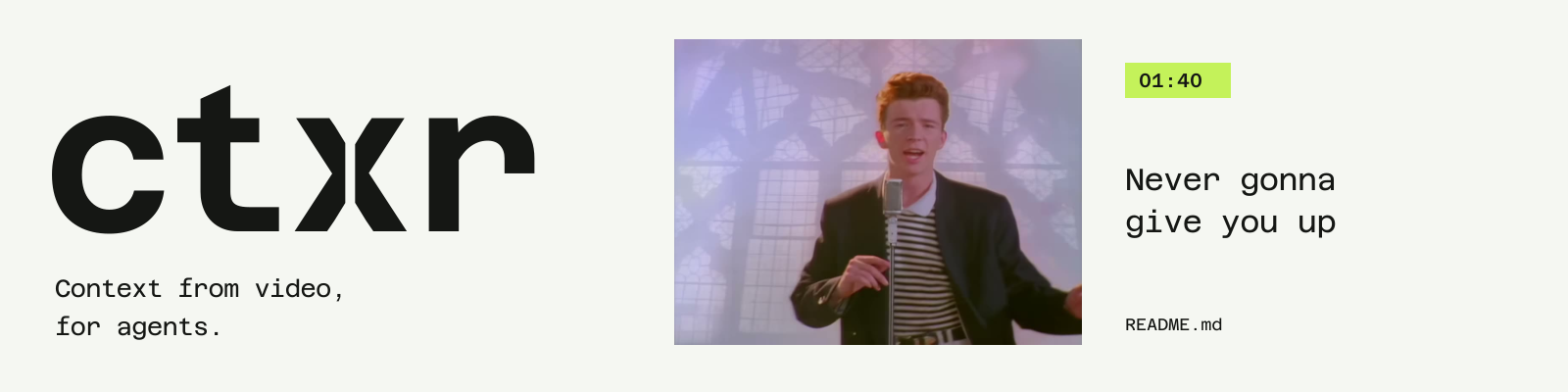
The banner uses a real frame and transcript excerpt from the original Rickroll. This is the same pairing ctxr writes into a walkthrough; the timestamp links back to the video.
01:40 (watch)

Never gonna give you up
Sample provenance and extraction details
Requires Python 3.10+ and ffmpeg on your PATH (brew install ffmpeg or apt install ffmpeg).
uv tool install "ctxr @ git+https://github.com/mukulchugh/ctxr"               # captions from YouTube only
uv tool install "ctxr[whisper] @ git+https://github.com/mukulchugh/ctxr"      # plus local transcription for videos without usable captions
uv tool install "ctxr[whisper,mcp] @ git+https://github.com/mukulchugh/ctxr"  # plus the MCP server (ctxr-mcp)
Or run it without installing: uvx --from "ctxr @ git+https://github.com/mukulchugh/ctxr" ctxr <url>. ctxr is installed from this repository; there is no PyPI package. To pin a release instead of tracking main, add @v0.1.0 after the repository url.
ctxr https://youtu.be/VIDEOID                           # one video
ctxr https://vimeo.com/123456789 https://www.loom.com/share/abc…   # other platforms, same output
ctxr https://cdn.example.com/talk.mp4                   # a direct media link
ctxr ~/Videos/demo.mov                                  # a local file (demo.srt or demo.vtt next to it is used as captions)
ctxr --playlist https://www.youtube.com/playlist?list=… # every video in a playlist or channel
ctxr --page https://example.com/product/demos           # every video embedded on a page
ctxr --page URL --out ./docs --limit 5                  # try the first five first
| Input | How ctxr handles it |
|---|---|
| YouTube id or url | yt-dlp download; captions in the same call; youtube-transcript-api as a one-shot fallback |
| Vimeo, Loom, Wistia, X, TikTok, Dailymotion, Streamable, Google Drive, Dropbox, any yt-dlp site | yt-dlp download; the site's captions (vtt or srt) if it has them |
| Direct mp4, webm, mov or m3u8 link | yt-dlp download of the file or stream |
| Local mp4, mov, mkv, webm, m4v or avi | used in place, never copied; a sidecar name.srt or name.vtt is used as captions |
| Anything without captions | local Whisper |
Each walkthrough section links to that second on the source (YouTube ?t=, Vimeo #t=, Loom ?t=, the standard media fragment #t= elsewhere); local files get the timestamp only. Some sites only serve logged-in clients (Vimeo did at the time of writing); pass --cookies-from-browser chrome (or firefox, safari) and yt-dlp uses your browser session.
Options:
| Flag | Default | What it does |
|---|---|---|
--out DIR |
./ctxr-out |
Where the folders go |
--scene 0.05 |
0.05 | Scene-change threshold, 0 to 1. Lower means more frames. 0.05 suits screen recordings |
--min-gap 10 |
10 | Also take a frame at least this many seconds apart, so slow stretches are still covered |
--every N |
off | Fixed grid every N seconds instead of scene detection |
--whisper-all |
off | Transcribe locally even when YouTube captions exist (cleaner punctuation) |
--vocab TERMS |
off | Comma-separated names (brands, products, people) that local transcription must spell right; the channel and title are added automatically |
--whisper-model NAME |
small | faster-whisper model for local transcription: small (cached), medium or large-v3 (downloaded on first use) |
--cooldown 5 |
5 | Pause after each video. See rate limits below |
--proxy URL |
$CTXR_PROXY |
HTTP, HTTPS or SOCKS proxy for yt-dlp and the caption client, for example a rotating residential gateway |
--cookies-from-browser BROWSER |
off | Let yt-dlp use your browser login (chrome, firefox, safari) for sites that require it |
--cookies FILE |
off | A Netscape-format cookies file, for machines without a browser |
--keep-video |
off | Keep the downloaded mp4 next to the frames |
--force |
off | Redo folders that already have a manifest |
--find QUERY |
List candidate videos for a search phrase or a channel/playlist url, as JSON lines, and exit. Nothing is downloaded | |
--search QUERY |
Ranked full-text search over the transcripts already in --out, and exit |
|
--self-test |
Run the built-in check and exit |
A folder that already has manifest.json is skipped, so an interrupted batch resumes where it stopped.
- Find the videos.
--pagefetches the page and pulls out every YouTube id (watch?v=,youtu.be/,/embed/,/shorts/,i.ytimg.com/vi/thumbnails), Vimeo, Loom and Wistia embeds, and direct mediasrclinks, in page order.--playlistasks yt-dlp for the flat list of any playlist or channel. - Download. yt-dlp fetches a 720p mp4 and the metadata JSON from any supported site or direct link. Local files are used where they are. The downloaded mp4 is deleted after the frames are cut unless you pass
--keep-video. - Transcript. English captions come back in the same yt-dlp call (json3 on YouTube, vtt or srt elsewhere; a sidecar file for local videos), so most videos cost no extra requests. For YouTube only, if none were written, youtube-transcript-api is asked once; after the first block it is not asked again for the rest of the run. If there are still no captions, or you pass
--whisper-all, ffmpeg extracts 16 kHz mono audio and faster-whisper (small model by default, runs locally) transcribes it, primed with the channel name, the title and any--vocabterms so product and brand names are spelled correctly. The manifest records which source was used:captions,youtube-transcript-api,whisper-small, ornonefor a video with no audio track (frames only). - Frames. One ffmpeg pass with a scene-change filter, a 1.5 second debounce so a transition does not produce a burst, and a floor of one frame every
--min-gapseconds. Frame count scales with how much the picture changes, not with frame rate. - Align. Each transcript segment is placed under the last frame shown at or before the segment starts.
- Write. README.md, manifest.json, transcript files per video, then INDEX.md, ALL-DEMOS.md and an agent-facing README.md at the root.
- Search.
--searchand thectxr_searchtool build a SQLite full-text index (ctxr.sqlitein the output folder, porter stemming, bm25 ranking) from the manifests and rebuild it when a manifest is newer. All terms must match; if nothing does, any term.
YouTube publishes no limits for the endpoints yt-dlp and the caption client use, but it rate-limits per IP and it does so quickly. ctxr paces itself: yt-dlp's own -t sleep preset (a 10 to 20 second random pause before each download), a --cooldown after each video, captions fetched inside the download call instead of through a second client, and no more caption requests after the first block. Expect about one video per minute. That is comfortably inside yt-dlp's documented guest limit of roughly 300 videos per hour, and a few hundred videos a day from a home connection has worked without any failures.
What the errors mean:
| You see | What it is | What to do |
|---|---|---|
captions unavailable (IpBlocked), then Whisper |
YouTube throttled the caption endpoint for your IP | Nothing. Local transcription takes over; ctxr stops asking for captions for the rest of the run |
HTTP Error 403: Forbidden on a download |
Media URL throttled | ctxr backs off 15, 45 and 90 seconds and usually gets through; if not, the video is listed as failed and a rerun picks it up |
STOPPED ... Sign in to confirm you're not a bot |
An IP-level bot check that lasts hours | ctxr stops the batch and keeps what is done. Wait a few hours and rerun, or pass --cookies-from-browser chrome / --cookies FILE, or --proxy |
Requested format is not available, Unable to extract ... |
YouTube changed something | Update yt-dlp first: reinstall ctxr (uv tool install --force ...) or uv tool upgrade ctxr. Include ctxr --version in any issue |
Things that do not work, so you do not waste an afternoon on them: cloud VMs, CI runners and datacenter proxies (YouTube blocks their address ranges outright, for captions and downloads alike), Tor (exit addresses are public), and free proxy lists. If you need more than one IP, it has to be a rotating residential proxy (Webshare, Decodo, IPRoyal, Oxylabs), set once as CTXR_PROXY or passed as --proxy; you pay per gigabyte, and the video bytes go through it too, so it makes sense for large or frequent runs, not for a playlist. Browser cookies work immediately but tie the activity to your Google account; fine for a handful of videos, unwise for bulk. All of this is automated access without YouTube's written permission, which its terms prohibit; pacing lowers the chance of a block, it does not change that.
A source-backed write-up of what blocks, what works, what it costs and where the terms of service stand is in docs/RATE-LIMITS.md.
The root README.md tells an agent how to read the folder. A ready-to-use prompt is in docs/AGENT-PROMPT.md. The short version: read INDEX.md, then each walkthrough in date order, treat the frames as ground truth for the UI and the narration as the explanation, and cite the video and timestamp for anything specific.
ctxr ships as an MCP server and as a skill, so an agent can run the whole workflow itself and then query the result in small pieces instead of reading 400 KB of Markdown.
MCP tools (ctxr-mcp, stdio): ctxr_find (search YouTube or list a channel or playlist, nothing downloaded), ctxr_process (urls, local files, a playlist, or every video on a page; background: true for big batches), ctxr_status, ctxr_index, ctxr_search (ranked full-text search across every transcript, with the frame on screen and a link to that second), ctxr_walkthrough (one video, section by section, with a time window), ctxr_frame (the screen at second t, as an image), and two prompts: learn_from_videos (a study plan) and skill_from_videos (turn a corpus into an installable SKILL.md). Design notes: docs/MCP.md.
Claude Code, as a plugin (skill + MCP server together):
/plugin marketplace add mukulchugh/ctxr
/plugin install ctxr@ctxr
Codex, in ~/.codex/config.toml:
[mcp_servers.ctxr]
command = "uvx"
args = ["--from", "ctxr[mcp,whisper] @ git+https://github.com/mukulchugh/ctxr", "ctxr-mcp"]
Cursor, in ~/.cursor/mcp.json (Claude Code accepts the same block in a project .mcp.json):
{ "mcpServers": { "ctxr": { "type": "stdio", "command": "uvx",
  "args": ["--from", "ctxr[mcp,whisper] @ git+https://github.com/mukulchugh/ctxr", "ctxr-mcp"] } } }
The skill alone, into Claude Code, Codex, Cursor and other Agent Skills clients:
npx skills add mukulchugh/ctxr
The output folder for MCP calls is out per call, else $CTXR_OUT, else ~/ctxr.
- Captions are automatic (YouTube or Whisper), so product names can be misheard. The frames are the ground truth for UI labels.
- A short burst of screen changes can produce frames with no narration under them. They are kept and marked, because the frame usually shows the result of the previous action.
- Sources that need a login work only with
--cookies-from-browser; DRM streams are out of scope. Audio-only feeds will probably work but are untested.
Wordmark SVG · Dark-background wordmark · Social preview · App icon


The asset guide includes light and dark banners, PNG exports, favicons, palette, typography, and reproduction instructions.
MIT. Azeret Mono uses the SIL Open Font License 1.1. The video frame and lyric remain third-party material and are excluded from the MIT license. See the asset guide.