
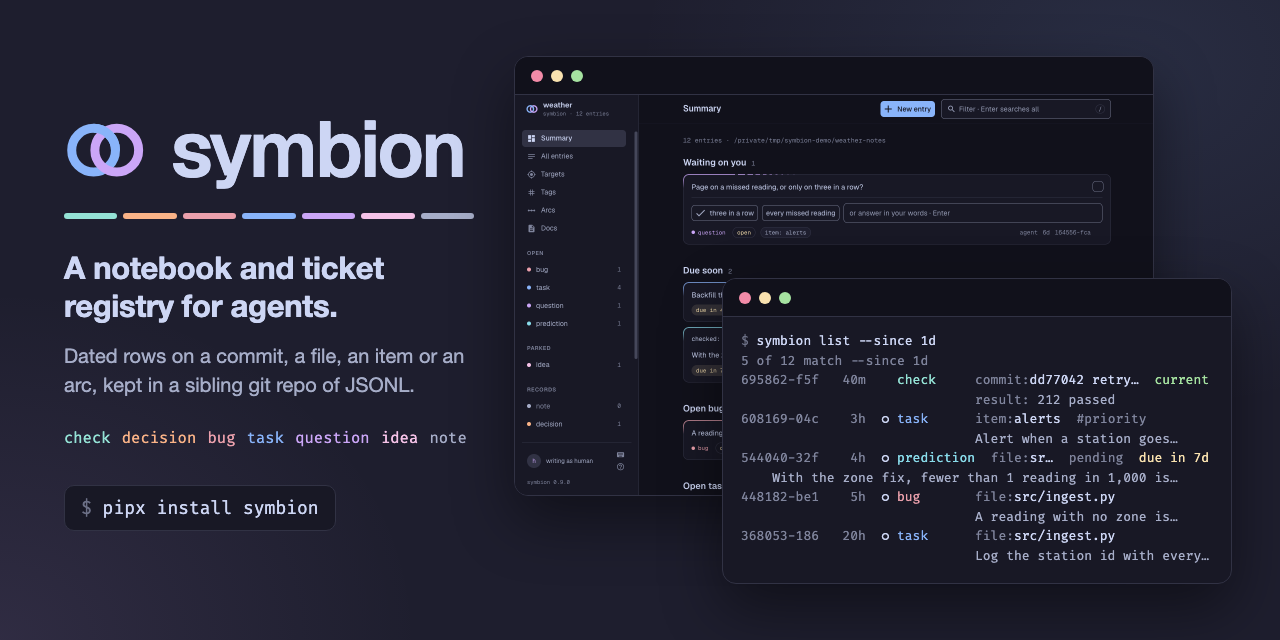
A notebook and ticket registry for one project, shared by you and your coding agent. Bugs, tasks, decisions and verified results go in as dated entries, so what a session learned is still there when the next one starts.
Live demo: the browser view of a real project's notebook, read-only.
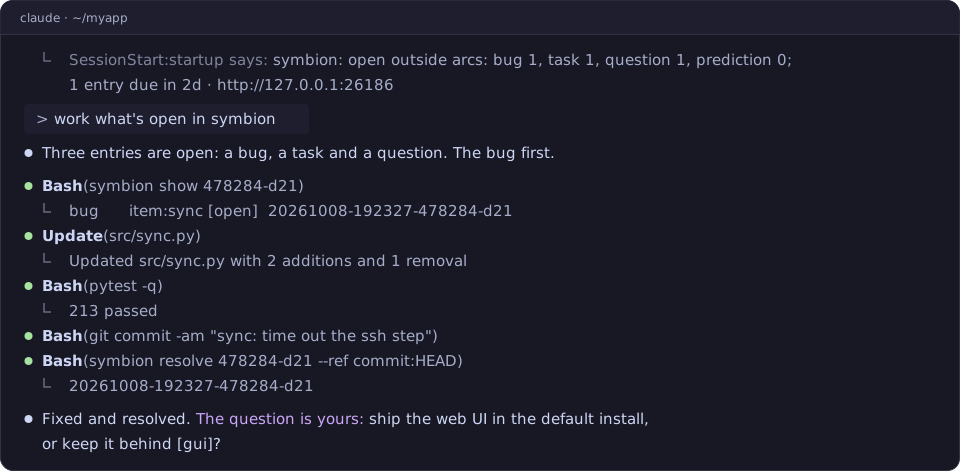
- Each session starts where the last one stopped. A session-start hook
gives the agent the open bugs, tasks and questions, the entries due soon, and
the ones you wrote or answered.
/symbion wrapends a session: the entries it owes, then a store commit whose message is the next session's handoff. You do not brief it again. - A result knows its age. A
checkrecords what ran, what it said, and the commit it ran at. Once the code moves on, it readsbehind 12, not "tests pass". - Questions go both ways. The agent files a
questionfor you. Your answer, from a terminal or the browser, reaches its next session. - Entries attach to things. An entry sits on a commit, a file, a named item
or the whole project, so
symbion context --target file:src/x.pyfinds every entry on that file. - Checklists across a codebase. An arc is a named line of work with one
box per item: a file, a test, a host.
symbion arc reconcilereports the boxes whose file was renamed or deleted. - Plain files you own. The entries are JSONL in a git repo beside the project. There is no server, account or database. Checking out an old branch does not change your tickets.
- A local web page, if you want one.
symbion serveopens on what waits on you, with one-click answers to the agent's questions; then boards, a peek at any entry beside the page (j/k), and search across every store you serve (⌘K). It installs as an app. How symbion works, its help page, explains the model for a person rather than an agent.
symbion works with Claude Code, Codex and Hermes Agent, and the CLI works without any of them.
Python 3.11+ and git. On Windows, use Git for Windows.
pipx install 'symbion[gui]' # or: uv tool install 'symbion[gui]'[gui] adds the web page (symbion serve); leave it out for the CLI alone.
Run command -v symbion from another directory to check that it is on PATH:
the session-start hook finds symbion through PATH.
From your project's root:
symbion init          # lists each change and makes none (exit 1 if there are any)
symbion init --yes    # creates the store, ../<repo>-notes, and links the agent skill
init --yes registers its hooks too when ~/.claude/settings.json does not
exist: one at session start, and one that gives the agent a file's gotcha entries
the first time it touches that file. When the file exists, init prints each
entry to add, or says the hook is already there. symbion init --merge-hook adds the entry for you and keeps the
rest of the file. If your agent's own edit of that file is denied, run it yourself:
in Claude Code, type ! symbion init --merge-hook at the prompt.
A new store takes entries on a commit, an item, the project or an arc. For entries
on files, open ../<repo>-notes/symbion.toml and uncomment file = under
[catalogs] and file = "git" under [renames]. A file target refused before
then names both lines.
Then add one line to CLAUDE.md, and start a session:
- We use symbion for durable notes and tickets.
init --agent codex, --agent hermes or --agent both sets up the other
agents, which take a step more: see the
guide.
- Guide: install on each platform, TAB completion, adopting a repo with each agent, the first session, and the web page.
- Reference: kinds and arcs, catalogs, conventions, where things live, and development.
- SKILL.md:
what the agent reads, with a table of the common commands.
symbion VERB -hlists every flag of a verb. - Design: why symbion is built as it is.
python3 -m venv .venv && .venv/bin/pip install -e '.[test,gui]'
.venv/bin/python -m pytest -q -n auto
Windows, and making a clone your installed symbion: Development.