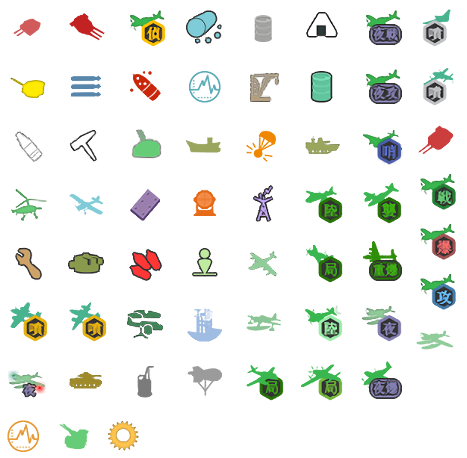
SVG reconstructions and visual comparisons of Kantai Collection game icons.
Preview: https://poooi.github.io/icons/
The default branch is gh-pages. GitHub Pages serves the repository root directly; no build step, package dependencies, or external fonts are required.
| Category | Entries | Status |
|---|---|---|
| Equipment | 59 | First SVG pass completed and reviewed |
| Resources | 11 | First SVG pass completed and reviewed |
| Aircraft proficiency | 7 | First SVG pass completed and reviewed |
| Operations | 4 | First SVG pass completed and reviewed |
| Ship status | 5 | First SVG pass completed and reviewed |
There are 86 logical entries. The collection includes 152 relevant PNG files from poi, plus 59 equipment icons extracted from the game atlas. Size variants and historical versions are grouped under their corresponding entry and can be selected in the preview.
The scope covers game-derived icons and their existing variants. It excludes the poi logo, application header artwork, Touch Bar icons, and application placeholders. See sources.json for the included and excluded files.
All 86 entries now have reconstructed SVGs. The non-equipment reconstruction notes describe the latest 27 assets, shared families and review limits.
svg/slotitem/<id>.svg: reconstructed equipment icons, using actual game icon IDs.svg/material/,svg/airplane/,svg/operation/,svg/state/: reconstructed resources, proficiency marks, operation buttons and state labels.original/slotitem/<id>.png: icons extracted from the game atlas.original/poi/: relevant PNGs from poi, preserving their source directory structure belowassets/, or their full repository-relative path for files outsideassets/.reference-svg/material/: existing poi resource SVGs for comparison, not newly reconstructed assets.catalog.js: preview entries, source variants, SVG paths, categories, and progress.index.html,preview.css,preview.js: the static preview site.
Files such as svg/slotitem/6.svg can be used directly as images. All lettering in the new reconstructions is outlined, so consumers do not need to install a font.
Aircraft reference gallery pairs 26 game equipment illustrations with 20 aircraft icons and their current SVG baselines. The mapping records equipment IDs, source URLs and structural observations. The accepted carrier family is excluded. This reference collection does not mean those SVGs have already been revised against the game artwork.
See Equipment corrections from game artwork for the 11 non-aircraft corrections, aircraft 56–60, and the shared regular hexagon specification.
Start with the Game icon reconstruction guide for new icons and revisions. It is the consolidated policy from the September 2026 session: an ordered first-pass workflow, evidence template, family geometry, layering, category-specific review sizes, common failed approaches, optimization and consumer compatibility. The other correction notes retain historical context; later accepted corrections supersede earlier experiments.
- Preserve the original category colors, silhouette, orientation, composition, and identifying marks.
- Group related icons and reuse their shared geometry. Resolve unclear structures using game equipment illustrations first, with historical photographs as supplementary evidence, recording observations and uncertainty in Icon families and reconstruction evidence.
- Use bold Mincho serif lettering for equipment and states (Noto Serif JP ExtraBold 800 in this pass). Operation buttons use uniformly scaled Noto Sans JP Bold 700 instead.
- Inspect enlarged views and actual use sizes on white and dark backgrounds. Equipment/resources require 16–24 px checks; other categories follow their consumers, including proficiency at 14 px high. Tiny lettering does not need to be readable; color and silhouette are the primary recognition cues.
The equipment set has undergone several rounds of corrections to contours, internal details, badge placement, occupied area, and outlines needed on light backgrounds. Some blurred details remain interpretations. Integration into poi, including independently selectable equipment/resource sets and raster compatibility assets, is tracked in poi PR #2720.
When completing another category, place its new SVGs under svg/<category>/, add the svg path in catalog.js, and update its status. Old resource SVGs remain available in the source selector as reference variants.
See Icon families and reconstruction evidence for the aircraft family map, the photographs examined, and remaining review gaps.
- PNGs and existing resource SVGs from poooi/poi. The source inventory is recorded in
sources.json. - Equipment atlas: common_icon_weapon.json and common_icon_weapon.png, retrieved during this study on 2026-09-09.
- The atlas contains IDs 1–52 and 54–60; 53 is unused. Bundled game PNG filenames in poi typically use the icon ID plus 100. New SVG filenames in this repository always use the actual game ID.
- Lettering: Noto Serif CJK / Noto Serif JP. Only outlined artwork is included; font files are not distributed.
Original game assets and fonts remain the property of their respective rights holders.
Open index.html directly, or run python -m http.server 8000 from the repository directory and visit http://localhost:8000/.