Folders and files
| Name | Name | Last commit date | ||
|---|---|---|---|---|
Repository files navigation
* Take screenshots of a frame

This package provides a command for taking screenshots of
an individual frame.  It also support setting up the frame
according to simple predetermined rules.

This package uses the ~import~ and ~convert~ binaries from
the [[http://www.imagemagick.org][imagemagick]] package.

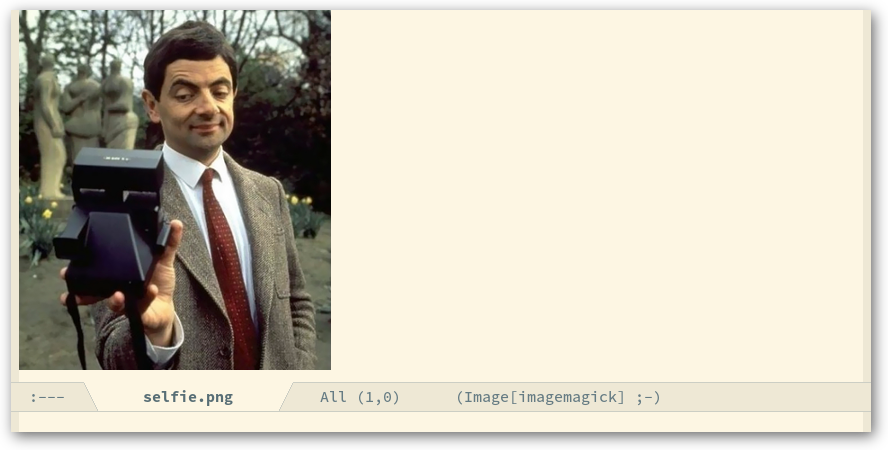
[[http://readme.emacsair.me/frameshot.png]]

** Usage

- Create a file containing the setup for the package you want to take
  a screenshot of in the directory where the image files should be
  placed.

  This is a slightly modified copy of the file I used to take a
  screenshot for [[https://github.com/tarsius/moody][moody]].

  #+begin_src emacs-lisp
    (require 'frameshot)
    (load-file "github-readme.el")

    (frameshot-setup
     '((name   . "moody")
       (height . 200)
       (width  . 888)
       (shadow . ((color   . "black")
                  (opacity . 60)
                  (sigma   . 7)
                  (x       . 3)
                  (y       . 4)))))

    (load-file "moody-init.el") ; contains (use-package moody ...)
    (find-file "moody-init.el") ; show that example in the screenshot
    (message "")
  #+end_src

- Start Emacs and load that file and possibly make some manual
  adjustments, like positioning the cursor as desired.

  Given the above configuration I would have done this like so:

  #+begin_src text
    cd ~/git/web/emacsair.me/assets/readme
    emacs --load moody.el
  #+end_src

  Note that I didn't use ~-Q~.  Not doing that has the advantage that
  you don't have to do anything special to load the features that you
  would like to take a screenshot of, like adjusting the ~load-path~.
  On the other hand you might have to turn off some features that you
  do not want to appear in the screenshot.  You will have to decide
  what is best for your use-case.

- Finally create a screenshot by pressing ~[f8]~.  If you did some
  manual setup, then you might have to clear the minibuffer first.
  Press ~[f7]~ to do so.  You can also press ~[f6]~ to run ~frame-setup~ on
  the selected frame again.

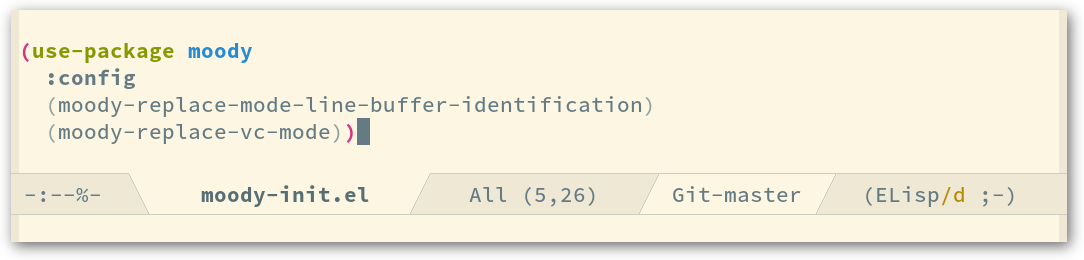
  The resulting screenshot looks like this:

[[http://readme.emacsair.me/moody.png]]

- Then you likely want to rename the created screenshots files because
  ~frameshot-take~ adds a timestamp to the file-names (so that you can
  take multiple screenshots without having to worry about overwriting
  an older one).

  #+begin_src text
    mv 19700101:00:00:00-minions.png minions.png
  #+end_src

- And finally you probably want to publish your screenshot(s).  This
  package does not handle that step, but you might want to look into
  my setup for a quick way of doing that.

  The [[https://github.com/tarsius/minions][README.org]] of ~minions~ contains.

  #+begin_src org
    [[http://readme.emacsair.me/moody.png]]
  #+end_src

  I can update that screenshot following the above steps and then
  running:

  #+begin_src text
    git add .
    cd ../..
    make publish-readme
  #+end_src

  Github caches images for a very long time unless it is told not to
  by using ~no-cache~ as the value of the HTTP ~Cache-Control~ header.

  If you are interested in such a setup, then have a look at the
  [[https://github.com/tarsius/emacsair.me][emacsair.me]] build tools, in particular the ~Makefile~ and the files
  in ~asserts/readme~.

#+html: <br><br>
#+html: <a href="https://github.com/tarsius/frameshot/actions/workflows/compile.yml"><img alt="Compile" src="https://github.com/tarsius/frameshot/actions/workflows/compile.yml/badge.svg"/></a>
#+html: <a href="https://snapshots.melpa.org/#/frameshot"><img alt="MELPA Snapshots" src="https://snapshots.melpa.org/packages/frameshot-badge.svg"/></a>
#+html: <a href="https://releases.melpa.org/#/frameshot"><img alt="MELPA Releases" src="https://releases.melpa.org/packages/frameshot-badge.svg"/></a>
#+html: <a href="https://emacsair.me/human"><img alt="human made" src="https://emacsair.me/assets/badges/human.svg"/></a>