



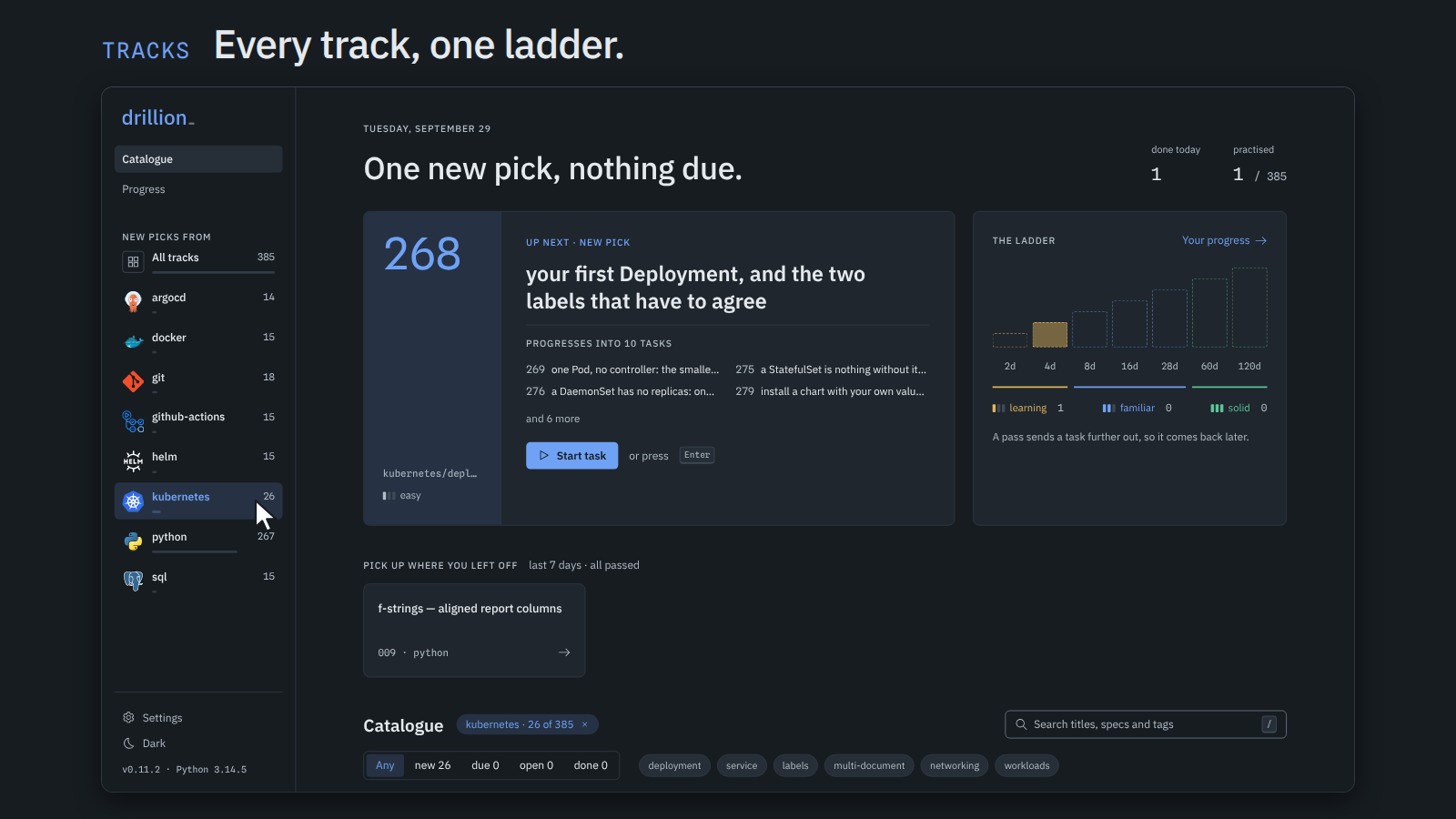
Self-hosted practice for Python, Kubernetes, Helm, Argo CD, Docker, GitHub Actions, SQL and git. No streaks, no leaderboards, no badges, no engagement bait. Made by a neurodivergent engineer who wanted something simple.
It runs on your laptop. Each task is short and tagged with the concept it drills, so you can go straight at what you're worst at. Your code runs in a sandbox, there's no account or login, and your progress is one SQLite file you can copy and back up.
In Python tasks, every solve() says what it takes, so the editor knows what your value can
do. Completions, signatures and type errors come from a language server running next to the
grader, on your machine, and nothing is sent anywhere.
I have tried some learning platforms. Some stuck better than others, and there were plenty of things I did not like about all of them, the gamification and the ratings above all. I simply do not care about them. I came for one thing: to keep my Python sharp and learn new things, not to chat about it with peers.
I took heavy inspiration from Exercism, HackerRank and, surprisingly, Anki, and made it self-hosted and multi-dimensional.
Drillion is distributed as a Docker image. Install Docker Engine on Linux or Docker Desktop on macOS or Windows, then start it:
docker run -d --name drillion --restart unless-stopped -p 127.0.0.1:8765:8765 -v drillion:/data \
  --read-only --tmpfs /tmp --cap-drop ALL --security-opt no-new-privileges \
  ghcr.io/vazome/drillion
Open http://127.0.0.1:8765. The image never opens a host browser. Your work lives in the
drillion volume, which outlives the container. compose.yaml runs the same
container read-only with every capability dropped: save it anywhere and docker compose up -d.
docker pull ghcr.io/vazome/drillion && docker stop drillion && docker rm drillion
docker run -d --name drillion --restart unless-stopped -p 127.0.0.1:8765:8765 -v drillion:/data \
  --read-only --tmpfs /tmp --cap-drop ALL --security-opt no-new-privileges \
  ghcr.io/vazome/drillion
With Compose, docker compose pull && docker compose up -d from the folder holding
compose.yaml. Compose names its volume after that folder, so it is not the drillion volume.
For a reproducible rollback, replace ghcr.io/vazome/drillion with ghcr.io/vazome/drillion:<version>
or the immutable ghcr.io/vazome/drillion@sha256:... reference in that release's notes only when that
release is compatible with the data already in the volume. Before a major upgrade, back up from
Settings → Back up. To return to an older, incompatible release, restore that backup into a
separate volume rather than reusing the upgraded one.
docker exec drillion drillion selfcheck  # solve every task with its own reference
docker exec drillion drillion doctor # report why a task folder would be skipped- How a sitting works, and why: the learning loop, what the ladder is, and the grading rules.
- Configuration: environment, data root, Docker, release verification
- Authoring a task: tiers, difficulty, tags, the folder format
- CONTEXT.md: the vocabulary the code, the API and the UI all use
- DESIGN.md: the UI brief;
web/README.mdfor the frontend - docs/adr/: decisions worth their own page
- SECURITY.md: how your code is sandboxed, and how to report a vulnerability
The most useful contribution is a new task. Open an issue with the New task template first, then read CONTRIBUTING.md for the dev loop and the contract a task is graded against, and AGENTS.md for how the project decides things. Bugs and ideas go in Issues; a vulnerability goes through SECURITY.md, which also explains how your code is sandboxed.
MIT. See LICENSE. 89 of the 385 tasks adapt a problem from Exercism's Python track
(also MIT), 13 adapt reference code from Fluent Python's examples and six from
TheAlgorithms/Python (both MIT), and one restates a problem from MBPP (CC-BY-4.0); each
names its origin in a source: field and an
attribution footer, and NOTICE reproduces the notices that travel with them.