Skip to content

Persist filters across view in Search - #96466

Merged
JS00001 merged 162 commits into
Expensify:mainfrom
bernhardoj:feat/95976-persist-filters-across-search
Sep 10, 2026
Merged

Persist filters across view in Search#96466
JS00001 merged 162 commits into
Expensify:mainfrom
bernhardoj:feat/95976-persist-filters-across-search

Conversation

@bernhardoj

Copy link
Copy Markdown
Contributor

Explanation of Change

Fixed Issues

$ #95976
PROPOSAL:

Tests

Same as QA Steps

  • Verify that no errors appear in the JS console

Offline tests

Same as QA Steps

QA Steps

  1. Open Spend > select any suggested/saved search that has default filter bars (for example,
  2. Verify the default filter bars don't have "X" button and there is no "Reset" button yet
  3. Apply any other filter (except Type)
  4. Verify the new filter has an "X" button and the "Reset" button appears
  5. Verify the selected suggested search is still highlighted
  6. Switch to another suggested/saved search
  7. Switch back to the previous suggested/saved search
  8. Verify the previous last filters applied are restored
  9. Press the "Reset" button
  10. Verify the filters are reset back to their default state

Make sure it works with saved search too. Please test adding and deleting saved search too.

  • Verify that no errors appear in the JS console

PR Author Checklist

  • I linked the correct issue in the ### Fixed Issues section above
  • I wrote clear testing steps that cover the changes made in this PR
    • I added steps for local testing in the Tests section
    • I added steps for the expected offline behavior in the Offline steps section
    • I added steps for Staging and/or Production testing in the QA steps section
    • I added steps to cover failure scenarios (i.e. verify an input displays the correct error message if the entered data is not correct)
    • I turned off my network connection and tested it while offline to ensure it matches the expected behavior (i.e. verify the default avatar icon is displayed if app is offline)
    • I tested this PR with a High Traffic account against the staging or production API to ensure there are no regressions (e.g. long loading states that impact usability).
  • I included screenshots or videos for tests on all platforms
  • I ran the tests on all platforms & verified they passed on:
    • Android: Native
    • Android: mWeb Chrome
    • iOS: Native
    • iOS: mWeb Safari
    • MacOS: Chrome / Safari
  • I verified there are no console errors (if there's a console error not related to the PR, report it or open an issue for it to be fixed)
  • I followed proper code patterns (see Reviewing the code)
    • I verified that comments were added to code that is not self explanatory
    • I verified that any new or modified comments were clear, correct English, and explained "why" the code was doing something instead of only explaining "what" the code was doing.
    • I verified any copy / text that was added to the app is grammatically correct in English. It adheres to proper capitalization guidelines (note: only the first word of header/labels should be capitalized), and is either coming verbatim from figma or has been approved by marketing (in order to get marketing approval, ask the Bug Zero team member to add the Waiting for copy label to the issue)
  • If a new code pattern is added I verified it was agreed to be used by multiple Expensify engineers
  • I followed the guidelines as stated in the Review Guidelines
  • I tested other components that can be impacted by my changes (i.e. if the PR modifies a shared library or component like Avatar, I verified the components using Avatar are working as expected)
  • If a new CSS style is added I verified that:
    • A similar style doesn't already exist
    • The style can't be created with an existing StyleUtils function (i.e. StyleUtils.getBackgroundAndBorderStyle(theme.componentBG))
  • If new assets were added or existing ones were modified, I verified that:
    • The assets are optimized and compressed (for SVG files, run npm run compress-svg)
    • The assets load correctly across all supported platforms.
  • If the PR modifies code that runs when editing or sending messages, I tested and verified there is no unexpected behavior for all supported markdown - URLs, single line code, code blocks, quotes, headings, bold, strikethrough, and italic.
  • If the PR modifies a generic component, I tested and verified that those changes do not break usages of that component in the rest of the App (i.e. if a shared library or component like Avatar is modified, I verified that Avatar is working as expected in all cases)
  • If the PR modifies a component related to any of the existing Storybook stories, I tested and verified all stories for that component are still working as expected.
  • If the PR modifies a component or page that can be accessed by a direct deeplink, I verified that the code functions as expected when the deeplink is used - from a logged in and logged out account.
  • If the PR modifies the UI (e.g. new buttons, new UI components, changing the padding/spacing/sizing, moving components, etc) or modifies the form input styles:
    • I verified that all the inputs inside a form are aligned with each other.
    • I added Design label and/or tagged @Expensify/design so the design team can review the changes.
  • I added unit tests for any new feature or bug fix in this PR to help automatically prevent regressions in this user flow.
  • If the main branch was merged into this PR after a review, I tested again and verified the outcome was still expected according to the Test steps.

Screenshots/Videos

Android: Native
Android: mWeb Chrome
iOS: Native
iOS: mWeb Safari
MacOS: Chrome / Safari

@bernhardoj
bernhardoj requested review from a team as code owners July 20, 2026 10:03
@melvin-bot

melvin-bot Bot commented Jul 20, 2026

Copy link
Copy Markdown

@aimane-chnaif Please copy/paste the Reviewer Checklist from here into a new comment on this PR and complete it. If you have the K2 extension, you can simply click: [this button]

@melvin-bot
melvin-bot Bot requested review from a team and JS00001 and removed request for a team July 20, 2026 10:03
@melvin-bot

melvin-bot Bot commented Jul 20, 2026

Copy link
Copy Markdown

@JS00001 Please copy/paste the Reviewer Checklist from here into a new comment on this PR and complete it. If you have the K2 extension, you can simply click: [this button]

@MelvinBot

Copy link
Copy Markdown
Contributor

🤖 Regression pass on feat/95976-persist-filters-across-search @ c0b8ab7.

Headline: the recent pushes didn't touch any of the 7 findings from the last pass — all 7 are still live. useSearchFiltersBar.tsx, SearchQueryUtils.ts, SearchAdvancedFiltersProvider.tsx and useDeleteSavedSearch.tsx are byte-identical to 88a6bb7. The delta since then is the getLastRoute/getSearchTabRoute work, the PR 93396 revert, a resetSearchKey signature change, and a rename. If those findings were deliberately deferred as NAB that's fine — just calling out that nothing has moved.

This pass is static only. The web session died mid-drive (a stale ref hit "Take a test drive" and the tab never recovered), so nothing below is runtime-confirmed this round. Every claim is backed by code I read at c0b8ab7.


New — introduced by the getLastRoute fix

1. The predicate and the key extraction disagree, which can drop the last Search route entirely.

getLastRoute.ts:20 selects a TAB_NAVIGATOR because the first nested route with that name has state. :26 then takes the key of the last route with that name, without requiring state.

So with [SEARCH_FULLSCREEN_NAVIGATOR(has state), SEARCH_FULLSCREEN_NAVIGATOR(no state)] in one tab state, line 20 matches on the first and line 26 returns the second's key → getPreservedNavigatorState is undefinedgetLastRoute returns undefined and pressing Spend loses the route's q (including columns:) and rawQuery. That's the exact symptom this commit set out to fix. Your own new test at getLastRouteTest.ts:115-125 asserts duplicate nested navigators are a supported shape, so the case isn't hypothetical in the test suite. I could not prove it occurs in productionbuildTabNavigatorNestedState.ts:22-32 normally yields one route per tab. The inconsistency is definite; the reachability isn't. Fix: use the same route the predicate matched, or require state in both.

2. Dropped optional chaining on routes — throws from the app-wide nav bar.

getLastRoute.ts:20 writes tabState?.routes.find(...); main and the adjacent line 26 both write tabState?.routes?.. getTabState does an unchecked cast, so any TAB_NAVIGATOR whose state lacks routes now throws a TypeError inside a findLast predicate instead of being skipped. This runs on every navigation state change via InboxTabButton.tsx:82-96, so a throw breaks the whole tab bar rather than one button. One character.

3. The new lastExpensesSearchQuery fallback is shadowed in the flow it was added for.

getSearchTabRoute.ts:35 is lastQueryFromOnyx ?? fallbackSearchQuery. But lastSearchParams is persisted Onyx, written on every Search visit (useSearchPageSetup.ts:85-88), while preserved navigator states are in-memory only (usePreserveNavigatorState.ts:7). After a reload getLastRoute returns undefined but lastQueryFromOnyx is always defined and always wins.

Steps: Expenses → add filters → open a saved search → reload → Inbox → Spend ⇒ you get the saved search query, never the per-key persisted Expenses query. The fallback only fires after clearLastSearchParams() or on a device that has never opened Search. Note lastSearchParams.searchKey is recorded and then discarded here — consulting it is probably the fix.

Not a regression: the getLastRoute change does not re-open #92460. Non-focused tabs stay as bare {name} entries with no nested state, so a TAB_NAVIGATOR pushed for a different tab is still rejected. The new predicate is a strict superset of main's focused-tab check.

Still live from the previous pass

All verified unchanged at c0b8ab7:

Checked and clean

resetSearchKey signature change (behavior-identical at all three call sites), the getInitialCurrentSearchKeygetSearchKeyForQuery rename, the QueryFilterKey extraction, SavedSearchRenamePage prop typing, and the RHP-width reordering in Search/index.tsx / TransactionGroupListExpanded.tsx. The fallback also cannot restore a deleted saved search or a wrong-key query — I chased the getSuggestedSearchesVisibility argument divergence and similarSearchHash collapses it.

One thing to confirm: getValidLastQuery in getSearchTabRoute.ts:34 validates against a canned query with no filters, so doesQueryMatchDefaultFilterKeysAndType degenerates to a type === 'expense' check — any persisted expense query passes. Looks intentional, flagging in case it isn't.


Runtime verification of the QA steps is still outstanding for this SHA — reply with @MelvinBot retest once a fresh session is available, or @MelvinBot <feedback> to refine any of the above.

@MelvinBot

Copy link
Copy Markdown
Contributor

🤖 Web regression pass on feat/95976-persist-filters-across-search @ c0b8ab7 — code review + a live drive on dev NewDot.

Your columns question: expected, not a bug

columns is a SYNTAX_ROOT_KEY, not a filter (CONST/index.ts:7632-7640 — it isn't in SYNTAX_FILTER_KEYS), so it never enters flatFilters, and buildQueryStringWithResetFilters only rebuilds flatFilters — everything else rides through on the ...currentQueryJSON spread. Same for sortBy/sortOrder/groupBy/view/limit.

This is also the behavior trjExpensify asked for when you raised the inverse of this question back in August ("Reset now wipes custom columns. Is it intentional?" → "there's a 'Reset columns' button within the columns selector itself.. so I tend to think not"). That link still exists at ColumnsSettingsList.tsx:238, and the PR test-locks it: "keeps the keyword, sorting, grouping, and columns, which are not filters" (SearchQueryUtilsTest.ts:2092-2100).

But your video is showing a real bug right next to it — see below. Columns surviving is the one part of that screen that's correct.

Does the nav change re-introduce #92460? No.

Traced it end to end. The whole nav-behavior delta is one line in getLastRoute.ts:20 — 93396's "last TAB_NAVIGATOR whose focused tab is the navigator" became "last TAB_NAVIGATOR containing a nested route named navigator that has state". In the 92460 repro the older TAB_NAVIGATOR's search route is both focused and has .state (tab screens use freezeOnBlur with no unmountOnBlur), and the newer one's is lazy and never mounted — so both predicates select the same navigator. The new one is a strict superset. Live drive confirms it: two Spend → Inbox → Spend round trips both kept the LHN selection (steps 1–2 below).

Test coverage gap worth knowing: getSearchTabRouteTest.ts:12-17 jest.mocks getLastRoute wholesale, so it structurally cannot catch a getLastRoute regression. getLastRouteTest.ts:84-103 does cover the mechanism and does fail under 93396's logic, but no test uses the real 92460 shape (earlier TAB_NAVIGATOR focused on Spend, realistic 5-slot tab strip).

Also correcting myself from my last pass: I flagged the find/findLast asymmetry between lines 20 and 26 as a defect. It's unreachable — React Navigation's SwitchRouter builds routes as routeNames.map(...) in all three state constructors, so duplicate same-name routes in one tab state are structurally impossible. Ignore that one. (The dropped ?. on line 20 is still worth restoring for consistency with line 26, but it can't fire either.)

Confirmed regressions

1. Reset on a saved search destroys it instead of restoring it. Runtime-confirmed (step 7) and code-confirmed.

Root cause is one line: SearchQueryProvider.tsx:106 resolves the default from suggestedSearches[currentSearchKey], but getSuggestedSearches only ever holds CONST.SEARCH.SEARCH_KEYS.* entries — never a savedSearch_* key. Its Record<SearchKey, …> return type hides this, so the lookup type-checks as total while being undefined at runtime. Four symptoms follow:

  • The saved search's own filters are wiped, not restored — defaultQueryJSON is undefinedresetFilters = []. Contradicts this PR's QA step 10 ("Make sure it works with saved search too").
  • The sidebar highlight and header title keep pointing at the saved search (SavedSearchList.tsx:75, getSearchPageHeaderTitle.ts:32-34), because resetFilters never calls resetSearchKey and the guard at SearchQueryProvider.tsx:130 short-circuits true on a nullish default.
  • Reset is offered on a pristine, untouched saved search — useSearchFiltersBar.tsx:225-226 falls back to filters.length > 0. Contradicts QA step 2.
  • Every chip on a saved search gets an ✕, because currentDefaultSearchQueryFilterKeys is an empty Set so isDefault is always false (useSearchFiltersBar.tsx:175). Contradicts QA step 4.

Minimal fix — one line, fixes all four. At SearchQueryProvider.tsx:106, when searchKeyToSavedSearchID(currentSearchKey) resolves, use that saved search's own query as the default instead of the suggestedSearches lookup. savedSearches is already in scope at line 70 and searchKeyToSavedSearchID already exists. It also fixes the RHP advanced-filters Reset, which reads the same context value. Columns still survive after this fix, as intended.

2. Deleting the open saved view wipes the Expenses tab's persisted filters. Runtime-confirmed (step 10) — this was reported in my first pass and is now reproduced live: Status: Approved was remembered on Expenses, and after deleting the saved view Expenses came back bare. useDeleteSavedSearch.tsx:37-41 navigates to buildCannedSearchQuery() and sets the key to EXPENSES; the Search that fires persists that bare query into nvp_searchFilters.expenses at Search.ts:1243-1253. Fix: navigate to the last persisted expenses query rather than the canned one.

3. Knock-on from 1: because currentSearchKey stays savedSearch_<id> after Reset, the stripped query gets persisted under the saved search's own key (Search.ts:1243-1253). The LHN self-heals via getValidLastQuery, but getSearchKeyForQuery still hash-matches on the stored last-query, so a bare query may be re-identified as the saved search on a cold load. Goes away with the fix for 1.

Question for bernhardoj, not a blocker

getLastRoute is shared with REPORTS_SPLIT_NAVIGATOR, so the broadened predicate changes the Inbox button too — and it now disagrees with its sibling helper, which is still hardcoded to the last tab navigator (getReusableReportsTabStateKey.ts:16). With two root TAB_NAVIGATORs where the older one has visited Inbox, clicking Inbox in the wide layout can now open the older navigator's last report inside the newer one, where it previously landed on a plain Inbox. That may be the intended "remember last report" behavior — worth a deliberate call rather than a side effect.

Live drive results

Step Status
1. Spend LHN memory: select Reports, go to Inbox, return to SpendHeader still read Reports and the LHN item stayed highlighted — not reset to Expenses.
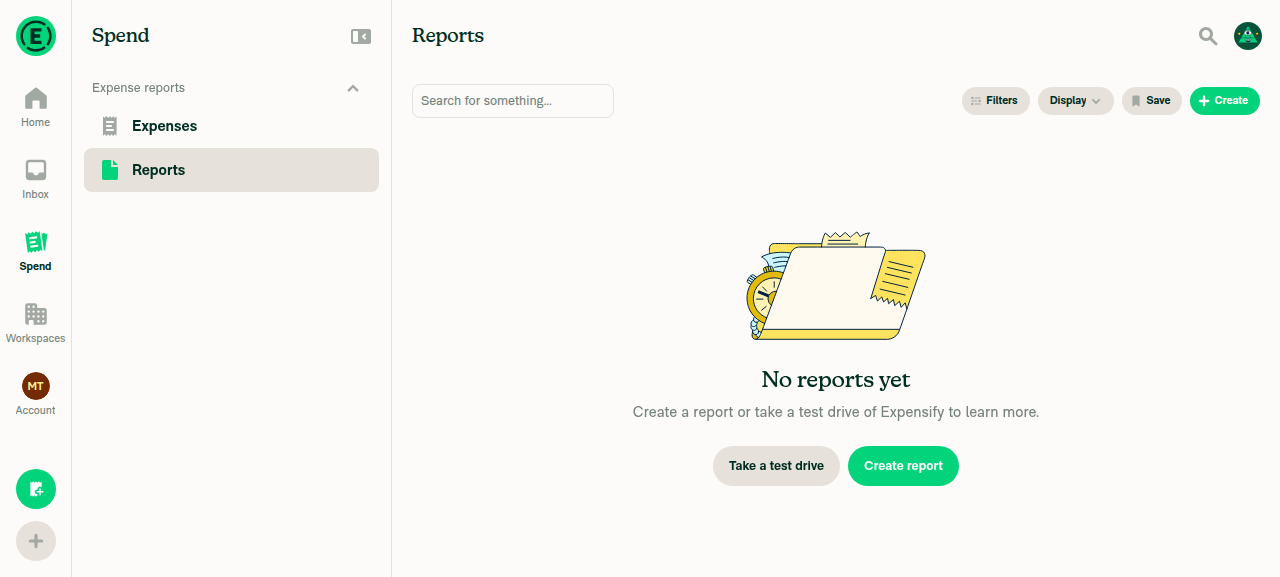
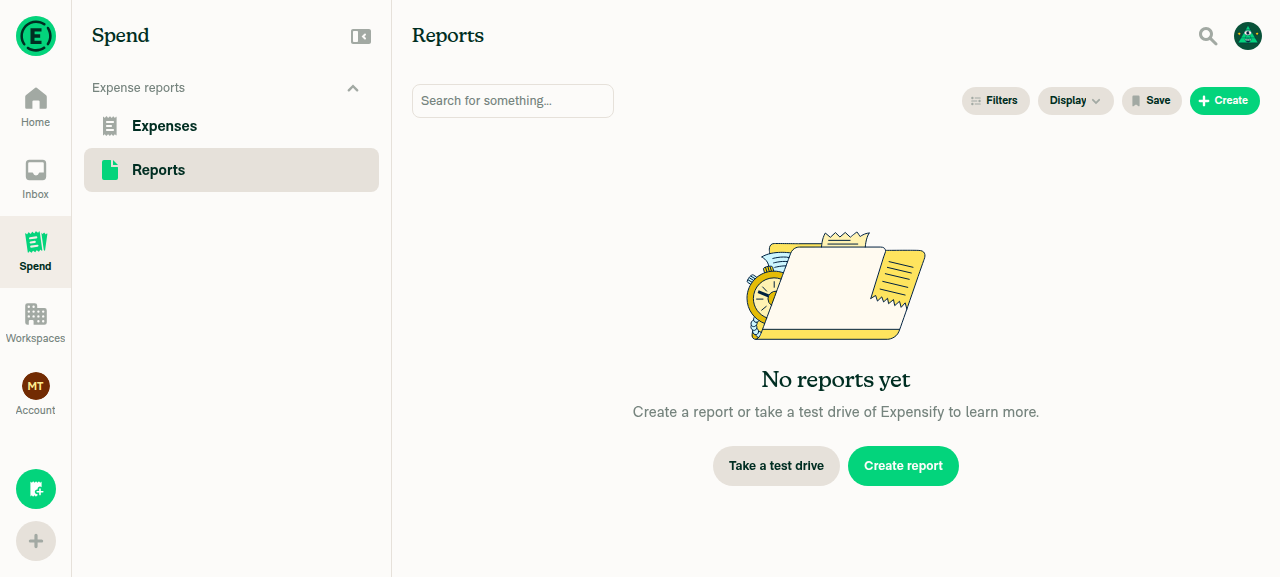
Reports selected in Spend LHN
Reports still selected after Inbox to Spend round trip
2. Repeat with a different LHN item on a second round tripSelected Expenses, visited Inbox, returned — still Expenses. 92460 stays fixed across repeats.
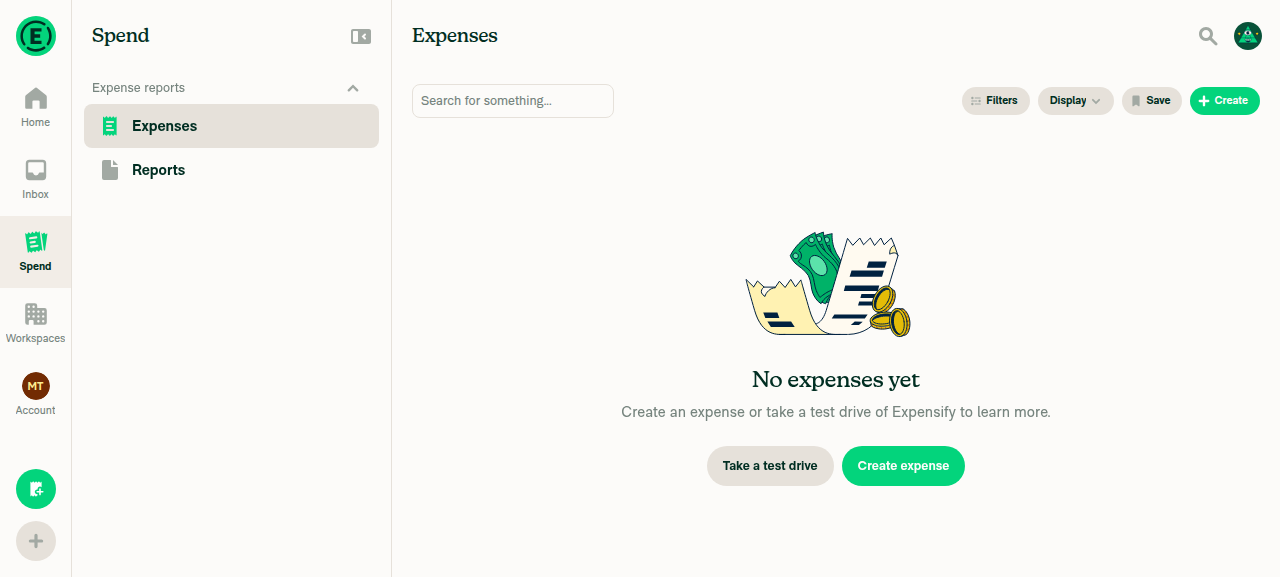
Expenses still selected after second round trip
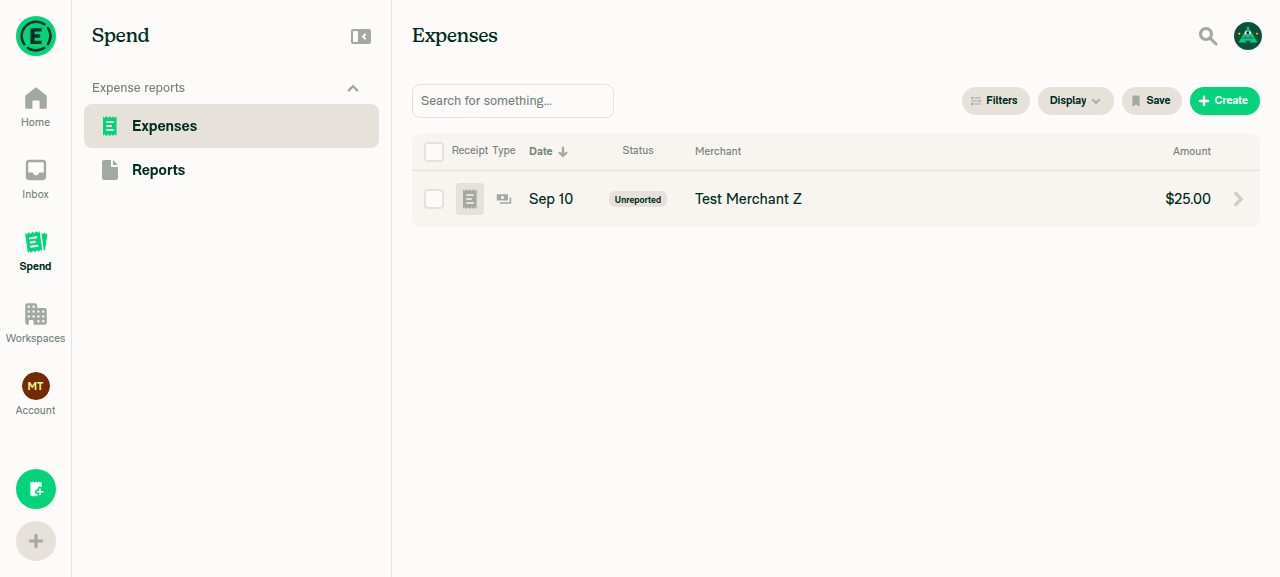
3. Filter on Expenses survives an Inbox round tripStatus: Approved chip and Reset were still present after returning to Spend.
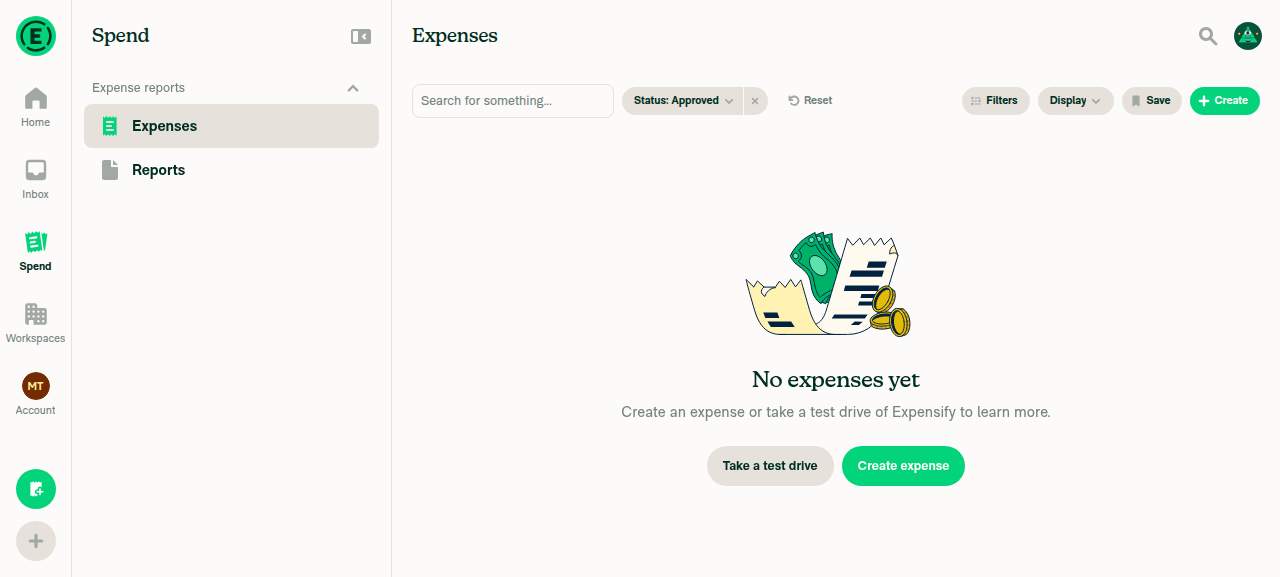
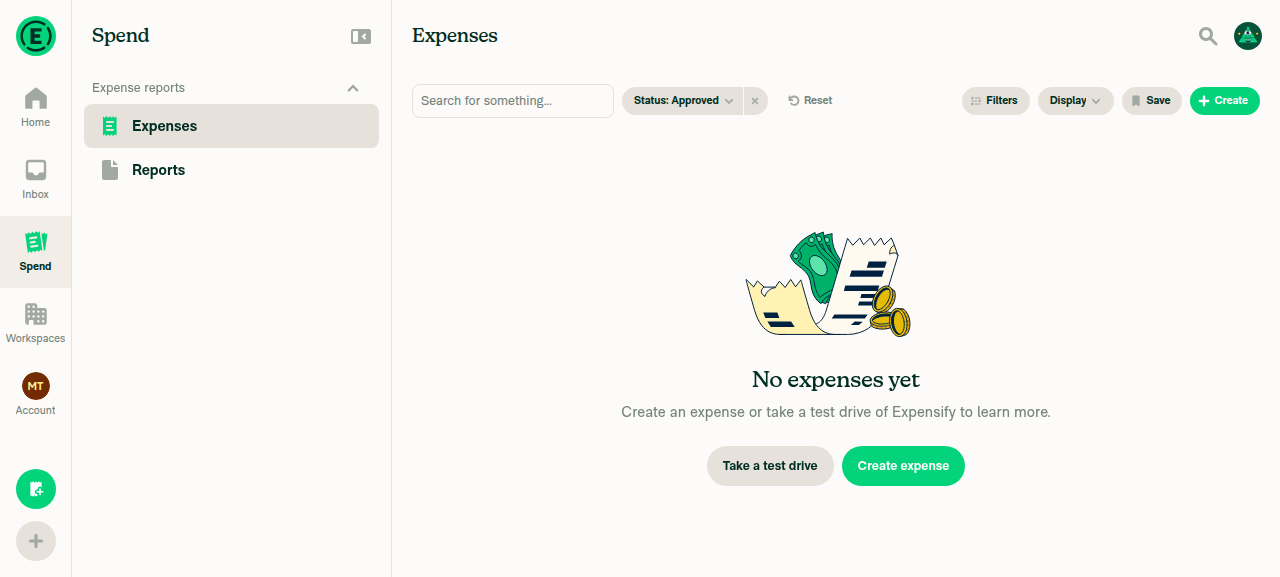
Status Approved chip with X and Reset before navigating away
Filter chip and Reset still present after Inbox to Spend round trip
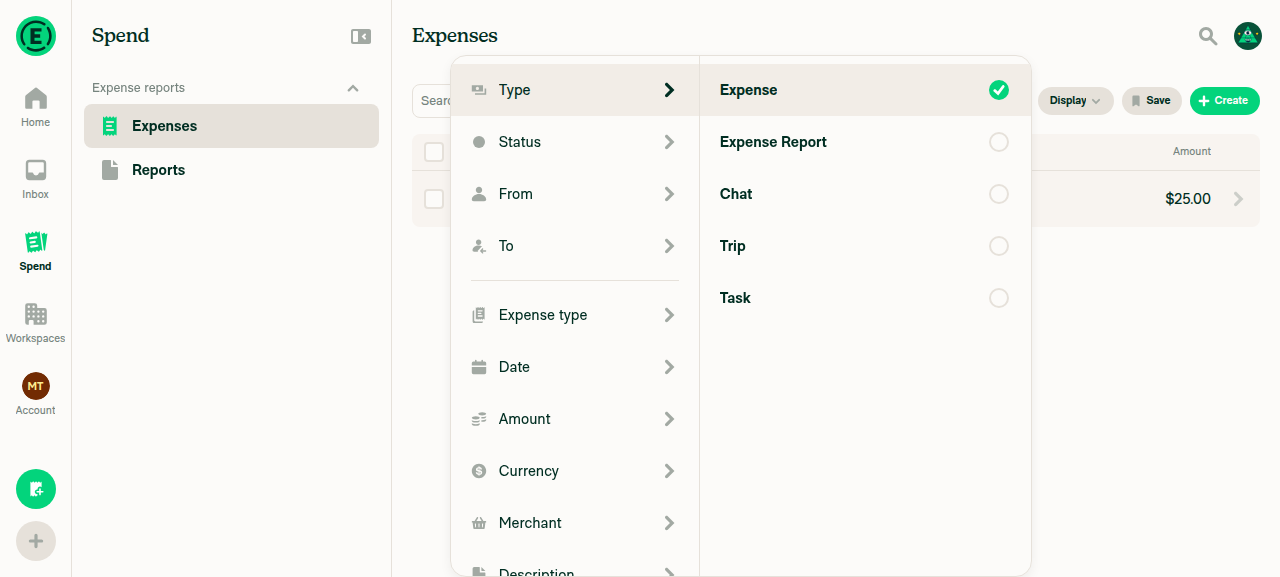
4. Non-Type filter gets an ✕ and shows Reset; default chips have no ✕Status: Approved rendered with a visible ✕ plus a Reset link. The default Type: Expense is never rendered as a chip at all.
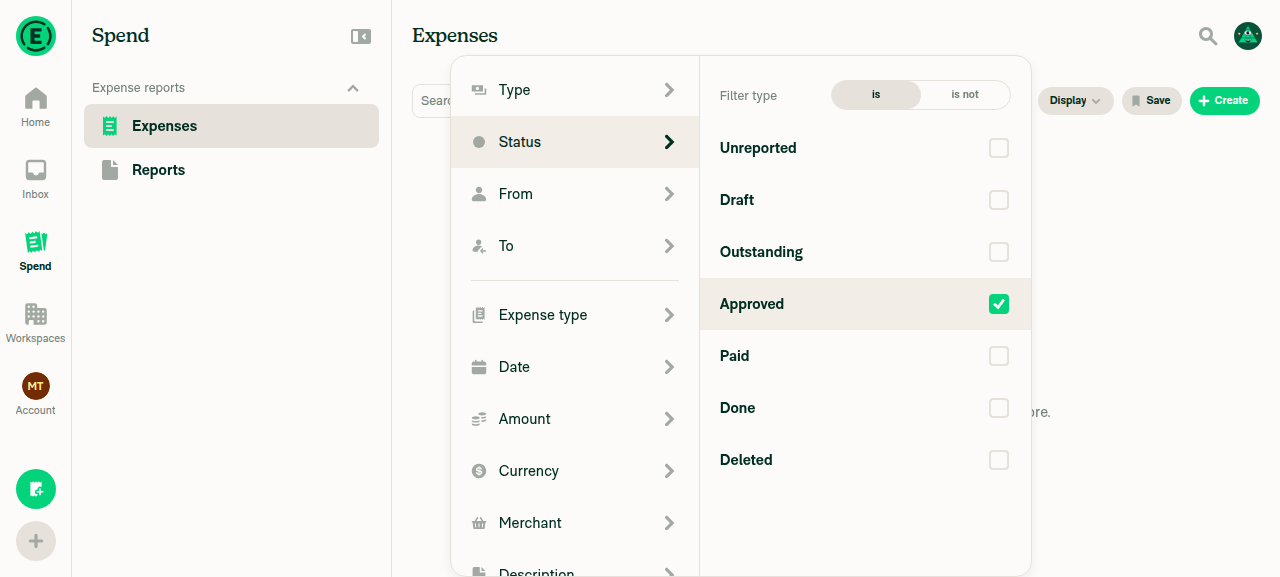
Status Approved chip with X and Reset button
5. Switching suggested searches and back restores filtersExpenses (filtered) → Reports → back: chip and Reset reappeared exactly as before.
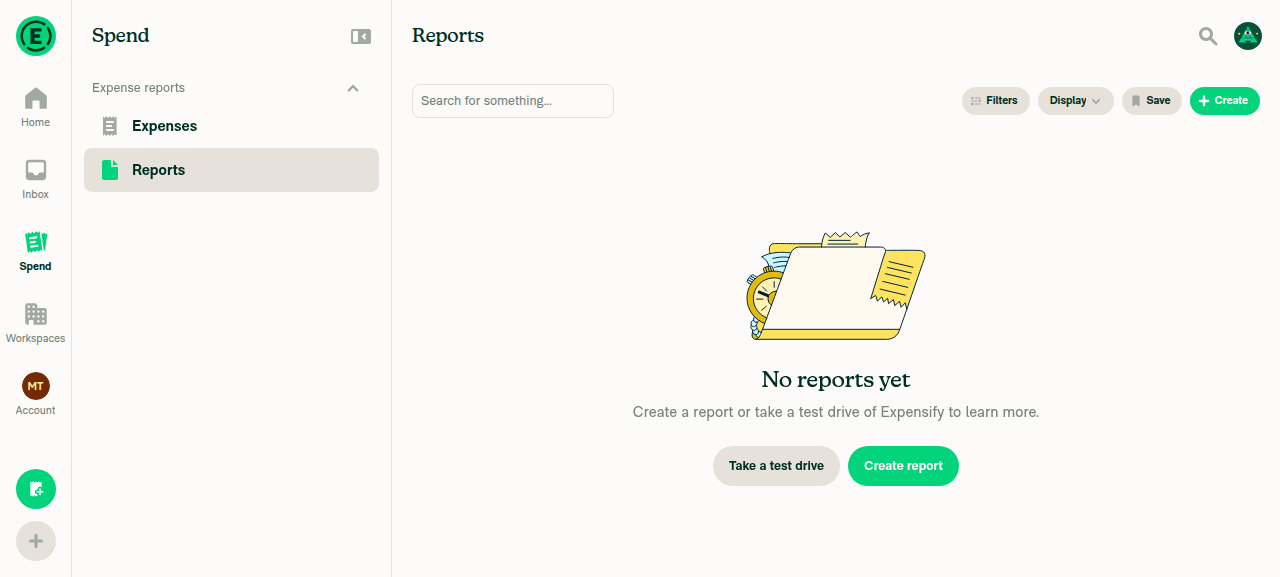
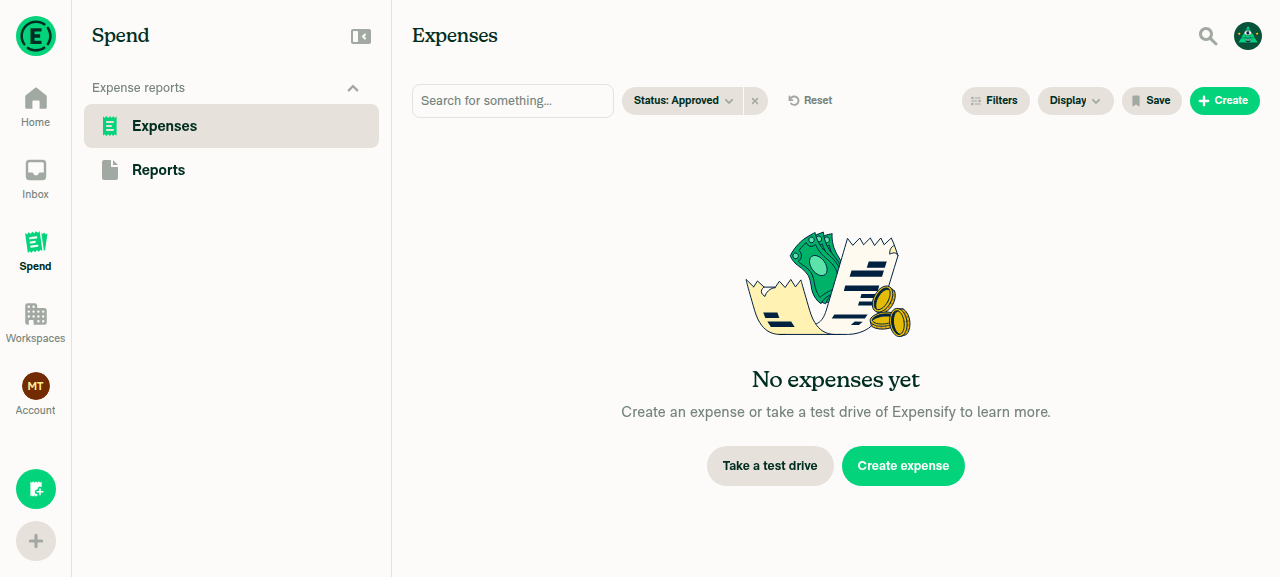
Switched to Reports suggested search
Filter restored after switching back to Expenses
6. Reset on a suggested search returns to default and hides ResetChip removed and the Reset button itself disappeared.
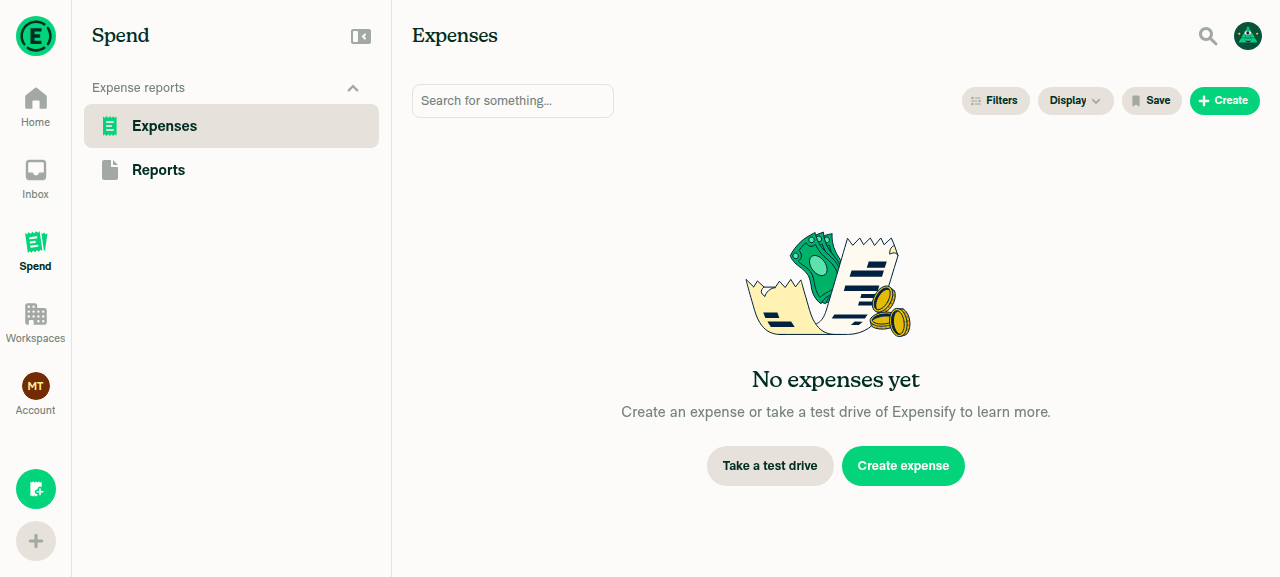
Default Expenses search after pressing Reset
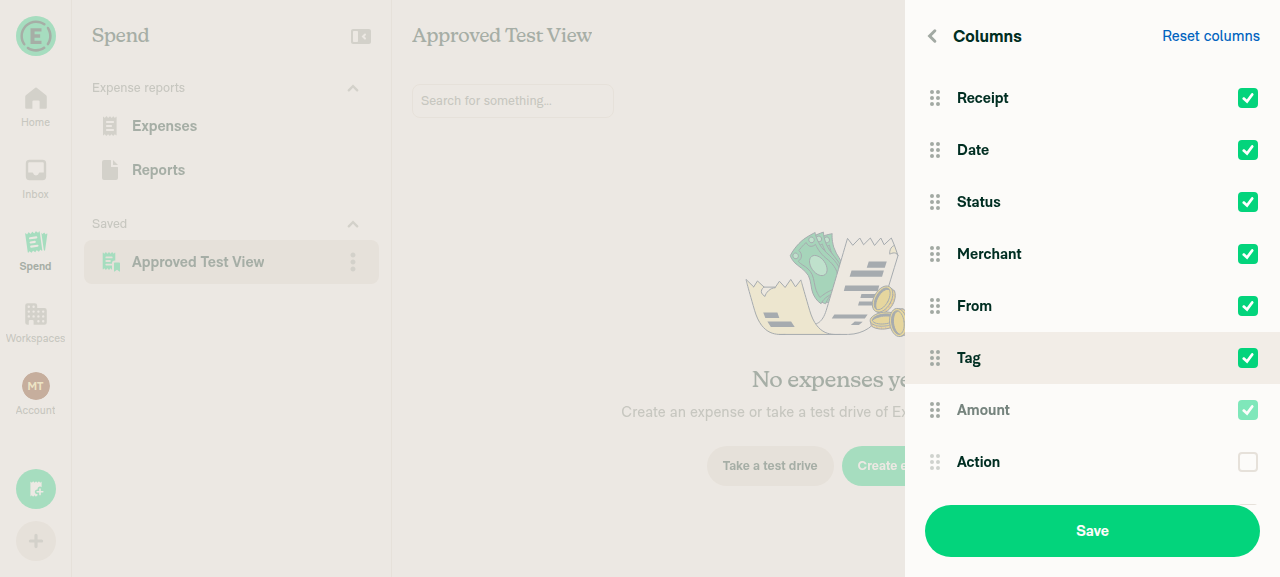
7. Reset on a SAVED view — filters, columns, highlight, titleFilters wiped and Reset disappeared, but header and sidebar stayed on "Approved Test View". Custom columns survived untouched — matching your report. This is regression 1 above.
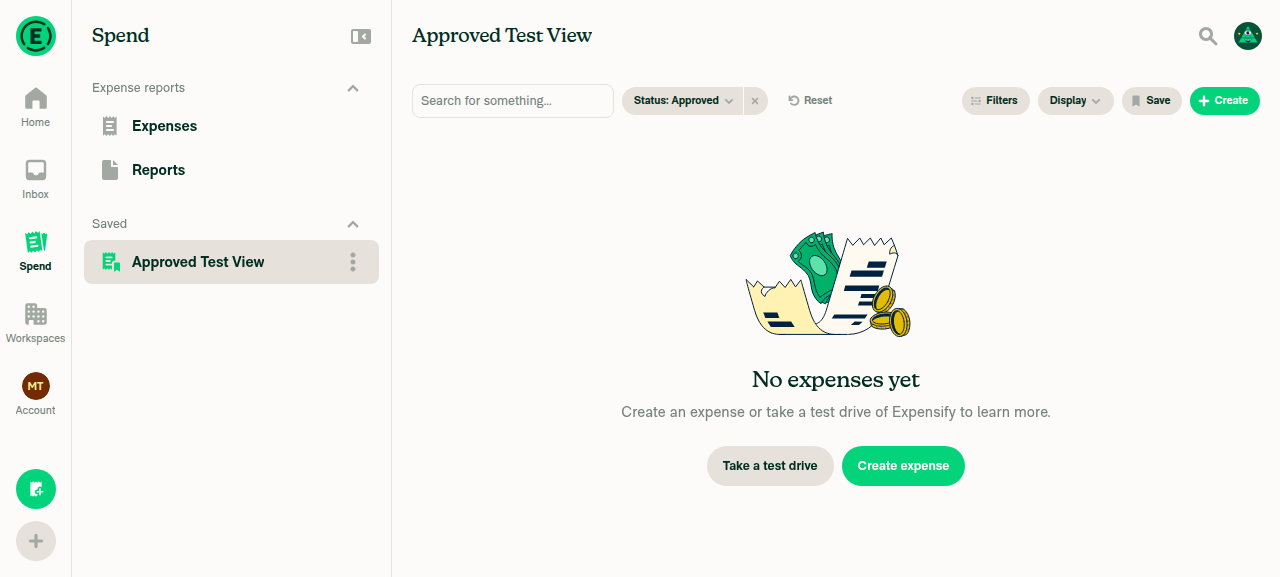
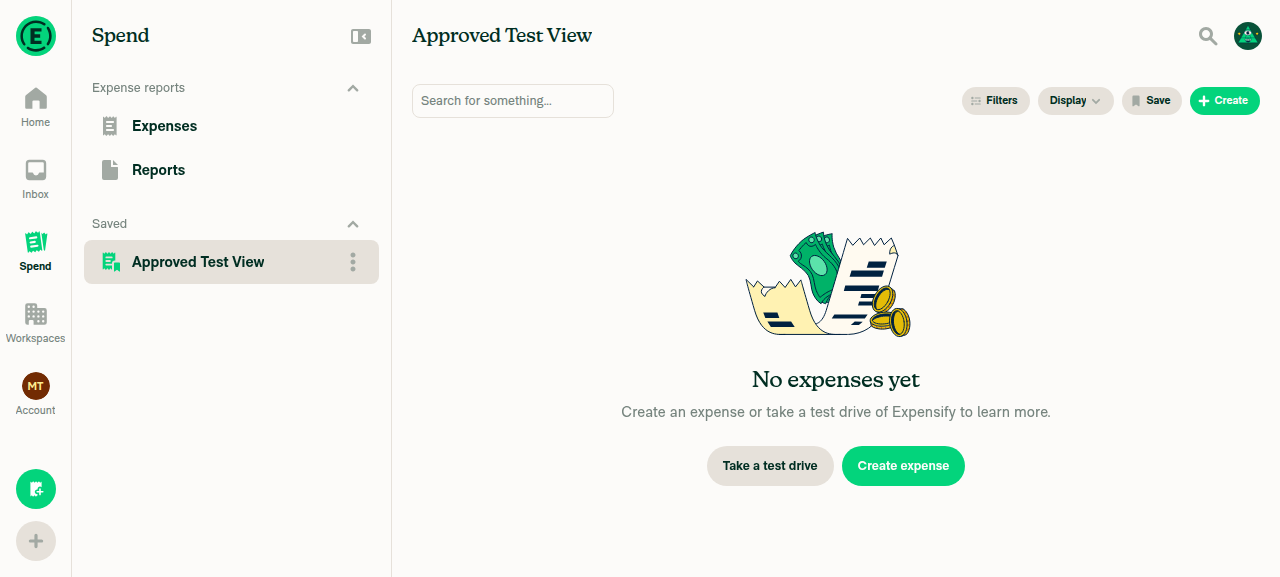
Saved view Approved Test View created with filter and custom columns
After Reset filters gone but header and sidebar still show Approved Test View
Edit columns panel shows custom column set survived the Reset
⚠️
8. Changing Columns on a saved search doesn't switch type to ExpensesUnchecked Merchant while on the saved view; header stayed on the view, and the change stuck across an Inbox round trip. The earlier columns bug is fixed.
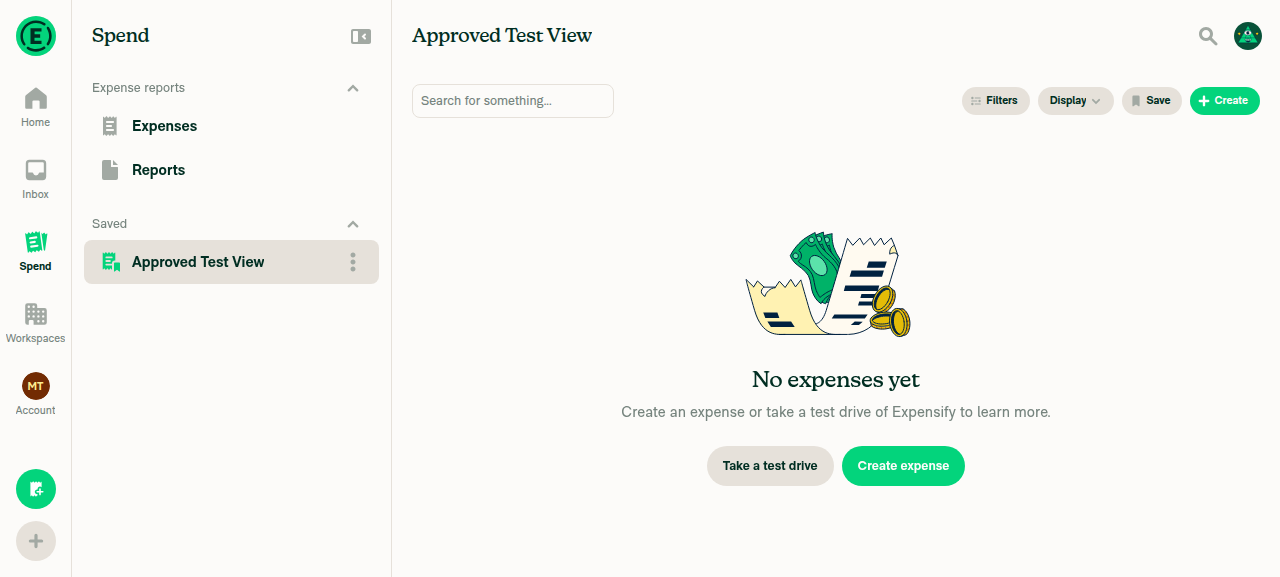
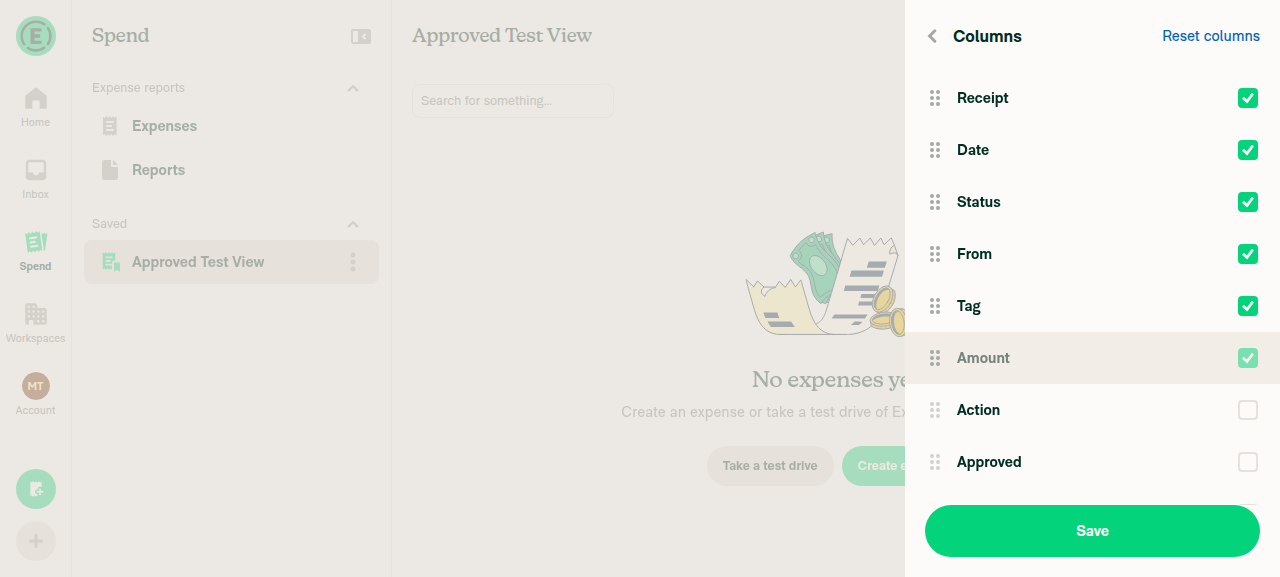
Header still Approved Test View after changing columns
Columns still stuck after navigating away and back
9. Non-date sort survives leaving and returningSorted by From; after an Inbox round trip the arrow was still on From, not reverted to Date.
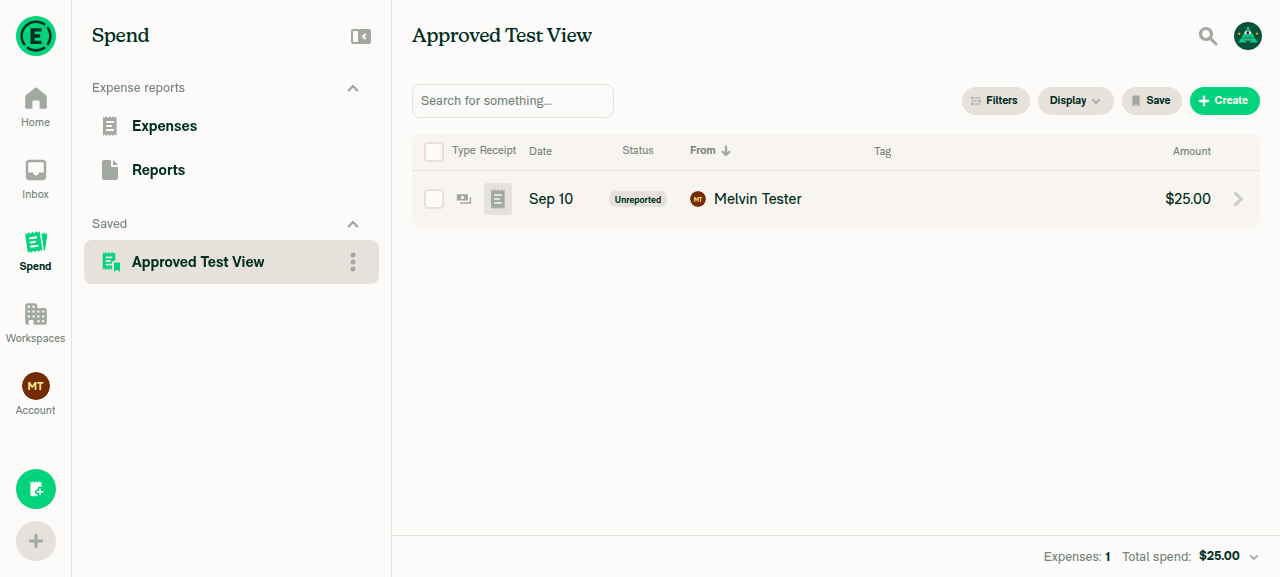
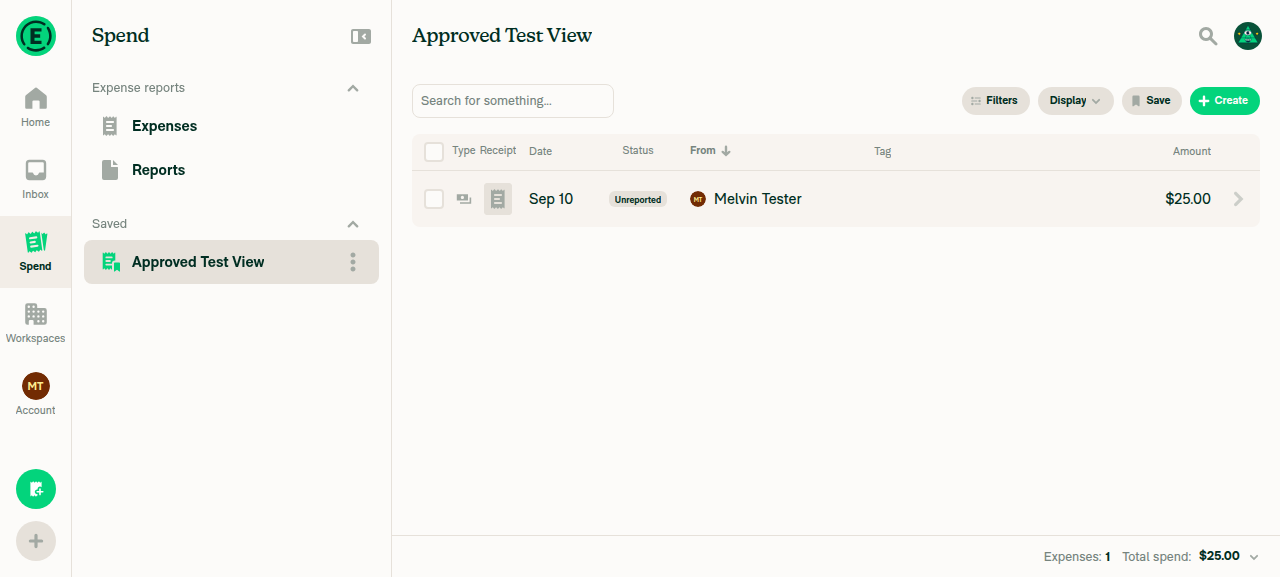
Sort switched to From column
Sort by From persisted after round trip
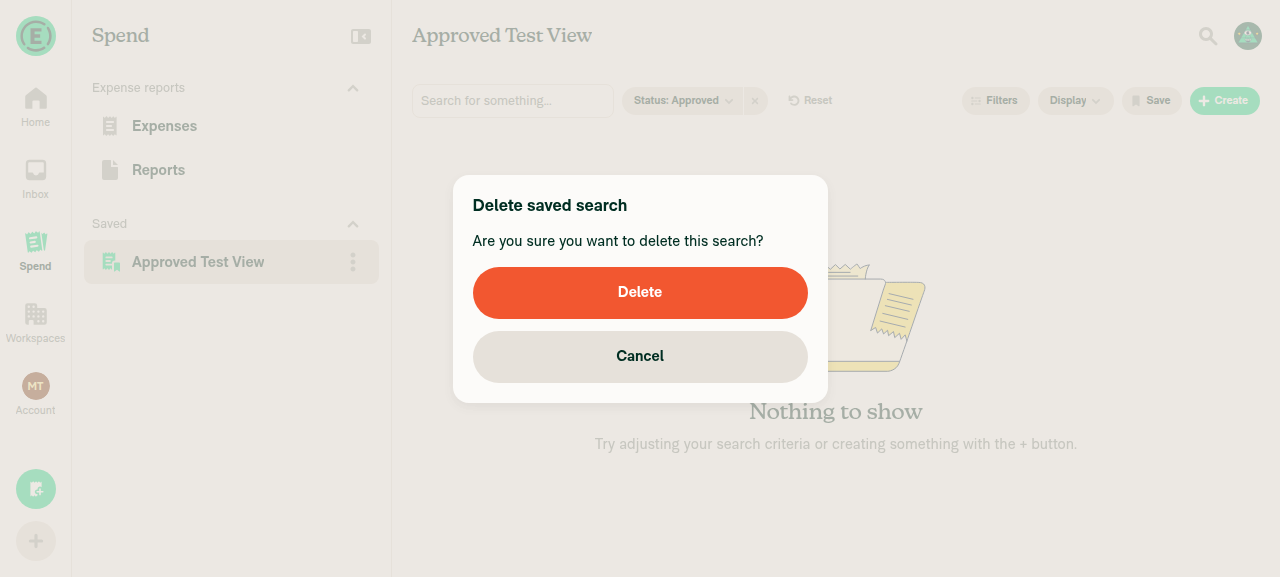
10. Deleting the open saved viewNo crash, and header/sidebar agree on Expenses afterwards. But the Status: Approved filter that Expenses had held all session was gone — reverted to bare default. This is regression 2 above.
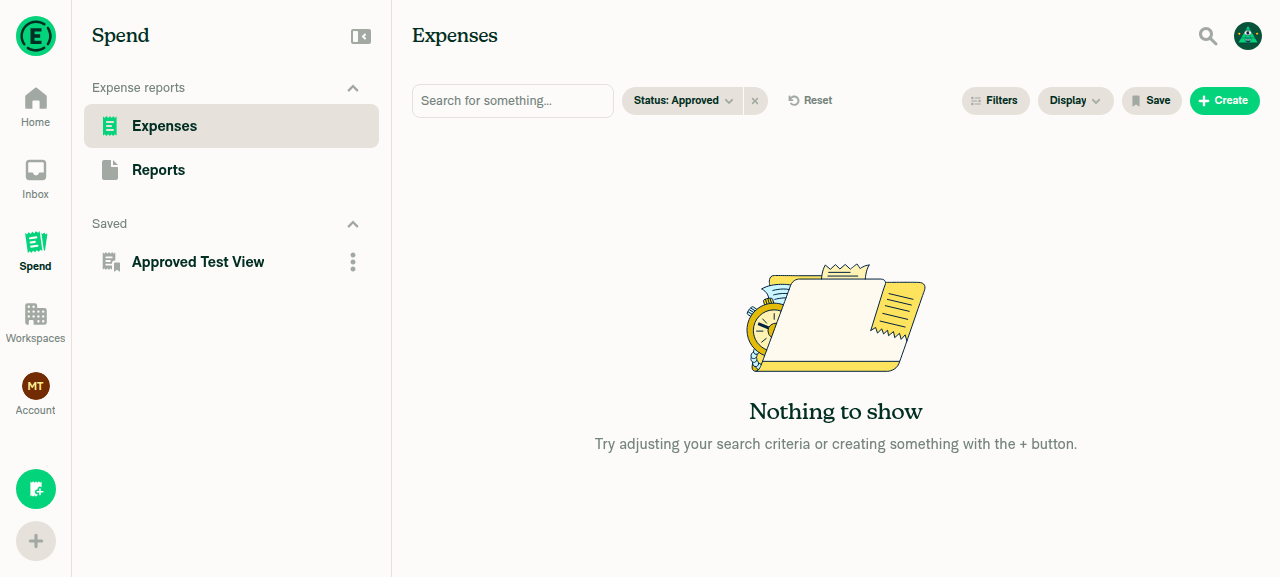
Expenses tab remembered Status Approved filter before switching to saved view
Delete saved search confirmation dialog
After delete header and sidebar both show Expenses but filter chip is gone
Filters dialog after delete shows only default Type Expense

The other items from my earlier passes are unchanged at c0b8ab7 — custom sorts persisted via the backend-rewritten inputQuery, rand64() saved-search IDs, and the missing failureData rollback on the NVP write. Details in that comment.


Next Steps: Reply with @MelvinBot <your feedback> to refine this.

@melvin-bot
melvin-bot Bot requested a review from JS00001 September 10, 2026 09:28
@trjExpensify

Copy link
Copy Markdown
Contributor

Is this bug or expected? After reset on saved search, columns (saved on the top of saved search) still remaining

bug.mov

Yeah, I think this is expected. In the vid you reset the filters, but not the columns. The button for that is inside the columns selector.

@JS00001
JS00001 merged commit e1071f8 into Expensify:main Sep 10, 2026
37 of 40 checks passed
@github-actions

Copy link
Copy Markdown
Contributor

🚧 JS00001 has triggered a test Expensify/App build. You can view the workflow run here.

@OSBotify

Copy link
Copy Markdown
Contributor

✋ This PR was not deployed to staging yet because QA is ongoing. It will be automatically deployed to staging after the next production release.

@OSBotify

Copy link
Copy Markdown
Contributor

🚀 Deployed to staging by https://github.com/JS00001 in version: 9.4.76-0 🚀

platform result
🕸 web 🕸 success ✅
🤖 android 🤖 success ✅
🍎 iOS 🍎 success ✅

@MelvinBot

MelvinBot commented Sep 10, 2026

Copy link
Copy Markdown
Contributor

Yes — help site changes were required. Draft PR: #100898

This PR changes behavior that three published articles described incorrectly:

Change in this PR Docs impact
Each search view keeps its own filters (nvp_searchFilters) Articles implied filters are lost when you navigate away
Clear replaced with Reset, shown only when filters differ from the view's defaults Button was undocumented
Default filters render first and have no x button Undocumented — likely support question ("why can't I remove this filter?")

Files updated in the docs PR:

  • docs/articles/new-expensify/reports-and-expenses/Getting-Started-with-the-Spend-Page.md — new ## How filters are saved for each Spend view and ## How to reset filters on a Spend view sections, two FAQ entries, and a screenshot placeholder for the filters bar.
  • docs/articles/new-expensify/reports-and-expenses/Use-Search-Shortcuts.md — each shortcut keeps its last filters; corrects the "Can I customize the search shortcuts?" FAQ, which said nothing about a shortcut could be changed.
  • docs/articles/new-expensify/reports-and-expenses/Using-Reports-in-New-Expensify.md — one line after the filter steps and one in the saved search section.
How the copy was verified

Labels were checked against the live UI on web, not inferred from the diff: the filters bar shows Filters, Display, Save, Create; applying a filter adds a pill with an x and a control labeled exactly Reset (matching common.reset in src/languages/en.ts:278 and SearchFiltersResetButton.tsx). The switch-away-and-back check could not be completed in the test session because a "Take a test drive" overlay blocked the sidebar, so that part of the copy is based on the PR and issue description — please confirm it.

Writing follows docs/HELP_AUTHORING_GUIDELINES.md (task-based ## headings, no new # headings), docs/HELPSITE_NAMING_CONVENTIONS.md (bold, sentence-case UI labels, no quotation marks), and docs/TEMPLATE.md.

@bernhardoj, please review the linked help site PR and confirm it reflects the current behavior. Then mark the linked help site PR Ready for review


view run · no recording available

@vincdargento

Copy link
Copy Markdown

Deploy Blocker #100909 was identified to be related to this PR.

@vincdargento

Copy link
Copy Markdown

Deploy Blocker #100911 was identified to be related to this PR.

@vincdargento

Copy link
Copy Markdown

Deploy Blocker #100916 was identified to be related to this PR.

@jponikarchuk

Copy link
Copy Markdown

Deploy Blocker #100933 was identified to be related to this PR.

@jponikarchuk

Copy link
Copy Markdown

Deploy Blocker #100963 was identified to be related to this PR.

@OSBotify

Copy link
Copy Markdown
Contributor

🚀 Deployed to production by https://github.com/mountiny in version: 9.4.76-1 🚀

platform result
🕸 web 🕸 success ✅
🤖 android 🤖 success ✅
🍎 iOS 🍎 success ✅

Bundle Size Analysis (Sentry):

Sign up for free to join this conversation on GitHub. Already have an account? Sign in to comment

Labels

None yet

Projects

None yet

Development

Successfully merging this pull request may close these issues.