Skip to content

Surface "Create a rule" prompt on expense edits to drive merchant rule adoption in-situ - #99164

Merged
JS00001 merged 58 commits into
Expensify:mainfrom
Krishna2323:krishna2323/issue-96354
Sep 10, 2026
Merged

Surface "Create a rule" prompt on expense edits to drive merchant rule adoption in-situ#99164
JS00001 merged 58 commits into
Expensify:mainfrom
Krishna2323:krishna2323/issue-96354

Conversation

@Krishna2323

@Krishna2323 Krishna2323 commented Aug 21, 2026

Copy link
Copy Markdown
Contributor

Explanation of Change

Fixed Issues

$ #96354
PROPOSAL:

Tests

Prereqs

Control workspace with Rules, Categories, multi-level Tags, and Taxes enabled; rulesRevamp beta; workspace admin; expense with a merchant (e.g. Uber); second non-admin account.

A. Banner

  • Edit Category on a wide screen → banner appears above composer with lightbulb, , and "Create a rule to apply your changes to all expenses that match your criteria."
  • Create a rule is bold/blue in light and dark mode.
  • Banner doesn't shift the composer/conversation, stays pinned while scrolling, and wraps cleanly without breaking words.
  • Narrow/mWeb/native → banner appears below the report header.
  • Wide RHP → banner appears above the composer.
  • Only one banner is shown.

B. Triggers

Banner appears for: Category, Tag, Tax, Description, Billable, Reimbursable.
Doesn't appear for: Merchant, Amount, Date.

C. Rule prefill

  • Tap Create a rule → merchant rule editor opens with Merchant + edited field pre-filled; everything else Don't change.
  • Multi-level Tags → all levels pre-filled.
  • Tax → rate/name/percentage preserved, including renamed taxes.
  • Description → markdown preserved, not HTML.
  • Billable/Reimbursable → actual expense value.

D. Navigation

  • Save → returns to the same expense and rule appears under Expense defaults.
  • Back without saving → returns to the expense with no rule created.
  • Banner disappears after either; editing again brings it back.

E. Dismissal

  • dismisses the banner for that expense for the session.
  • Returning/editing the same expense doesn't show it again.
  • Editing another expense shows its banner.
  • Navigating away without dismissing also consumes the offer; editing again brings it back.
  • Reload resets dismissals.
  • Known limitation: only the most recently edited expense can show the banner.

F. Visibility

Banner should not appear for:

  • Non-admins
  • Workspaces with Rules disabled
  • Personal/self-DM expenses
  • Expenses without a merchant
  • Multi-expense report list view

G. Existing flow

  • Rules → Expense defaults → Add merchant rule opens empty.
  • Saving/editing existing rules still returns to the Rules page.
  • Category RHP rule creation still pre-scopes the category.
  • Verify that no errors appear in the JS console

Offline tests

  1. Go offline and edit Category.
  2. Verify the tooltip and prefilled rule editor still work.
  3. Save and verify you return to the expense and the rule is pending.
  4. Reconnect and verify it syncs without errors.

QA Steps

  • Same as tests

  • Verify that no errors appear in the JS console

PR Author Checklist

  • I linked the correct issue in the ### Fixed Issues section above
  • I wrote clear testing steps that cover the changes made in this PR
    • I added steps for local testing in the Tests section
    • I added steps for the expected offline behavior in the Offline steps section
    • I added steps for Staging and/or Production testing in the QA steps section
    • I added steps to cover failure scenarios (i.e. verify an input displays the correct error message if the entered data is not correct)
    • I turned off my network connection and tested it while offline to ensure it matches the expected behavior (i.e. verify the default avatar icon is displayed if app is offline)
    • I tested this PR with a High Traffic account against the staging or production API to ensure there are no regressions (e.g. long loading states that impact usability).
  • I included screenshots or videos for tests on all platforms
  • I ran the tests on all platforms & verified they passed on:
    • Android: Native
    • Android: mWeb Chrome
    • iOS: Native
    • iOS: mWeb Safari
    • MacOS: Chrome / Safari
    • MacOS: Desktop
  • I verified there are no console errors (if there's a console error not related to the PR, report it or open an issue for it to be fixed)
  • I verified there are no new alerts related to the canBeMissing param for useOnyx
  • I followed proper code patterns (see Reviewing the code)
    • I verified that any callback methods that were added or modified are named for what the method does and never what callback they handle (i.e. toggleReport and not onIconClick)
    • I verified that comments were added to code that is not self explanatory
    • I verified that any new or modified comments were clear, correct English, and explained "why" the code was doing something instead of only explaining "what" the code was doing.
    • I verified any copy / text shown in the product is localized by adding it to src/languages/* files and using the translation method
      • If any non-english text was added/modified, I used JaimeGPT to get English > Spanish translation. I then posted it in #expensify-open-source and it was approved by an internal Expensify engineer. Link to Slack message:
    • I verified all numbers, amounts, dates and phone numbers shown in the product are using the localization methods
    • I verified any copy / text that was added to the app is grammatically correct in English. It adheres to proper capitalization guidelines (note: only the first word of header/labels should be capitalized), and is either coming verbatim from figma or has been approved by marketing (in order to get marketing approval, ask the Bug Zero team member to add the Waiting for copy label to the issue)
    • I verified proper file naming conventions were followed for any new files or renamed files. All non-platform specific files are named after what they export and are not named "index.js". All platform-specific files are named for the platform the code supports as outlined in the README.
    • I verified the JSDocs style guidelines (in STYLE.md) were followed
  • If a new code pattern is added I verified it was agreed to be used by multiple Expensify engineers
  • I followed the guidelines as stated in the Review Guidelines
  • I tested other components that can be impacted by my changes (i.e. if the PR modifies a shared library or component like Avatar, I verified the components using Avatar are working as expected)
  • I verified all code is DRY (the PR doesn't include any logic written more than once, with the exception of tests)
  • I verified any variables that can be defined as constants (ie. in CONST.ts or at the top of the file that uses the constant) are defined as such
  • I verified that if a function's arguments changed that all usages have also been updated correctly
  • If any new file was added I verified that:
    • The file has a description of what it does and/or why is needed at the top of the file if the code is not self explanatory
  • If a new CSS style is added I verified that:
    • A similar style doesn't already exist
    • The style can't be created with an existing StyleUtils function (i.e. StyleUtils.getBackgroundAndBorderStyle(theme.componentBG))
  • If new assets were added or existing ones were modified, I verified that:
    • The assets are optimized and compressed (for SVG files, run npm run compress-svg)
    • The assets load correctly across all supported platforms.
  • If the PR modifies code that runs when editing or sending messages, I tested and verified there is no unexpected behavior for all supported markdown - URLs, single line code, code blocks, quotes, headings, bold, strikethrough, and italic.
  • If the PR modifies a generic component, I tested and verified that those changes do not break usages of that component in the rest of the App (i.e. if a shared library or component like Avatar is modified, I verified that Avatar is working as expected in all cases)
  • If the PR modifies a component related to any of the existing Storybook stories, I tested and verified all stories for that component are still working as expected.
  • If the PR modifies a component or page that can be accessed by a direct deeplink, I verified that the code functions as expected when the deeplink is used - from a logged in and logged out account.
  • If the PR modifies the UI (e.g. new buttons, new UI components, changing the padding/spacing/sizing, moving components, etc) or modifies the form input styles:
    • I verified that all the inputs inside a form are aligned with each other.
    • I added Design label and/or tagged @Expensify/design so the design team can review the changes.
  • If a new page is added, I verified it's using the ScrollView component to make it scrollable when more elements are added to the page.
  • I added unit tests for any new feature or bug fix in this PR to help automatically prevent regressions in this user flow.
  • If the main branch was merged into this PR after a review, I tested again and verified the outcome was still expected according to the Test steps.

Screenshots/Videos

Android: Native
android_hybrid.mp4
Android: mWeb Chrome
android_mWeb.mp4
iOS: Native
ios_hybrid.mp4
iOS: mWeb Safari
ios_mWeb.mp4
MacOS: Chrome / Safari
web_chrome.mp4

Signed-off-by: krishna2323 <belivethatkg@gmail.com>
@melvin-bot

melvin-bot Bot commented Aug 21, 2026

Copy link
Copy Markdown

Hey, I noticed you changed src/languages/en.ts in a PR from a fork. For security reasons, translations are not generated automatically for PRs from forks.

If you want to automatically generate translations for other locales, an Expensify employee will have to:

  1. Look at the code and make sure there are no malicious changes.
  2. Run the Generate static translations GitHub workflow. If you have write access and the K2 extension, you can simply click: [this button]

Alternatively, if you are an external contributor, you can run the translation script locally with your own OpenAI API key. To learn more, try running:

npx bun ./scripts/generateTranslations.ts --help

Typically, you'd want to translate only what you changed by running npx bun ./scripts/generateTranslations.ts --compare-ref main

@Krishna2323 Krishna2323 changed the title Krishna2323/issue 96354 Surface "Create a rule" prompt on expense edits to drive merchant rule adoption in-situ Aug 28, 2026
Signed-off-by: krishna2323 <belivethatkg@gmail.com>
…ations

Signed-off-by: krishna2323 <belivethatkg@gmail.com>
@Krishna2323
Krishna2323 marked this pull request as ready for review September 1, 2026 02:55
@Krishna2323
Krishna2323 requested review from a team as code owners September 1, 2026 02:55
@MelvinBot

MelvinBot commented Sep 10, 2026

Copy link
Copy Markdown
Contributor

🤖 Web test steps verification results: ✅ pass

I ran a web regression pass on krishna2323/issue-96354 and read the diff for breakage to existing behavior. Nothing I could exercise at runtime regressed — reports open, chat sends, MoneyRequestView renders, field edits save and return correctly, scrolling is stable, and the Rules settings page is intact, with no failed network calls all session. Reading the diff turned up one real regression plus one low-severity cost regression.

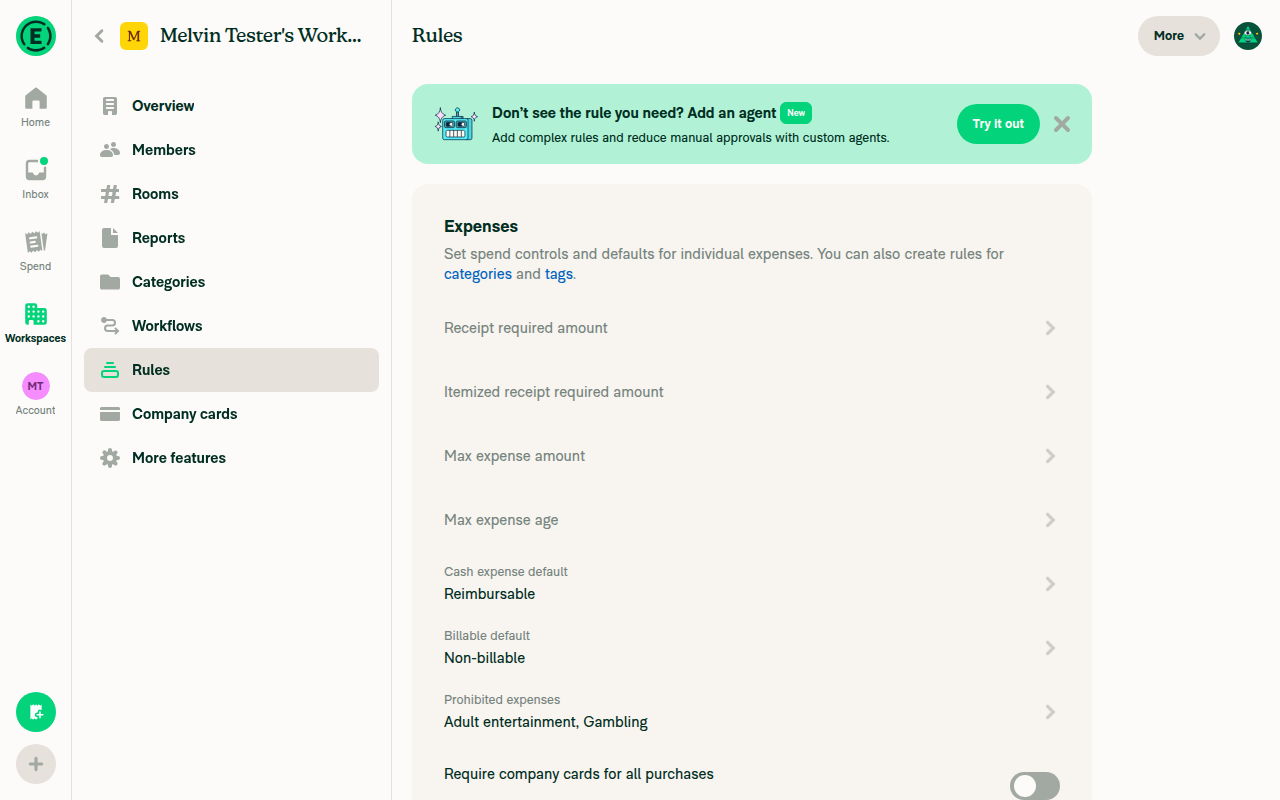
Workspace Rules settings page

Regressions found

1. 🟠 The callout covers and swallows taps on the "New messages" pill

While the callout is up on a narrow layout, the floating "New messages" counter is painted underneath it and its tap target is intercepted — along with whatever report action sits in the top ~60–70px of the list. Both are absolutely positioned siblings anchored at top: 0, and the callout wins at zIndex: 101 vs the pill's 100:

Trigger: narrow layout → single-expense report on a Control workspace with Rules + rulesRevamp → edit category/tag/tax/description/billable/reimbursable → scroll up so unread messages exist. The pill is unreachable until you dismiss the callout.

Your style comment says the stacking is deliberate, so the painting order may be an accepted trade-off. The tap-blocking half is not deliberate: the wrapper at MerchantRuleSuggestionBanner.tsx:136 is a plain <Animated.View> spanning the full width. Adding pointerEvents="box-none" to it fixes that for free.

2. 🟡 Extra Onyx write on every expense edit, including workspaces that can never show it

src/libs/actions/MerchantRuleSuggestion.ts:31 hardcodes isRulesRevampEnabled = true, which stops Collect workspaces being filtered out. Nothing becomes visible (the banner still gates on Control + beta + write access), but every category/tag/tax/description/billable/reimbursable edit on any paid group policy now does an Onyx.merge that notifies both banner mounts on every mounted report screen. New work on a hot path where there was none. Gating trackMerchantRuleSuggestion on isControlPolicy would confine it.

Verified clean — the areas I expected to break

I checked each of these line by line and they preserve existing behavior:

  • CONST 18 deletionseditRequestFields was extracted to src/CONST/index.ts:231-247 as as const with the same 16 keys/values/order and re-attached. No consumer's type or value changes.
  • useDynamicBackPath callers — all ~180 call sites use the default isEnabled = true; only the new useMerchantRuleRoute.ts passes a second arg. Old path is byte-for-byte preserved.
  • Existing Rules → Expense defaults → Add merchant rule flow — the new isEditing expression resolves identically for every static screen (each path carries :ruleID, each getRoute defaults it to 'new'), and MerchantRulePageBase only prepends an isCreatedFromExpense branch. Empty start, save, and back all still land on the Rules page. AddTaxPage's category-tax back path and AddMatchTypePage's back path both reproduce their old destinations.
  • UpdateMoneyRequestparams is untouched; the only onyxData change appends one failureData entry via optional chaining, keyed to a RAM-only key. trackMerchantRuleSuggestion runs strictly after API.write, so offline behavior is unchanged.
  • New routes — all 12 new dynamic paths are unique across the map; rule-* and merchant-rule/new appear nowhere else. Accidental tail-matches are rejected by the entryScreens check in getStateFromPath rather than mis-routing.
  • ReportFooter layout — the inserted child is either null or absolutely positioned at bottom: '100%', and chatFooter has no overflow: hidden. No height change, no reflow, no scroll-offset shift.
  • Double render — the two mounts are mutually exclusive across all four narrow × wideRHP combinations, and useIsFocused() suppresses the central-pane copy when the same report is open in an RHP.
  • ONYXKEYS / setup / ExportOnyxState / languages / cspell — purely additive, no key collisions, no existing translation string modified.

Adjacent, not a regression, worth a cheap check: createDynamicRoute throws if a query param exists in both the base path and the suffix, and RULES_MERCHANT_NEW_FROM_EXPENSE.getRoute() appends ?policyID=… (src/ROUTES.ts:1036). If any of the four entryScreens can carry a policyID query param, pressing "Create a rule" from it throws. I did not confirm either way.

Runtime test results

Step Status
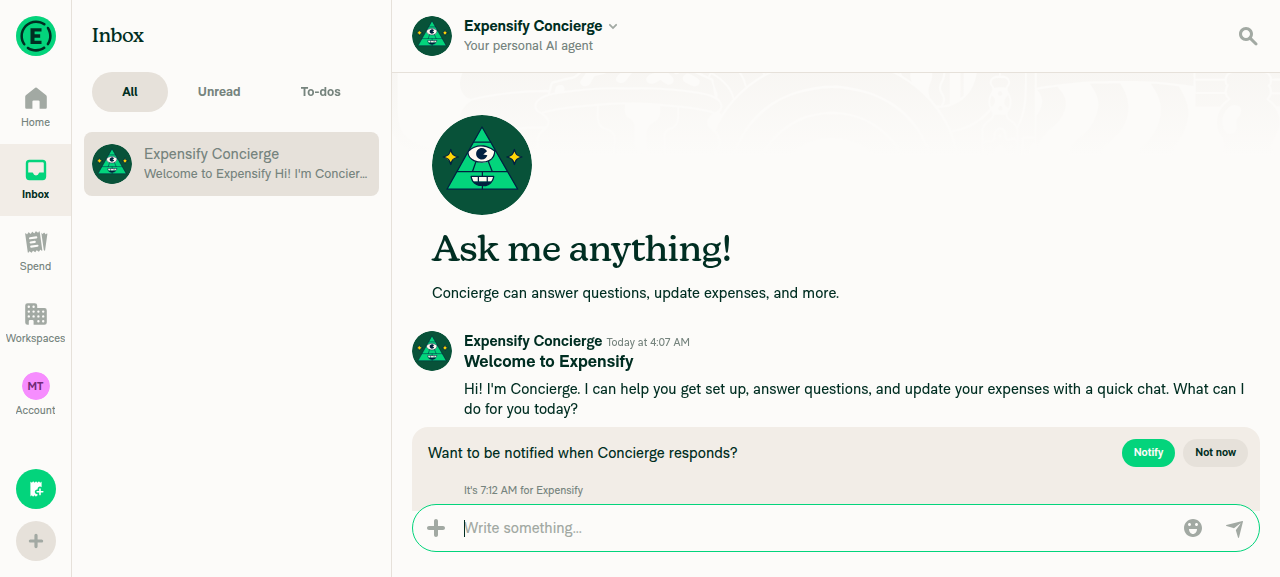
Report opens: header, message list, composer render, no errorsOpened Inbox → Concierge. Header, message list and composer all rendered correctly.
Report opens with header, message list, composer
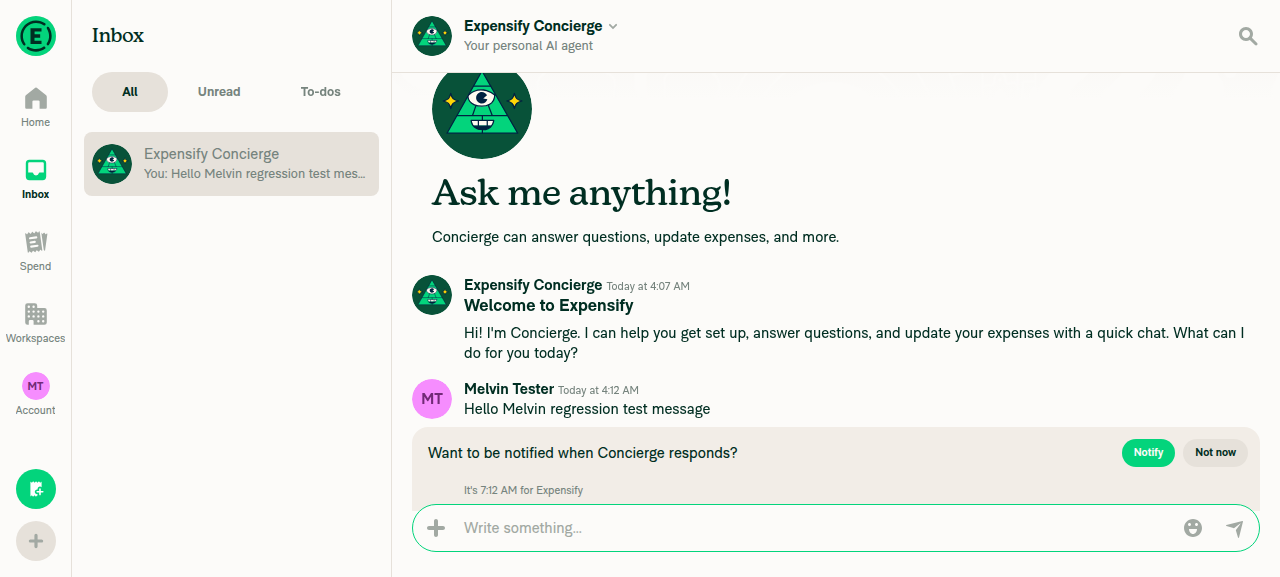
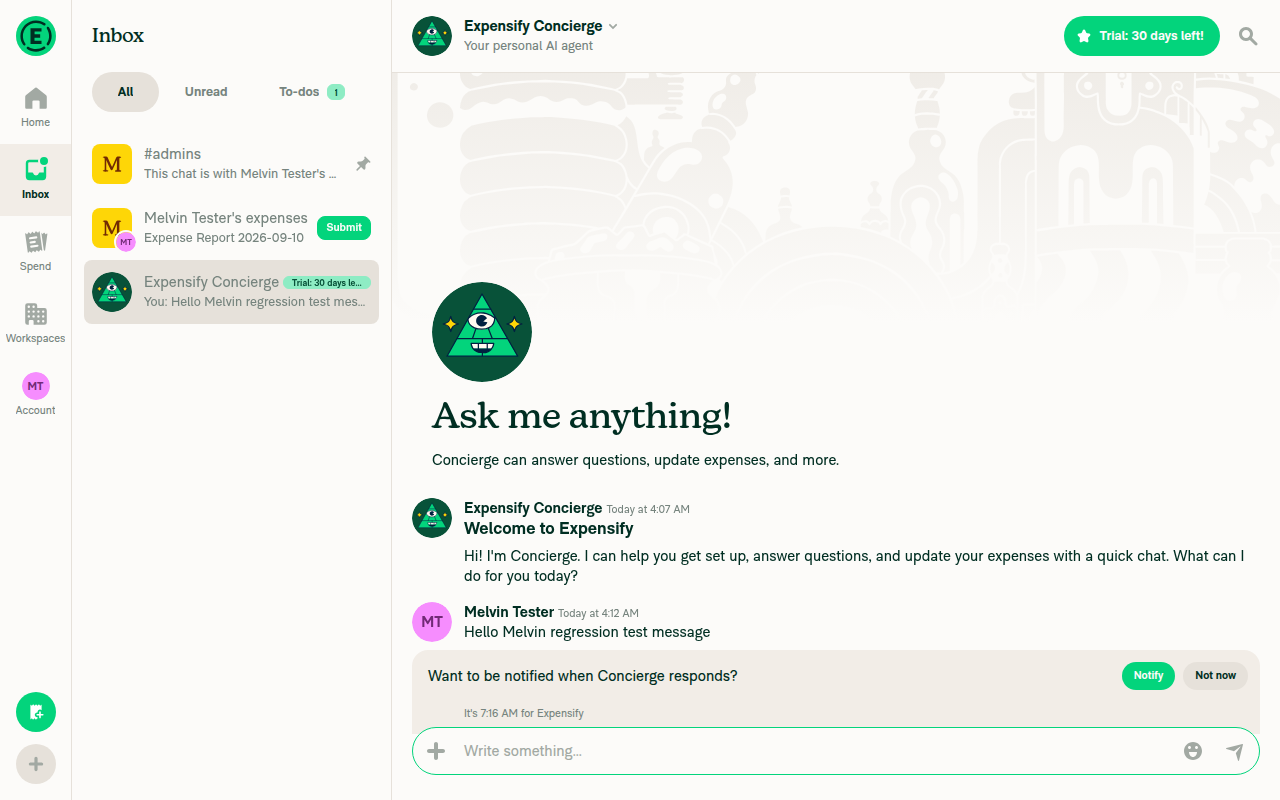
Send a chat message and it appears in the listSent a message in Concierge; it appeared immediately in the thread and in the LHN preview.
Chat message sent and shown in list
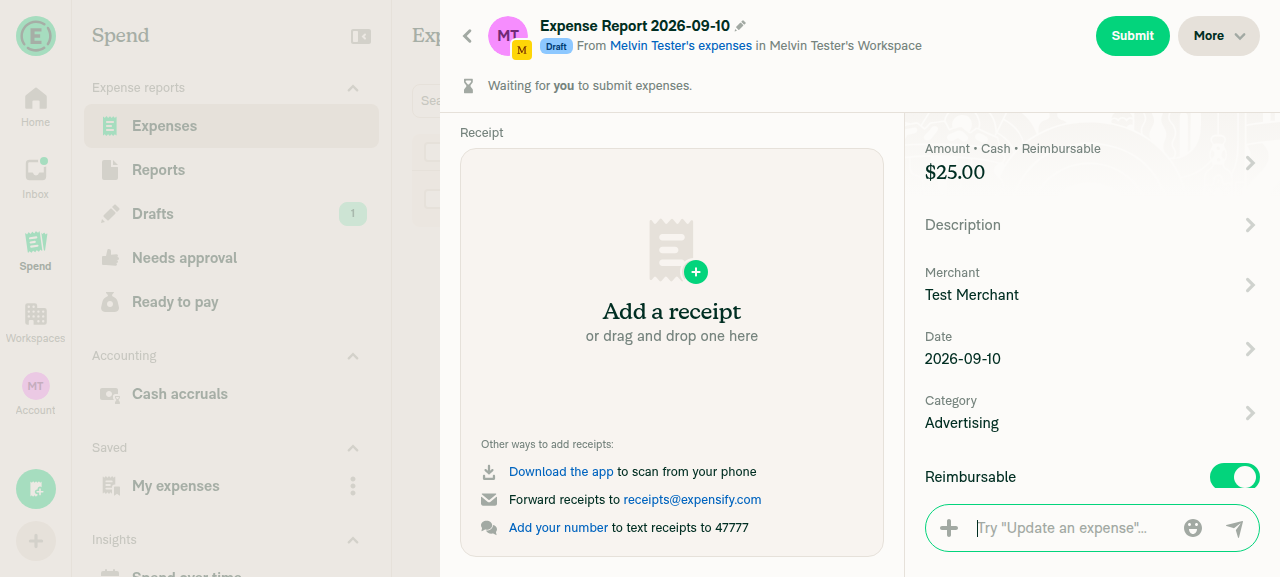
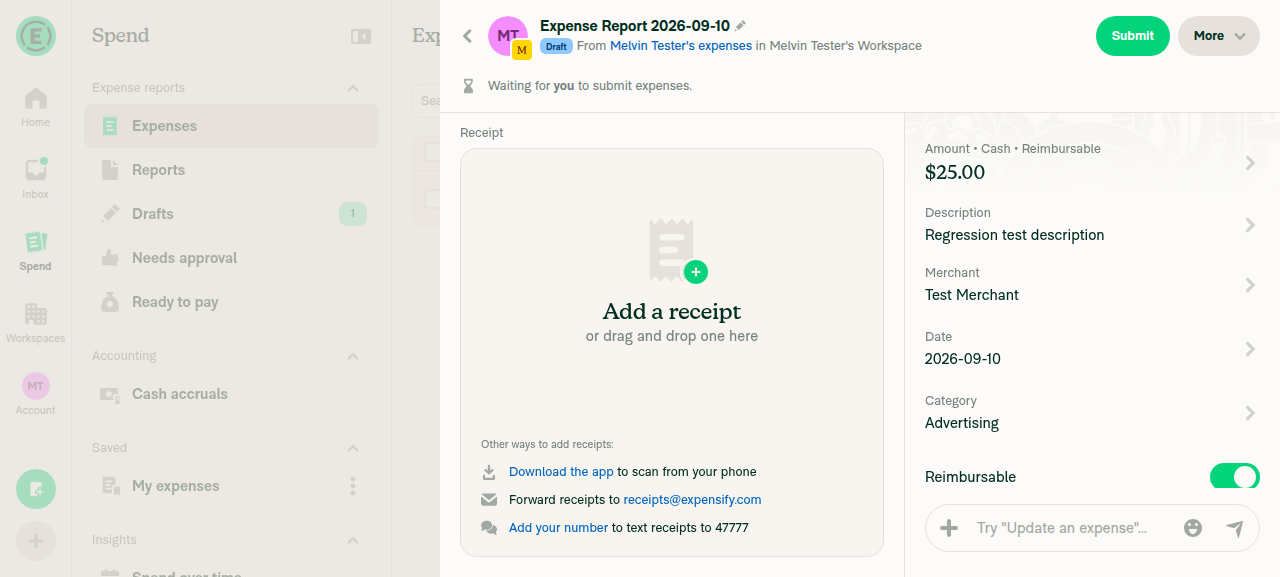
Expense details (MoneyRequestView) render normallyCreated a workspace and a $25.00 manual expense. Receipt panel, Amount, Description, Merchant, Date, Category, Reimbursable toggle and Report link all rendered with no layout defects.
MoneyRequestView expense details render
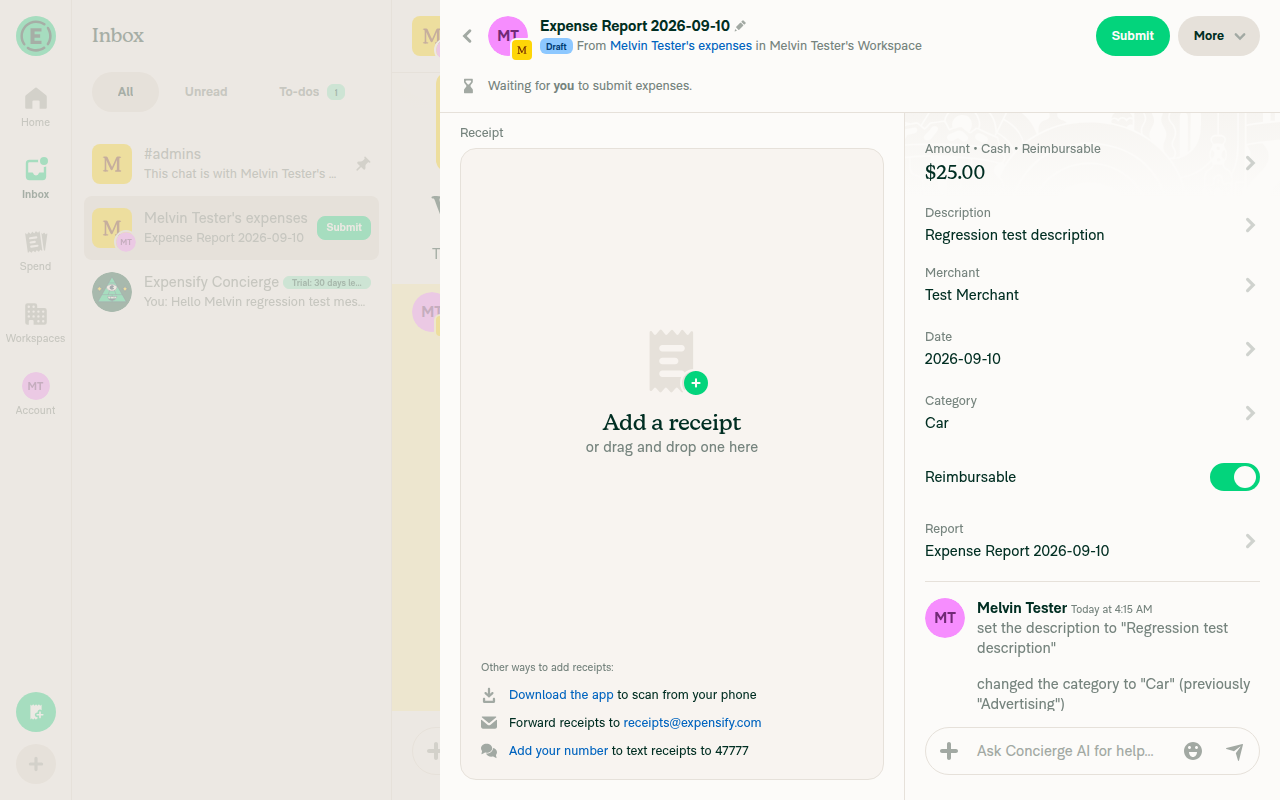
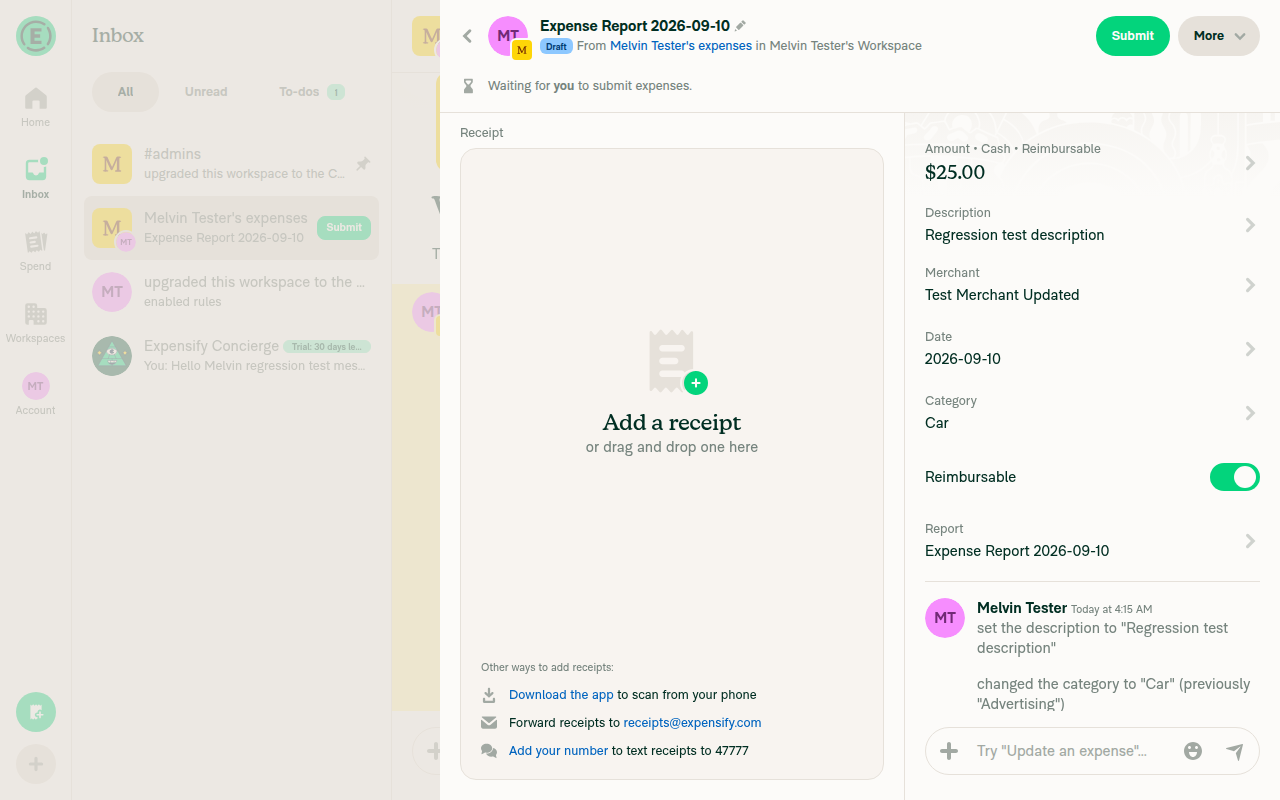
Edit an expense field and save — value updates, return to expense, no errorsEdited Description, Category and Merchant. Each saved, logged the correct system message, and returned cleanly to the expense with the value updated.
Expense after Description edit
Expense after Category edit
Expense after Merchant edit with Rules enabled
Open a different report after editing — no layout shift, no stray bannerReturned to the Expenses list (edit reflected in the row), then reopened Concierge. Layout identical to before, no stray banner or leftover UI.
Different report opened, no stray banner
Scroll the report message list up and down — no layout jump, no crashScrolled both directions in the expenses report thread; settled with 0 diff each time — no jump, no crash, no new or missing elements.
Workspace Rules settings page opens with existing optionsRequired a Control upgrade first. Rules then opened with every existing option: Receipt required amount, Itemized receipt required amount, Max expense amount, Max expense age, Cash expense default, Billable default, Prohibited expenses, Require company cards, eReceipts, Attendee tracking, Public receipt visibility, and the Add merchant/agent rule buttons.
Workspace Rules settings page

Coverage caveat: the callout itself never rendered during the run — the test account is a single-member workspace, so the report is a self/owner report, which your own spec excludes, and I couldn't confirm rulesRevamp was on. So the runtime pass covers the surrounding surfaces the PR touches, not the callout's own behavior. Finding #1 above is from reading the code, not from reproducing it on screen — please confirm it against a real two-account setup before acting.


Next Steps: Reply with @MelvinBot <your feedback> to dig into any of these further.


view run · no recording available

@situchan

situchan commented Sep 10, 2026

Copy link
Copy Markdown
Contributor

Bug: existing rule is automatically removed after cancelling creation from prompt

Can't reproduce this bug

Repro step:

  1. Create non-reimbursable expense
  2. Toggle Reimbursable on
  3. Create a rule from prompt
  4. Save rule
  5. Verify that rule is created
  6. Toggle Reimbursable off
  7. Create a rule from prompt
  8. Click back button (without saving rule)
  9. Observe that rule is removed
rule.mov

Signed-off-by: krishna2323 <belivethatkg@gmail.com>
@Krishna2323

Copy link
Copy Markdown
Contributor Author

@situchan still can't repro that bug:

Monosnap.screencast.2026-09-10.11-24-43.mp4

@situchan

Copy link
Copy Markdown
Contributor

@situchan still can't repro that bug:

Monosnap.screencast.2026-09-10.11-24-43.mp4

ok then let's see if QA will find and report this

Signed-off-by: krishna2323 <belivethatkg@gmail.com>
@JS00001
JS00001 merged commit 43f1e25 into Expensify:main Sep 10, 2026
35 of 36 checks passed
@github-actions

Copy link
Copy Markdown
Contributor

🚧 JS00001 has triggered a test Expensify/App build. You can view the workflow run here.

@OSBotify

Copy link
Copy Markdown
Contributor

✋ This PR was not deployed to staging yet because QA is ongoing. It will be automatically deployed to staging after the next production release.

@OSBotify

Copy link
Copy Markdown
Contributor

🚀 Deployed to staging by https://github.com/JS00001 in version: 9.4.76-0 🚀

platform result
🕸 web 🕸 success ✅
🤖 android 🤖 success ✅
🍎 iOS 🍎 success ✅

@MelvinBot

Copy link
Copy Markdown
Contributor

Yes, help site changes were required. Draft PR: #100907

This PR added a new way to create a Merchant Rule — the in-expense Create a rule prompt — and nothing under docs/articles described it. Everything on the help site still assumed rules are only created from Workspaces > [workspace] > Rules.

What the docs PR changes (all in docs/articles/new-expensify/workspaces/Workspace-Merchant-Rules.md):

  • New section ## How to create a Merchant Rule from an expense you just edited — which field edits trigger the prompt, where it appears per platform, that Add rule opens pre-filled with everything else at Don’t change, that you land back on the expense after saving, and how to dismiss it.
  • New FAQ ## Why don't I see the Create a rule prompt after editing an expense? — every gate from src/hooks/useMerchantRuleSuggestion.ts:40-83, plus the fact that the offer is one-shot per edit.
  • Two pre-existing label corrections found while verifying against the live UI: the match option is Exactly matches (the article said "Matches exactly") and the button is Save rule (the article said "Save Rule").

One thing to check. The prompt is gated behind the rulesRevamp beta, so I could not trigger it on a test account. I verified the surrounding Rules page labels live on a Control workspace (Merchant, Add merchant rule, Add rule, Contains, Exactly matches, Preview matches, Save rule), but the prompt's own behavior in the article comes from the source and your test plan, not a live capture.

Why no other article needed a change

Workspace-Rules.md and Create-an-Expense.md mention Merchant Rules only to link out to Workspace-Merchant-Rules.md, so the new entry point does not contradict them. Import-Merchant-Rules.md covers the spreadsheet flow only, which this PR does not touch. Personal-Expense-Rules.md is a different feature.

Prompt copy is src/languages/en.ts:8277-8278; the six triggering fields are CONST.MERCHANT_RULE_SUGGESTION_FIELDS.

@Krishna2323, please review the linked help site PR and confirm it reflects the current behavior. Then mark the linked help site PR Ready for review

@jponikarchuk

Copy link
Copy Markdown

Deploy Blocker #100922 was identified to be related to this PR.

@jponikarchuk

Copy link
Copy Markdown

Deploy Blocker #100925 was identified to be related to this PR.

@jponikarchuk

Copy link
Copy Markdown

Deploy Blocker #100927 was identified to be related to this PR.

@jponikarchuk

Copy link
Copy Markdown

Deploy Blocker #100928 was identified to be related to this PR.

@jponikarchuk

Copy link
Copy Markdown

Deploy Blocker #100936 was identified to be related to this PR.

@situchan situchan mentioned this pull request Sep 11, 2026
54 tasks
@OSBotify

Copy link
Copy Markdown
Contributor

🚀 Deployed to production by https://github.com/mountiny in version: 9.4.76-1 🚀

platform result
🕸 web 🕸 success ✅
🤖 android 🤖 success ✅
🍎 iOS 🍎 success ✅

Bundle Size Analysis (Sentry):

Sign up for free to join this conversation on GitHub. Already have an account? Sign in to comment

Labels

None yet

Projects

None yet

Development

Successfully merging this pull request may close these issues.