Repository navigation
Optional colour themes (Dark, Creme, editable theme files) - #1077
Conversation


023dc5e to
4ad9de0
Compare

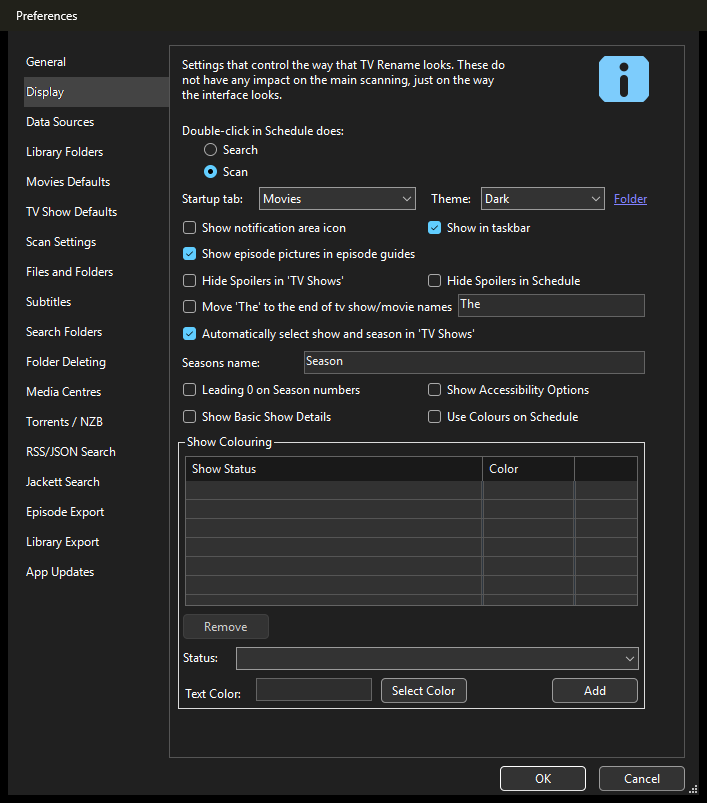
Adds a Theme setting (Preferences > Display) with Light (default), Dark, Cream, any custom
theme file and Same as Windows. Themes are editable .theme.xml files in the settings folder
(Themes\), with pristine built-in copies in Themes\Defaults and the last good copy of each
theme in Themes\Backups. All code is in TVRename/AddIns/Themes; existing code gains two
hook lines (Program.Main and the splash constructor). The default Light look is unchanged.
4ad9de0 to
be91f56
Compare

|
Rebased onto 5.2.6. The splash screen warning I mentioned is gone with your 5.2.6 changes, so I took that note out of the description. |

|
Hey, Great work! Thank you so much for working on this - there is so much complexity to these overwrites. It's a really clever, tircky implementation. If we are to merge it in, then let's align it into the main code properly. I'd propose:
In addition I'll:
Thanks so much! |
|
We could also put some of the |
|
Some additional optimisations to combine:
|
Adds a Theme setting to Preferences > Display: Light (default), Dark, Creme,
any theme file in the Themes folder, and Same as Windows. The choice is saved
in TVRenameSettings.xml and used from the next start.
be91f56 to
2b9c39e
Compare
kadeschs
changed the title
|
Thanks Mark, that all makes sense. I've reworked it along those lines and force-pushed. It's now one commit on top of a5c0998.
I also renamed Cream to Creme. Testing: in Light, screenshots of the main tabs, menus, all the Preferences tabs, Edit Show and the other dialogs match a stock build of a5c0998 apart from the new Theme box and things that also change between two runs of stock where the focus rectangle lands live data. Dark and Creme match the previous version of this PR everywhere I checked separate from your own changes since 5.2.6 and a few small display fixes. This version also fixes something I'd missed before. With Light or Cream, the hook version laid out a few of the Preferences pages slightly differently from stock. The splash screen looks the same as stock in Dark and Creme. I also re-ran the broken theme file cases switching themes through Preferences and starting with /hide. Debug and Release builds add no new warnings. On the two YTS windows, I opened both on a stock build of a5c0998 and on this branch in Light, Dark and Creme and they behave the same on both. In my setup, the Preview loads page after page but showed no movies within about 30 seconds and Recommendations comes up empty. So I don't think what you saw comes from this change. Thanks for taking on the message boxes. On the Schedule/Scan icons, I know you said you’d do those. While testing I ran into the white boxes on the dark themes so I added a small workaround in ThemeHelper.ThemedIcons that clears the white background of a list’s icons and lightens their black lines on dark themes when a theme is in use. It only runs on icon lists without transparency so if you move them to a 32-bit list with transparent images it steps aside but then the dark themes would still need the black lines lightened (the magnifying glass handle is hard to see otherwise). Happy to take it out if you’d rather handle it your way. |
…nto themes-addin
|
Hi Mark, heads up on your push this morning. It looks like your local copy of Compared to 2b9c39e, the branch now has:
The old code is in the The cleanest fix is to reset the branch to 2b9c39e. I'm happy to force-push that if it works for you. Afterwards, |

PR #1077 was redone with themes built into the main code (Settings\Theme.cs, Settings\ThemeManager.cs, ThemeHelper). The first, self-contained add-in version (TVRename\AddIns\Themes and its hooks in Program and the splash screen) was carried in by a merge and ran alongside it.
|
Yeah - I made a right mess of the commits and merges! It's been a while since anyone contributed... I think I have it sorted now though?? |
|
No worries Mark, the merge itself looks good. The old add-in is gone, there's just the one theme system now, and your build fix and mine both came through cleanly. One catch: master doesn't build as of the latest "Compiler Suggestions" commit. ThemeableMessageBox.cs stops with SYSLIB1050 and SYSLIB1062 on the DwmSetWindowAttribute line. It looks like the suggestion to switch DllImport to LibraryImport only got partly applied. Putting it back to DllImport like the rest of the code builds clean for me in Debug and Release, but your call on which way you'd rather go. I also noticed the default theme is now Same as Windows. Was that on purpose? If so, the dropdown still says "Light (default)", and anyone on dark Windows who hasn't picked a theme will start in Dark after updating. Nice touch on the themeable message box. |
|
Yeah - sorry - my bad (again!). to be fair I have no idea of the pros/cons of dllimport vs libraryimport For me (at least) the new themes are a little slow, so was trying to see what I could do to improve the performance. There are probably a few other async optimisations we can make. Yes, I think 'WINDOWS' should be the default. I has thought it was just the 2 places I need to update, but if there are others then let me know. |
|
No worries Mark, thanks for sorting the build. DllImport vs LibraryImport: no practical difference for TV Rename. LibraryImport generates the interop code at compile time which mainly helps trimming/AOT. It's not a straight swap, though. It needs On Windows as default, the two TVSettings.cs lines (302, 1363) do the work. Two other spots to update:
Just a heads up, the existing settings files have no Theme entry so anyone in Windows dark mode will open in Dark after upgrading. Might be worth a line in the release notes. On speed, where do you notice it most, startup, opening dialogs, or list refreshes? I can try to time Light vs Dark here to see where the time goes. |
|
Thanks. Have tried to fix with just one update in the ThemeManger Yep - I will mention in the release notes The speed comment refers to general UI snappiness - navigating and clicking around rather than any of the more major time-bound operations |
|
Thanks Mark. Found it, it was my tab and progress bar painting. The fix is in #1084. |


Hi Mark,
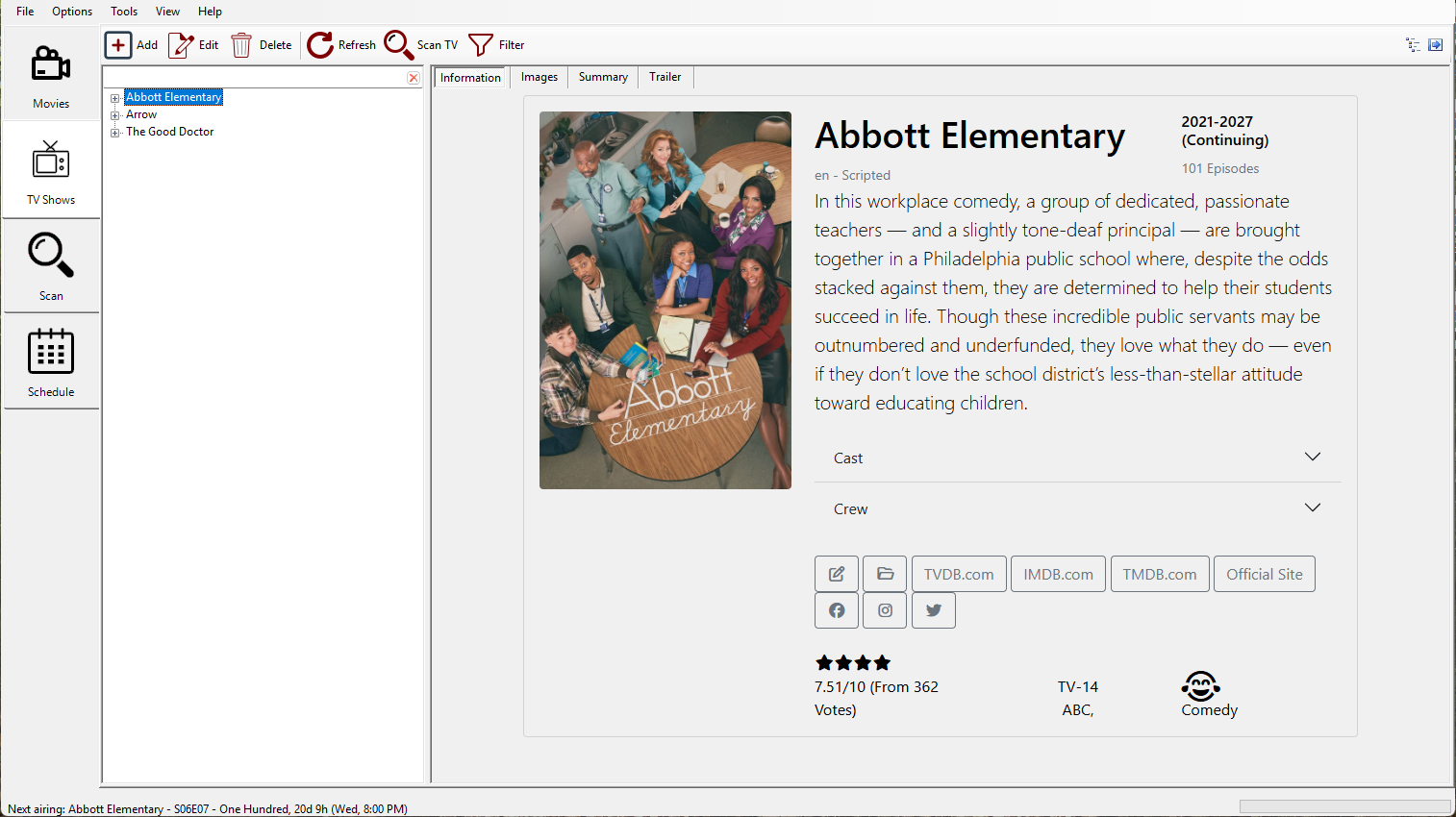
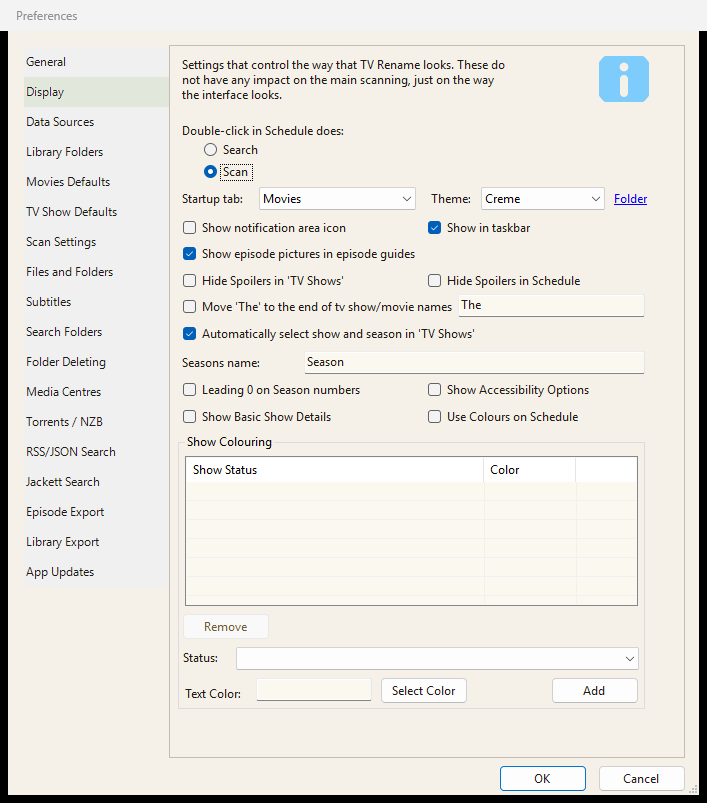
This is my take on #1029 (dark mode). It adds a Theme setting to Preferences > Display: Light (default), Dark, Creme, any custom theme file, and Same as Windows. The chosen theme is used the next time TV Rename starts. Light is the default and looks exactly as it does today; I compared screenshots pixel by pixel against a stock build of master and, apart from the new Theme box in Preferences, there is no difference.
Updated after your review: it's no longer a self-contained add-in, it's part of the main code (see my comment for how each of your points was done).
Theme files
Themes live in
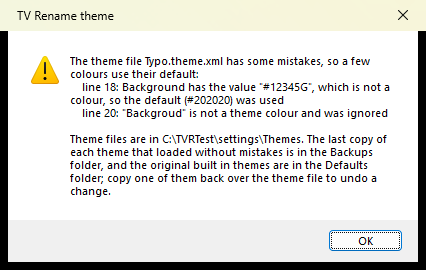
<settings folder>\Themes\*.theme.xmland show up in the Theme box automatically. Each file names its colours (27 of them, each with a comment saying what it is for) and is built on either Windows' dark look (base="Dark") or the standard light look (base="Light"). Anyone can copy a theme, change the colours and restart. The built-in themes are always kept untouched inThemes\Defaults, and the last copy of each theme that loaded correctly is kept inThemes\Backups. A bad colour falls back to its default and a broken file falls back to its backup. The user gets one message at startup explaining what went wrong (not with /hide or /unattended), and it is logged.How it fits in
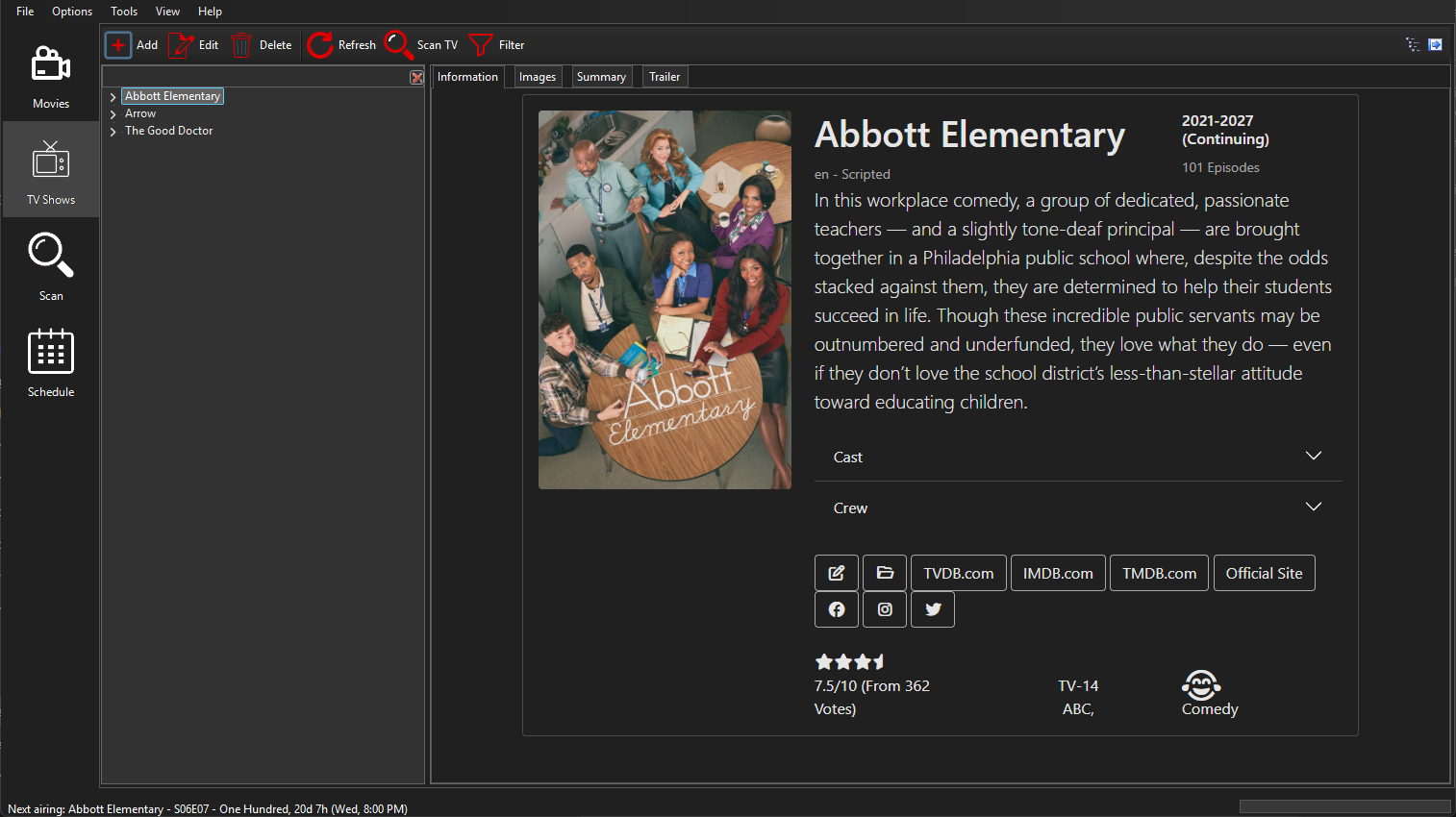
Themesetting in TVRenameSettings.xml (TVSettings). ApplicationBase loads the theme straight after the settings and, for a dark theme, switches the colour mode before the main window is created.this.UpdateColorControls();straight afterInitializeComponent().UpdateColorControls(UiHelpers) themes the form and everything on it, using the helpers in ThemeHelper.TabControlThemedandProgressBarThemedpaint the tab strips and progress bars;ListViewColourerdoes the row colours and group titles of the lists.ThemeandThemeManager(Settings folder) read the theme files.For dark themes it fixes what Windows' dark mode leaves light or unreadable: tab strips, list headers, grid lines and group titles, the calendar, progress bars, disabled labels, the SourceGrid grids, black icons, list icons drawn on white, and colours set for the light look (warning, schedule, filter buttons). Light-based themes (Creme) only apply their colours.
What I tested (on a5c0998)
All main tabs, menus, all 18 Preferences tabs, Edit Show and the other dialogs, the splash screen, scan progress, the web pages and the Schedule colours, in Light, Dark, Creme and a custom theme of my own. I also switched themes through Preferences, tried mistyped and broken theme files, and started with /hide. Debug and Release builds add no new warnings.
Limits
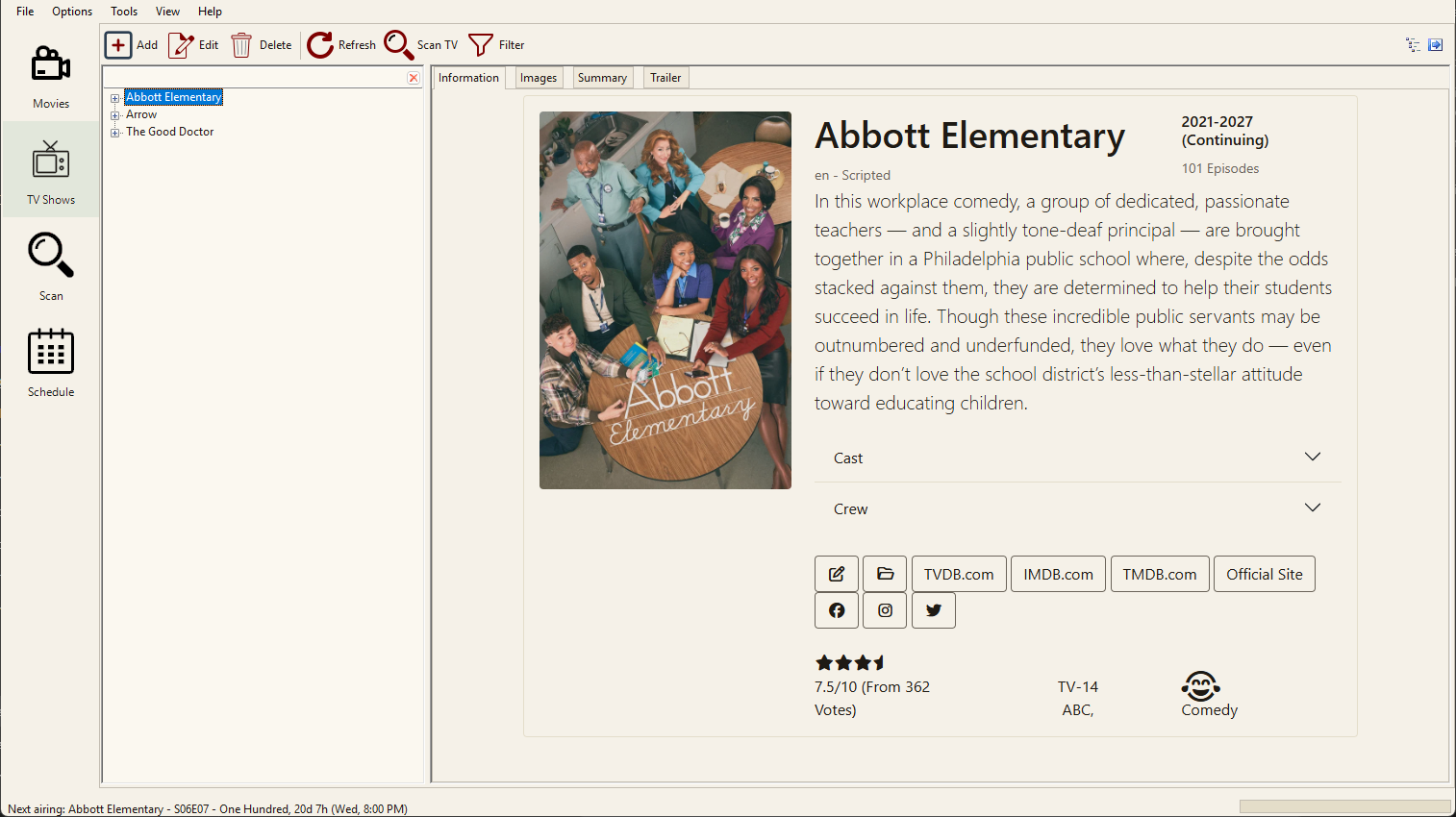
Windows message boxes stay light. Creme uses the colours of the Magnetar browser extension's glass toolbar (github.com/ArrCee76/magnetar); Windows Forms can't draw its see-through glass, blur or gradients, so it's the colours only.
Screenshots
Light (default, unchanged):
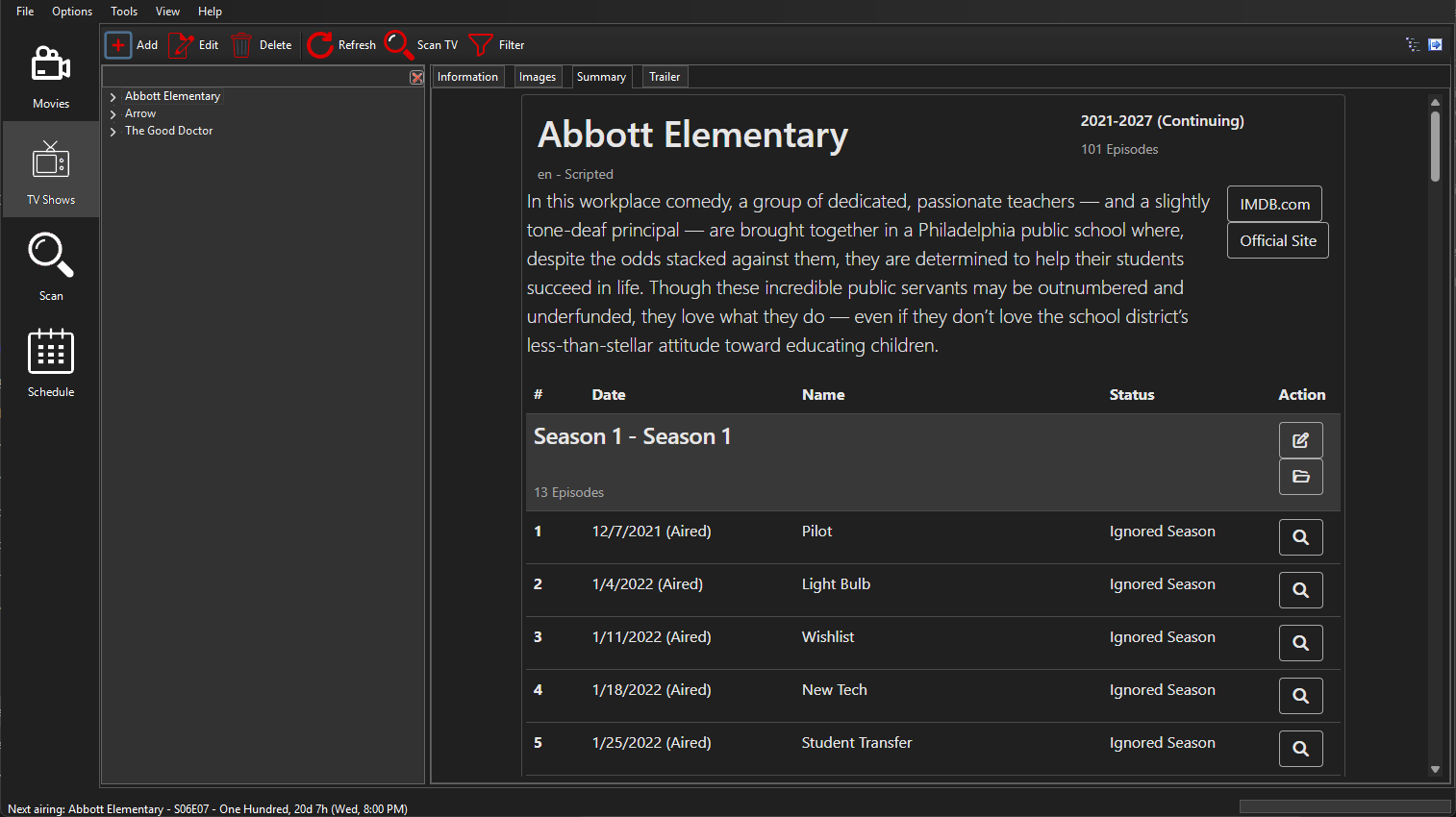
Dark:
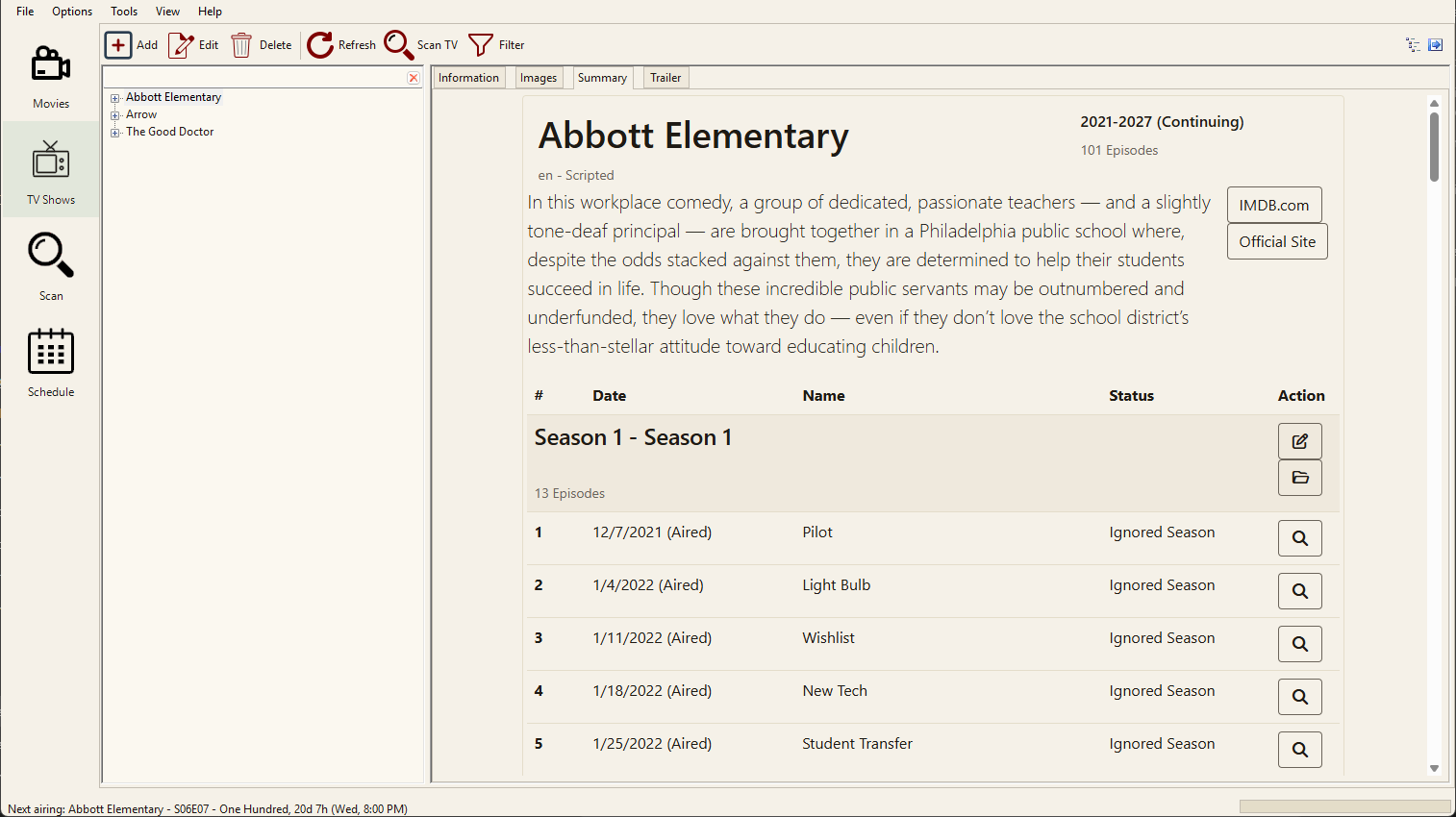
Creme:
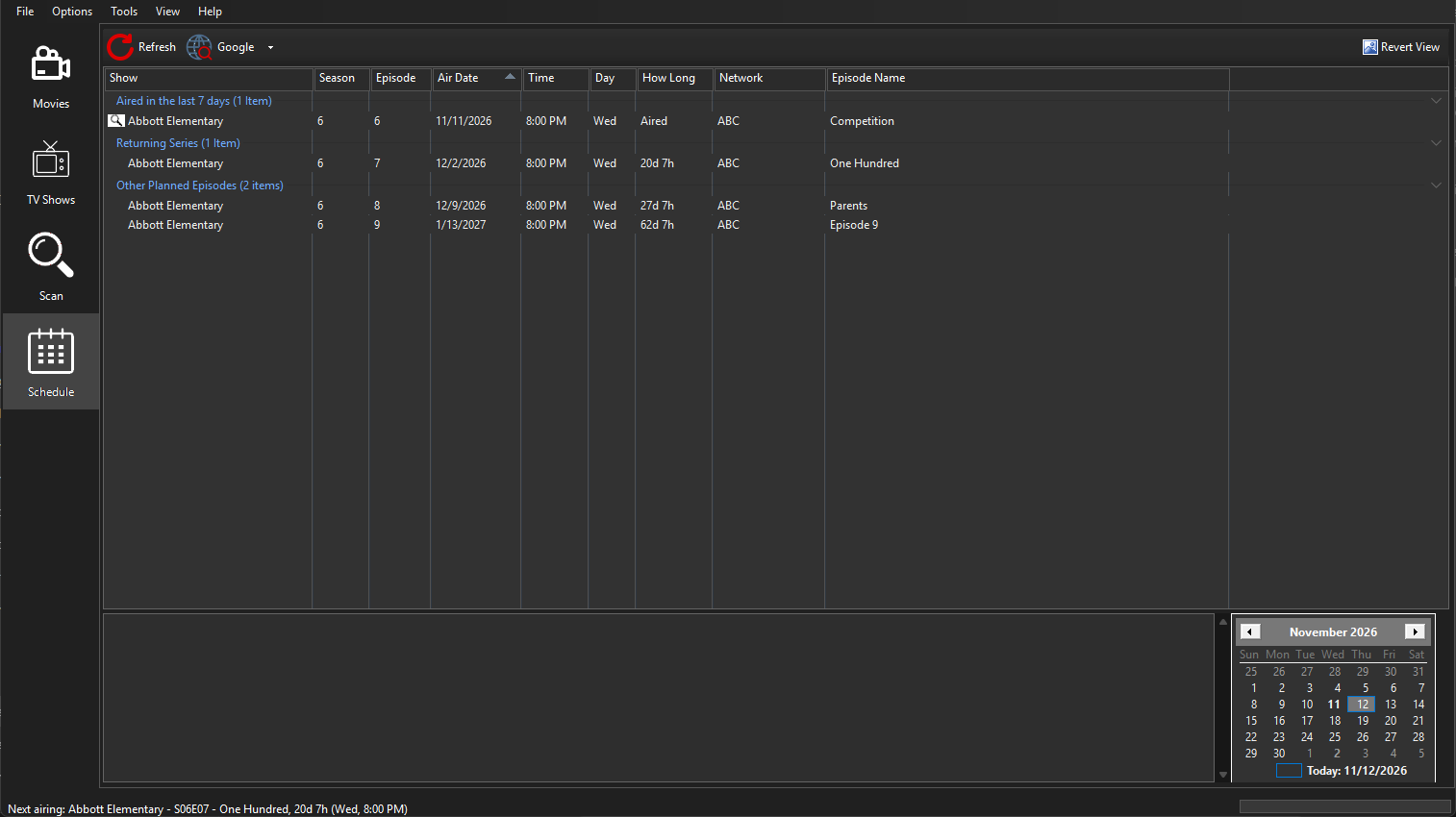
Dark, Schedule:
Dark and Creme, Summary page:
The Theme setting in Preferences > Display (Dark and Creme):
The message shown for a theme file with mistakes: