Repository navigation
Filtering with SCAMPI
- generate input file for online tool using "generate_scampi_input_files" in the korbinian module: this will generate a file in FASTA format holding the accession numbers of the proteins and their full sequences (saved in "summaries/XX/ListXX_SCAMPI/ListXX_fasta_for_scampi.txt", where XX is the list number (e.g. 02))
- navigate to http://scampi.bioinfo.se to access the online tool for SCAMPI
- upload your file by klicking the "Choose File" icon
- click Submit SCAMPI-single
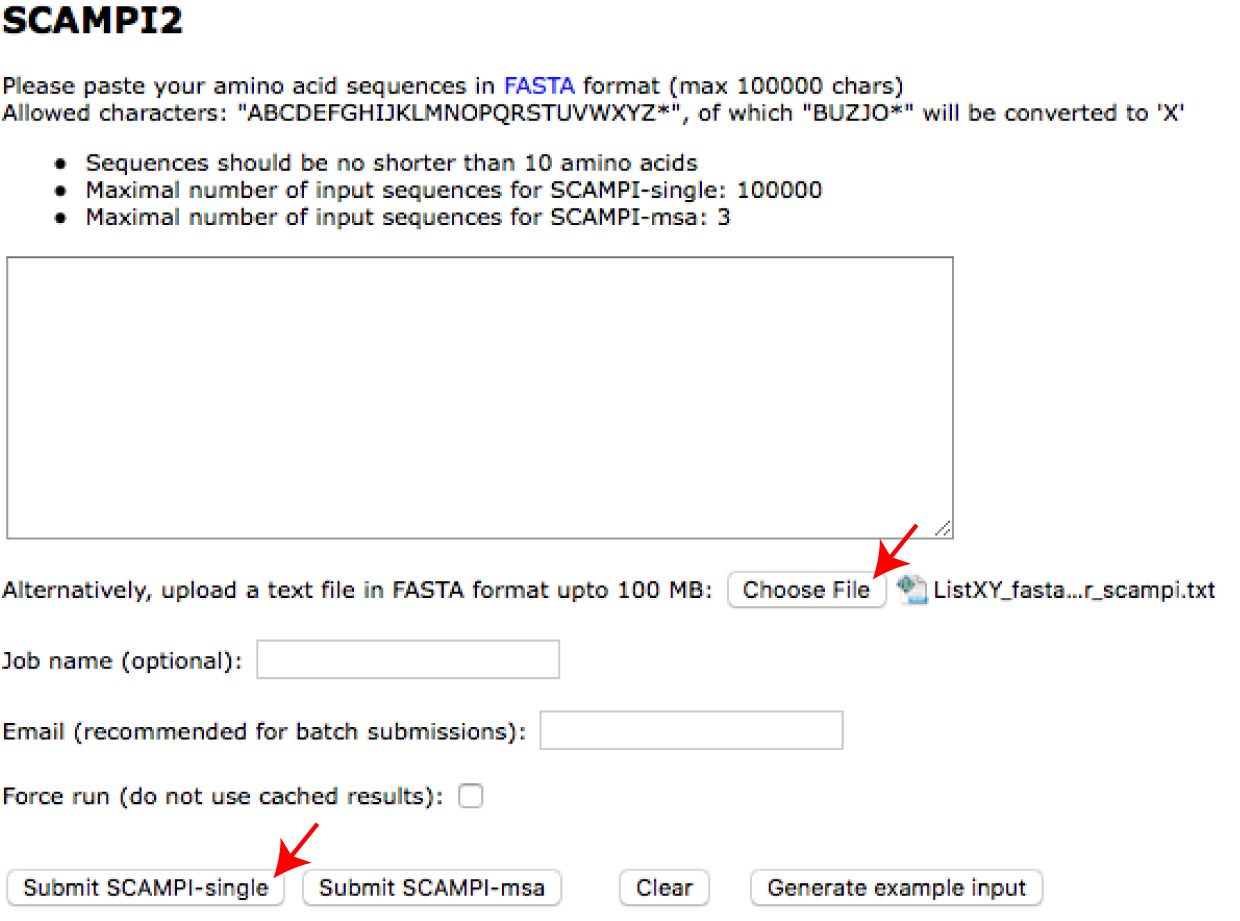
*now your query will be processed *download the output files (red arrows) and save them under their original name in the folder containing the original query
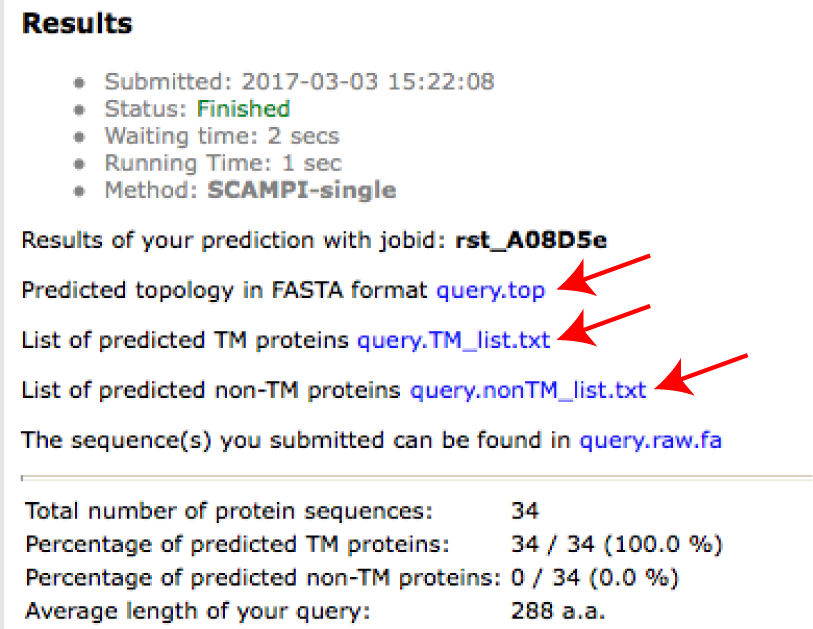
Korbinian will check if these files exist during the protein list creation. If they exist, non-membranous proteins according to SCAMPI will be excluded.
- Note you can also Setup Standalone SCAMPI on a unix system, rather than using the online server
_
korbinian installation
Getting started
Using korbinian
Protein lists
- UniProt download
- Create protein list from UniProt
- Filtering with SCAMPI
- Getting TMD regions with TMSEG
- Filtering with SignalP
- Prepare protein list
Troubleshooting